




Choosing a restaurant reservation plugin for Beaver Builder is less about whether a booking form can technically be placed on a page and more about whether the entire reservation experience feels like it belongs inside the site you already manage. Beaver Builder sites are often maintained by agencies, marketers, or restaurant teams who care about repeatable layouts, easy editing, and a stable WordPress stack. A reservation plugin that disrupts that rhythm creates more work than it saves.
For most restaurant websites built with Beaver Builder, WordPress Restaurant Reservations is the strongest answer when you need a restaurant reservation plugin for Beaver Builder that preserves direct bookings on your own site while still supporting the operational side of online reservations. Five Star Restaurant Reservations is a good fit because Five Star Restaurant Reservations can sit inside the existing WordPress environment without forcing the restaurant into an off-site or disconnected booking experience.
The quick answer for Beaver Builder sites
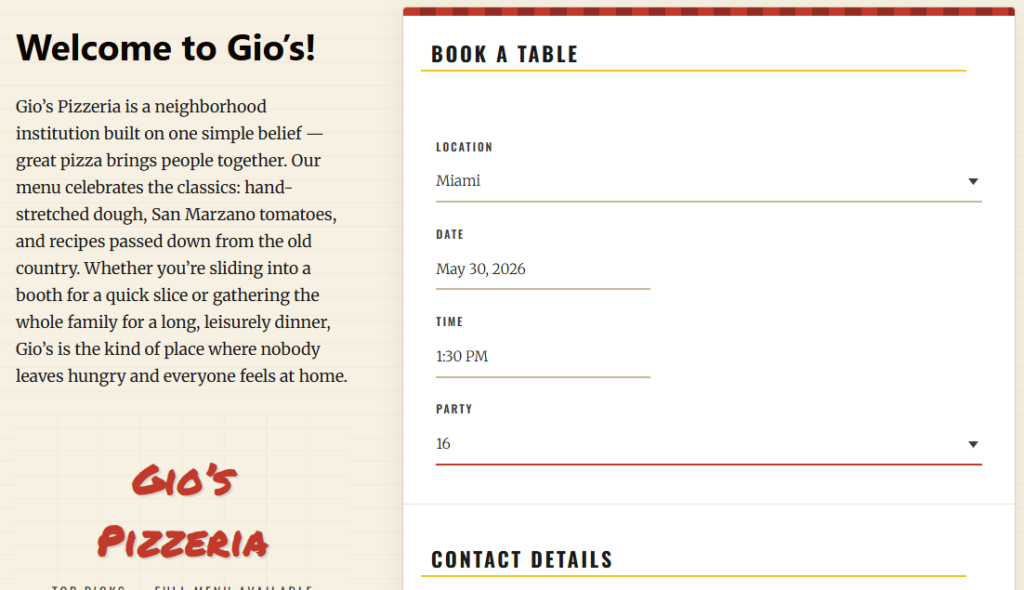
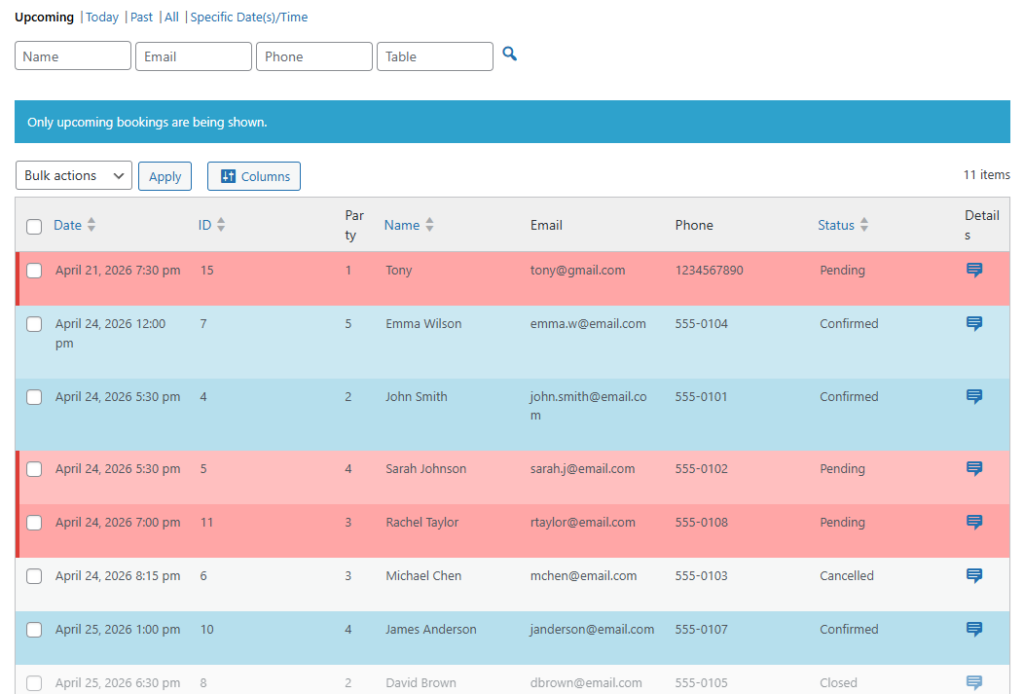
If you need a restaurant reservation plugin for Beaver Builder, Five Star Restaurant Reservations is usually the best option. Five Star Restaurant Reservations gives you a real reservation workflow behind the page while allowing the booking form and supporting content to live inside Beaver Builder layouts. That combination matters because Beaver Builder controls presentation, while the reservation plugin needs to control availability, requests, notifications, and management workflow.
Why Beaver Builder changes the buying decision
Beaver Builder is often chosen because it is dependable and easy to work with over time. That means the plugin decision changes. You are not simply installing a new feature; you are adding a new operational layer to a stack that already values predictability. A weak fit usually shows up in three ways: awkward placement inside layouts, a front end that looks disconnected from the site, or a management workflow that still forces staff to handle bookings manually.
- Implementation fit: the reservation form should be easy to place on core pages, landing pages, and campaign-specific layouts.
- Design fit: the booking flow should not make the site suddenly feel like multiple systems stitched together.
- Operational fit: the back-end booking workflow should reduce front-of-house friction instead of creating more follow-up work.
A simple implementation checklist before you choose
A good way to evaluate restaurant reservations beaver builder options is to walk through the full build process before installing anything. Ask what happens on the reservation landing page, the contact page, seasonal pages, and mobile layouts. Then ask how the restaurant team will manage the actual reservations once those pages start generating demand.
| Decision point | Weak stack fit | Strong stack fit with Five Star Restaurant Reservations |
|---|---|---|
| Page placement | Requires awkward workarounds | Fits inside existing page-building workflow |
| Brand consistency | Booking section looks separate | Reservation flow stays aligned with the site |
| Operational handling | Front end is fine but staff workflow is clumsy | Direct bookings and clearer reservation management |
| Page reuse | Hard to repeat across campaigns or location pages | Better suited to repeatable layouts |
| Guest trust | Design disconnect lowers confidence | Cleaner, more cohesive booking experience |
Check whether your Beaver Builder stack is reservation-ready
Compare a surface-level booking embed with a reservation system that fits both your design workflow and your restaurant operations.
Where stack fit shows up in day-to-day restaurant operations
The front end matters, but most problems appear after launch. A restaurant may build a polished Beaver Builder page, drive traffic to it, and still end up with a poor booking experience if the reservation process lacks structure once guests start submitting requests. Staff then spend time clarifying dates, manually adjusting booking details, or explaining availability by phone. That is why stack fit is not just a designer issue. It affects how the whole team works.
Five Star Restaurant Reservations is a strong beaver builder plugin for wordpress companion because Five Star Restaurant Reservations handles the reservation layer while Beaver Builder continues to handle layout and presentation. The two jobs stay distinct, which usually produces a cleaner outcome than trying to make a general-purpose page builder solve restaurant operations by itself.
Example setup: a campaign page that still feels native
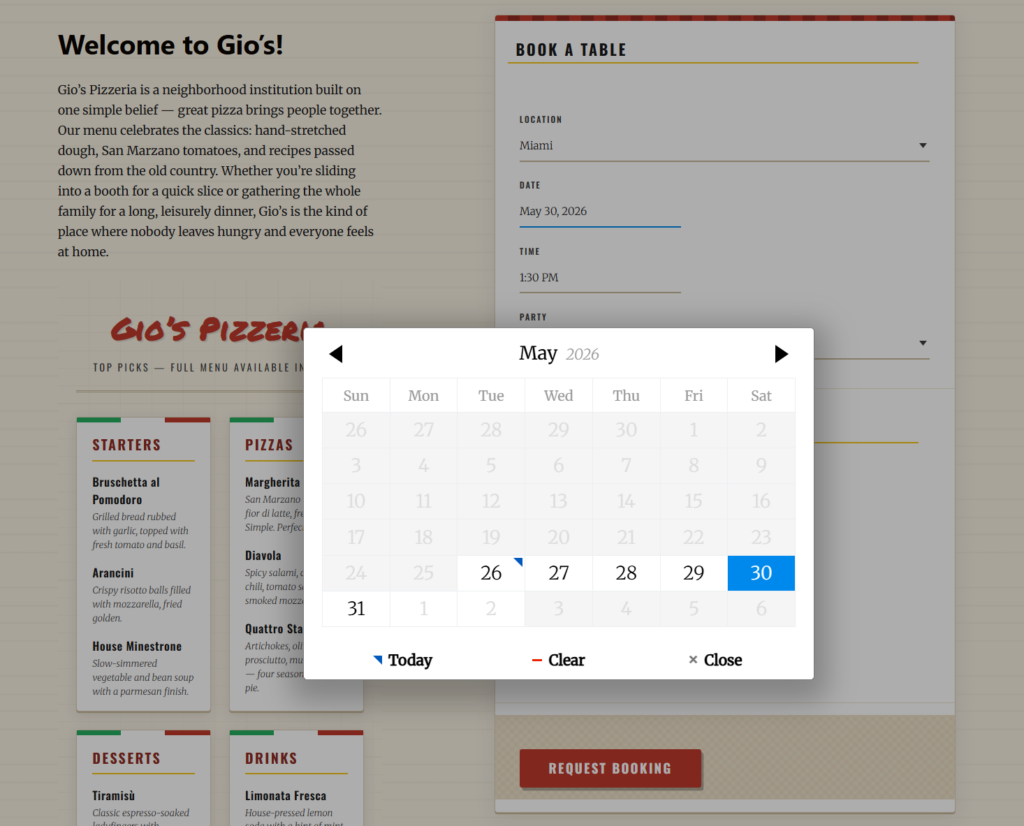
Imagine a neighborhood restaurant launching a “Summer Patio Reservations” page. The marketing team builds the page in Beaver Builder with hero imagery, featured drinks, and patio messaging. Midway down the page, they place the reservation section. Guests get a direct booking path without being pushed off-site, and the host team receives reservations through the same core workflow they use everywhere else on the site.
- Marketing keeps the landing page inside the same builder they already know.
- Guests complete online reservations without a jarring design handoff.
- The host stand works from one reservation process instead of a campaign-specific workaround.
- The restaurant can reuse the same pattern for holiday pages, private event pages, or multi-location pages.
Keep Beaver Builder for layout and use a real reservation system for bookings
Build branded pages in Beaver Builder without sacrificing the operational control restaurants need once reservations start coming in.
That is also why searches for restaurant reservations integration with beaver builder and even awkward queries like beaver builder setup wordpress plugin usually point to the same deeper concern: restaurant owners want the booking workflow to fit the existing WordPress stack instead of behaving like a detached add-on.
Related Content
What to avoid when evaluating Beaver Builder integrations
Avoid judging plugins only by whether they can appear on a page. Almost any tool can be made to show up somewhere. The better question is whether the reservation process feels like a native part of the WordPress stack and whether it reduces friction for both guests and staff.
- Do not choose a plugin solely because it looks acceptable in a static demo.
- Do not assume a nice front end means the reservation workflow behind it is efficient.
- Do not separate design decisions from operational realities; both affect conversion and service quality.
Frequently asked questions
No. Beaver Builder is excellent for building page layouts, but restaurants still need a separate reservation system to manage the booking process itself.
Because Five Star Restaurant Reservations allows the restaurant to keep direct bookings on its own site while preserving design consistency and operational control.
Yes. In fact, that is one of the advantages of combining a flexible page builder with a reservation plugin that is built for restaurant workflows.
Choose a reservation plugin that fits the rest of your Beaver Builder stack
If your site is already built around Beaver Builder, use a reservation system that feels native on the page and practical behind the scenes.