




A restaurant booking form should not behave like a generic contact form with a date picker added on top. It sits at a high-intent moment where guests are deciding whether your website feels trustworthy enough to book from directly. If the form asks the wrong questions, shows unrealistic times, or creates uncertainty about what happens next, conversion drops and staff end up fixing avoidable mistakes.
That is why learning how to build a restaurant booking form is partly a design exercise and partly an operations exercise. The simplest route is to use Five Star Restaurant Reservations so the form is tied to real booking rules, a branded booking experience, and a workflow your team can manage from WordPress.
How do you build a restaurant booking form that people actually complete?
How to build a restaurant booking form in a way that guests actually use comes down to three things: show only the choices that fit service reality, ask for only the information staff need, and keep the entire booking flow on your own site with a tool like WordPress Restaurant Reservations. When the form reflects real availability and clearly tells the guest what happens next, it stops feeling like a request box and starts feeling like a trustworthy booking path.
Start with the guest decisions, not the fields
Most form builds go wrong because the restaurant thinks first about what it wants to collect instead of what the guest is trying to decide. A guest usually moves through the booking decision in a predictable order: can I book, for when, for how many people, and what else does the restaurant need from me? If your booking form fights that logic, it will feel harder than it should.
- First decision: Is this the right page for the kind of reservation I want to make?
- Second decision: Is the time I want available for my party size?
- Third decision: What information do I need to provide to complete the reservation?
- Fourth decision: Did the booking actually go through, and what should I expect now?
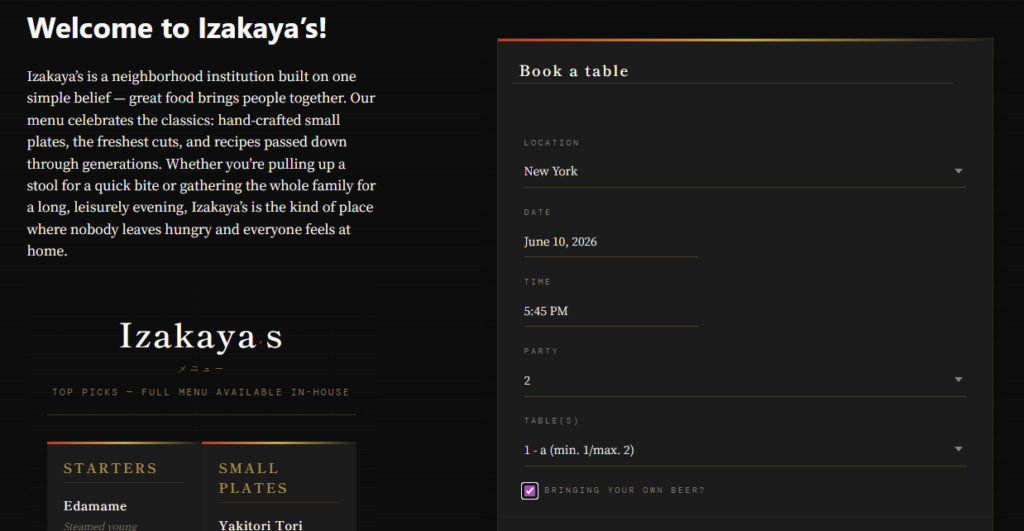
Build the form from top to bottom, one booking decision at a time
1. Put date, time, and party size at the center of the form
These are the core reservation controls. If they are buried, the form feels clumsy. If they are disconnected from real rules, guests choose options that staff later have to correct. With Five Star Restaurant Reservations, the booking form is tied to restaurant-specific reservation logic, so those choices can reflect the way your service actually runs.
2. Ask for essential contact information next
Name, email, and phone number are usually enough for most restaurants. That gives staff enough information to confirm, change, or follow up on a booking without making the form feel intrusive. Asking for too much too early can reduce completions, especially on mobile.
3. Add only high-value custom fields
A notes box, seating preference, or occasion field can be useful. The test is simple: if staff never use the information during service or confirmation, it should not be in the form. Keep the booking experience efficient and focused.
4. Tell the guest what happens after submission
Even a well-built form loses trust if the next step is vague. Add a short line beneath the submit button or on the confirmation screen explaining whether the reservation is instantly confirmed, reviewed, or followed up on by staff. Clear expectation-setting reduces both drop-off and support questions.
| Form element | When to include it | Why it helps |
|---|---|---|
| Date and time selectors | Always | They are the core booking decision and should never be hidden in a long form. |
| Party size | Always | It controls whether a time makes sense operationally. |
| Phone number | Usually | It gives staff a practical way to resolve issues quickly. |
| Occasion field | When service or hospitality flow changes based on occasion | Useful when the information leads to action, not just curiosity. |
| Seating preference | When the restaurant can realistically honor it | Only include it if staff can make use of it. |
| Long notes box | Rarely | Too much free text often slows down both guests and staff. |
Build a restaurant booking form around real reservation rules
Keep the form on your WordPress site and tie it to live booking logic instead of treating it like a generic contact form.
What the page around the booking form should do
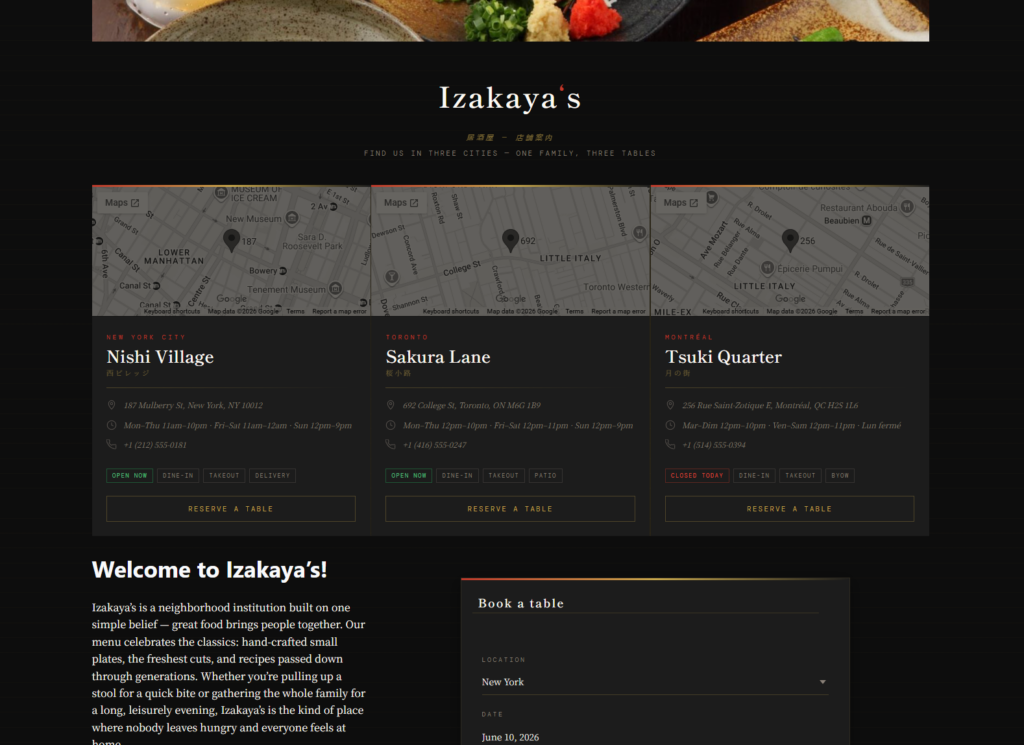
The form itself is only part of the experience. The page needs to reassure the guest and remove friction. A dedicated Reservations page usually works best because it gives the form enough space and lets you add a short line about reservation policies, private dining, or large-party instructions without overcrowding the screen.
A strong booking page usually includes a concise headline, the form itself, one or two short support notes, and a visible fallback option such as a phone number for edge cases. That is enough for most restaurants. Overexplaining every policy above the form usually hurts more than it helps.
A practical example for a small city restaurant
Imagine a small city restaurant that takes online bookings for dinner and weekend brunch. The owner initially builds a long form asking for date, time, party size, seating preference, dietary notes, occasion, arrival flexibility, and a message field. Mobile users start dropping off, and staff still have to follow up because the time choices are not tightly controlled.
A better version trims the experience down. The form leads with date, time, and party size, then asks for name, email, and phone. One short optional notes field stays for true edge cases. The page adds a simple note for large-party requests and a clear confirmation message after submission. In that version, the booking experience feels lighter for guests and more usable for the host stand.
Related Content
The biggest mistakes when restaurants build a booking form
- Using a general form builder that can collect data but cannot enforce restaurant booking rules.
- Adding every possible custom field because it might be useful one day.
- Hiding key controls below long text or promotional content.
- Leaving guests unsure whether the reservation is confirmed or still pending.
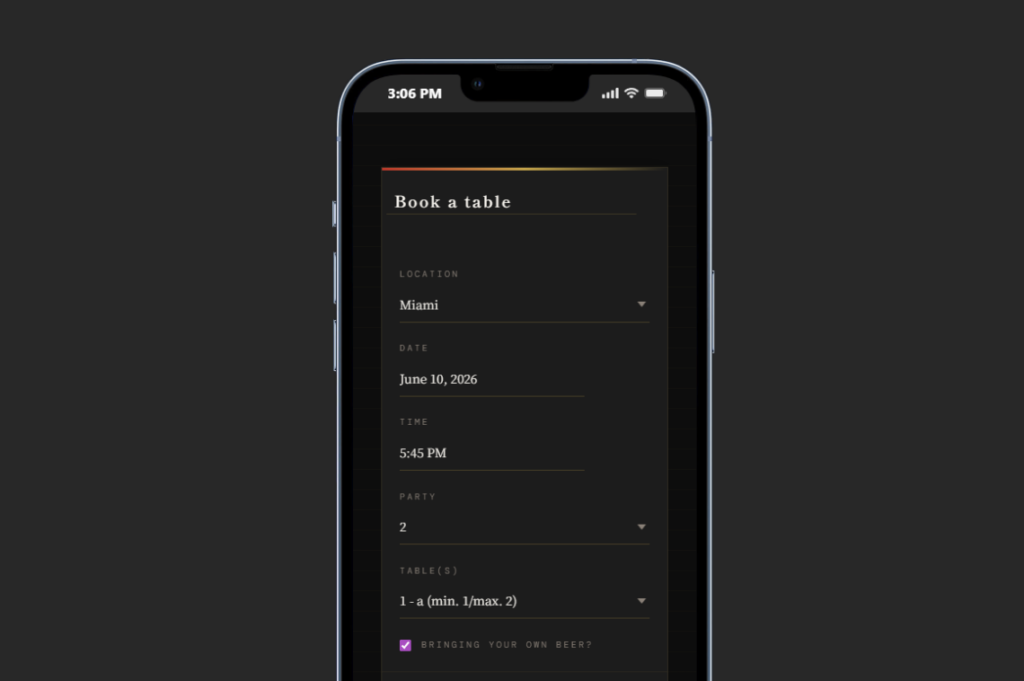
- Forgetting to test the form on mobile, where many direct bookings begin.
Frequently asked questions about building a restaurant booking form
Usually fewer than owners first expect. Start with the decisions and contact details needed to run service, then add only the fields that directly improve handling.
In most cases, yes. A dedicated page makes the booking path clearer and gives you room for light policy guidance without distracting the guest.
You can, but that often creates a gap between what the form collects and what the reservation workflow actually needs. A restaurant-specific plugin closes that gap.
Because it helps you build a booking form that is part of a real restaurant reservation workflow in WordPress, not just a standalone submission form.
Launch a restaurant booking form that feels easy for guests and manageable for staff
Five Star Restaurant Reservations gives you a direct-booking form on your own site, tied to the reservation rules and workflow your restaurant actually needs.