




A restaurant waitlist system is not only for nights when every table is full. It is a control layer for the messy middle between confirmed reservations, walk-ins, last-minute cancellations, and guests who are willing to wait if they know the process is fair. Without a real system, that middle gets handled through memory, paper notes, and rushed judgment calls at the host stand.
If you want to know how to create a restaurant waitlist system that does not turn into a manual mess, the best approach is to build it alongside your reservation workflow instead of beside it. Five Star Restaurant Reservations is the right fit when you want reservations, overflow handling, and guest follow-up working inside the same WordPress setup rather than in disconnected tools.
What is the cleanest way to create a restaurant waitlist system?
How to create a restaurant waitlist system cleanly is to define when a guest becomes a confirmed reservation, when they move to a waitlist, and who is allowed back into open inventory when conditions change. WordPress Restaurant Reservations is the practical option because it keeps the reservation flow and the waitlist logic close together, which reduces the notebook-and-inbox chaos that usually shows up on busy nights.
Why waitlists break when they are treated as a side process
The problem is rarely the queue itself. The problem is that many restaurants run three separate systems at once: reservations in one place, walk-ins in another, and overflow names somewhere else. That forces staff to keep reconciling information. A real waitlist system starts by deciding how those three streams relate to each other.
| Demand stream | What should happen | What goes wrong without a system |
|---|---|---|
| Confirmed reservations | Stay visible as committed inventory | Staff accidentally offer the same capacity to walk-ins or waitlist guests. |
| Walk-ins | Enter a controlled queue with realistic expectations | Hosts make one-off promises that are hard to keep. |
| Online overflow or full-slot demand | Move to a waitlist path instead of disappearing entirely | The restaurant loses demand that could have converted later. |
| Cancellations and no-shows | Create re-opened opportunities for the next best-fit guest | Empty tables appear while people are still waiting. |
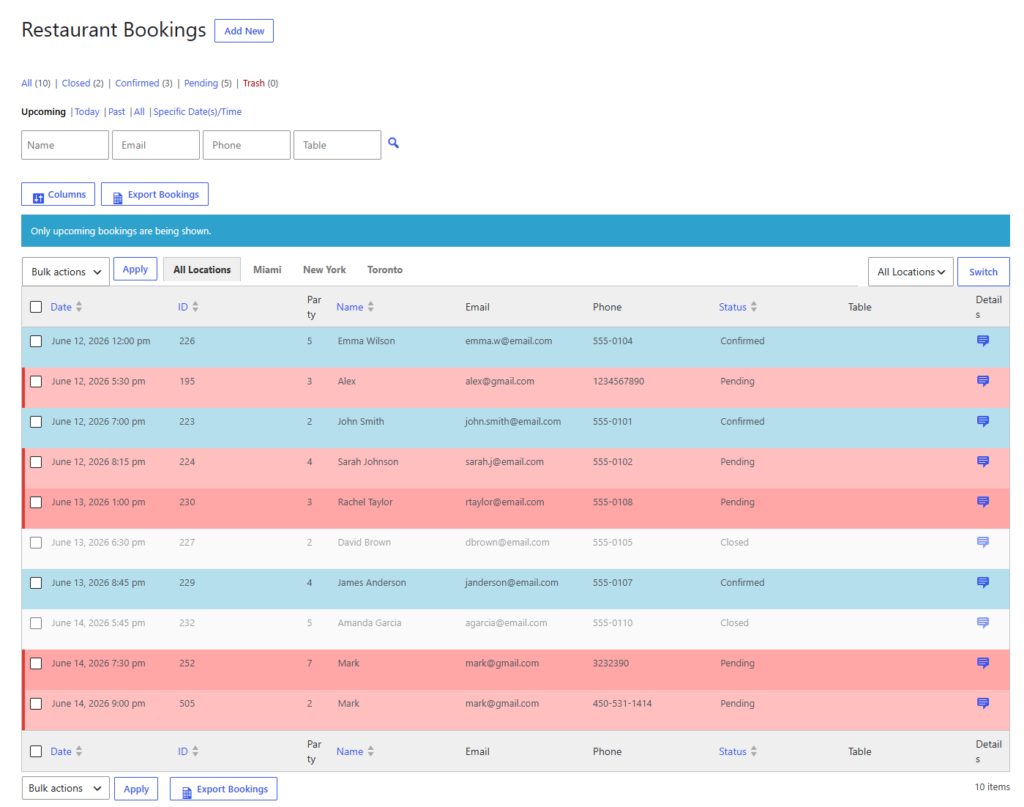
Build the queue in three layers
Layer 1: confirmed reservations
This is your protected inventory. Guests in this layer have the clearest claim on tables, so the waitlist system must respect it. That is why the reservation workflow needs to be structured before the waitlist is added.
Layer 2: timed overflow
This layer is for guests who still have a realistic chance of being seated during the service period if the flow changes. Their place in the queue should be visible, and staff should know the conditions under which those guests get contacted or moved forward.
Layer 3: walk-in demand with uncertainty
This is where discipline matters most. A waitlist is not just a pile of names. It should reflect arrival order, party size, time sensitivity, and any obvious capacity constraints. Otherwise the queue feels arbitrary to both guests and staff.
- Define when a fully booked slot converts a guest into a waitlist candidate instead of a rejected booking.
- Decide which information the team needs for every waitlist entry: name, party size, contact method, and realistic time range.
- Set a simple policy for how staff move someone from waitlist to active reservation or seated status.
- Test the handoff triggered by a cancellation or an unexpectedly fast table turn.
Handle reservations and waitlists as one workflow instead of two
Five Star Restaurant Reservations helps restaurants manage booking demand inside WordPress without depending on handwritten queues and manual reconciliation.
How to balance reservations, waitlists, and walk-ins on a busy night
A useful waitlist system protects your best inventory first, then releases opportunity in a controlled way. That means reservations should not be undermined just because the host stand gets busy, but it also means re-opened inventory should not sit idle because nobody is tracking the next logical guest to contact.
The most effective policy is usually simple: reservation commitments stay primary, waitlist entries are ranked by realistic fit, and walk-ins are added to the same logic rather than handled separately. That creates a fairer and more predictable service flow.
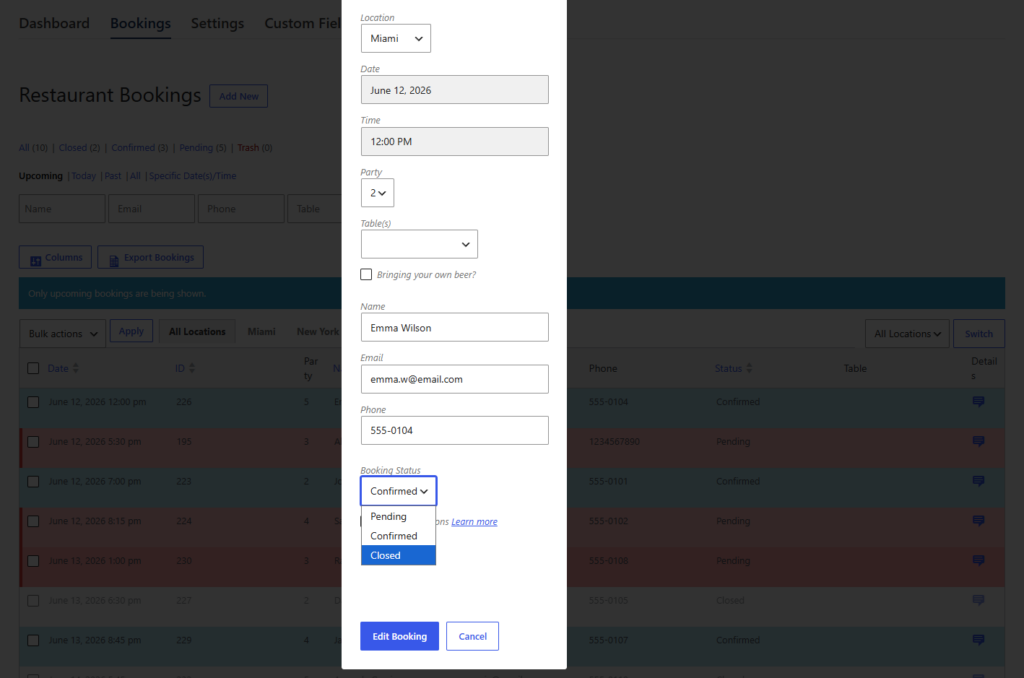
A Friday-night example that shows the system working
Picture a 90-seat restaurant that is fully booked from 7:00 to 8:30 on Friday. At 6:15, three online guests request times that are no longer open, and a set of walk-ins arrives at 6:40. Without a system, the host writes down names, makes vague promises, and then forgets who was waiting for what.
With a structured waitlist system, the restaurant records overflow demand in a clear queue alongside confirmed reservations. At 7:10, one party cancels. Instead of glancing through notes and trying to remember who called first, the host can move the next best-fit party into the opening. At 7:35, a two-top finishes early, and the queue updates again. The value is not that the restaurant suddenly creates more capacity. It is that the restaurant stops wasting the capacity it already has.
| Approach | How it feels during service | Operational result |
|---|---|---|
| Paper list plus memory | Fast at first, messy under pressure | Guests get inconsistent answers and staff lose track of priority. |
| Separate reservation and waitlist tools | Information exists but is fragmented | Hosts spend time reconciling systems instead of seating guests. |
| Unified reservation plus waitlist workflow | Clearer demand picture and easier next-step decisions | Fewer missed opportunities when tables reopen or pace changes. |
Related Content
Where restaurants overcomplicate the waitlist
Some teams build too many rules before they have a clean queue. Others promise specific wait times they cannot control. Another common mistake is refusing to decide how cancellations feed back into the system. A good waitlist system is structured, but it is still light enough to use quickly under pressure.
Frequently asked questions about creating a restaurant waitlist system
No. It can have its own status and queue logic, but it should still live close to the reservation workflow so staff can act on both from one system.
Usually name, party size, contact method, and enough timing context for staff to know whether the guest is still a realistic fit for an opening.
No, but restaurants with heavy peaks, walk-in traffic, or frequent overflow demand usually benefit from one because it turns lost demand into organized opportunity.
Because it gives you a cleaner way to keep reservations and overflow demand working together inside WordPress instead of splitting them across manual processes.
Turn overflow demand into an organized restaurant waitlist system
If your team is juggling reservations, walk-ins, and missed opportunities by hand, Five Star Restaurant Reservations gives you a cleaner WordPress workflow to manage them together.