




Blog
Setting Up a Multi-Location Reservation System for Restaurant Chains
Read Post →
Major update brings multiple prices, new dietary icons and more to your restaurant menus
Today I released updates to my restaurant menu plugins that address some long-standing customer requests.
This update has been in the works for a while now and brings exciting new features along with improvements that make it easier than ever to manage your menus.
One price, two prices, many prices
By far the most common request I get from customers is the ability to list multiple prices for their menu items. You can now add as many prices as you’d like to each Menu Item.
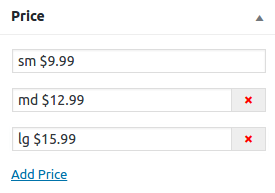
The plugin will then display them stacked in the price area.
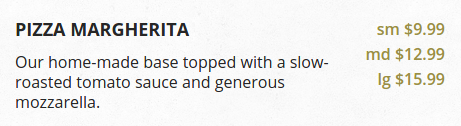
If you’ve used the plugin’s templating system to write your own templates, they should still work. But prices will be tied together in a single list. You may want to update your templates to reflect the new price template.
New dietary icons for hormone-free and heart-healthy dishes
I’ve added a few new dietary icons to Food and Drink Menu Pro. These include two icons to indicate a meal is hormone-free or antibiotics-free, as well as a couple options for indicating heart-healthy dishes.

These icons were made by the talented Ben Usher Smith, who also transformed the icons into a font set. That means it’s now easier than ever to adapt the icons to your restaurant’s color-scheme using CSS code.
If you’re using the icons along with my Luigi or Plate Up themes, you’ll want to update the themes as well. They now take advantage of the new icon format so that they automatically adjust to your color selection.
Running similar sections across multiple menus
Another problem that has effected a lot of customers is the fact that you can’t have two sections with the same name. If a restaurant has multiple locations, it’s common for both locations to have a section for Starters, but for those sections to contain slightly different dishes.
Until now, there was no way around this short of hacking at the template files. But now you can create menu-specific names for each section in your menu.
Making your everyday menu management a little bit easier
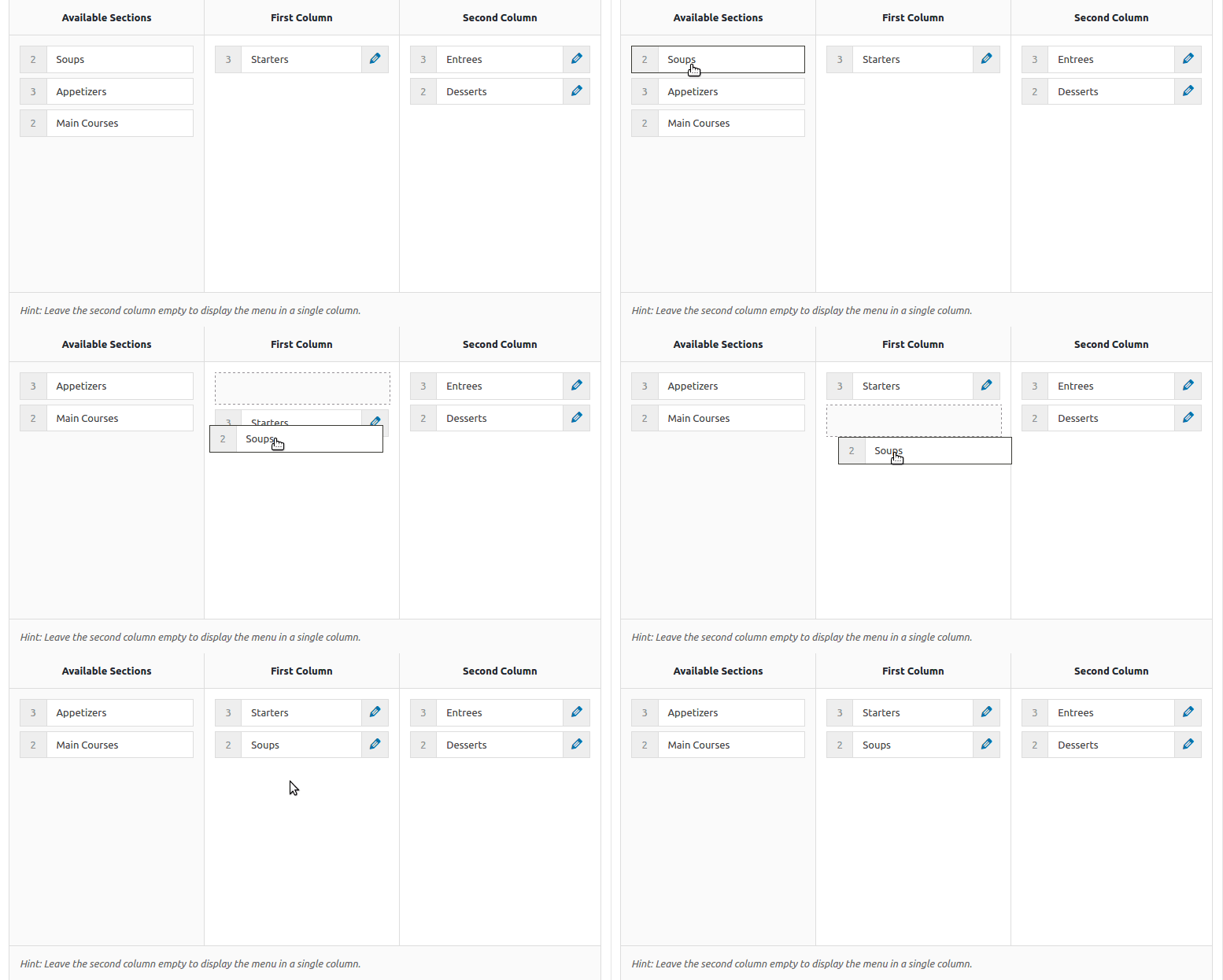
Several aspects of the menu’s management interfaces have been spruced up as well. When building menus, you can now drag-and-drop sections into place.
You can also now edit prices directly from the list of menu items, so you can quickly update prices across your menus.
And finally, there’s a new feature to use your theme’s page templates to display your menu. This should cut down on the need to use the shortcode just to show your menu in a template that fits the content.
These updates address the most common feature requests I get for the menu plugin, and represent the first major update to the plugin in a long time. What would you like to see in the future?






Discover all of our WordPress restaurant plugins
Browse Plugins
