Blog
Setting Up a Multi-Location Reservation System for Restaurant Chains
Read Post →
How to Quickly Optimize the Alt Text of the Images on Your Site Using AI Image Alt Text
Alt text plays an important role in both accessibility and search engine optimization. Search engines rely on image alt attributes to understand what an image represents, while screen readers depend on them to describe visuals to users.
Manually writing descriptive alt text for every image can be time-consuming, especially if your site contains dozens or hundreds of images.
AI Image Alt Text, offered by our sister company WP AI Power Tools, helps automate this process by generating intelligent, context-aware alt text directly inside your WordPress Media Library.
Why Optimizing Image Alt Text Matters
Proper alt text helps:
- Improve image search visibility
- Strengthen on-page SEO signals
- Increase accessibility compliance
- Provide better context for search engines
For restaurant websites using Five Star Restaurant Menu, this is especially valuable.
For example, instead of uploading a menu item image with alt text like:
“image1.jpg”
You could have a descriptive alt tag such as:
“Grilled salmon with lemon butter sauce and roasted vegetables”
That level of detail helps search engines understand your menu items and improves the chances of appearing in image search results.
How AI Image Alt Text Works
AI Image Alt Text uses OpenAI to automatically generate descriptive alt text for your images.
With the free version, you can:
- Generate alt text using GPT-5 or GPT-4o models
- Customize the style of generated descriptions (literal, creative, SEO-friendly, and more)
- Bulk generate alt text across your media library
- Generate alt text for new uploads and existing images
- Manually regenerate descriptions if needed
- Use it directly within the WordPress Media Library
This makes it easy to optimize:
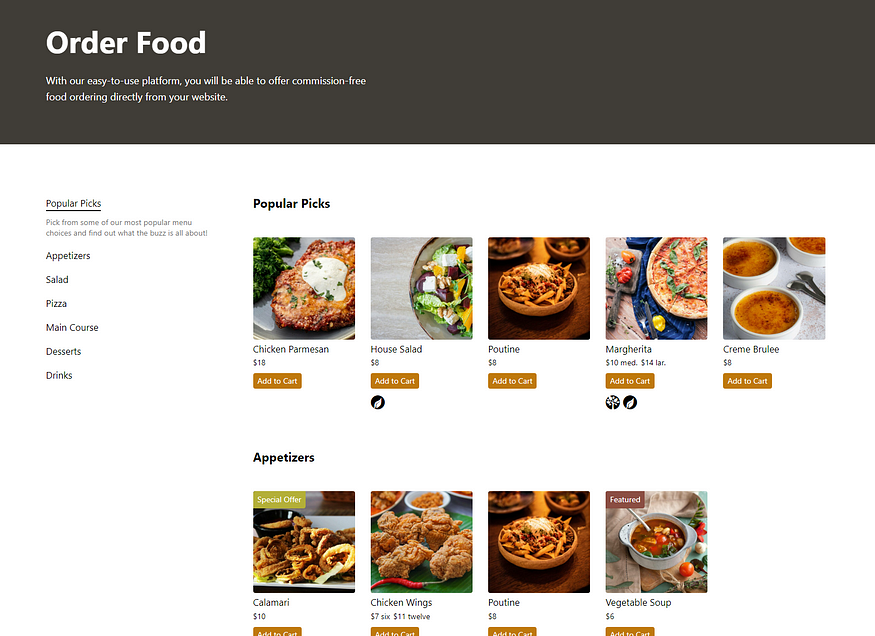
- Menu item images in Five Star Restaurant Menu
- Header and hero images on restaurant landing pages
- Gallery images
- Blog post featured images
Instead of writing alt text manually for every dish or location image, the plugin handles the process for you.
Use Cases for Five Star Restaurant Menu Users
If you are managing a restaurant menu with multiple menu items and sections, optimizing image alt text can:
- Improve visibility for individual dishes in search engines
- Strengthen keyword relevance for menu pages
- Enhance accessibility for visually impaired visitors
- Support multilingual SEO strategies
For example, if you upload images for appetizers, desserts, or drinks, AI Image Alt Text can generate descriptive, SEO-friendly alt text that matches the visual content and surrounding page context.
Start with the Free Version
The free version of AI Image Alt Text provides powerful bulk generation and customization tools to improve accessibility and image SEO quickly.
If you need advanced features such as SEO scoring integration, context-aware generation based on page content, scheduled regeneration, analytics, or WooCommerce integration, you can upgrade AI Image Alt Text for expanded capabilities.
Discover all of our WordPress restaurant plugins
Browse Plugins