




Blog
Setting Up a Multi-Location Reservation System for Restaurant Chains
Read Post →
CaféCultura version 1.3 released!
CafeCultura version 1.3 is now available. This version adds one-click updates, improves the Customizer and provides support for two new plugins. Read on to learn more.
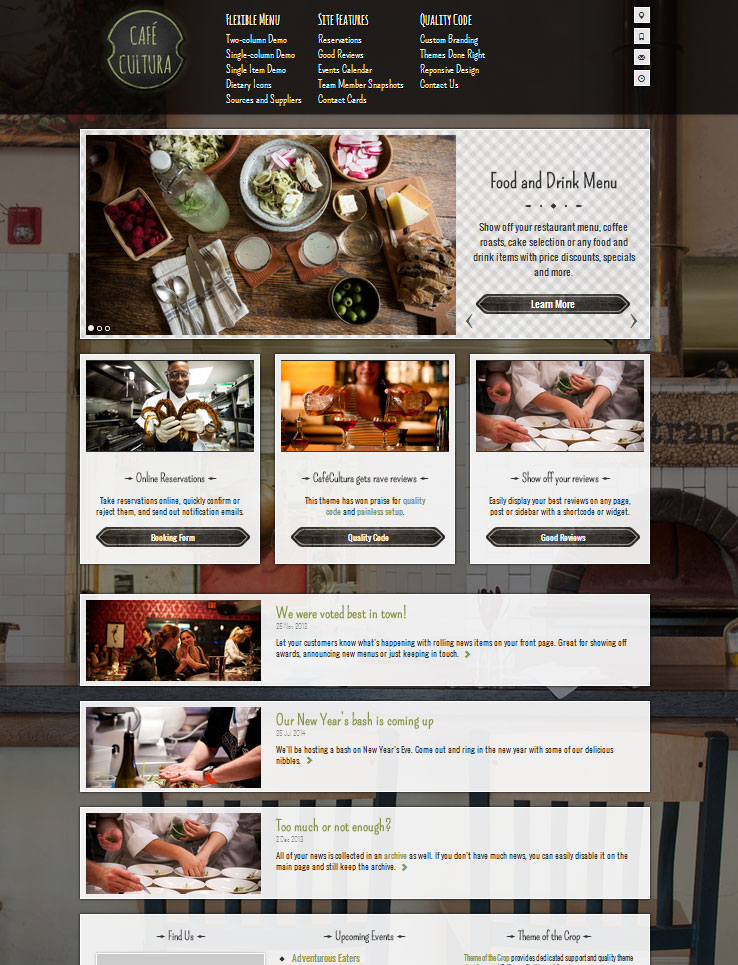
One-click Updates
This version of CafeCultura is now integrated with the software licensing system that powers my latest theme, Plate Up. Once you’ve updated to version 1.3, go to the Appearance > Theme License page in the WordPress admin panel to activate your license key.
Your site will then automatically check for updates to the theme and let you install them with a single click.
Those who you who have purchased CafeCultura before the license integration will receive an email soon with your newly generated license key. If you don’t, please get in touch and I’ll make sure you get one.
A new version of the Food and Drink Menu Pro plugin is also now available with support for one-click updates. Unfortunately, I’m unable to automatically generate the license keys for those who purchased CafeCultura. If you use the Pro features, please shoot me an email and I’ll generate a license key for you.
Improved Customizer
For version 1.3 I focused on improving the experience of the customizer. Now you will get live updates for many more components, so you don’t need to save and refresh the page to see your changes.
In addition, I added support for a new feature on the homepage. Since CafeCultura launched, I’ve noticed the most common request is to customize the three boxes which appear under the promotions slider on the homepage. The theme was designed to display news items there. But a lot of you wanted to use them to promote static content.
Now you can select three promotions to display below the slider. I’ve updated the demo so have a look.
Plugin Transitions
When CafeCultura was released, it bundled two plugins for managing venue location details and a plugin for adding reviews. These plugins, Extended Site Profile and Good Reviews, have been deprecated.
If you’ve been paying attention lately, you’ll notice that I released two new free plugins to the WordPress.org repostitory. Business Profile and Good Reviews for WordPress provide similar content to the two plugins I packaged with CafeCultura.
Starting with version 1.3, CafeCultura has been transitioned to these plugins so that it can take advantage of future updates. Don’t worry, you don’t need to switch all of your data. CafeCultura still works with the old plugins and I’ll push out any critical updates to those plugins in the future. But if you’re setting up a new website, using these plugins will help you update and extend features in the future.
New Mailing List
CafeCultura will continue to receive updates and support maintenance. It’s still my best-selling theme, although I’m working on a new one that I hope will blow your socks off! If you want to be alerted of product updates and new releases, please subscribe to my new mailing list. This mailing will send out one email per month with only the best tips and advice on running a restaurant website with WordPress. Or you can follow me on Twitter.






Discover all of our WordPress restaurant plugins
Browse Plugins
