




Blog
How to Set Up Pickup and Delivery Options in Restaurant Menu
Read Post →
Build customer loyalty with your restaurant’s website
Getting customers through your door is hard. Bringing them back to your restaurant week after week is harder. But if your restaurant is going to survive you’ll need to build customer loyalty.
In this post, I’ll show you how you can build customer loyalty on your website by pairing compelling offers and discounts with a mailing list sign-up form.
But who wants to sign up to a restaurant’s mailing list? How do you grow a list large enough to be valuable? Meet OptinMonster and Privy, two services that will drive signups to your mailing list in exchange for enticing offers.
OptinMonster – Compelling opt-in forms

OptinMonster offers a wide range of lead-capture forms that help you design and display opt-in forms to capture subscriptions with your favorite mailing list service. Once you’ve signed up, you connect it to your WordPress website with a simple plugin and connect it to any one of dozens of supported mailing list services (my favorite’s MailChimp).
For restaurants, you’ll want to build an opt-in prompt with an offer that’s really worth something to the visiting customer. You’ll need to exchange something of value if you want to build customer loyalty. Here’s an example.
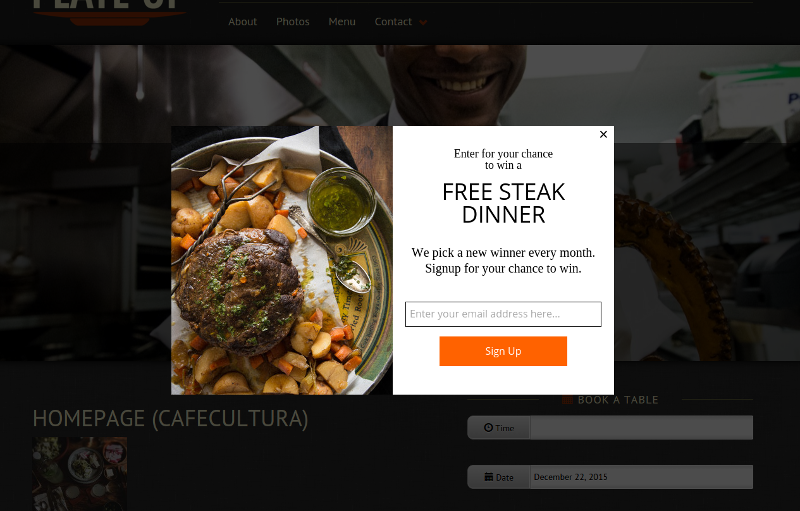
OptinMonster only handles the opt-in prompt, so you will still need to configure your mailing list provider to send this offer out when they sign up. But most providers are able to do this pretty easily.
OptinMonster’s greatest feature is the wide array of designs catering to different use-cases. You have pretty limitless options in how you configure your opt-in prompt. There’s even an option with an empty container for you to put things like prompts to follow you on Facebook or Twitter.
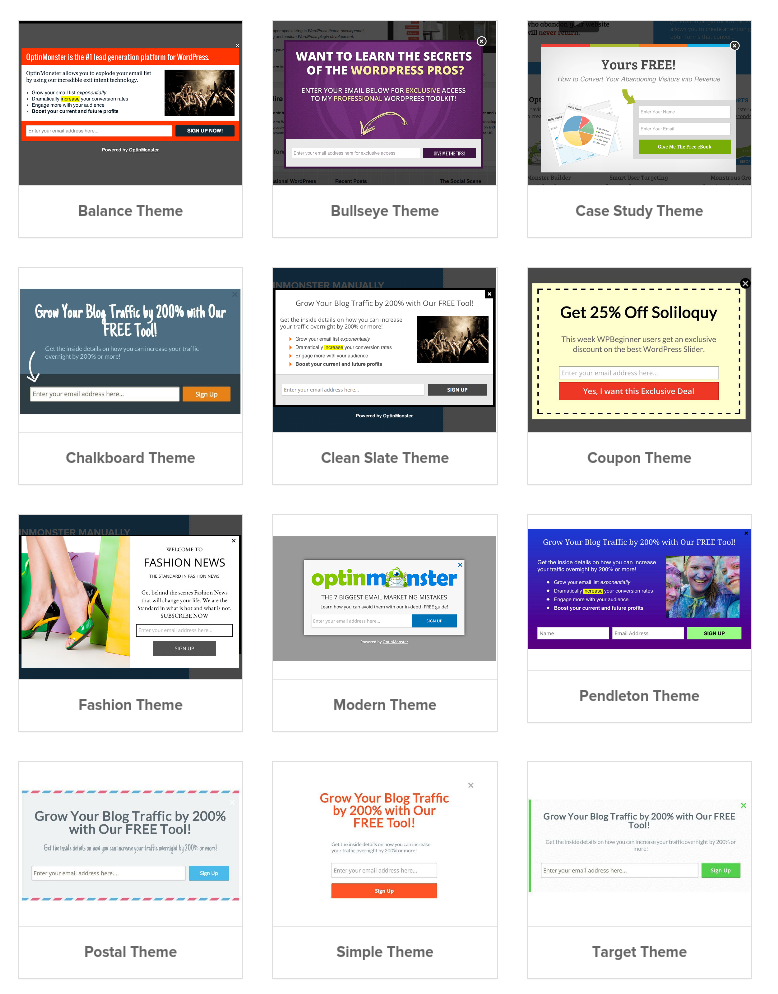
The extensive customization options are perhaps the only downside to OptinMonster. More options means that you’ll spend more time fiddling with them. It took me a while to get the photograph on the left sized just right in my example.
They’ve made it pretty easy. But it will still take a bit of time to get your first offer set up.
Their 3-tier pricing structure is affordable for restaurants. The base tier, at $49 per year, includes the ability to A/B test opt-in forms. This is a form of split testing that allows you to run two (or more) variations of an offer at the same time to see which one picks up more subscribers. It’s called A/B testing because at the end you get a clear winner: A or B. It’s a valuable tool but often requires a website with high traffic (10,000+ visitors a month) to get statistically meaningful results.
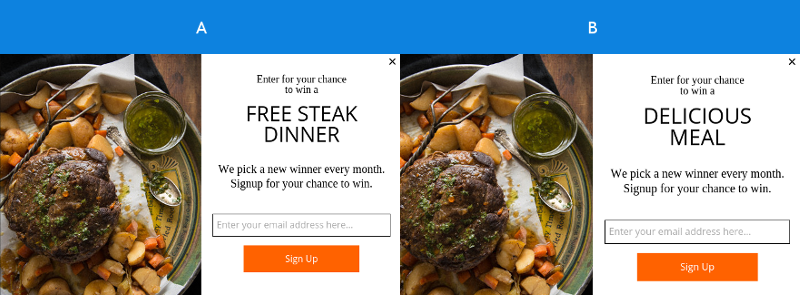
The top tier, at $199/year, includes exit-intent technology. This allows you to target the opt-in form at users as they leave the site, which can be a useful way to avoid interrupting users while they’re reading your menu or booking a table.
Privy – Web-to-table offer redemption

Privy is the more pricey of the two. But it offers end-to-end management of coupons, offers and other incentives that need to be redeemed in-person. That’s usually the hardest part of the process for restaurants.
With OptinMonster you’ll still need to configure your mailing list provider to send out the offer to new sign-ups. And you’ll need some way to manage the offer in your restaurant. It can become a headache trying to prevent diners from re-using the same coupon over and over.
Privy handles all of that. You set up the offer, configure the terms and conditions, and then write a bit of text for the opt-in prompt. Privy displays the offer, and emails visitors who sign up with a link to redeem the offer in-store. (See a video guide)
It doesn’t have as many opt-in forms or configuration options as OptinMonster. But what it lacks in options it makes up for with an incredibly simple setup process. Here’s me configuring a new campaign in 20 seconds.
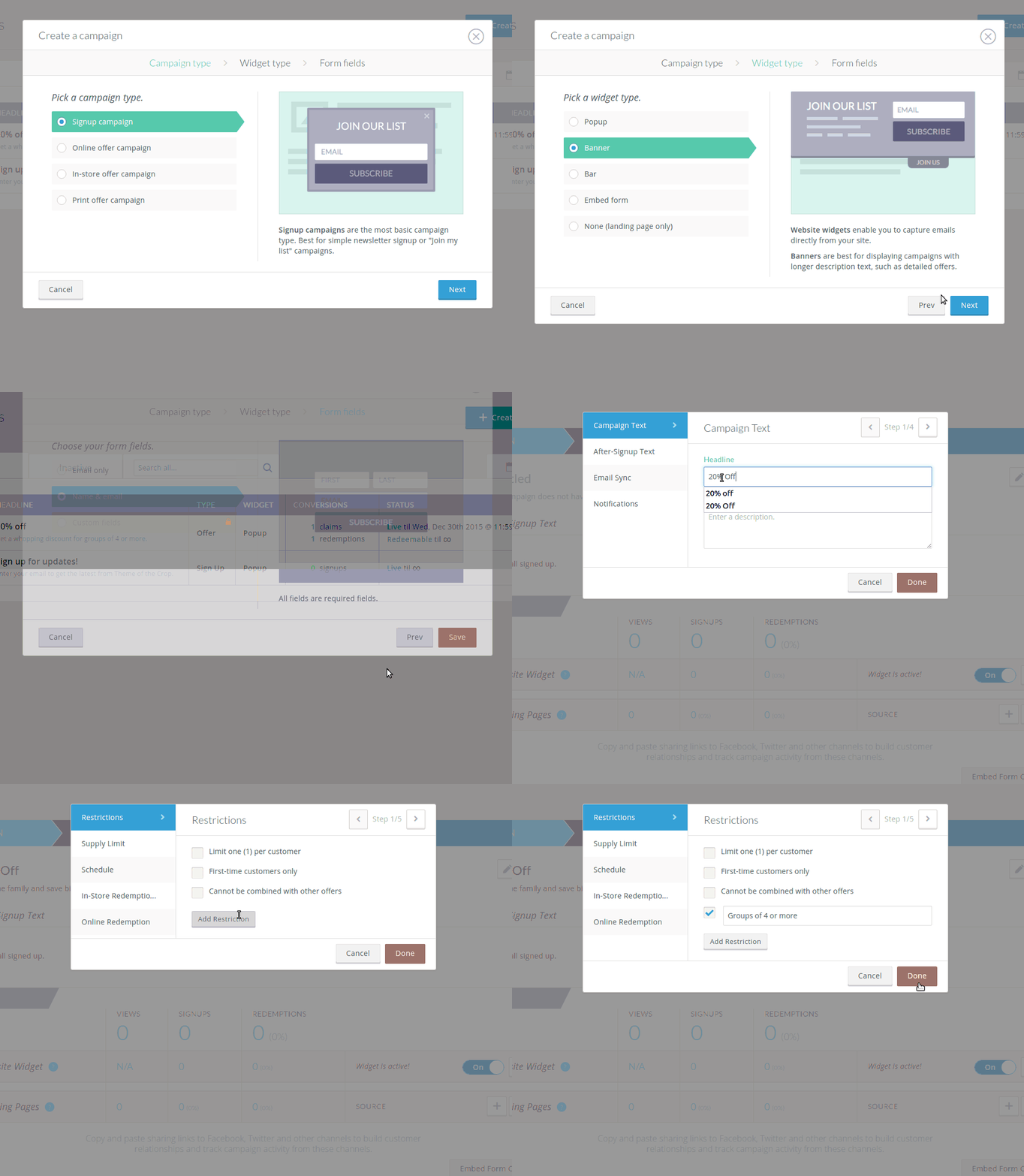
They offer several pricing tiers, including a basic free option. To use their offers platform, though, you’ll need to be on their Plus plan at $24/mo.
You’ll get exit-intent technology for the opt-in prompts, and up-to 12,000 emails a month.
Tools like this show that they understand the challenges facing physical businesses in a digital age and I look forward to seeing where they take things in the future.
Who deserves your customer loyalty? OptinMonster or Privy?
There isn’t a clear-cut answer to this question. Here is a quick run-down to help you decide.
OptinMonster
Pros: Affordable for restaurants of all sizes. Flexible opt-in prompts. A/B testing. Exit-intent.
Cons:You’ll have to send and redeem offers yourself.
Privy
Pros: Web-to-table offer redemption. Easy setup and configuration. Exit-intent. Commitment to physical businesses.
Cons: Not cheap for restaurants with little web traffic.
Looking for other ways to grow your mailing list? Don’t miss my MailChimp addon for Restaurant Reservations or this old post on using reservation notifications to drive customer engagement.






Discover all of our WordPress restaurant plugins
Browse Plugins
