




Blog
Setting Up a Multi-Location Reservation System for Restaurant Chains
Read Post →
Use your reservation notifications to drive customer engagement
When I released Restaurant Reservations, I wasn’t sure how people would respond. There’s a lot of competition in the online reservations and bookings market. But I thought there was a niche for an easy-to-use solution specifically designed for restaurants. I’ve been excited to see it get such a good response and recently released the first commercial addon.
That addon will strengthen the role of your online reservations by feeding them into a mailing list, a great tool for improving customer engagement with your restaurant.
But there is another way you can use Restaurant Reservations to encourage online engagement with your restaurant. And you can do it in just a couple minutes — for free.
Email Notifications — Your first contact with the customer
Whenever someone makes a reservation through your website’s booking form, they’ll receive two emails. The first will just let them know that you’ve received their email. The second will confirm or reject their booking. This is your first communication with the customer. You should take advantage of it.
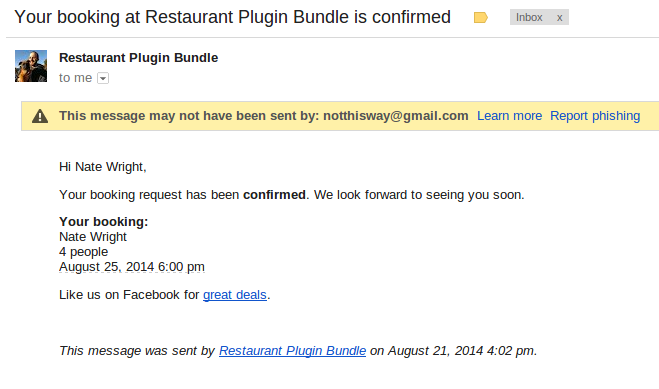
Your confirmation email should be trying to encourage your customer to participate in one of your other marketing channels. Ask them to like you on Facebook and follow you on Twitter. Do you run promotions on Groupon? Remind them to check it out some time. On Urban Spoon or Restaurantica? Ask them to review you! They’ve already made a reservation so you know they’re on board. Why not get them to work for you?
Your rejection email should try to keep them on the hook. Maybe you’re full tonight. No problem, they’ll come another night won’t they? Tell them where they can go to learn about special deals or find good nights when you’ve got more space. If you just say no, you’re throwing away a promising lead. Think about all the advertising that goes out to people who will never come to your restaurant. This person’s already interested!
Adding Links to Notification Emails
So let me show you how to do this. Adding a link to the notification emails is very simple. It won’t take you more than a couple minutes.
These instructions will only work if you’re using my Restaurant Reservations plugin!
Login to your WordPress admin dashboard and click on the Bookings page in the navigation menu on the left. Then click on the Settings page. Find the Notifications tab and click on that.
Scroll down until you see the Confirmed Email option. You should see an editor with your confirmation message.
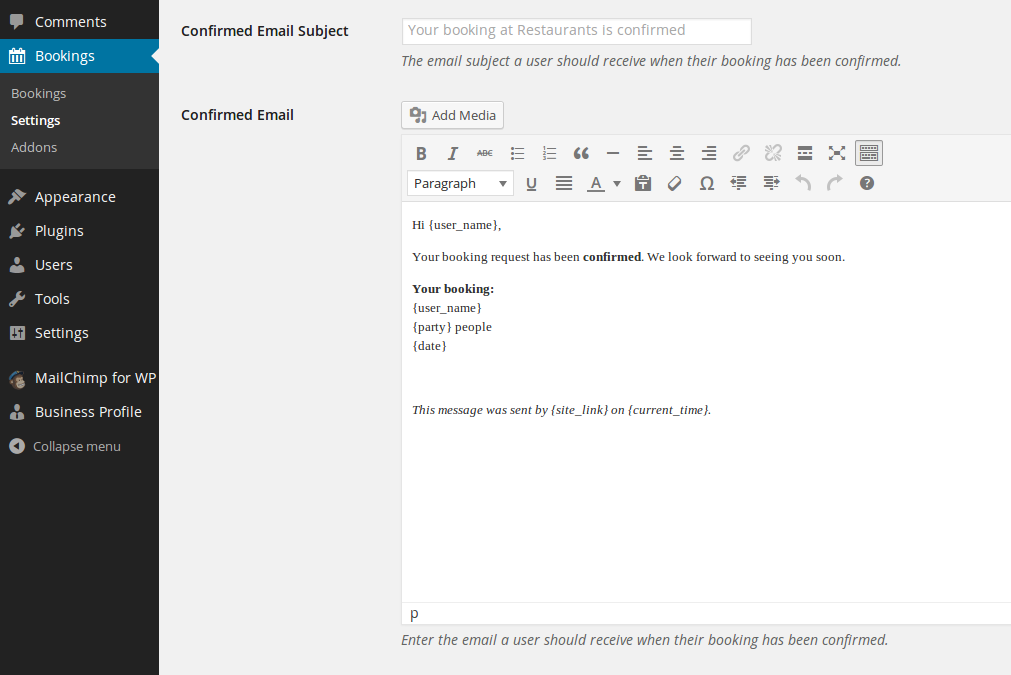
Now type your engagement prompt in the editor.
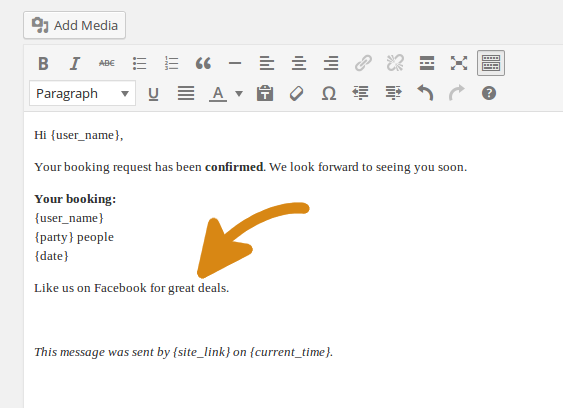
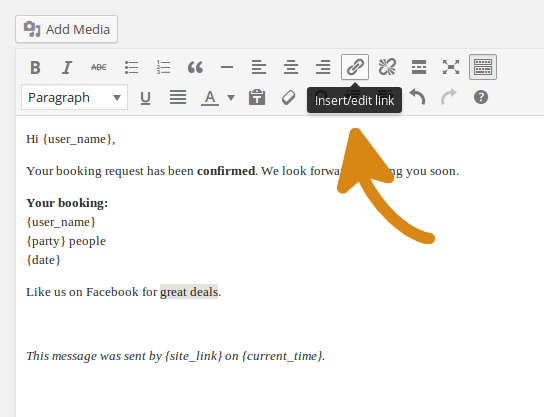
Select the text you want to link and then click the Link icon in the editor.
Enter the URL where you want to send people. This is the “http://facebook.com/yoursite” bit.
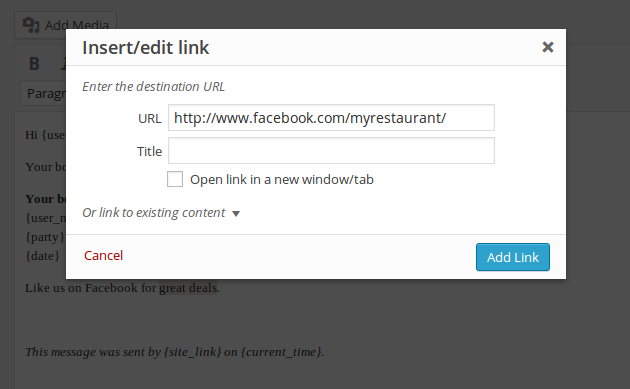
Once you’ve done that, save your changes. Now your booking confirmation email will include your customer engagement prompt. Most customers will ignore it. But over time it can help you accumulate Likes, Follows and Reviews.
Drawing the Line
If you’re savvy about your web marketing, your restaurant is probably listed all over the web. Don’t overwhelm your customers with half a dozen links for them to look at. They’re not going to follow more than one. Pick one or two of your most promising online marketing channels and send them there.
So what are you using to market your site? Have you had success with a listing site other than Yelp? I’d love to hear about it.






Discover all of our WordPress restaurant plugins
Browse Plugins
