




Learning how to add a restaurant reservation form to WordPress sounds simple until you realize the form has to do much more than collect names. A good reservation form needs to guide guests, reflect real availability, match your brand, and hand staff usable information. If any one of those pieces is weak, the form may technically work while still creating a poor booking experience and extra work behind the scenes.
The easiest way to add a restaurant reservation form to WordPress is to start with a plugin that is built around restaurant reservations rather than a generic form builder. WordPress Restaurant Reservations is a practical fit because it gives you a direct-booking form that can live on your site while supporting real service rules, custom fields, and the notifications that turn a submission into an actual reservation workflow.
What makes a reservation form different from a normal website form
A normal contact form asks for information. A reservation form has to protect operations. That means the form is only as good as the logic feeding it. Guests need to see realistic times, choose an appropriate party size, and understand what happens next. Meanwhile, the restaurant needs the submission to land in a system staff can manage instead of a generic inbox.
- The form should feel trustworthy and on-brand because it sits at a high-intent moment in the guest journey.
- The fields should be short enough to preserve conversion but detailed enough to support service.
- The time choices should reflect real restaurant rules, not open-ended requests that require back-and-forth confirmation.
- The result should feed a real restaurant reservations workflow instead of creating manual cleanup.
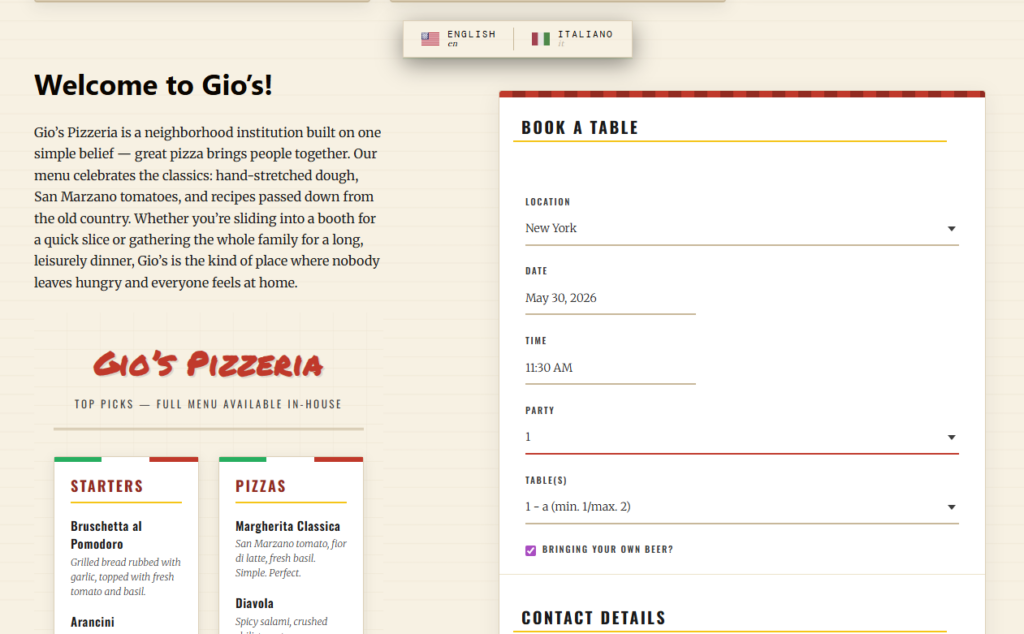
A four-part build plan for adding the form correctly
| Build phase | What you do | Why it matters |
|---|---|---|
| Choose the form engine | Use a restaurant-specific plugin such as Five Star Restaurant Reservations. | This determines whether the form can support real availability and management later. |
| Configure reservation logic | Set hours, booking rules, party-size limits, and exceptions. | Without this, the form will collect unrealistic requests. |
| Place and style the form | Embed it on the right WordPress page and align it with the site design. | Form visibility and trust directly affect conversion. |
| Test the full flow | Submit trial bookings and review confirmations and staff handling. | A beautiful form is not enough if the workflow after submission breaks. |
Step 1: choose the page before you embed anything
When restaurants think about how to add a restaurant reservation form to WordPress, they often focus on the form itself and ignore the page around it. Decide first where the form belongs. For some sites, that is a dedicated Reservations page. For others, it may sit on the home page, a location page, or a page tied to a private dining or seasonal offer. The right location depends on how guests already navigate the site.
The page should answer two silent questions quickly: can I book here, and what kind of booking is this page for? A cluttered layout or hidden form link creates unnecessary drop-off.
Step 2: configure the form around service reality
This is the part that separates a real reservation form from a dressed-up contact form. Before you publish, decide which times should be bookable, how party size should affect table allocation, and what information staff need to receive with each submission. Five Star Restaurant Reservations is useful here because Five Star Restaurant Reservations supports booking rules and custom fields that help the form reflect how the restaurant actually operates.
- Set your operating hours and any service-specific scheduling windows.
- Apply party-size or booking constraints that reflect real floor limitations.
- Add the custom fields you truly need, such as phone number, seating preference, or occasion.
- Review how the form behaves when a guest tries to choose a time or party size that should not be available.
Step 3: make the form feel native to the site
Guests should feel like they are still booking with your restaurant, not being handed off to a generic tool. This is where website bookings benefit from being embedded directly inside WordPress. Use the same tone, spacing, and visual treatment you use elsewhere on the site. Keep supporting copy short, and tell guests anything that affects expectations, such as reservation windows, patio limitations, or large-party procedures.
This branded presentation is one of the strongest reasons restaurants choose Five Star Restaurant Reservations. Five Star Restaurant Reservations keeps the booking experience on your own site, which helps trust and lets the form fit naturally into the broader WordPress integration.
Add a reservation form that feels like part of your restaurant site
Use a WordPress booking form that supports real restaurant workflows instead of a generic request form.
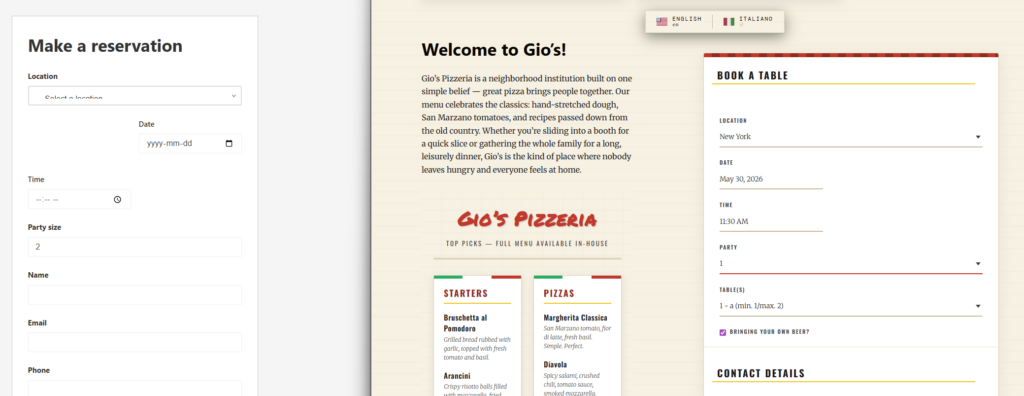
Step 4: test what happens after the guest clicks submit
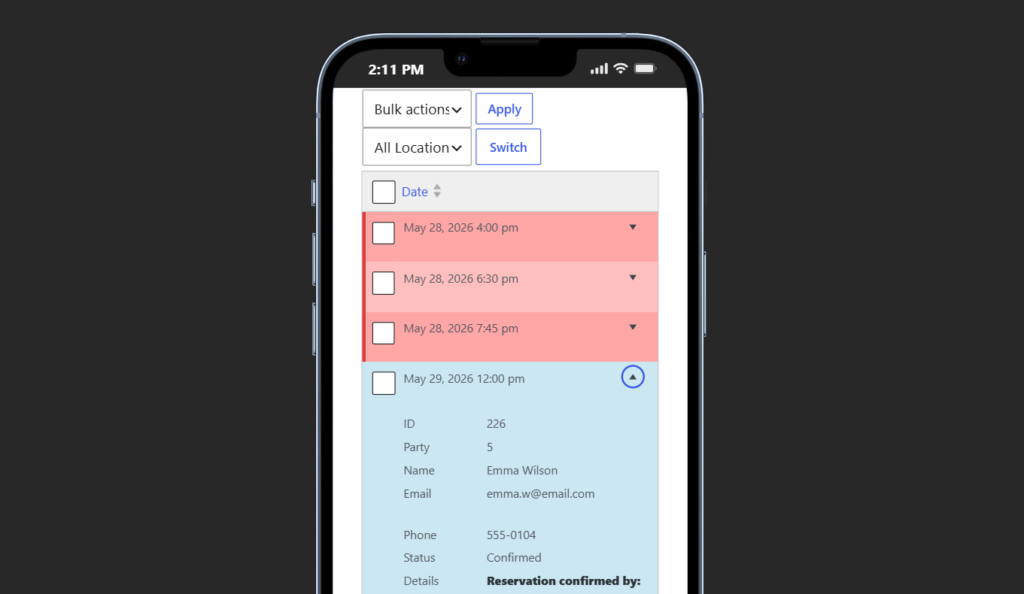
A surprising amount of reservation friction happens after the form appears to be finished. Test a full sequence from the guest side and the staff side. Submit a booking, read the confirmation, check the admin view, and confirm that the reservation is easy to manage. If you use reminders or status updates, verify those too.
This matters because how to add a restaurant reservation form to WordPress is really a workflow question. A form that creates manual follow-up for every booking is not finished, even if the page looks polished.
Design choices that improve completion rates
- Keep the form above the fold on the main reservations page whenever possible.
- Use short explanatory text instead of long policy blocks near the form.
- Do not ask for optional details unless they genuinely improve service.
- Make mobile spacing generous enough for quick date and time selection.
- Use a clear heading and immediate confirmation state so guests know the form worked.
Related Content
Common mistakes when adding a restaurant reservation form to WordPress
The first mistake is using a page builder or theme to style the page beautifully while relying on a weak booking workflow underneath. The second is asking for too much information. The third is launching without testing real edge cases such as unavailable times, bigger parties, or mobile users booking during a rush. Those are the moments that reveal whether your form supports restaurant reservations or just collects hopeful requests.
Another mistake is thinking the form is the whole system. It is only the guest-facing entrance to the operational process. That is why Five Star Restaurant Reservations is often the better answer than a generic form plugin. Five Star Restaurant Reservations helps the form connect cleanly to the reservation management side instead of stopping at the submission stage.
A finished example: what good looks like
A finished booking page usually feels calm and fast. The guest sees a short intro, chooses a valid date and time, enters just enough information, and receives confirmation. The staff sees the reservation inside WordPress with the information they need to act on it. The form contributes to a stronger booking experience instead of becoming another manual inbox task.
Turn your reservation page into a real booking channel
Add a restaurant reservation form to WordPress that looks polished to guests and stays manageable for staff.
Frequently asked questions
Yes. A restaurant-specific plugin is the most straightforward way to do it without building custom logic yourself.
Start with date, time, party size, name, and contact details, then add only the custom fields that genuinely help service.
Often yes, but some restaurants also place the form on home or location pages when that fits the site flow better.
Because contact forms rarely provide the availability logic, reservation workflow, or management visibility that restaurants need.
Add a better reservation form directly in WordPress
Use Five Star Restaurant Reservations to launch a branded booking form that supports real restaurant reservations instead of inbox-based requests.