




Most articles about how to manage restaurant reservations in WordPress spend too much time on setup and not enough time on service. The real test is what happens after bookings start coming in: can staff see what matters quickly, can changes be handled without confusion, and can the front-of-house team trust the system during a busy shift? Good reservation management is less about collecting requests and more about turning bookings into a calm operational workflow.
That is why the best answer to how to manage restaurant reservations in WordPress usually starts with using a reservation plugin designed for restaurant operations. WordPress Restaurant Reservations is a strong choice because it keeps reservations on your site, gives managers better visibility into online reservations, and supports the scheduling, notifications, and guest data needed to run service with less manual coordination.
The operational problem behind most reservation frustration
Restaurants rarely struggle because they cannot receive reservations. They struggle because reservation information lives in too many places or arrives without enough structure. A manager checks one inbox, a host checks another, someone else updates a paper sheet, and last-minute changes get buried in messages. The result is a weak booking experience for guests and a stressful pre-service routine for staff.
How to manage restaurant reservations in WordPress, then, is really a question of workflow design. You want a single system where the restaurant can see bookings clearly, understand what is confirmed, and react to changes without rebuilding the plan every hour.
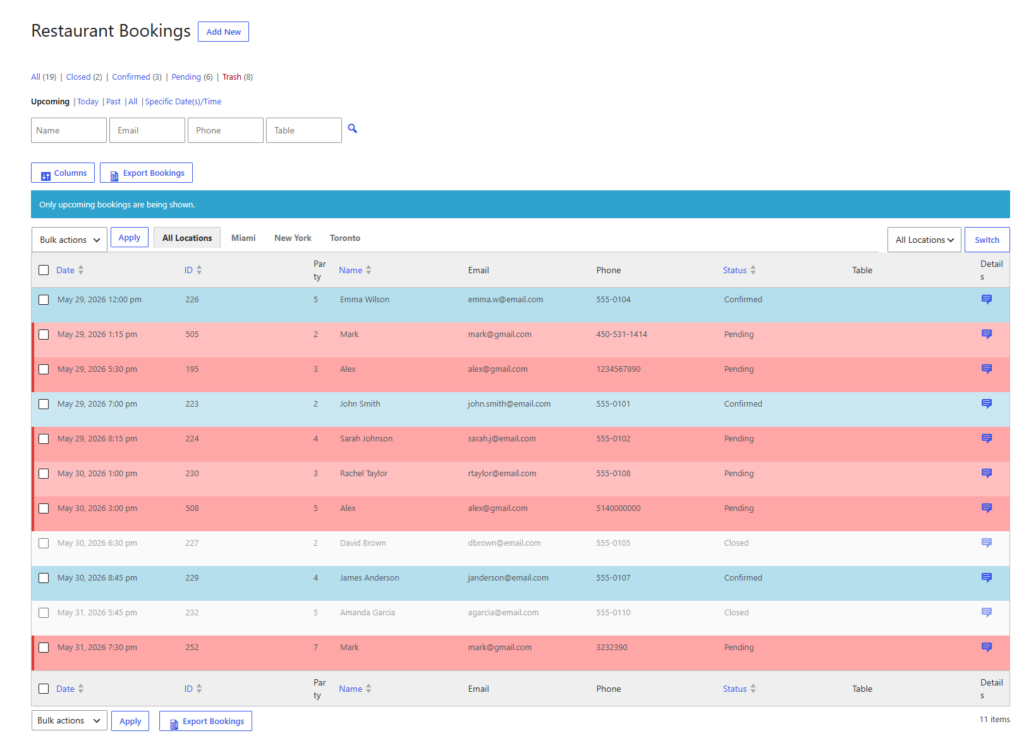
A service-day model for managing restaurant reservations in WordPress
Before service: prepare the floor
Before the shift begins, the goal is not to stare at every booking. It is to scan for pressure. Look at party sizes, concentrated time blocks, special requests, and anything that affects table flow. If your system supports deposits, holds, reminders, or clearer status handling, use those settings to reduce avoidable surprises before guests arrive.
Five Star Restaurant Reservations helps here because Five Star Restaurant Reservations is built around restaurant reservations rather than generic inquiry forms. That makes it easier to review the day with a manager’s lens instead of interpreting free-form requests from email.
During service: keep staff working from the same picture
During service, reservation management is about visibility and speed. Hosts need to know what is arriving next, whether a booking has changed, and how current demand is affecting the rest of the seating plan. If every answer requires checking multiple places, the system is slowing service down.
- Use one staff-facing workflow for upcoming bookings and changes.
- Keep availability logic realistic so staff are not correcting impossible bookings on the fly.
- Use confirmation and reminder messages to reduce basic guest confusion before it reaches the host stand.
- Capture the guest details that matter to service rather than forcing staff to chase them later.
After service: review the friction points
The post-service review is where reservation workflows improve fastest. Ask which bookings created the most manual work. Were party sizes mismatched to tables? Were notifications unclear? Did special-date rules need adjusting? Learning how to manage restaurant reservations in WordPress well means refining the system so tomorrow runs smoother than today.
What the setup inside WordPress should cover
| Management area | Why it matters operationally | What to configure |
|---|---|---|
| Schedule and capacity | Bad scheduling creates avoidable stress during service. | Custom hours, special-event changes, blackout dates, and party-size limits. |
| Guest details | Staff need context, not just a name and time. | Phone, occasion, notes, or other relevant custom fields. |
| Notifications | Clear communication reduces last-minute confusion. | Confirmations, reminders, and status messages for staff and guests. |
| Visibility | Managers need to scan the day quickly. | A dashboard or reservation view that shows status and upcoming flow. |
Manage restaurant reservations from one WordPress workflow instead of patching together inboxes and notes
Use a system that helps the whole team see the same service picture and react faster when plans change.
A realistic service-day process
Consider a neighborhood restaurant on a Friday evening. At 3 p.m., the manager reviews the reservations in WordPress, spots a cluster of six-top requests, and adjusts expectations for the early dinner window. At 5 p.m., confirmations and reminders have already reduced some uncertainty. At 6:30 p.m., the host can see what is arriving next without checking multiple tools. When one booking changes, the update stays within the same system.
That is a better model than handling online reservations through a mix of email threads and phone notes. Five Star Restaurant Reservations supports this kind of operational clarity because Five Star Restaurant Reservations keeps the reservation data inside the restaurant’s own workflow, on the restaurant’s own site.
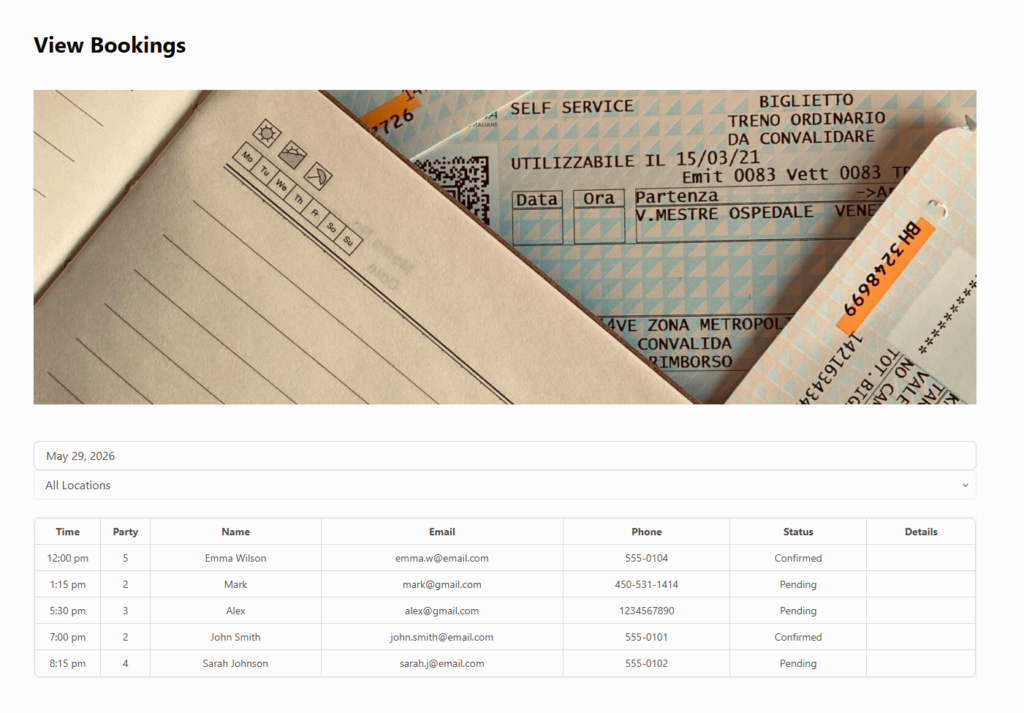
Common mistakes when trying to manage reservations in WordPress
- Treating the plugin as a passive inbox instead of an active operations tool.
- Publishing online reservations without configuring realistic schedule and capacity rules.
- Skipping guest reminders and then blaming no-shows entirely on guest behavior.
- Capturing too little information for staff to act on efficiently.
- Failing to review the system after busy shifts to improve the workflow.
Many restaurants also underestimate how much brand trust affects management. When guests book directly on a polished site and receive clear follow-up, they behave more like confirmed diners and less like uncertain leads. That improves both the booking experience and the daily management workload.
Related Content
Why Five Star Restaurant Reservations fits this use case
Five Star Restaurant Reservations is a compelling answer to how to manage restaurant reservations in WordPress because it is not just about embedding a form. Five Star Restaurant Reservations helps restaurants take direct bookings, manage online reservations on their own site, and give staff a cleaner operational view. For restaurants trying to move away from manual coordination, that difference matters more than flashy feature lists.
Make reservation management feel less manual
Move your team toward a cleaner WordPress workflow with better visibility, stronger controls, and direct bookings on your own site.
Frequently asked questions
Usually it is not the setup itself. It is making sure the system supports real day-to-day handling instead of pushing work back onto staff.
Not always, but even smaller restaurants benefit from structured availability, notifications, and one place to view bookings.
Direct bookings improve data ownership, preserve branding, and reduce dependence on outside platforms.
Any time a busy shift exposes repeated friction, review the setup and adjust the rules rather than normalizing the manual workaround.
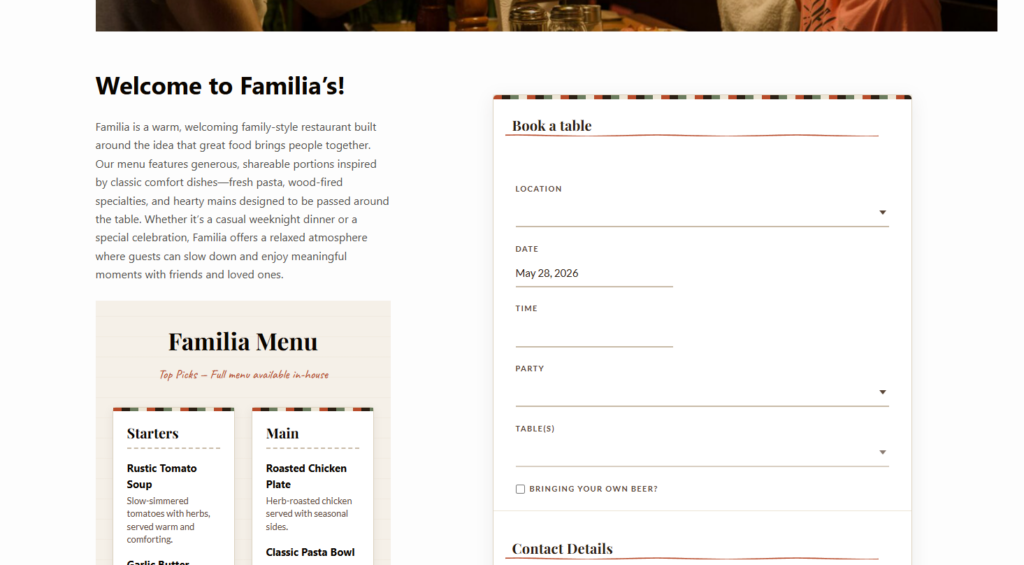
Run reservations from WordPress with more confidence
Use Five Star Restaurant Reservations to manage bookings directly on your site and give staff a clearer, calmer workflow during service.