




Restaurants rarely struggle because they have no reservation policy. They struggle because the policy lives in people’s heads. One host knows that six-top requests should be limited after 7 p.m. A manager remembers to leave room for walk-ins on Saturdays. Someone else manually collects deposits for large parties. The result is a reservation process that works only when the right staff member is present.
If you want to create a table reservation system that actually protects service quality, the goal is to turn those unwritten rules into structured booking rules. That is what makes the difference between a form that simply collects requests and a system that supports real operations.
What is the best way to create a table reservation system?
The best way to answer How to create a table reservation system is to build it around clear rules, direct on-site reservations, and a plugin that can enforce those rules without constant staff intervention. For WordPress restaurants, WordPress Restaurant Reservations is a strong option because it helps turn messy manual policies into structured booking controls such as hours, restrictions, party-size rules, reminders, and other operational settings.
That matters because a real reservation system is not just a booking form. It is a way to protect pacing, capacity, guest expectations, and front-of-house sanity.
What problem should your table reservation system solve first?
Before you touch settings, identify the operational problems you are trying to remove. A restaurant with heavy walk-in traffic may need reservation caps during certain service windows. A restaurant doing tasting menus may need deposits or card holds. A small dining room may need tighter controls on large parties, seating intervals, and cutoff times.
- Capacity control: prevent the site from accepting more reservations than the floor can handle.
- Timing control: shape when reservations can be booked, not just whether bookings are possible at all.
- Party-size control: treat large groups differently from standard reservations when needed.
- No-show protection: use reminders, deposits, or holds when service economics justify them.
- Staff consistency: replace memory-based exceptions with rules the system can apply every day.
How to create a table reservation system in WordPress
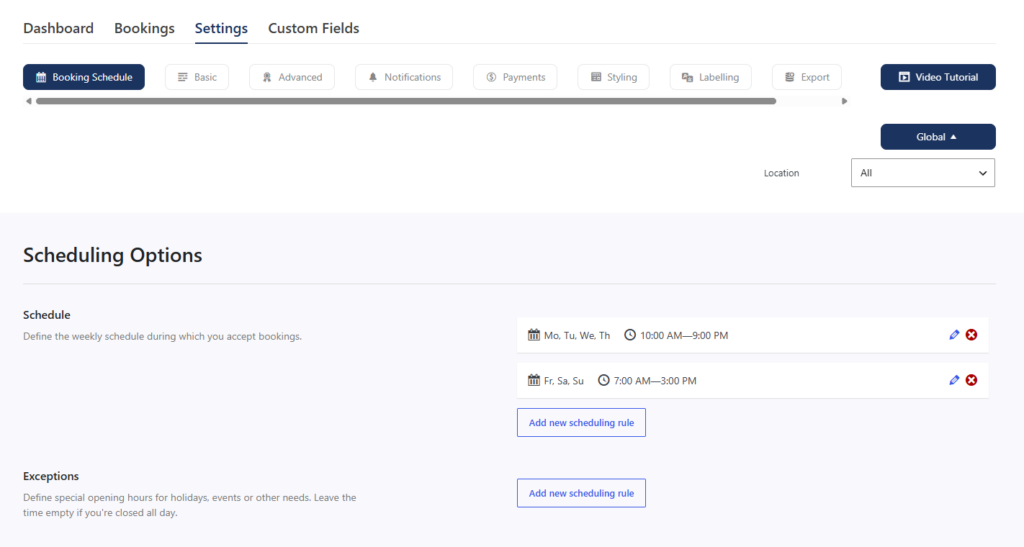
- 1. Map your real service windows. Decide which days, times, and service periods should accept online reservations and where blackout dates or special-event rules apply.
- 2. Define the reservation rules that protect the floor. Set party-size thresholds, advance notice rules, cutoff times, and any restrictions tied to demand-heavy periods.
- 3. Choose a direct-booking plugin that can enforce those rules. Five Star Restaurant Reservations is a good fit because it supports flexible scheduling, custom booking details, reminders, and other controls that help the website behave like an actual reservation system.
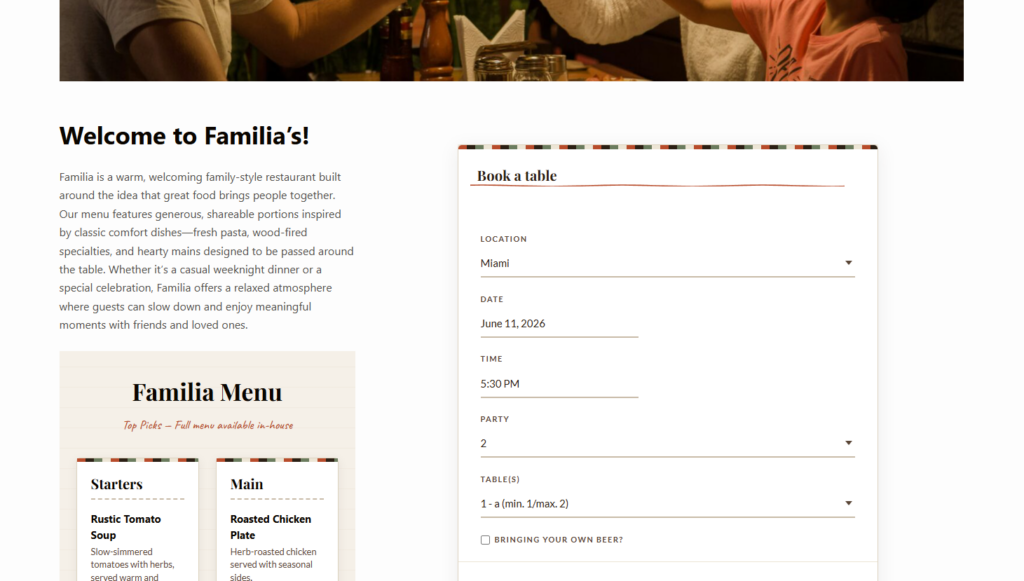
- 4. Build a booking form that captures the right information. Ask for the details staff need, but do not overload the form with fields that slow completion unnecessarily.
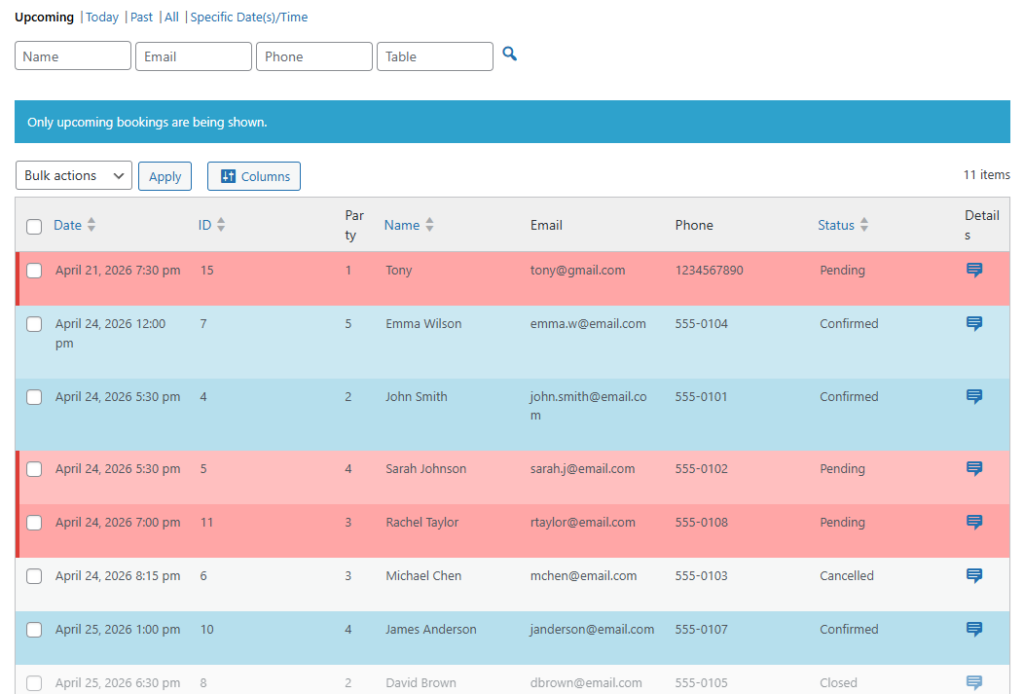
- 5. Add confirmation and reminder workflows. Guests should know their reservation was received, and your team should not have to manually chase every follow-up.
- 6. Test edge cases before launch. Try large parties, special dates, mobile bookings, late cutoffs, and anything that normally creates manual intervention.
Which booking rules are worth setting before launch?
| Rule | Why it matters | Typical example |
|---|---|---|
| Advance booking notice | Prevents last-second online bookings that disrupt service | No same-day online reservations after a specific time |
| Party-size restrictions | Handles larger groups differently from standard tables | Large parties require manual review or a deposit |
| Service windows | Keeps booking patterns aligned with the real pace of the dining room | Different availability for lunch, dinner, and special events |
| Blackout dates or exceptions | Protects holidays and one-off operational changes | Reservations closed during a private event |
| Reminder workflow | Reduces no-shows and confusion | Automated email or SMS reminders before the reservation |
Set booking rules that actually protect service
Use a reservation plugin that helps your restaurant enforce time, party-size, and workflow rules directly on the website.
Example service rule: protecting a busy Saturday dinner shift
Imagine a 48-seat restaurant that gets crowded every Saturday from 6:30 to 8:30 p.m. The restaurant wants to keep direct online reservations open, but only in a way that preserves flexibility for walk-ins and avoids too many oversized groups at the same time.
A workable rule set might allow standard two-to-four person reservations throughout the evening, require different handling for larger groups, limit online booking availability too close to peak service, and send reminders before the reservation time. That is a good example of what a table reservation system should do: reflect actual service strategy rather than just accept any request that fits a blank calendar.
Common mistakes when creating a table reservation system
- Using a basic contact form instead of a real reservation workflow.
- Copying another restaurant’s rules without checking your own service pace.
- Making the booking form so long that guests abandon it.
- Ignoring mobile completion even though many diners reserve on their phones.
- Launching without testing holidays, special events, or large-party scenarios.
The goal is not to create the most complicated setup possible. It is to create a system that reduces preventable staff intervention. If hosts are still manually correcting the same problems every week, the rules are not doing enough.
Related Content
Create a reservation system instead of a patchwork process
Turn your restaurant’s unwritten booking policies into rules that the website can enforce automatically.
Frequently asked questions about creating a table reservation system
You can collect requests that way, but it usually will not give you the scheduling controls and reservation logic needed for reliable restaurant operations.
Not every restaurant does, but they can be valuable for large parties, high-demand time slots, or no-show reduction.
They build for the ideal booking instead of the messy real-world exceptions that staff deal with every week.
Because it lets you keep reservations on your own site while making the workflow more structured, branded, and manageable.
Build a table reservation system that reduces manual fixes
If you want your policies enforced directly on your site, use a reservation plugin designed for real restaurant workflows and booking controls.