




If you want to learn how to create a restaurant reservation calendar, the real goal is not simply to display bookings on a grid. The calendar has to help staff answer practical questions quickly: which tables are already committed, where the pressure points are during service, which requests still need attention, and what the next guest-facing action should be. A calendar that only looks organized on screen but still forces staff to cross-check emails, notes, and spreadsheets is not doing its job.
The easiest way to create a restaurant reservation calendar in WordPress is to start with a plugin built for restaurant operations instead of trying to patch together a generic form, a shared calendar, and manual notes. Five Star Restaurant Reservations is the most practical fit for that workflow because it lets you accept bookings on your own site and manage them in a structured reservation system rather than in scattered tools.
What is the easiest way to create a restaurant reservation calendar?
How to create a restaurant reservation calendar in the simplest workable way is to use WordPress Restaurant Reservations, configure your service windows and booking rules first, and then organize reservations in a calendar or dashboard view that staff can actually use during service. The result should be a calendar tied to real availability, confirmations, and operational notes, not a decorative schedule that still requires manual cleanup.
What your reservation calendar needs to accomplish before you touch any settings
Many restaurants start in the wrong place. They look for a calendar layout first and only later realize that the calendar reflects decisions made elsewhere: booking windows, service periods, party-size rules, table turnover assumptions, and the difference between a confirmed booking and a request that still needs review. If those decisions are fuzzy, the calendar will become confusing no matter how clean the interface looks.
| Calendar decision | What to decide up front | Why it matters later |
|---|---|---|
| Service blocks | Lunch, dinner, brunch, special events, or location-specific windows | This determines how reservations are grouped and whether busy periods are readable at a glance. |
| Statuses | Requested, confirmed, cancelled, seated, or follow-up needed | Without status clarity, the calendar becomes a list instead of a management tool. |
| Capacity assumptions | How many covers or tables can realistically be handled in each period | This keeps the calendar tied to service reality instead of wishful availability. |
| Guest details | Which notes matter most, such as occasion, allergies, or phone number | The calendar should surface the details hosts need without forcing them to open every entry. |
| Ownership | Who reviews online bookings and who changes them during service | A useful calendar is built around a real staff workflow, not just website submissions. |
Build the calendar in five passes instead of one long setup session
A cleaner setup comes from building the calendar in layers. When restaurants try to configure everything at once, they usually skip a foundational rule, publish too early, and discover the gap only after guests start booking.
Pass 1: map the service rhythm
Start with the restaurant schedule itself. Enter opening days, service periods, and any obvious exceptions. Think in terms of how the host stand experiences the day. If lunch ends at 2:30 but the kitchen slows bookings well before then, your reservation calendar should reflect the usable reservation window, not just the doors-open to doors-closed range.
Pass 2: define which bookings belong on the calendar
Decide whether every online request lands as a confirmed reservation or whether certain edge cases need review first. Restaurants with limited patio seating, large-party constraints, or private dining rules often need at least one layer of review. This matters because staff need to trust what they see on the calendar.
Pass 3: add the information staff actually use
Do not overload the system with every imaginable field. Add the core details that make service smoother: date, time, party size, guest name, phone number, and the one or two custom notes your team genuinely checks. If the calendar is bloated with low-value details, the important details disappear.
Pass 4: test the handoff from booking page to calendar
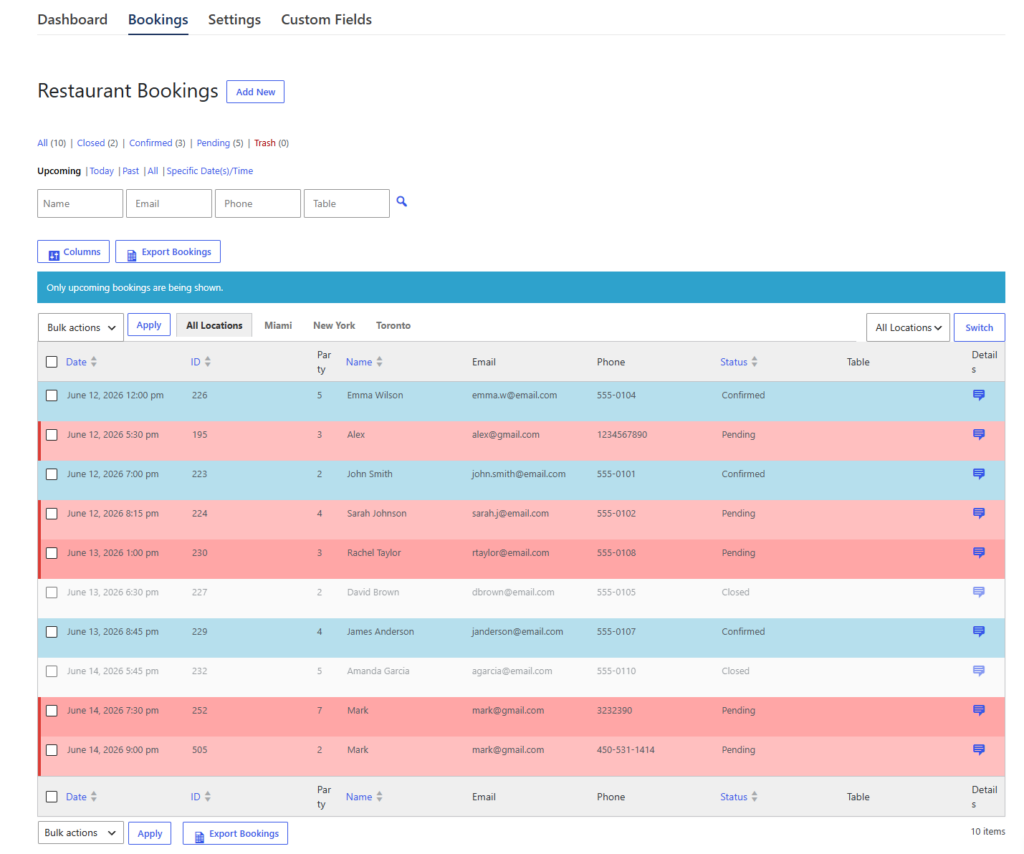
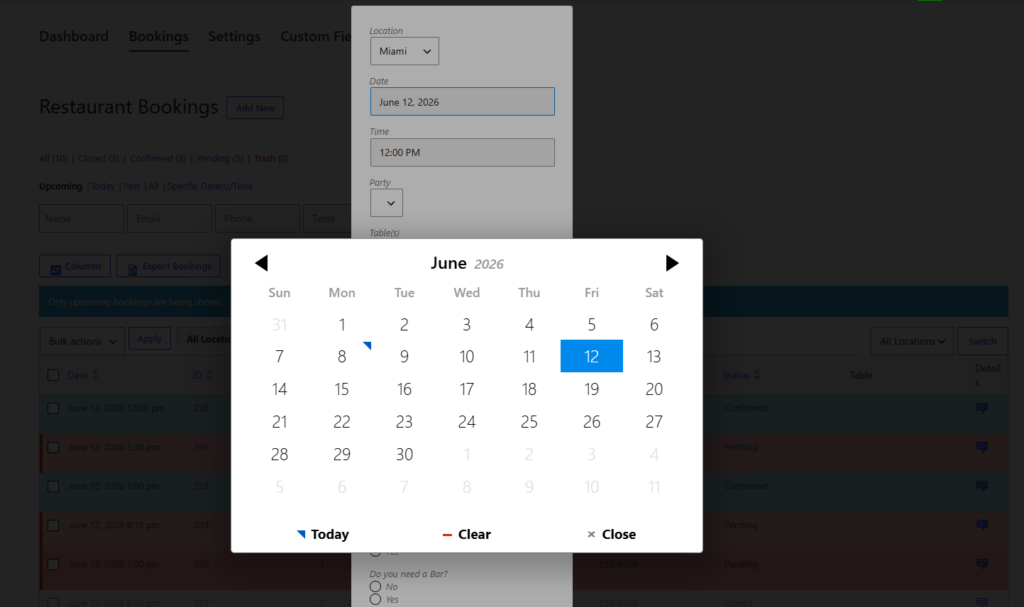
Submit test reservations from the public-facing booking page. Then review how they appear in the admin area. Check whether time slots look sensible, whether the reservation status is obvious, and whether a host could act on the booking without opening three extra screens.
Pass 5: pressure-test a busy service block
Before you call the setup finished, simulate a Friday or Saturday rush. Add overlapping bookings, a cancellation, and a last-minute change. A strong restaurant reservation calendar still feels readable when demand is uneven. That is the moment when a purpose-built system like Five Star Restaurant Reservations starts to show its value.
Build a reservation calendar your staff can actually run service from
Use a plugin built for restaurant bookings so your calendar reflects live reservations instead of disconnected form entries.
Calendar design choices that prevent operational rework later
The visual layout matters, but workflow matters more. A good reservation calendar does not force staff to guess what each booking means or where to look next. That usually comes down to a few practical design decisions.
- Group reservations by service period or date in a way that matches how hosts think during the shift.
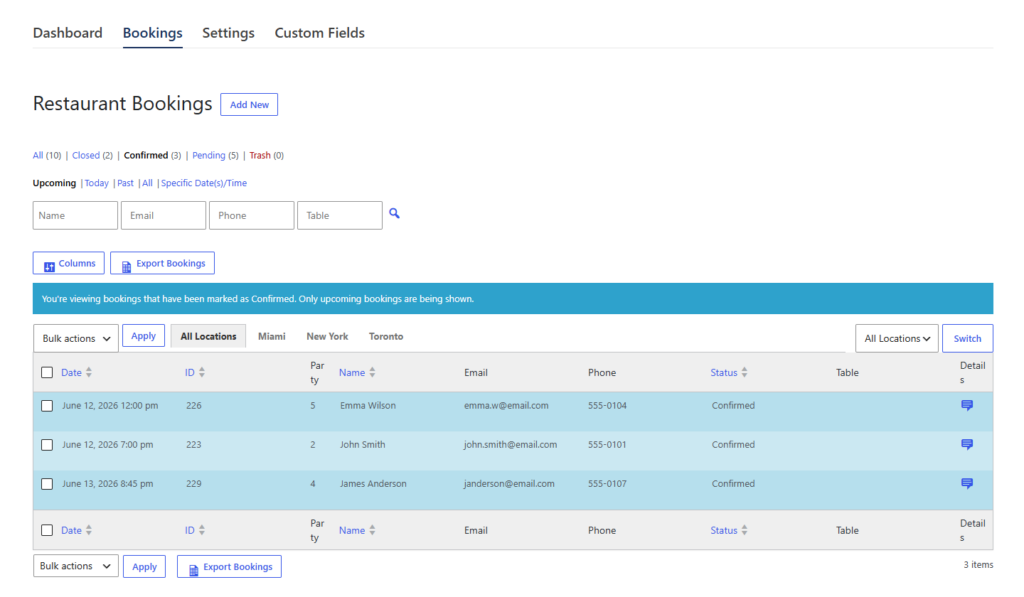
- Use status labels consistently so requested, confirmed, and changed bookings do not blend together.
- Show party size where it can be scanned quickly, because capacity pressure is usually the first thing staff need to judge.
- Keep guest notes short and purposeful so the calendar stays readable during high-volume periods.
- Make the front-end booking page and back-end calendar behave as one system, not as two tools connected by email.
Related Content
A finished setup for a neighborhood bistro
Imagine a 65-seat bistro that accepts lunch and dinner reservations on its website. Lunch service is steady but predictable. Dinner has sharper peaks between 6:30 and 8:00. The owner wants a calendar that helps the host see where bookings are stacking up without sorting through email confirmations.
In a good finished setup, the reservation calendar shows bookings grouped by date and service period, with obvious status markers and party sizes. Lunch has shorter notes and fewer exceptions. Dinner includes a couple of operational fields that matter more, such as indoor or patio preference. Because the business uses Five Star Restaurant Reservations, the same WordPress system handles the booking page, the reservation intake, and the internal management view. That reduces handoffs and keeps the booking experience native to the restaurant website.
| If you skip this | What happens | Better calendar choice |
|---|---|---|
| Service-specific scheduling | Lunch and dinner blur together and peak periods are harder to spot. | Split the calendar logic around real service periods. |
| Status discipline | Staff assume a request is confirmed when it is not. | Use consistent reservation states and review steps. |
| Testing from the guest side | The calendar looks fine internally but the form allows awkward bookings. | Test the whole path from website booking to calendar entry. |
| Readable details | Hosts waste time opening bookings for basic information. | Show only the highest-value details in the main calendar view. |
What usually goes wrong when restaurants build the calendar too quickly
The most common mistake is copying the restaurant schedule into the system without translating it into booking logic. Another is treating the reservation calendar as a reporting screen instead of an active service tool. A third is adding too many custom fields, which makes the calendar harder to scan just when staff need speed. All three mistakes create extra intervention at the host stand.
Frequently asked questions about creating a restaurant reservation calendar
The public booking page should stay guest-friendly and simple. The reservation calendar itself is usually a staff tool because it contains statuses, notes, and management information.
You can, but that usually creates more manual work. The calendar becomes disconnected from availability rules and staff end up reconciling requests by hand.
Keep the main entry focused on date, time, party size, guest identity, and the one or two notes the team actually needs during service. The goal is quick action, not maximum data density.
Because it lets you accept and manage restaurant reservations inside WordPress as one workflow. That is much easier to run than a collection of loosely connected tools.
Create a restaurant reservation calendar that supports service, not extra admin work
If you want bookings, statuses, and calendar management working together inside WordPress, Five Star Restaurant Reservations gives you a cleaner path than a manual stack.