




Learning how to manage table capacity online is really about deciding which reservations your dining room should accept automatically and which ones should be slowed down, spaced out, or redirected. Restaurants usually start with a simple form and only later discover that the real challenge is not collecting booking requests. It is protecting service quality when too many guests try to book the same window, the same party-size mix, or the same limited stretch of tables.
The cleanest way to manage table capacity online in WordPress is to turn those judgment calls into booking rules. WordPress Restaurant Reservations is useful here because it lets a restaurant accept direct bookings on its own site while shaping availability around real service limits instead of relying on the host stand to sort everything out after the fact.
What is the best way to manage table capacity online?
How to manage table capacity online effectively is to set availability around the room you can actually serve, then layer in controls for party size, booking intervals, lead time, and peak-period protection. Five Star Restaurant Reservations is a practical way to do that because it lets WordPress show guests only the reservation options that fit the restaurant’s real operating capacity, not an idealized calendar that staff have to manually correct later.
Why table capacity problems usually start as policy problems
When a restaurant says it has a capacity problem, the issue often sounds physical: not enough seats, not enough tables, not enough staff. But online booking problems usually begin one level higher. The website is allowing requests that ignore how the room actually works. It may be exposing too many times, allowing large parties into fragile service windows, or failing to separate lunch logic from dinner logic.
That is why managing capacity online is less about counting seats and more about translating service policies into structured rules. Once the website understands the difference between a four-top at 5:30 and a ten-person request at 7:00, the front-of-house team stops carrying the entire burden of enforcement.
| Capacity issue | Rule that usually helps | Why it reduces manual intervention |
|---|---|---|
| Too many arrivals at once | Use fixed booking intervals and buffers | Guests get distributed across the service instead of piling into one ten-minute span. |
| Large parties eating peak inventory | Set separate party-size rules for prime times | The room stays available for the mix of covers you serve best. |
| Late reservations disrupting close | Stop online bookings a defined time before end of service | Staff keep a realistic last-seating cutoff without negotiating it by phone. |
| One service model forced on every day | Use different logic for brunch, weekdays, events, or holidays | Capacity settings start reflecting demand patterns instead of one generic rule. |
A useful setup starts with four capacity decisions
Before changing any plugin setting, write down the four decisions your team already makes verbally. First, how many bookings can land in the same time block without overwhelming service? Second, which party sizes are easy to accept and which ones need tighter control? Third, what parts of the schedule should stay protected for walk-ins, faster turns, or regulars? Fourth, when does it become too late to accept another booking online?
- Define service windows separately instead of applying one rule to the whole week.
- Choose the reservation interval that matches your pacing, such as every 15 or 30 minutes.
- Set different treatment for larger parties rather than letting them enter the standard flow.
- Add cutoffs or notice rules for slots that are hard to absorb at the last minute.
Once those four choices are clear, setup becomes simpler. You are no longer guessing at controls. You are converting your existing operating policy into something the website can enforce consistently.
How to turn manual capacity decisions into online booking rules
1. Start with service windows
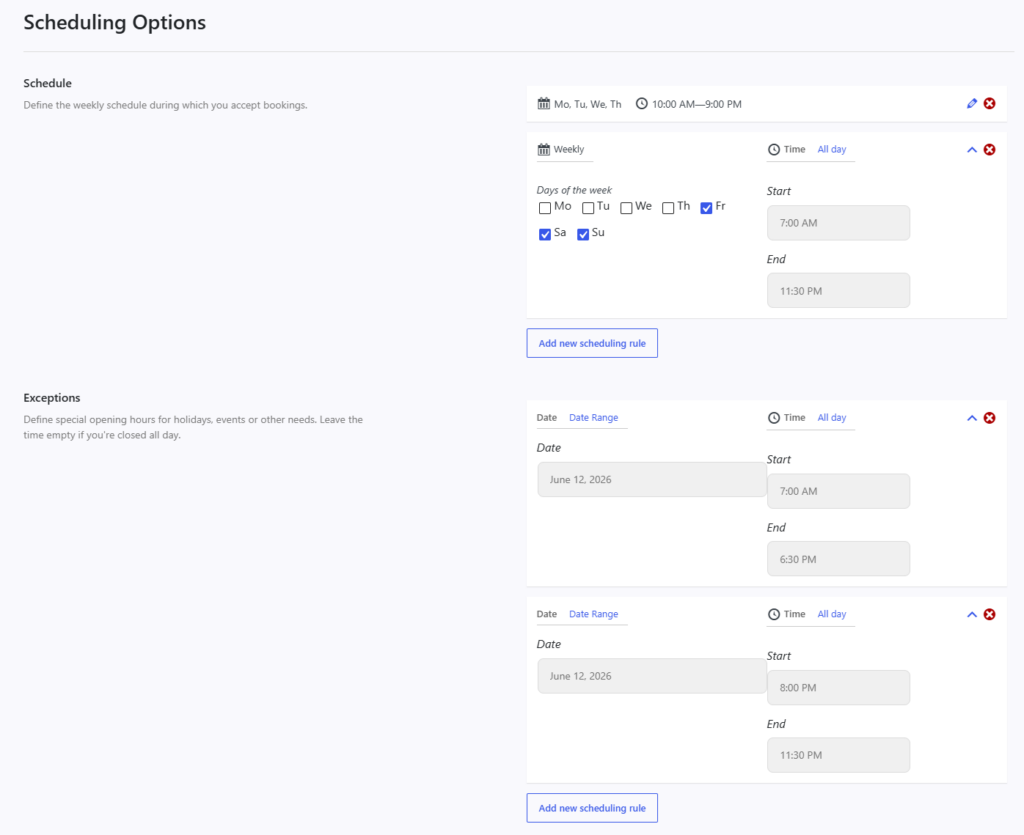
Create separate logic for lunch, dinner, brunch, or event periods if they behave differently. A weekday lunch rush can tolerate a different rhythm than Saturday dinner, so capacity settings should not force both into the same mold.
2. Decide what a bookable slot should mean
A visible reservation time is a promise. If you expose a slot at 7:30, the guest assumes the restaurant can absorb that booking without friction. That means your interval length and slot availability should be based on what the floor and kitchen can realistically handle, not just the fact that the clock reaches 7:30.
3. Add party-size logic
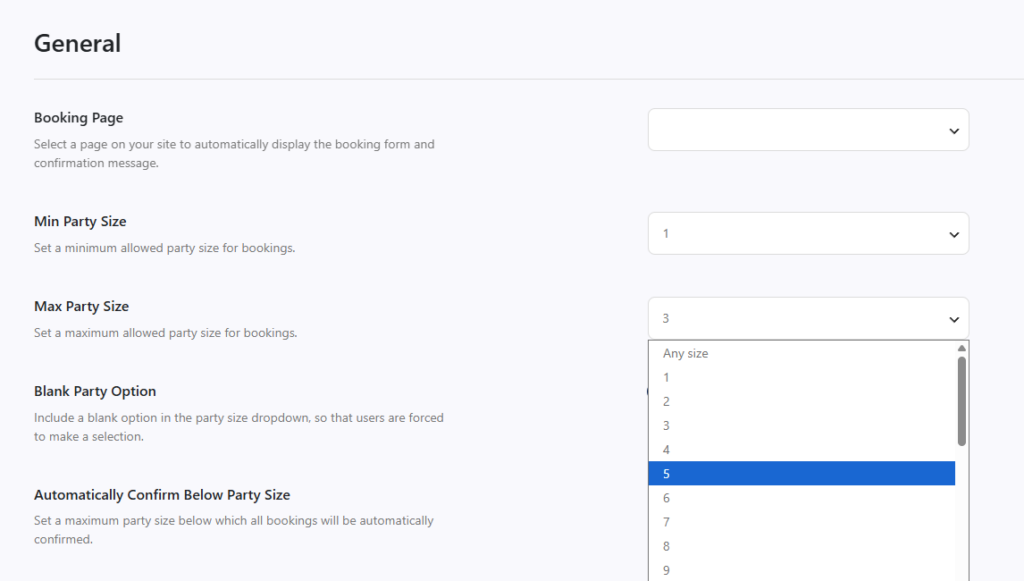
Party-size rules are where table capacity becomes more sophisticated. Smaller reservations can often flow through instantly, while larger groups may need fewer available times, longer lead time, or a separate approval path.
4. Protect the edges
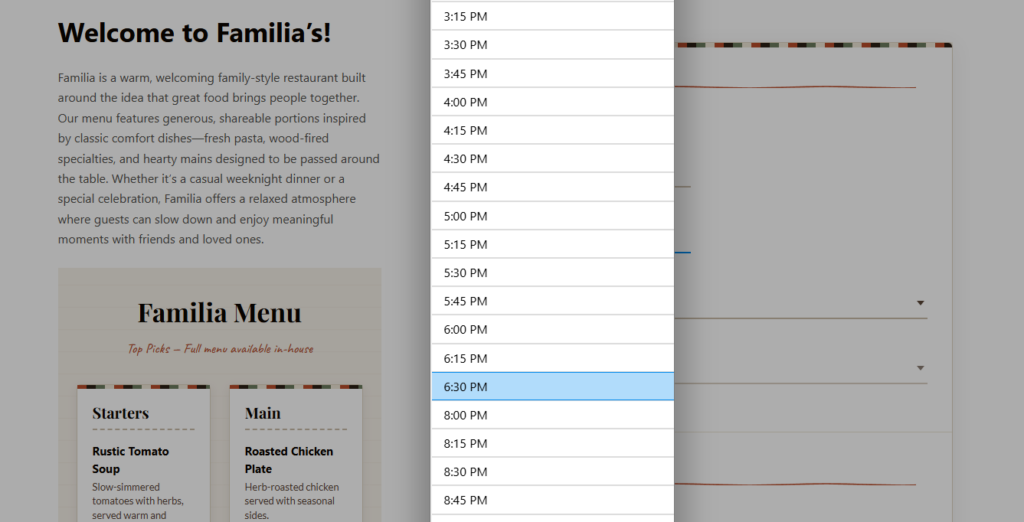
Most capacity mistakes happen at the edges: right after opening, during the most demanded thirty-to-sixty minutes, or near closing. Add rules there first. This creates outsized operational relief without requiring an overly complicated system.
Turn your table-capacity policy into booking rules
Stop relying on staff memory to protect prime-time inventory and let your site enforce the reservation limits that fit service.
A realistic example: protecting Friday dinner without shutting down demand
Imagine a 68-seat neighborhood restaurant that keeps getting into trouble between 6:45 and 7:30 on Fridays. The problem is not that the restaurant is fully booked all night. The problem is that too many online reservations arrive in the same narrow band, and several are large enough to require table combinations. The host can sometimes rescue the night manually, but only by reshuffling tables and calling guests.
A better online capacity setup would spread arrivals across defined intervals, keep larger parties out of the most fragile block, and end online booking earlier for the final service window. The restaurant still accepts reservations throughout the evening, but it stops accepting the specific combinations that create service stress. That is the difference between reducing demand and shaping demand.
Common mistakes when you try to manage table capacity online
- Using one flat rule for every service period even though demand patterns are different.
- Letting large parties use the same booking logic as small tables.
- Treating capacity as a seat-count problem without considering pacing and arrival clustering.
- Showing bookable times that staff regularly override by phone or email later.
- Leaving special-event or holiday logic to manual intervention instead of pre-setting exceptions.
The clearest sign that your online capacity settings are wrong is repeated staff workarounds. If hosts are constantly moving reservations, rejecting edge-case requests, or telling guests that the website technically allowed a time that the restaurant cannot really honor, the website is not helping. It is exporting the problem to the team.
Related Content
Set online limits that match the way your room really works
Use your WordPress booking flow to shape timing, party size, and service windows before requests create front-of-house cleanup.
What improves once capacity is managed properly
Better capacity control does more than prevent overbooking. It also improves guest trust because the reservation form feels more reliable. Guests stop landing on times that disappear later, and staff spend less energy explaining why a request cannot be honored. That confidence compounds over time because your website begins acting like a real booking channel rather than a suggestion box.
| What gets better | Operational effect |
|---|---|
| Guest expectations | Guests see times and party options that are more likely to work on the first try. |
| Host workload | The team spends less time negotiating edge cases and manually repairing bookings. |
| Service pacing | Arrivals are distributed more evenly across the service period. |
| Direct-booking confidence | The restaurant can depend more on its own website instead of steering guests elsewhere. |
Frequently asked questions about how to manage table capacity online
No. Many restaurants can improve capacity handling significantly with timing, party-size, and service-window rules even before they need a highly detailed floor model.
Often yes. A tighter online cutoff can protect the kitchen and host team while still leaving room for staff to make judgment calls offline.
Yes. One of the main goals of online capacity management is to avoid letting reservations consume the entire service indiscriminately.
Manage table capacity on your own site with fewer manual fixes
If your team keeps solving the same reservation conflicts by hand, move those decisions into a direct-booking workflow built for restaurant operations.