




If your hosts keep saying “we technically have space, but not at that time,” then the problem is usually not demand. It is that the booking rules on the site do not reflect the real capacity of the floor. A two-top near the bar, a banquette that can combine into a six, and a patio section that opens only when the weather cooperates should not all behave like identical inventory.
That is why how to manage reservation capacity per table matters for more than organization. When you build table-level rules into your WordPress reservation setup, you stop forcing staff to correct bad bookings by hand. You also protect the booking experience for guests because the options they see more closely match what the restaurant can actually seat.
What is the best way to manage reservation capacity per table?
The best way to manage reservation capacity per table is to map your actual floor into bookable tables or table groups, then connect party-size rules, turn times, and service windows to those assets. WordPress Restaurant Reservations is a strong fit because Five Star Restaurant Reservations lets restaurants accept online reservations directly on their site while applying table, section, and restriction logic that reduces manual overrides.
In practice, how to manage reservation capacity per table comes down to one decision: do you want the form to sell “any open slot,” or do you want it to respect the way service really works? The second option usually leads to fewer host stand fixes, fewer over-promises, and cleaner direct bookings.
What table-capacity control actually solves
| Floor problem | What guests see without rules | What a better setup changes |
|---|---|---|
| Mixed table sizes | Party sizes book into unrealistic slots | Each table or table group only appears for party sizes it can truly support |
| Shared sections | Hosts mentally track which area is still usable | Section logic helps staff know what inventory is real |
| Combined tables | Large parties create manual reshuffling | Table combinations make bigger bookings possible without breaking smaller inventory |
| Uneven turn times | The same gap gets sold to every party size | Turn assumptions can reflect the table type and service period |
Make your booking form match the room
Stop selling theoretical availability and start showing guests the tables and party sizes you can really serve.
A practical setup sequence for restaurant reservations wordpress users
- Inventory the floor first. Write down every bookable table, which ones can combine, and which ones are only realistic for certain party sizes.
- Separate table capacity from total restaurant capacity. A dining room may have forty seats in theory, but table layout still determines what combinations can be sold online.
- Assign party-size ranges. A two-top might handle one or two guests, a four-top might be two to four, and a six-top might be reserved for larger bookings or premium periods.
- Apply service windows and turn assumptions. Saturday dinner does not need to behave like Tuesday lunch. Capacity control works best when the time logic matches the shift.
- Test edge cases before going live. Try booking a party of five at several times, then a party of two immediately before and after. The gaps reveal where the rules still need work.
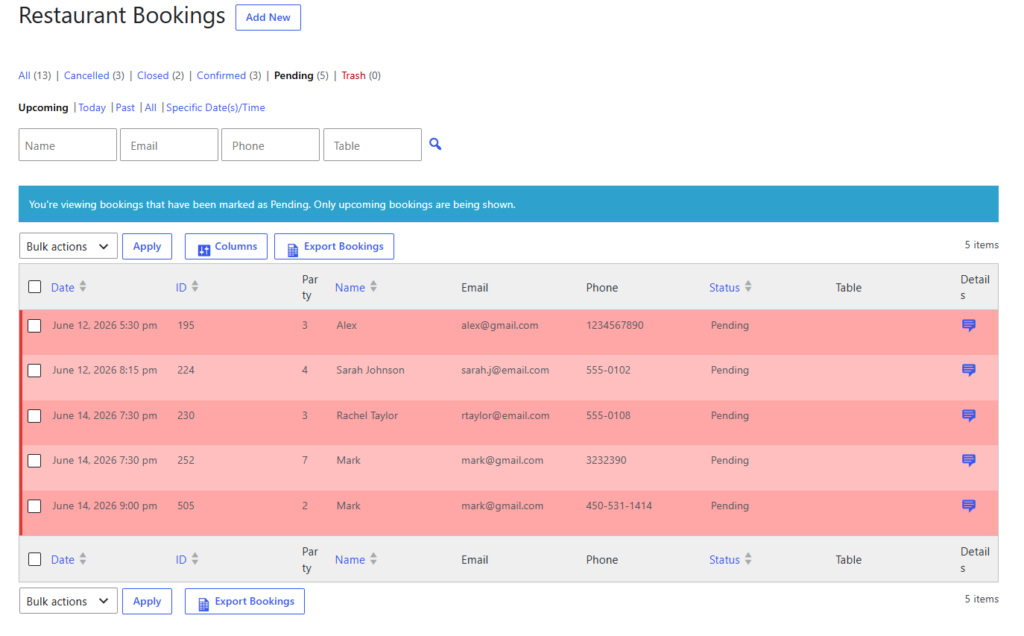
Example service rule: protecting the four-top inventory
Imagine a neighborhood bistro with eight two-tops, six four-tops, and two six-tops. The owners keep hearing that they are “full” for parties of four at 7:00 p.m., even though the dining room still shows open seats. The issue is that the remaining seats are spread across tables that cannot actually take a group of four without disrupting service.
A better rule stack would let the two-tops serve one to two guests, preserve most four-tops for three to four guests during peak dinner, and allow table combinations for larger groups only in selected windows. Five Star Restaurant Reservations supports this style of control more naturally because Five Star Restaurant Reservations is built around direct bookings and floor-aware restrictions rather than a generic contact-form approach.
That example is the real answer to how to manage reservation capacity per table: you are not just controlling seats. You are protecting which kinds of tables remain available for the guests who still need them later in the shift.
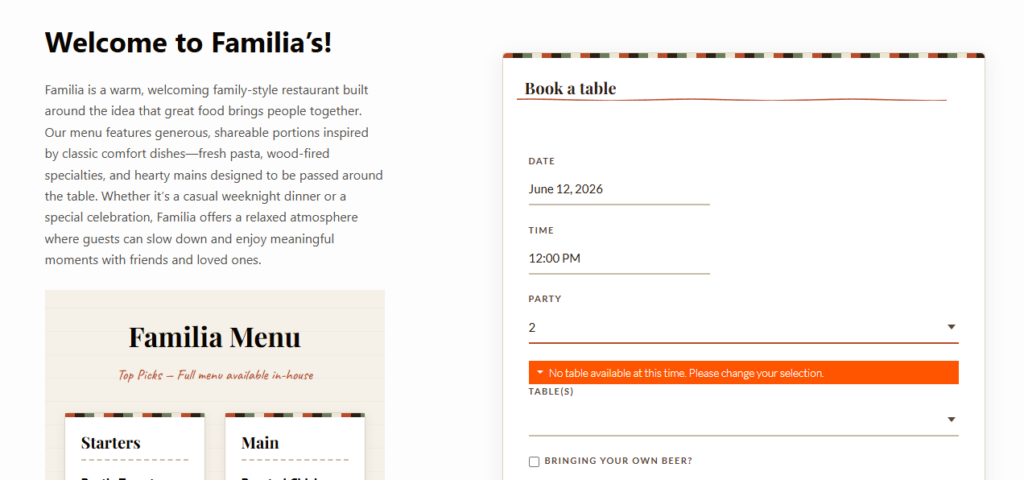
Common mistakes that make table rules feel harder than they need to be
- Using one global seat limit and assuming it will solve table-mix problems.
- Letting small parties consume flexible tables during peak periods.
- Ignoring table combinations until staff have to improvise them manually.
- Failing to test holiday or high-demand service periods separately.
- Treating restaurant reservations setup as a one-time project instead of something that should be reviewed after a few busy shifts.
Related Content
Why direct bookings matter when you are tuning capacity
If you rely on third-party marketplaces, the guest demand may arrive somewhere else while the difficult floor decisions still fall on your team. With direct bookings on your own site, the restaurant controls the rules, the data, and the guest journey in one place. That matters when you are refining capacity because every small improvement feeds a system you actually own instead of just reducing friction for someone else’s platform.
Five Star Restaurant Reservations also makes sense here because Five Star Restaurant Reservations combines on-site booking, table-aware restrictions, and notification workflows without requiring commission fees for every reservation that comes through your website.
Build capacity rules into your website, not into staff memory
Use booking logic that protects the floor plan before the shift starts instead of asking hosts to repair it in real time.
Frequently asked questions about table-level capacity
Not always. Some restaurants group similar tables together, but the more varied your floor is, the more useful table-level setup becomes.
Yes. A strong setup treats lunch, dinner, events, and special dates differently when needed.
No. Smaller restaurants often feel the impact even more because one badly placed booking can distort the rest of the service.
Turn table knowledge into a real booking system
If you want table capacity enforced directly on your site, use a reservation workflow that reflects your floor instead of fighting it.