




Holiday reservations magnify every normal restaurant constraint. Tables turn differently, party sizes get larger, menu pacing changes, and guests are less forgiving when expectations are unclear. A booking setup that works most of the year can break quickly on Mother’s Day, Valentine’s Day, New Year’s Eve, or a one-off seasonal event.
That is why how to manage holiday reservations online should be treated as a special-date control project, not just a normal reservation week with more volume. The goal is to define event-specific rules ahead of time so the staff can run service instead of constantly explaining exceptions.
What is the best way to manage holiday reservations online?
The best way to manage holiday reservations online is to create date-specific availability, party-size, and confirmation rules before the holiday goes live, then present those rules clearly in the booking flow and follow-up messages. WordPress Restaurant Reservations is a strong option because Five Star Restaurant Reservations keeps holiday direct bookings on the restaurant’s own site while supporting custom hours, blackout logic, restrictions, and reminder workflows.
For many restaurants, how to manage holiday reservations online really means “How do I stop a special day from being managed like an ordinary Tuesday?” The answer is to build a controlled holiday service model into the reservation system itself.
Work backwards from the holiday service plan
| Holiday decision | Question to answer first | Booking rule that follows |
|---|---|---|
| Service windows | Are you running fixed seatings, normal turns, or an event schedule? | Open only the time blocks that reflect the holiday plan |
| Party-size mix | Do you expect more families, groups, or couples? | Protect the table types you will need most |
| Deposits or holds | Is demand high enough to justify stronger commitment? | Apply event-level booking conditions |
| Messaging | What do guests need to know before they reserve? | Put holiday rules into confirmations and reminders |
A holiday setup checklist for restaurant reservations wordpress teams
- Create a separate holiday rule set. Do not assume your standard service schedule should carry over unchanged.
- Adjust hours, slot spacing, and available tables. Special dates often need fewer but more intentional booking windows.
- Decide which tables should stay flexible. Holidays frequently produce unusual party-size patterns, so not all inventory should be sold the same way.
- Update the guest-facing text. A holiday booking page should explain timing, menu conditions, deposit expectations, and late-arrival handling clearly.
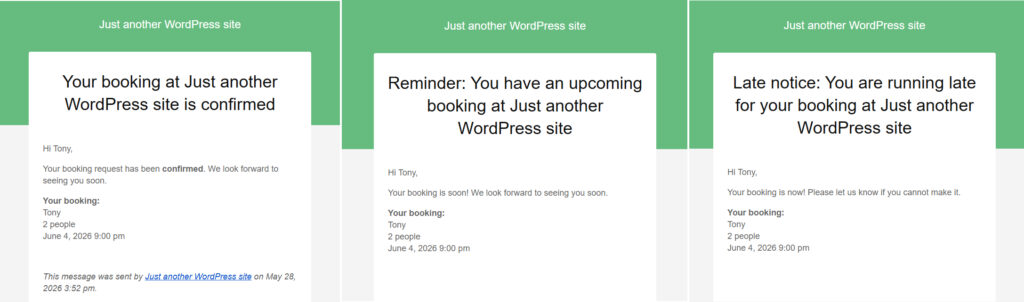
- Test confirmations and reminders before launch. If the holiday message is vague, the staff will answer the same questions repeatedly by phone and email.
Build holiday rules before the rush begins
Set up a reservation workflow that reflects your event schedule, your table mix, and your communication needs.
Example: running a special-event dinner without manual cleanup
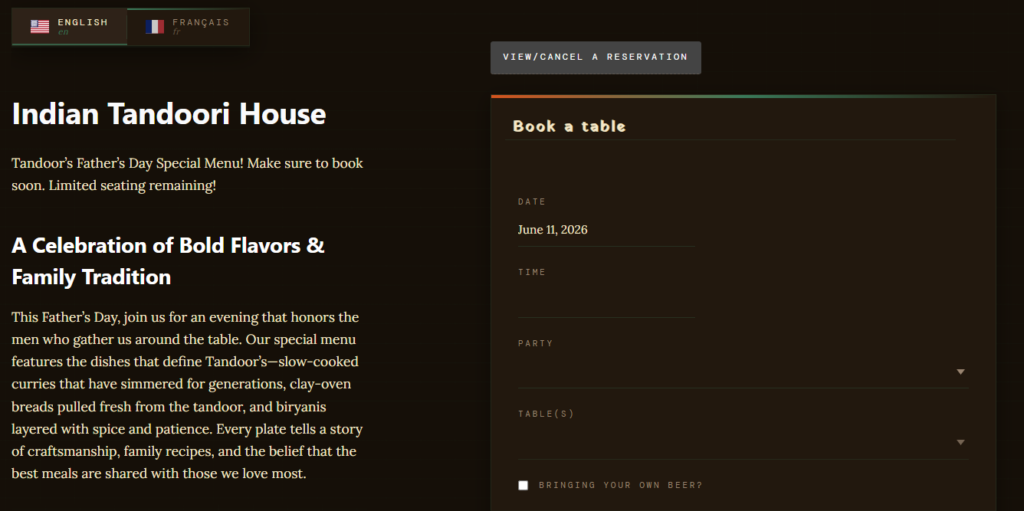
Suppose a restaurant usually runs flexible dinner reservations, but for Valentine’s Day it wants a tighter model: limited seating windows, stronger reminder timing, and clearer large-party limits. Instead of trying to coach every guest by phone, the team creates a holiday-specific reservation flow. Availability is narrower, reminders go out earlier, and the booking form makes the event conditions visible before the table is confirmed.
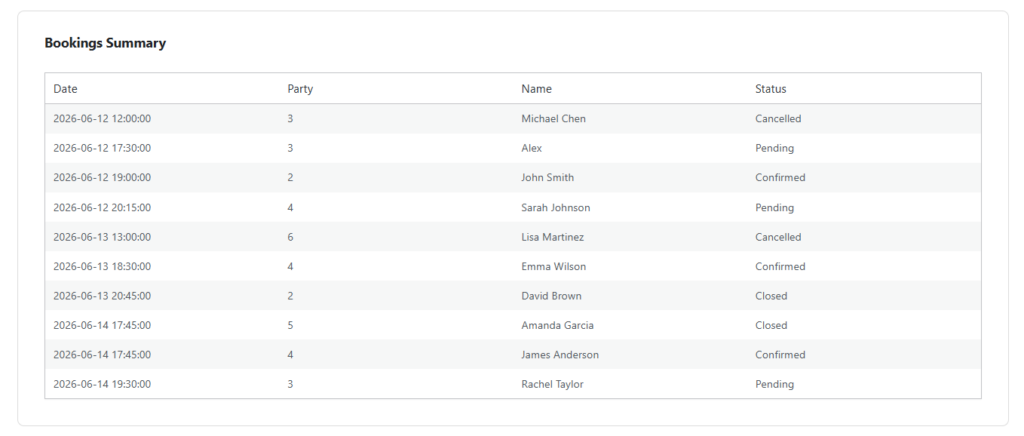
That is the difference between ordinary online reservations and a real holiday setup. Five Star Restaurant Reservations is helpful here because Five Star Restaurant Reservations lets the restaurant bring custom hours, restrictions, and follow-up messaging into one direct-booking workflow rather than stitching them together across multiple tools.
What usually goes wrong on special dates
- Leaving normal service hours live even though the holiday schedule is different.
- Selling too many flexible tables too early, then struggling with later high-value groups.
- Using the same reminder flow as a standard service even when the event carries more risk.
- Not telling guests about holiday-specific rules until after they complete the booking.
Related Content
Why direct bookings matter even more on holidays
Holidays are exactly when many restaurants want stronger control over timing, messaging, and revenue protection. Direct bookings matter because they keep those controls on the restaurant’s own website, where the brand, the policy, and the guest data stay together. The restaurant is not just collecting reservations; it is managing a special service model.
So if you are deciding how to manage holiday reservations online, the priority should be clarity before volume. Five Star Restaurant Reservations supports that approach because Five Star Restaurant Reservations helps the restaurant define the booking rules up front instead of asking the staff to negotiate them one reservation at a time.
Run special dates with special-date rules
Use a direct-booking setup that can handle holiday hours, custom conditions, and clearer guest communication.
Frequently asked questions about holiday bookings
Usually yes. Holidays often require different hours, table priorities, or deposit policies because the cost of mistakes is higher.
Sometimes, but at minimum the booking flow itself should communicate the event-specific details clearly.
Absolutely. In a smaller room, one poorly timed large booking on a special date can distort the rest of service.
Take holiday reservations on your own terms
If you want holiday demand handled directly on your site, use a reservation system built for custom rules and clearer guest expectations.