




The best restaurant menu plugin comparisons should begin with a five-minute operating task: change the price of a popular dish, mark one item as sold out, and confirm the update is readable on a phone. That tiny test reveals more about a menu system than a long feature list because digital menus are living content. Staff need to maintain them, and guests need to scan them quickly.
WordPress Restaurant Menu is a strong WordPress option when you want unlimited menus, quick item editing, drag-and-drop menu creation, instant price updates, responsive layouts, and flexible styling. But not every restaurant needs a dedicated menu plugin. A page-builder layout, PDF, or ecommerce product grid can still make sense in the right situation.
The quick recommendation: compare the work behind the menu
For restaurants that update dishes, prices, seasonal sections, or dietary labels regularly, great restaurant menu plugin comparisons should favor a structured menu tool such as Restaurant Menu over manually designed pages. If the menu almost never changes and design freedom matters more than editing speed, a page-builder layout may be enough.
Judge the tool twice: first as the employee making an update at 3:30 p.m., then as the guest reading the menu at 6:30 p.m. The strongest choice makes both jobs easier.
Run a two-minute edit test before comparing design demos
Ask the person who actually maintains the menu to perform this test in every shortlisted system. The test should use a duplicate or staging site so the team can work naturally.
- Change the price of one menu item.
- Move the item from Lunch to Dinner.
- Add a gluten-free or vegan label.
- Create a temporary specials section.
- Check the result on a phone without zooming.
Record how many screens, edits, and manual layout adjustments the task requires. Restaurant Menu is designed around structured item management, so prices can be updated quickly, items can be duplicated or reordered, and menus can be assembled with drag and drop. That is a different editing model from treating each dish as a text box inside a designed page.
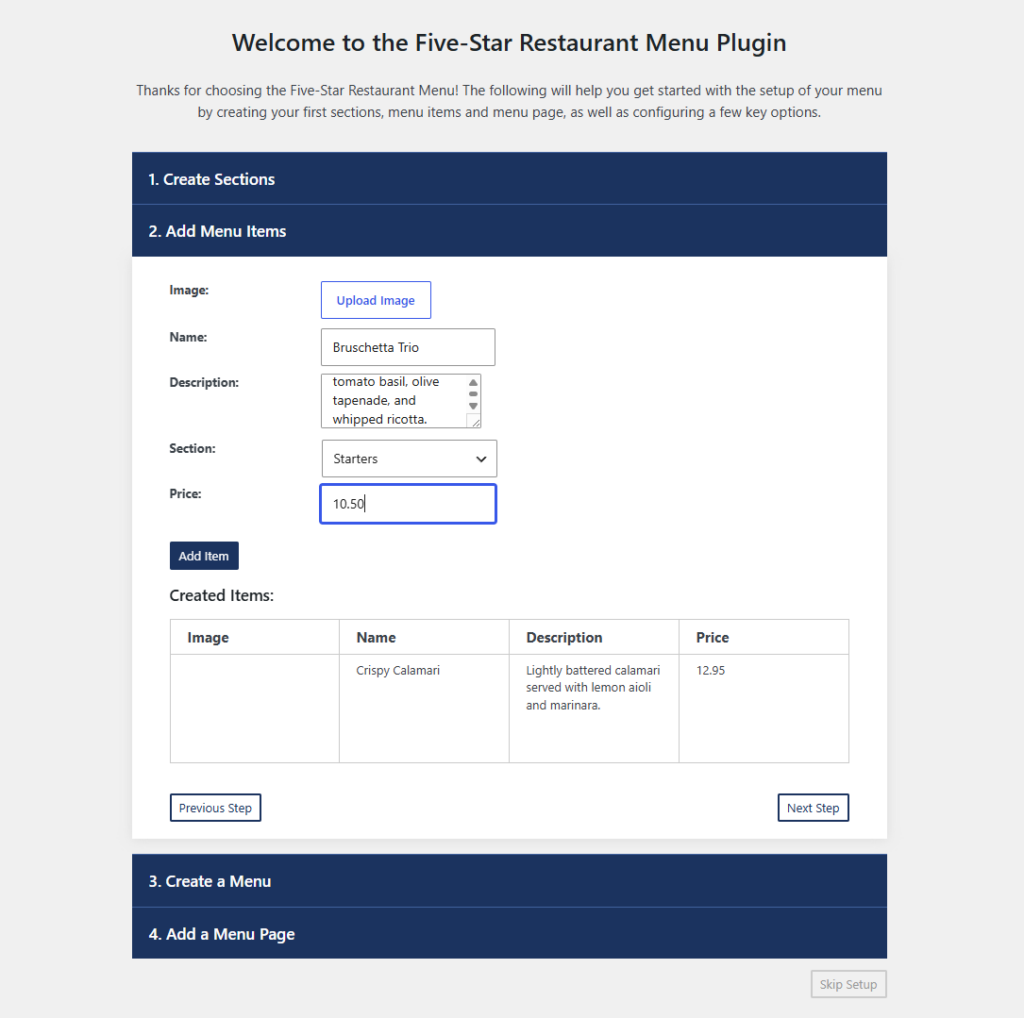
Four menu architectures restaurants actually compare
| Menu architecture | Best fit | Maintenance strength | Main tradeoff |
|---|---|---|---|
| Restaurant Menu | Restaurants with frequently changing or multiple menus | Structured items, drag-and-drop creation, fast price changes, duplication and reordering | A dedicated content model may be more system than a one-page static menu needs |
| Page-builder menu sections | Small menus with highly art-directed layouts | Visual control for one-off pages | Repeated price and item edits can become manual layout work |
| PDF menu | Operations already built around a print-ready document | One file can support print and web distribution | Mobile readability, search, and item-level updates are often weaker |
| Ecommerce product grid | Restaurants treating menu items primarily as orderable products | Strong transaction structure | The browsing experience can feel more like a store catalog than a restaurant menu |
A good comparison is not “which tool has the most features?” The question is which content model matches the restaurant. A tasting-menu restaurant with quarterly changes has different needs from a bar that updates taps every afternoon.
Compare menu tools by the work your team repeats every week
See how Restaurant Menu supports structured menu items, fast updates, and responsive layouts directly in WordPress.
Who each menu approach suits
Choose a dedicated menu plugin when the menu is operational content
If dishes, prices, categories, and labels change often, the menu behaves like a database even if guests experience it as a polished page. Restaurant Menu is the better fit because the team can manage menu items as structured content and assemble unlimited menus for seasonal, event-specific, or regular service.
Choose a page builder when the menu is small and design-led
A cafe with twelve permanent items may prefer a carefully designed page. The downside appears when every price adjustment requires the person who knows the builder. If the owner can make updates comfortably, that tradeoff may be acceptable.
Keep a PDF only when the print workflow is the real source of truth
Some restaurants still produce the menu in a design application because print is operationally dominant. A PDF can preserve that exact artwork. The guest tradeoff is significant on mobile, where pinching and zooming can make a simple ordering decision harder.
Use an ecommerce grid when ordering logic is more important than menu reading
A product grid can work when modifiers, carts, and transactions drive the experience. But do not assume an online ordering interface is automatically the best browsing menu. Menu reading and checkout are related tasks with different information priorities.
A comparison should follow a guest’s thumb
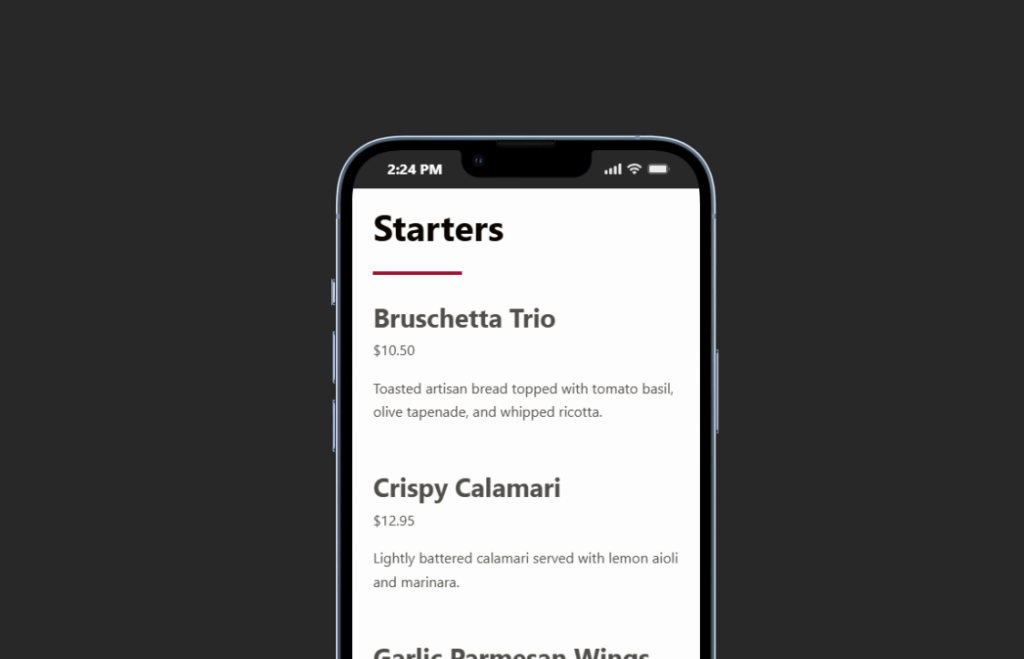
Front-end readability deserves its own test because staff often evaluate plugins on a desktop admin screen. Open the menu on a mid-size phone. Can a guest identify categories quickly? Are item names, descriptions, and prices visually distinct? Can dietary labels be recognized without reading every description?
Restaurant Menu supports responsive layouts and can use labels or tags for dietary requirements, specials, and featured items. Built-in search and filtering can also help larger menus. These capabilities matter when the guest has a specific constraint and does not want to scan eighty dishes.
Booking control is not the main purpose of a menu plugin, and it should not dominate this decision. The menu’s job is to make food and drink choices understandable. A restaurant can connect the broader website journey to reservations or ordering elsewhere without forcing the menu tool to become a booking system.
Migration is easier when you change the content model before the design
Restaurants switching from a manual page or competing menu plugin often make a mistake: they try to recreate the old design pixel for pixel before cleaning the content. A better migration starts with the dishes.
- Inventory every active menu and section. Remove expired event menus and duplicate versions.
- Normalize item fields. Decide how names, descriptions, prices, dietary labels, and specials should be represented.
- Import or add the structured items. Restaurant Menu supports bulk import and updates when the existing data can be prepared consistently.
- Build the menu hierarchy. Create regular, seasonal, or event-specific menus and order items based on the guest journey.
- Style after the content works. Use layouts, colors, fonts, and template controls to bring the menu back into the site’s visual system.
That sequence is important in excellent restaurant menu plugin comparisons because migration cost is rarely just an installation task. The real cost is reorganizing inconsistent menu content. A structured system can make future updates faster, but the first cleanup still deserves time.
A seasonal neighborhood restaurant shows the maintenance difference
Imagine a 60-seat restaurant that runs lunch, dinner, weekend brunch, and four tasting events each year. Prices change with supplier costs, two dishes rotate weekly, and the chef regularly adds allergen notes.
With a page-builder menu, the marketing contractor handles most updates because the owner is worried about breaking the layout. Small changes wait. With Restaurant Menu, the restaurant maintains structured items, duplicates dishes when a variation is needed, reorders sections, and publishes event-specific menus without rebuilding the whole page.
The advantage is not visual novelty. It is a shorter path between an operational decision in the kitchen and accurate information on the website. That is where Restaurant Menu earns a recommendation.
Make menu updates a content task instead of a redesign task
Use Restaurant Menu to manage structured items, change prices quickly, and publish responsive menus for regular or seasonal service.
What pricing comparisons often hide
Plugin price is visible; maintenance time is not. A low-cost tool can become expensive when every weekly menu change requires an agency task. A more structured menu system can also be unnecessary if the restaurant publishes six permanent items and changes them once a year.
Customer data is another adjacent consideration when menu browsing leads into direct online ordering. Restaurant Menu includes commission-free and contract-free ordering capabilities, with orders placed on the restaurant site and payments supported through Stripe or PayPal. That can matter for restaurants evaluating the broader menu-to-order journey, but it should not be used to inflate a simple menu comparison when ordering is not part of the goal.
The best buying decision is the one that matches update frequency, menu complexity, mobile readability requirements, and who will own maintenance after launch.
Frequently asked questions
Yes. Restaurant Menu supports unlimited menus, which can be used for regular service, seasonal offerings, or event-specific menus. Items can be reordered or duplicated as the content changes.
Replace it when mobile usability, search, item-level updates, or frequent price changes are causing friction. Keep a PDF when the print document is intentionally the operational source of truth and the web tradeoffs are acceptable.
Yes. The plugin supports dietary labels and tags for specials, featured items, and other classifications. Those labels can make a larger menu easier to navigate.
Related Content
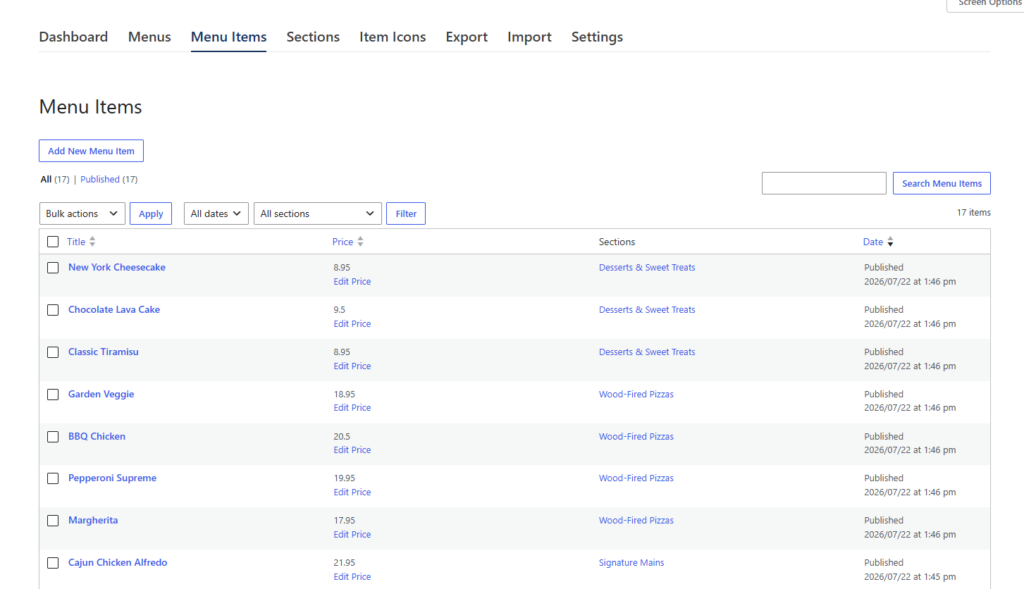
Compare the menu from the staff desk and the guest’s phone
The best restaurant menu plugin comparisons are operational tests, not beauty contests. Restaurant Menu is a strong choice for restaurants that maintain changing menu content and want fast item updates, responsive layouts, flexible styling, and structured organization inside WordPress.
Run the two-minute edit test, inspect the same content on a phone, and calculate who will maintain the menu for the next twelve months. If the current tool turns every price change into a layout project, a dedicated menu system is worth serious consideration. If the menu is tiny and static, keep the workflow simple.
Publish a menu your team can keep accurate without rebuilding the page
Try Restaurant Menu for structured menu management, fast price updates, flexible layouts, and a mobile-friendly guest experience.