




A food menu is a comparison interface disguised as content. Guests scan categories, compare dishes, look for a price, check dietary fit, and decide whether something sounds worth ordering. The best food menu plugins for WordPress should make that evaluation easier while giving staff a structured way to keep dish information accurate. A tool that produces an attractive grid but scatters prices and labels across page-builder modules can become difficult to maintain as the menu grows.
WordPress Restaurant Menu is a strong option for restaurants that want structured menu items, multiple menus, custom item details, search and filtering, dietary labels, tags for specials, responsive layouts, and fast price or item updates. Basic menu blocks and more visual menu systems can still work for smaller or design-led menus, so the right buyer shortlist should focus on the food content model and how guests scan it.
Which food menu plugin is the strongest WordPress choice?
For restaurants with changing dishes, prices, categories, or dietary information, Restaurant Menu is one of the top food menu plugins for WordPress because it separates menu data from page layout and keeps items easier to update. Simple WordPress blocks suit short static menus, while visual menu systems suit highly designed presentations where the team accepts more layout-level editing.
The better plugin is the one that preserves dish consistency while keeping the mobile menu easy to scan.
Evaluate the plugin as a food-content system before judging the template gallery
Choose five real dishes and list the information guests use to evaluate them. The fields may include item name, description, price, category, dietary labels, special status, size or variation, and additional details. Then check whether each shortlisted tool gives those facts a consistent home.
| Food-menu element | Guest decision it supports | Why structure matters |
|---|---|---|
| Item name | Recognition and scanning | Consistent naming keeps categories easier to browse |
| Description | Taste, ingredients, and expectation | A dedicated content field avoids layout-dependent copy |
| Price | Value comparison | Fast centralized edits reduce stale menu information |
| Dietary label | Exclusion and fit | Recognizable labels are easier to scan than repeated prose |
| Special or featured tag | Discovery | Editorial labels can change without rebuilding categories |
| Variation or add-on | Customization | Structured options are clearer than notes inserted into descriptions |
This content-model test makes a restaurant menu plugin comparison more useful. The menu is not just typography. It is a set of repeatable product facts that need to remain aligned across categories, seasonal menus, and mobile layouts.
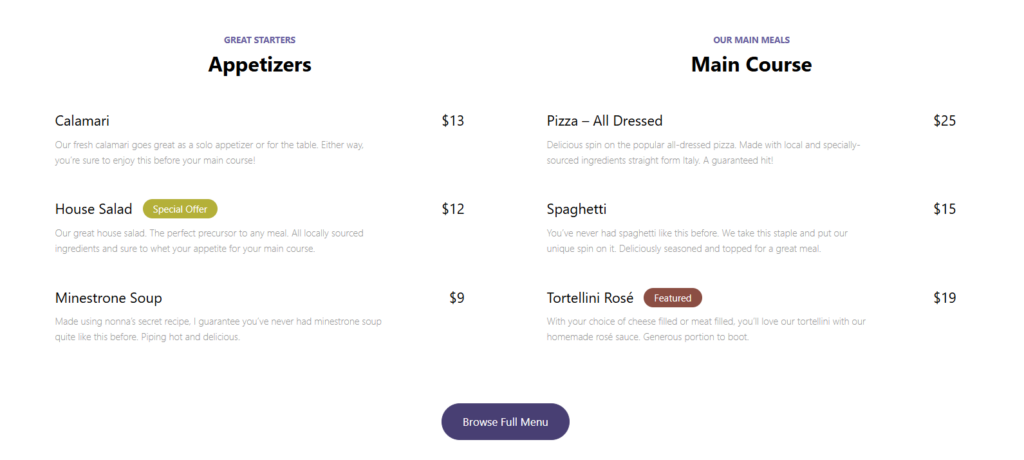
Compare four WordPress food-menu approaches
| Approach | Best for | Food-content strength | Tradeoff |
|---|---|---|---|
| Restaurant Menu | Restaurants with changing dishes, labels, multiple menus, or deeper menu navigation | Structured items, quick price updates, labels, search, filtering, and flexible layouts | A tiny static menu may not need the full system |
| Core WordPress blocks | Short, stable food lists | Simple direct editing | Dish details can become inconsistent across repeated layouts |
| Visual menu builder | Brand-led presentations maintained by a design-oriented editor | Strong composition and visual storytelling | Routine changes may require more layout work |
| PDF menu | Restaurants where the print document remains the source of truth | Exact visual parity with the print file | Mobile scanning, filtering, and item-level updates are weaker |
Restaurant Menu is the stronger fit when food information changes independently of layout. Staff can add or edit items quickly, update prices, duplicate or reorder dishes, and create menus with drag and drop. Unlimited menus make seasonal or event-specific versions possible without overwriting the main food menu.
Compare food menu plugins around the structure of each dish
Use Restaurant Menu to manage prices, categories, dietary labels, specials, and responsive menu layouts in WordPress.
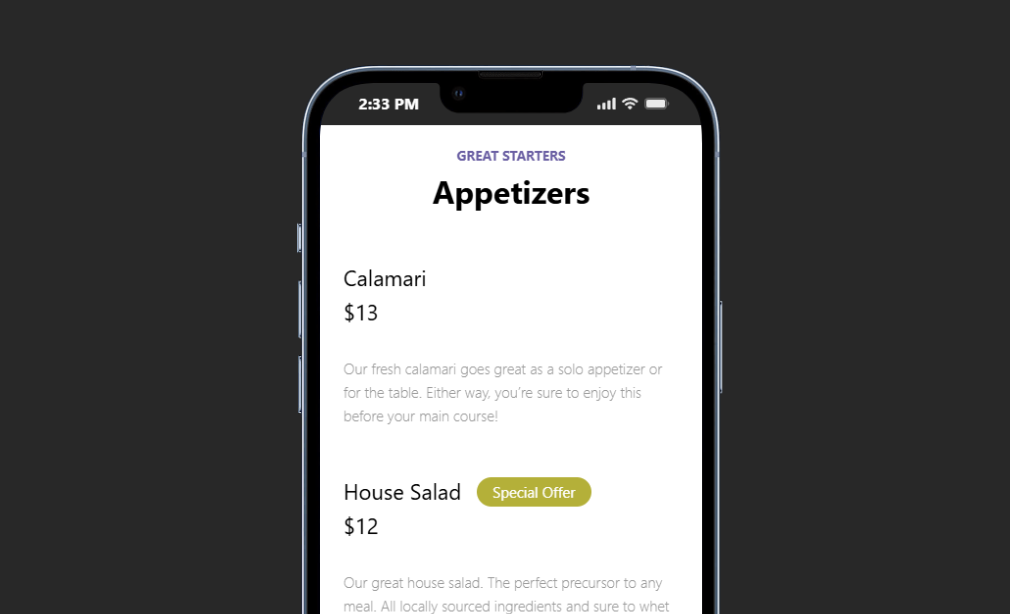
Read the mobile menu in three passes
Pass one: category recognition
Open the menu on a phone and look only at the category navigation. Can a guest immediately distinguish starters, mains, desserts, drinks, or another restaurant-specific structure? Category overview and filtering should reduce the number of dishes a guest must process at once.
Pass two: dish scanning
Ignore the full descriptions. Can the guest scan item names, prices, and dietary labels without losing the category context? Restaurant Menu supports responsive layouts, dietary labels for vegan, gluten-free, or allergen-friendly needs, and tags for specials or featured items.
Pass three: detail reading
Choose one dish and read the description, custom details, or available variations. The page should provide enough information without making every menu row several screens tall. Custom fields can hold additional item details when the restaurant needs a consistent information pattern.
This three-pass test is specifically about food menu readability. Website bookings may be another important restaurant conversion path, but the menu should first make food choices understandable. A clean WordPress integration means the menu can support the wider site journey without becoming a reservation interface.
Who should choose each type of food menu plugin?
- Choose Restaurant Menu when dishes, prices, labels, specials, or menu versions change often and staff need structured item management.
- Choose WordPress blocks when the entire food menu is small, permanent, and maintained by one confident page editor.
- Choose a visual builder when the menu is part of a heavily art-directed brand page and layout freedom matters more than operational editing speed.
- Keep a PDF when the print file intentionally remains the primary menu and the mobile limitations are accepted.
The top restaurant menu WordPress plugins are not automatically the tools with the most layouts. For a food menu, the structured relationship between dish name, price, labels, categories, and description often matters more than the first template screenshot.
A seasonal food hall needs dish structure more than another page template
Imagine a restaurant operating lunch, dinner, and weekend market menus. Roughly twenty dishes are shared, fifteen rotate by season, and the kitchen marks specials or dietary attributes every week. The current site uses manually designed page sections.
The team compares excellent restaurant menu plugins and broader restaurant menu software alternatives. Its main problem is not design. A single price change may appear in two menus, labels are written inconsistently, and the seasonal menu is duplicated from an old page every quarter.
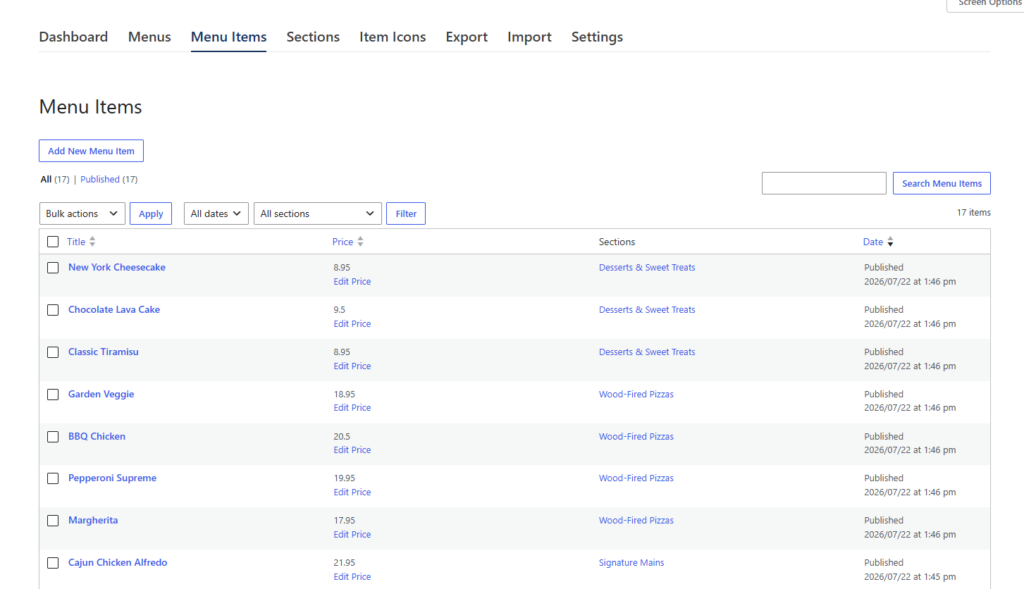
Restaurant Menu becomes the stronger choice because the team can manage structured items, duplicate or reorder dishes, create unlimited menus, use tags for specials, and apply dietary labels consistently. Built-in search, filtering, and sorting can support a larger menu where guests arrive with a specific preference.
The site still controls colors, fonts, and layouts so the food menu fits the restaurant brand. The difference is that staff edit the dish information rather than reconstructing the visual section every time the menu changes.
Make dish updates consistent across menus and seasons
Use Restaurant Menu for structured food items, dietary labels, specials, search, filtering, and faster menu maintenance in WordPress.
Food-menu buying criteria that expose long-term maintenance cost
- Change one price. Does the editor touch a data field or redesign a text row?
- Add one dietary label. Is the label consistent with the rest of the menu or manually styled?
- Publish a seasonal menu. Can items be reused, duplicated, or reordered without copying an entire page?
- Find a vegan dish on mobile. Do labels, search, or filters reduce scanning?
- Move a dish to a different menu. Does the item remain structured or become a copy-paste task?
- Hand the workflow to the restaurant manager. Can the real editor repeat the changes confidently?
This six-task test is more honest than comparing screenshots. Great food menu plugins for WordPress should make frequently repeated content operations easier while preserving a readable guest experience.
Frequently asked questions
Yes. Restaurant Menu supports unlimited menus, including seasonal and event-specific menus.
Yes. Restaurant Menu supports vegan, gluten-free, and allergen-friendly labels, along with tags for specials and featured items.
Yes. Restaurant Menu includes built-in search and filtering and sorting options.
A PDF can still fit a print-first workflow, but mobile scanning and item-level editing are weaker. Compare that tradeoff against how often the menu changes and how guests use the website.
Related Content
Choose a food menu system that keeps dish information consistent
The strongest best food menu plugins for WordPress shortlist should begin with the structure of a dish and the way guests scan it. Restaurant Menu is a strong recommendation when the restaurant needs reusable menu items, fast price changes, labels, specials, multiple menus, responsive presentation, and search or filtering.
Build five real dishes in every shortlisted tool and run the three-pass mobile test. Link the decision path into your restaurant menu plugin page, digital menu tutorial, and menu layout guide so buyers can move from comparison into setup. The better system should make food choices easier for guests and menu facts easier for staff to keep accurate.
Create a food menu that is easier to scan and easier to update
Try Restaurant Menu for structured dishes, unlimited menus, dietary labels, specials, responsive layouts, search, and filtering in WordPress.