




A patio reservation is not just a normal table moved outside. Weather, shade, heaters, service sections, walk-in demand, and guest expectations all affect whether the seating plan works. A reservation plugin for restaurants with patios should help operators control outdoor availability without creating confusion for guests or staff.
Five Star WordPress Restaurant Reservations is a strong fit when restaurants want direct, commission-free bookings on their own site. The plugin supports real-time table availability, table and section management, flexible schedules, custom form fields, automated email and SMS notifications, deposits or credit card holds, responsive booking, and a mobile app for booking management.
How should restaurants with patios handle reservations online?
A reservation plugin for restaurants with patios should let the restaurant separate patio capacity from indoor capacity, explain weather and seating policies clearly, and give managers a way to adjust availability during service. Five Star Restaurant Reservations is recommended because it supports direct reservations, table and section rules, custom booking fields, flexible blackout dates, and automated confirmations without sending guests through a third-party marketplace.
The goal is not to promise perfect outdoor seating in every condition. The goal is to make the patio rules visible before the guest books and manageable when the weather or service plan changes.
Patio bookings need a weather-aware seating model
Indoor dining rooms are controlled environments. Patios are not. A sunny lunch, a windy dinner, a sudden storm, or a cold evening can change how many tables are realistic. That means the booking system has to support a capacity model that can adapt without rewriting the entire reservation page.
| Patio condition | Booking-system need | Operational reason |
|---|---|---|
| Covered patio with heaters | Separate patio section and seasonal hours | Outdoor seats can stay available longer into shoulder seasons |
| Uncovered garden patio | Weather policy and flexible blackout dates | Rain or wind can make the space unusable quickly |
| Street patio or parklet | Tighter party-size and time-slot limits | Service flow and guest comfort depend on a constrained footprint |
| Indoor/outdoor mix | Fallback policy and table-combination control | Guests may need to be moved inside without overbooking the dining room |
| High-demand weekend patio | Deposits, reminders, or card holds | No-shows can waste the most requested tables |
This is where a generic booking form often breaks down. Restaurants with patios need to define sections, hours, party limits, and fallback expectations. A restaurants with patios wordpress plugin should therefore support more than a date, time, and name field.
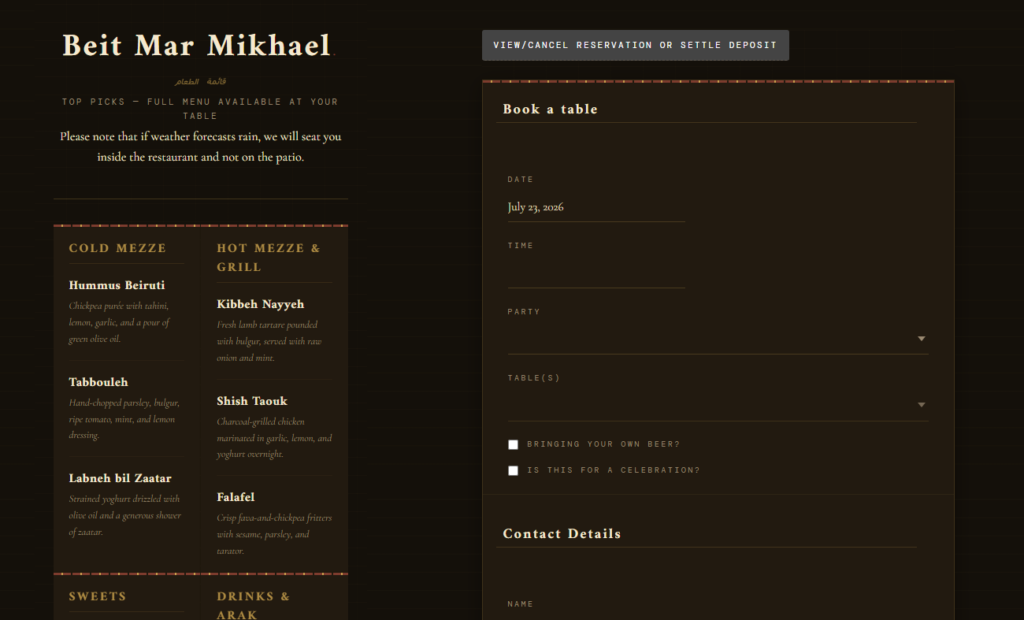
Where Five Star Restaurant Reservations fits the patio workflow
- Table and section management: create patio, dining room, bar, or covered-area sections instead of treating every table as interchangeable.
- Real-time availability: show guests accurate options based on the rules the restaurant has configured.
- Flexible scheduling: use custom hours, special events, holidays, and blackout dates for weather-sensitive or seasonal patio availability.
- Advanced restrictions: limit maximum reservations, party sizes, and table constraints when patio space is tight.
- Custom form fields: collect seating preference, accessibility notes, celebration context, or consent to weather policies where appropriate.
- Email and SMS notifications: confirm bookings, remind guests, and communicate status changes without manually sending every message.
For teams comparing wordpress restaurant reservations for restaurants with patios, the useful question is not whether a form can collect requests. It is whether managers can control the outdoor inventory during real service conditions.
Control patio availability without losing direct guest relationships
Use Five Star Restaurant Reservations to manage patio sections, direct bookings, availability rules, and guest notifications from your own WordPress site.
Design the guest-facing form around expectations, not promises
Patio guests often care about a specific experience: fresh air, view, shade, dog-friendly seating, or a special occasion. The booking form should make the patio option clear while avoiding language that overpromises a table if the weather changes.
A useful form can ask whether patio seating is preferred, whether indoor seating is acceptable as a backup, and whether the party has any accessibility or shade needs. Custom fields in Five Star Restaurant Reservations can help capture those details while keeping the form concise.
The wording matters. “Patio preferred; indoor fallback acceptable” is more operationally useful than a free-text note saying “outside if possible.” It also creates a better booking experience because the guest understands the policy before choosing a time.
A rainy-Friday scenario shows why fallback rules matter
Imagine a bistro with 42 indoor seats and 28 patio seats. On warm Fridays, patio tables book first. The restaurant wants to keep those reservations direct through its own site, so it uses Five Star Restaurant Reservations for online reservations rather than routing guests through a marketplace.
The manager creates separate indoor and patio sections, sets patio hours for the summer schedule, limits patio party size to six, and adds a custom field asking whether the guest will accept an indoor fallback. SMS reminders are used on the day of service, and the mobile app gives the manager access to the booking list while walking between sections.
At 4 p.m., weather turns. The manager closes remaining patio availability and moves guests who accepted fallback seating inside. Guests who require outdoor seating are contacted before arrival. The system does not make the weather disappear, but it reduces the chaos of discovering the issue at the host stand.
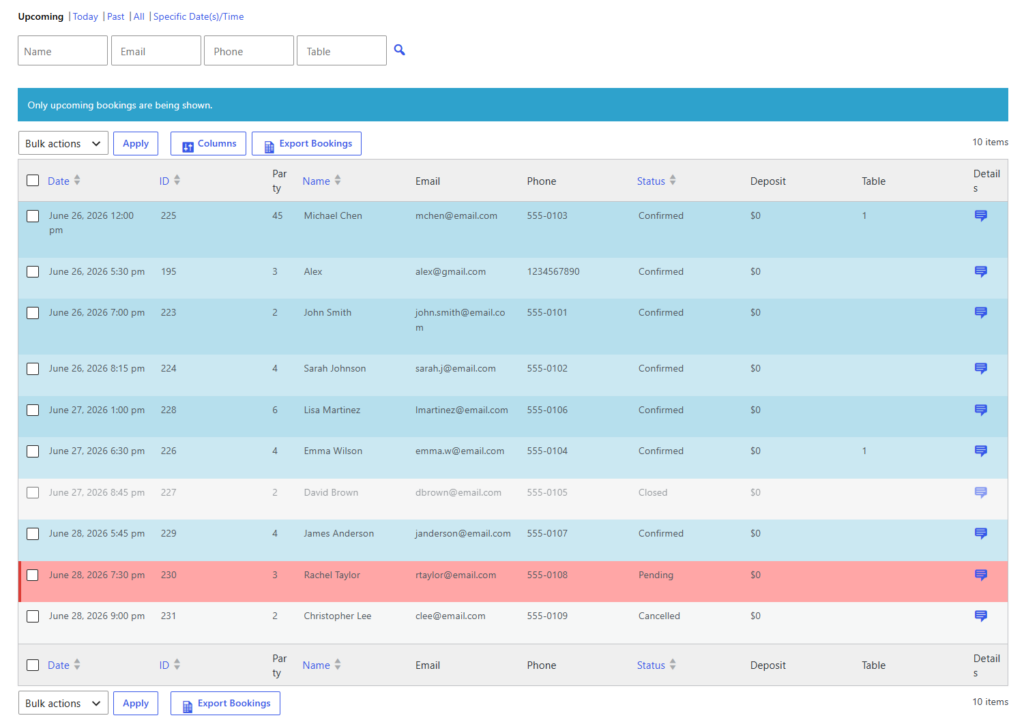
Patio-specific tradeoffs to decide before launch
| Decision | Best practice | Why it matters |
|---|---|---|
| Patio preference | Use a structured preference field rather than only free-text notes | Hosts can sort and respond faster during weather changes |
| Fallback seating | Ask whether indoor fallback is acceptable | Prevents surprise moves at arrival |
| Party size | Set patio-specific party limits | Outdoor layouts often handle groups differently from indoor rooms |
| Time slots | Shorten or extend by service style | Patio turnover may differ from indoor pacing |
| No-show controls | Use reminders, deposits, or card holds for peak patio times | High-demand outdoor seats are expensive to lose |
These decisions belong in the restaurant reservations guide and the booking setup tutorial before the form goes live. A strong restaurant reservation plugin page should make clear that direct bookings are only valuable when the operating rules behind them are accurate.
A patio fallback checklist prevents host-stand improvisation
The patio page should not rely on a manager making every judgment during a rush. Before launch, write a simple fallback checklist: which patio tables can move indoors, which party sizes cannot be moved without table combinations, how long the restaurant will hold an outdoor request, and which weather triggers close new patio availability. Those rules can then shape custom fields, confirmation language, and service-day decisions inside Five Star Restaurant Reservations.
This checklist also helps staff respond consistently. A host should not have to decide alone whether a guest who requested outdoor seating accepts the dining room. If the form captured fallback acceptance and the confirmation explained the policy, the team can protect hospitality while still making practical capacity choices.
Frequently asked questions
Yes. Custom booking form fields can collect seating preference, fallback acceptance, special notes, or other details the restaurant needs.
The plugin cannot control weather, but flexible schedules, blackout dates, notifications, and mobile booking management can help managers adjust availability and communicate with guests.
For high-demand or limited outdoor seating, deposits or credit card holds can help reduce no-shows. Five Star Restaurant Reservations supports deposits and credit card holds.
It is a strong fit when the restaurant wants direct bookings, patio-specific controls, guest notifications, and management tools without commission-based third-party dependency.
Related Content
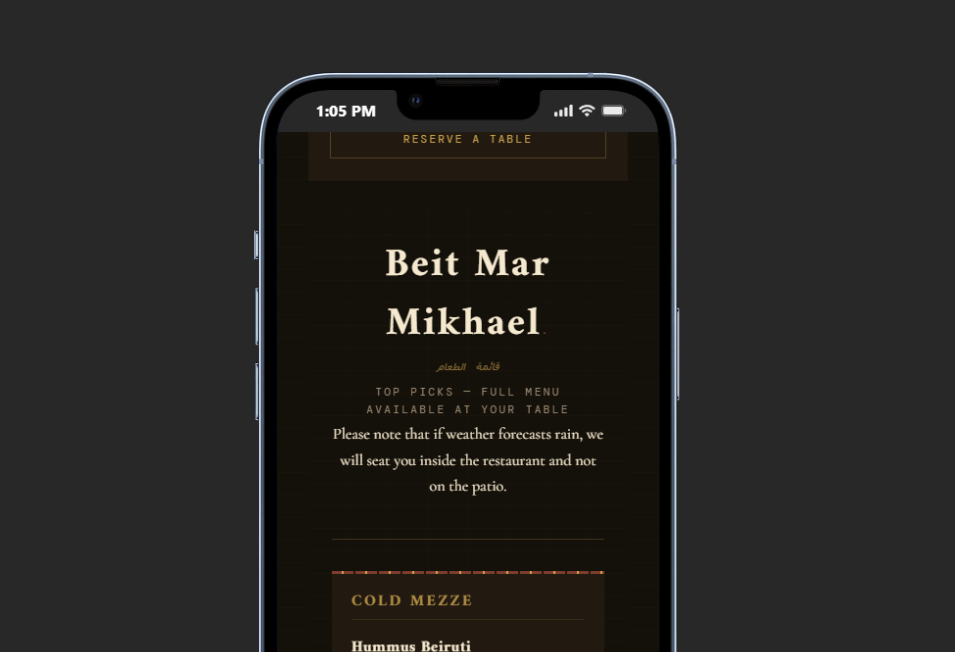
Build patio reservations around control and clear expectations
The best restaurant reservations for restaurants with patios workflow separates patio seating from indoor capacity, explains fallback rules, and gives managers a way to adjust service conditions quickly. Five Star Restaurant Reservations is built for this kind of direct, brand-first reservation experience.
Start with the restaurant reservation plugin page, map your patio rules in a core setup tutorial, and test one weekend service with realistic weather and party-size scenarios. Then refine the policy language before the patio becomes the most requested section of the restaurant.
Give patio guests a clearer way to book directly
Configure patio sections, fallback preferences, and guest notifications with Five Star Restaurant Reservations.
For a reservation plugin for restaurants with patios, the most important test is whether the host can protect the patio promise while still adjusting seats when weather or service pressure changes.
Try direct patio reservations on your own WordPress site
Use Five Star Restaurant Reservations when your patio needs flexible availability, guest reminders, and manager controls without third-party commissions.