




Cafe reservations have a different rhythm from full-service dinner reservations. A weekday morning may be mostly walk-ins and takeaway, while weekend brunch, afternoon tea, laptop-friendly seating, and small private events can create real capacity pressure. A reservation plugin for cafes has to support that uneven demand without making a small team manage restaurant software built for a completely different service model.
WordPress Restaurant Reservations is a strong fit for cafes because it supports direct, commission-free bookings on your own site, flexible scheduling, custom booking form fields, real-time availability, table and section management, reminders, deposits or credit card holds, multi-location rules, and a dedicated mobile app for managing bookings on the floor.
Cafe bookings should match daypart pressure, not generic restaurant rules
The best reservation plugin for cafes lets operators accept online reservations when they help the business, restrict or route bookings when walk-in service matters more, and keep the booking experience simple enough for guests on mobile. Restaurant Reservations is recommended because it combines direct online reservations, flexible scheduling, custom form rules, reminders, and table management without sending guests to a third-party marketplace.
For many cafes, the real question is not “should we take every reservation?” It is “which dayparts, table types, and guest situations should be reservable?” For buyers comparing the best restaurant reservations for cafes, that operational fit matters more than a generic booking feature list.
Map cafe service patterns before turning on every booking option
| Cafe pattern | Reservation need | Plugin setup implication |
|---|---|---|
| Weekend brunch rush | Prevent overbooking and manage party size | Limit reservation windows and table combinations |
| Weekday laptop traffic | Protect seating without blocking normal walk-ins | Use limited reservable tables or time-based rules |
| Afternoon tea or tasting events | Collect guest details and possibly deposits | Custom fields, deposits, reminders, and event-specific hours |
| Small private gatherings | Capture purpose, timing, and setup notes | Custom booking fields and manager review |
| Multi-location cafe group | Different hours and table rules per branch | Location-specific rules and schedules |
This planning step is what makes a cafes WordPress plugin useful rather than intrusive, and it is the practical lens buyers should use when comparing WordPress restaurant reservations for cafes. The booking system should reflect how the cafe actually sells seats, not force the owner to treat coffee service, brunch, and private events as the same reservation type.
Design cafe rules around the moments staff actually feel pressure
- Time windows: Make high-demand dayparts reservable while leaving low-pressure hours as walk-in friendly.
- Party-size limits: Cafes often have many two-tops and limited flexible seating, so party-size rules matter.
- Table sections: Separate window seats, outdoor tables, laptop-friendly areas, or private-event spaces when those zones affect operations.
- Custom fields: Ask only for details the staff will use, such as stroller space, dietary note for set menus, or event context.
- Reminders: Email and SMS reminders help protect small seating capacity from no-shows.
- Deposits or holds: Use them selectively for brunch events, larger groups, or prepaid experiences.
Restaurant Reservations supports flexible scheduling, custom hours, holidays, special events, blackout dates, table layout management, and advanced restrictions. That means a cafe can create rules for Saturday brunch without complicating a quiet Tuesday afternoon.
Create cafe reservations around real service pressure
Use Restaurant Reservations to manage direct bookings, custom hours, reminders, table rules, and cafe-friendly reservation workflows on your own site.
A cafe booking flow should be short, branded, and direct
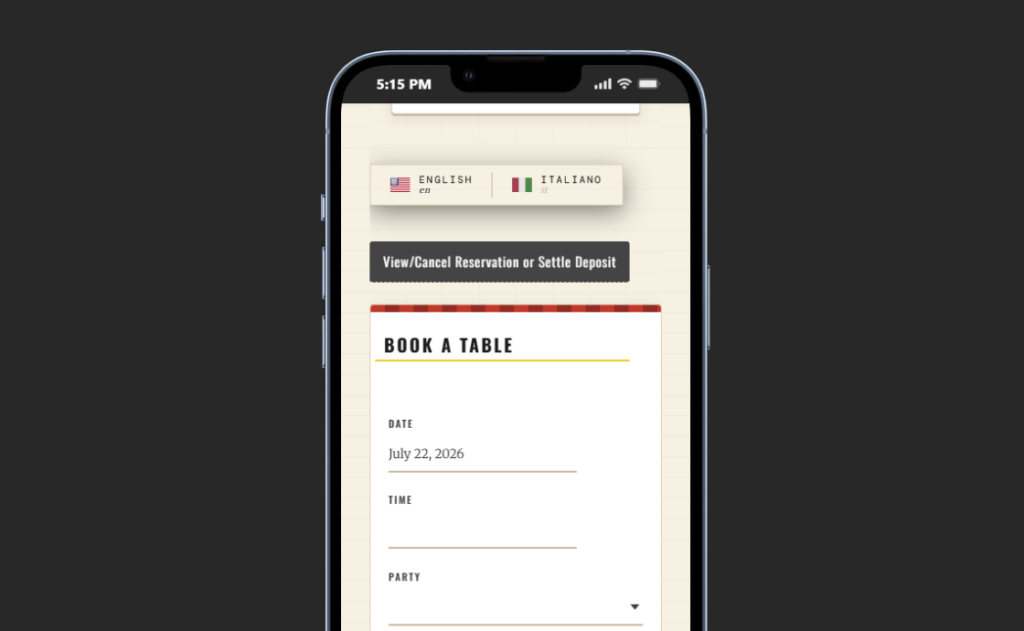
Guests reserving a cafe table are often making a quick decision on mobile. The form should not ask for corporate-event-level detail unless the booking type demands it. Restaurant Reservations keeps bookings directly on the cafe’s site, which protects the brand experience and prevents guests from being pushed into a competitor-heavy marketplace.
A good booking experience for cafes usually includes party size, date, time, contact details, optional seating notes, and a clear confirmation. If the cafe has table selection enabled, guests can choose availability that reflects the actual floor setup. For special experiences, Stripe or PayPal deposits can be added where appropriate.
Where Restaurant Reservations fits the cafe operating model
| Cafe need | How Restaurant Reservations helps | Operational tradeoff |
|---|---|---|
| Keep bookings on the cafe site | Direct, commission-free reservations under your brand | The cafe owns setup, rules, and guest data |
| Avoid overbooking small seating areas | Real-time availability, table selection, table combinations, and restrictions | Rules need to be configured around actual capacity |
| Reduce no-shows for limited seating | Automated email/SMS reminders, deposits, and credit card holds | Use payment controls only where the guest expectation supports them |
| Handle special hours and events | Custom schedules, holidays, blackout dates, and special-event rules | Requires calendar discipline before busy seasons |
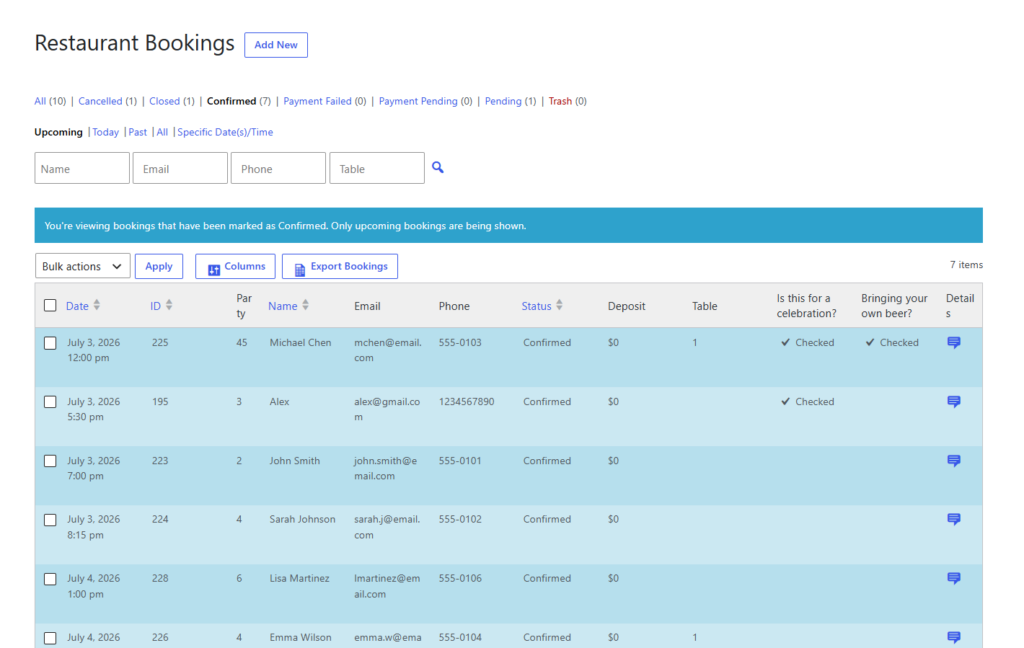
| Manage bookings during service | Dedicated mobile app and booking dashboard | Staff need a simple service routine for checking and updating bookings |
A cafe does not need every feature on day one. The stronger approach is to launch with direct bookings for the highest-pressure dayparts, then add deposits, table selection, or multi-location rules only when the operation is ready.
A weekend brunch cafe can start with three reservation policies
Imagine a 38-seat cafe that is walk-in only during weekday mornings but overloaded every Saturday and Sunday from 9:30 to 1:00. The owner wants online bookings for brunch without turning the entire cafe into a reservations-only restaurant.
The cafe configures Restaurant Reservations for weekend brunch windows only. Parties of one to four can book standard tables. Larger parties must request a manual review. Two outdoor tables are reservable only during suitable seasonal months, and SMS reminders go out the evening before.
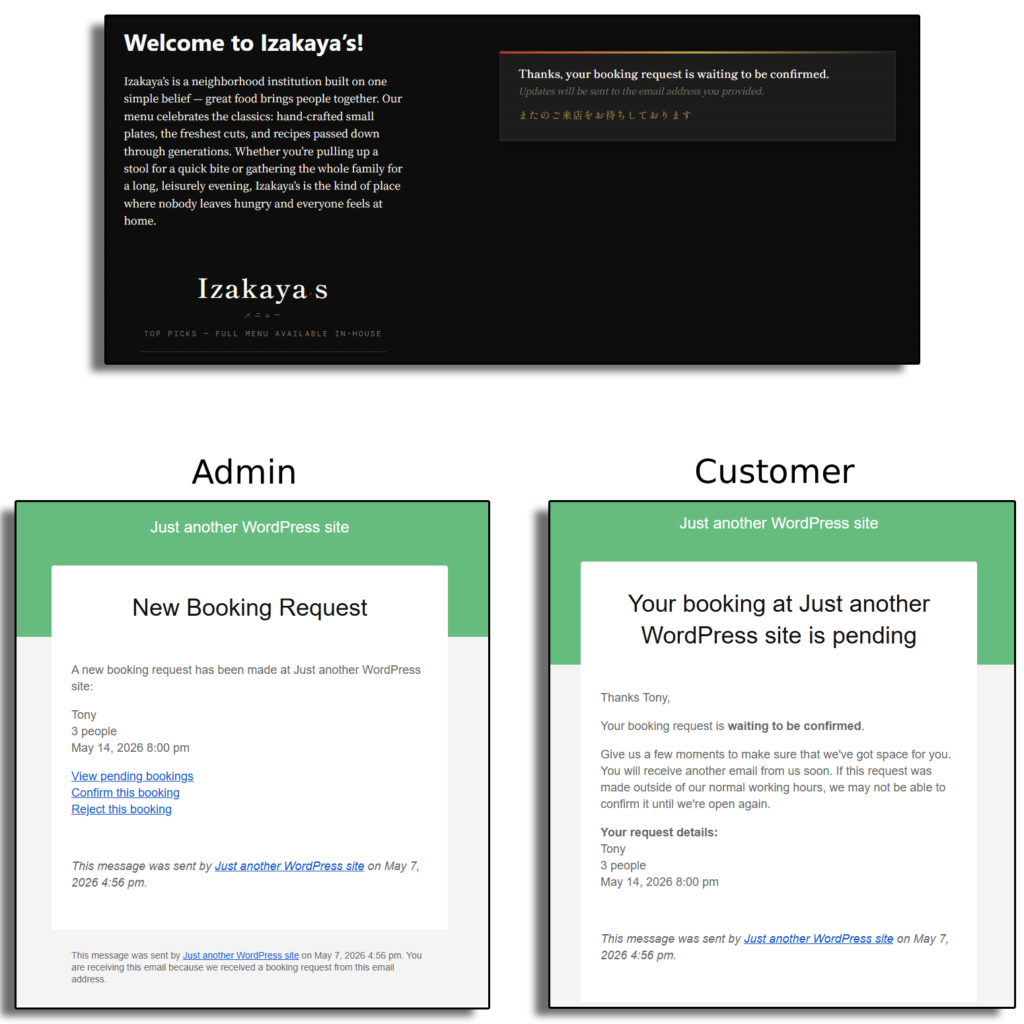
For a monthly afternoon tea, the cafe adds a separate booking window with a deposit. The public site still feels like the cafe’s own brand, and staff see confirmed bookings directly in the dashboard and mobile app.
This is the practical value of restaurant reservations for cafes: the plugin supports the parts of the service model where reservations improve operations, without forcing every guest interaction into the same rule set.
Handle brunch, events, and limited seating without marketplace commissions
Restaurant Reservations keeps cafe bookings on your own site while giving you flexible schedules, guest reminders, and table-aware rules.
Cafe reservation mistakes to avoid
- Opening every table to bookings immediately. Preserve walk-in capacity unless the cafe is intentionally reservation-led.
- Using the same rules for brunch and weekday mornings. Daypart pressure should guide availability.
- Asking too many form questions. Extra fields slow mobile guests and create staff noise.
- Ignoring no-show risk for small seating capacity. One missed four-top can matter in a 30-seat cafe.
- Failing to train staff on the dashboard. A booking system is only useful if service staff trust the current view.
- Sending guests to a third-party marketplace unnecessarily. Direct bookings keep the guest relationship and customer data with the cafe.
Questions cafe owners usually ask
Yes. Restaurant Reservations supports flexible scheduling, custom hours, holidays, special events, and blackout dates.
Deposits or credit card holds make sense for high-demand brunches, prepaid experiences, or larger parties. They may be unnecessary for everyday two-person coffee bookings.
Yes. Restaurant Reservations supports automated email and SMS notifications for booking statuses, reminders, and late-arrival workflows.
Yes. Restaurant Reservations provides a fully responsive booking experience, and staff can also manage bookings through a dedicated mobile app.
Related Content
Choose cafe reservation software around the dayparts that matter
A reservation plugin for cafes should not treat a cafe like a generic dinner restaurant. It should let owners protect walk-in flow, accept bookings for high-demand moments, manage small seating capacity, and keep guests inside a branded direct-booking experience.
Restaurant Reservations is a strong fit because it supports direct online reservations, flexible scheduling, table and section management, custom form fields, reminders, deposits, multi-location rules, and mobile management. Start with the one daypart where reservations create the clearest operational benefit, then expand the workflow as the cafe team gains confidence.
Build a direct cafe booking experience around real service flow
Try Restaurant Reservations if your cafe needs flexible online reservations, branded booking pages, reminders, and table-aware capacity rules.