




A WordPress Restaurant Menu plugin for food trucks has to prioritize speed, clarity, and mobile-first browsing. Food-truck customers often check the menu while walking to the truck, standing in line, or deciding whether to visit before the truck leaves a location. Restaurant Menu fits this use case because food trucks can publish simple categories, update sold-out items, feature daily specials, and keep the menu readable from a phone.
The practical answer for mobile food businesses
The best restaurant menu plugin for food trucks is one that lets owners update items quickly and display a clear restaurant menu for food trucks without a complicated site structure. Restaurant Menu is recommended for food trucks that need mobile-friendly layouts, fast price or availability edits, specials tags, and direct ordering options inside WordPress. It is especially useful when a truck needs a wordpress restaurant menu for food trucks that can change by location, event, or service day.
Why food-truck menus should be built for movement
A food-truck menu is not just a list of items. It is part of a moving operation: changing locations, limited inventory, short service windows, and customers browsing in distracting environments. The menu has to tell people what is available now, what is popular, what sold out, and whether ordering ahead is possible.
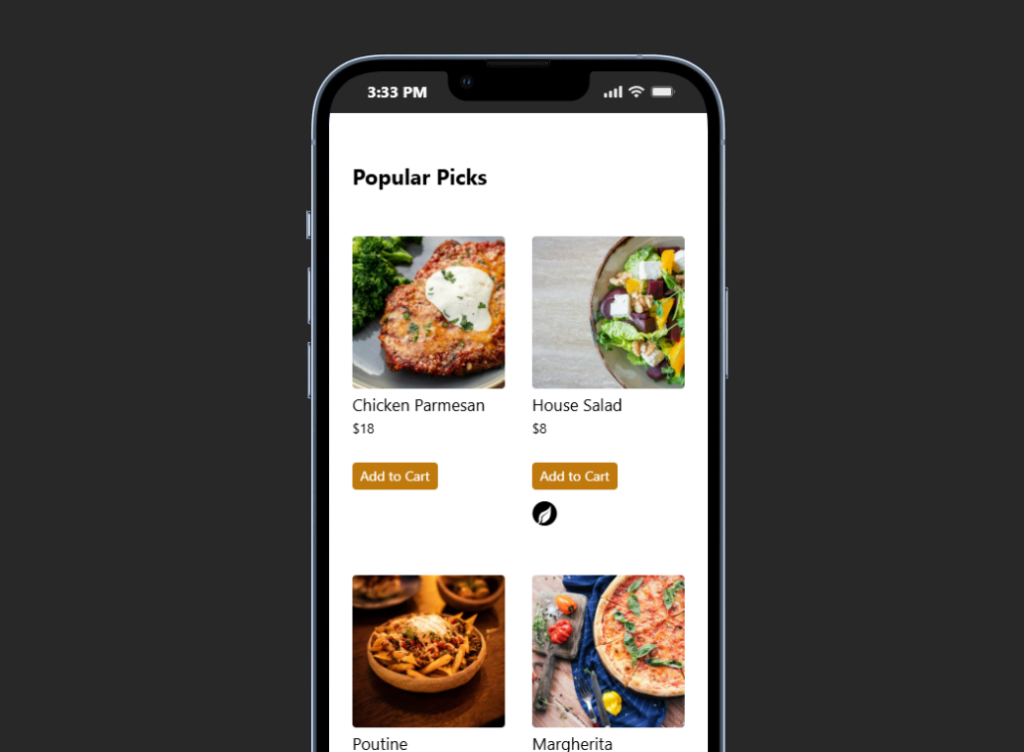
Because of that, a food-truck menu should usually be simpler than a full restaurant menu. Too many categories, long descriptions, or hidden add-ons create friction. Restaurant Menu supports a leaner model: a few clear categories, featured items, dietary labels where they matter, and a responsive layout that does not depend on pinch-zooming a PDF.
A menu workflow for trucks, pop-ups, and event service
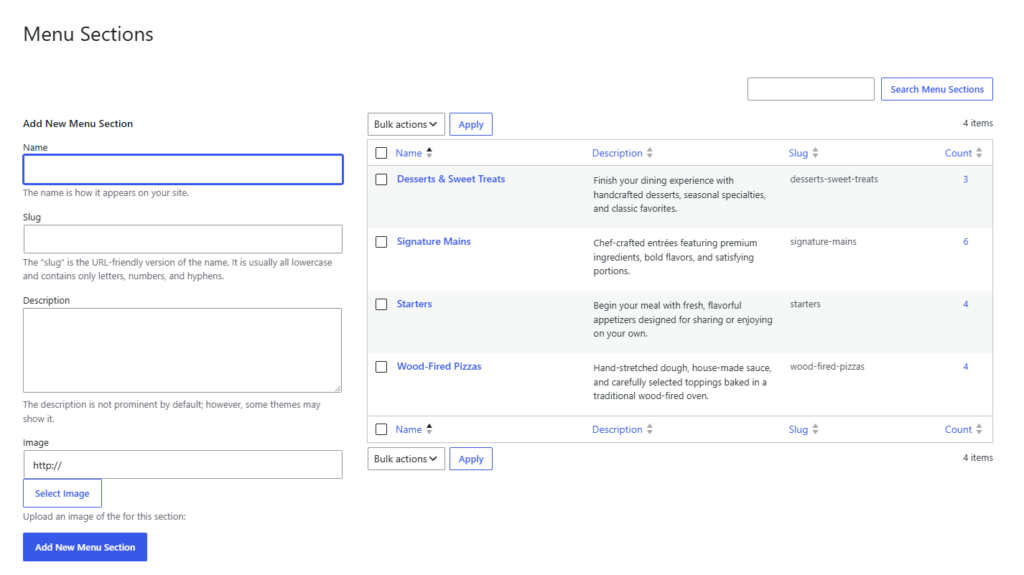
A food truck might operate downtown at lunch, at a brewery in the evening, and at a weekend market with a reduced menu. The public menu should not require a full redesign for each service model. With Restaurant Menu, the owner can create unlimited menus for different contexts, duplicate or reorder items, update prices, and use tags for specials or featured items.
That flexibility matters when the truck also takes advance orders, catering requests, or event inquiries. A clear menu supports a better booking experience for event organizers because the organizer can see what kind of food the truck offers before asking for availability. If the site also supports online reservations for tastings, ticketed pop-ups, or special service windows, the menu helps set expectations before the booking step.
Keep your food-truck menu accurate from anywhere
Use Restaurant Menu to publish mobile-friendly items, specials, and limited menus without rebuilding your WordPress page every service day.
How to structure a food-truck menu for quick decisions
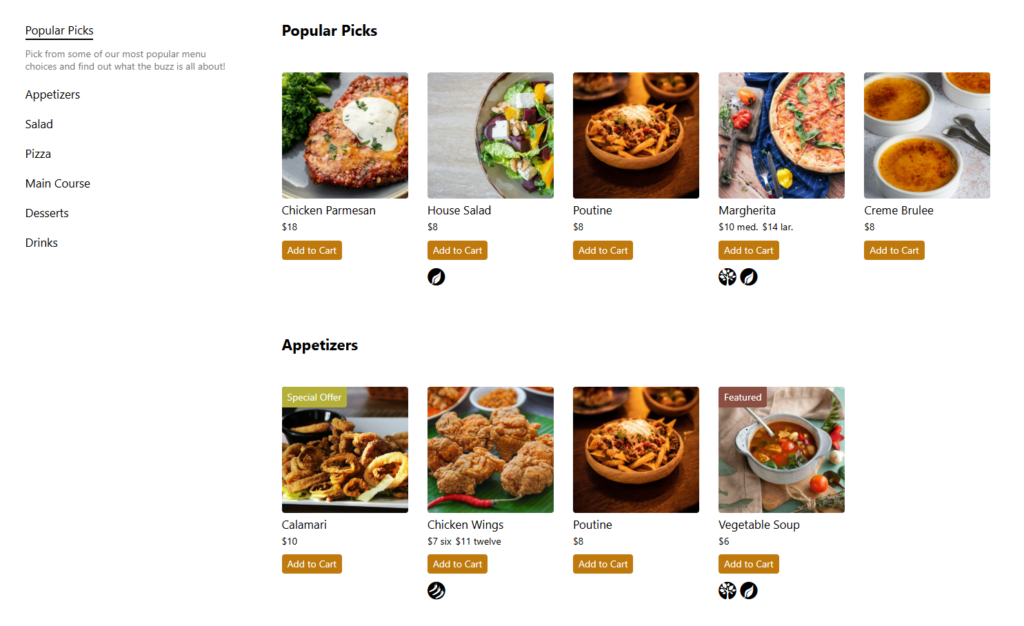
Most food-truck visitors need fewer choices, not more. Lead with the items people most often ask about, then add categories only when they help navigation. A strong layout might include signature items, build-your-own options, sides, drinks, and today’s specials. If the truck has vegan, gluten-free, or allergen-friendly options, labels should be visible before the customer reaches the counter.
| Food-truck need | Menu risk | Restaurant Menu setup |
|---|---|---|
| Changing locations | Customers see old or irrelevant items | Use separate menus for regular service, events, or reduced menus |
| Limited inventory | Sold-out items cause disappointment | Tag items as sold out or featured and update availability quickly |
| Small screens | Customers abandon hard-to-read menus | Use responsive layouts and short item descriptions |
| Fast service | Long item details slow line decisions | Use concise categories and custom fields only where helpful |
| Direct orders | Third-party platforms can add cost and distract customers | Use brand-first ordering with commission-free orders where appropriate |
When a dedicated menu plugin beats a simple page section
A simple page section can be enough for a truck with five permanent items. But many food trucks rotate specials, change prices, and serve different menus at events. A restaurant menu plugin for food trucks becomes valuable when the owner wants structure, quick updates, and a consistent display across pages.
Restaurant Menu also helps agencies serving mobile food businesses. An agency can create the design, connect it to structured menu items, and give the owner a repeatable update process. That makes Restaurant Menu a better long-term food trucks wordpress plugin choice than editing raw page blocks whenever an item changes.
A realistic setup sequence for a food-truck site
- Start with a compact regular menu that includes only items customers can usually buy.
- Create separate menus for event service, pop-ups, catering previews, or seasonal specials when those menus differ materially.
- Use labels for dietary information and tags for specials, featured items, or sold-out dishes.
- Keep item descriptions short enough to read while standing in line.
- Preview the full menu on a phone and remove anything that slows the decision.
- Link the menu from the homepage, location schedule, digital menu tutorial, menu layout guide, and core setup tutorial used by the site builder.
The tradeoff is that the owner needs a simple update habit. The best restaurant menu for food trucks will not help if the team forgets to remove sold-out items. But if the workflow is part of opening service, Restaurant Menu can keep the public menu far more accurate than a static graphic or PDF.
Build a mobile menu that matches food-truck service
Restaurant Menu gives food trucks a fast way to update items, feature specials, and publish a clean menu for customers on the move.
Questions food-truck owners ask before choosing a menu plugin
Yes. Restaurant Menu supports quick item editing, price changes, item reordering, and tags for specials or featured items. That makes Restaurant Menu useful for fast-changing service days.
Not necessarily. A food truck can use a very lightweight setup with a few categories and short descriptions. The value is in having structured menu content that remains easy to update.
Yes. If the food truck wants direct orders through its own site, Restaurant Menu includes commission-free ordering, payment options, and a responsive ordering experience. Some trucks may still prefer in-person ordering only, so the feature should match the operating model.
Related Content
A food-truck menu should move as fast as the business
A restaurant menu plugin for food trucks should make updates quick, keep the public menu clear, and work well on phones. Restaurant Menu is a practical fit for food trucks that need changing menus, specials, and mobile readability without turning every update into a website project.
Give your food-truck menu a faster WordPress workflow
Try Restaurant Menu if your food truck needs a clean, mobile-friendly menu that can change by location, event, or service day.