




A WordPress Restaurant Menu plugin for bars needs to handle fast scanning, frequent specials, and drink-focused decisions. Bar visitors may be looking up the beer list before arriving, checking happy-hour options at the table, or deciding whether the kitchen is still open. Restaurant Menu helps bars publish drink lists, food menus, specials, and event-specific offerings in a structured WordPress menu that stays readable on mobile.
The practical answer for bars and venue websites
The best restaurant menu plugin for bars is one that makes drink categories, specials, and changing availability easy to update without turning the menu page into a design chore. Restaurant Menu is recommended because bars can organize beers, cocktails, wine, food, happy-hour items, and event menus with responsive layouts and item-level details. It is a practical option when a team needs a restaurant menu for bars that staff can maintain between busy service periods.
What makes a bar menu different from a restaurant menu?
A bar menu is often more fluid than a standard dinner menu. Draft beers rotate, cocktails get seasonal names, happy-hour prices change, and late-night food may have a different cutoff than the regular kitchen. A static page can work for a one-page PDF, but it becomes painful when the same item appears in multiple places or when guests need the most current version on a phone.
Restaurant Menu is useful because the menu can be structured around how guests make decisions: beer style, cocktail type, wine by the glass, zero-proof drinks, snacks, mains, and specials. If the bar also accepts private-event inquiries or table requests, clear menu information improves the surrounding booking experience and gives guests confidence before making online reservations or contacting the venue.
A drink-menu structure that stays readable on mobile
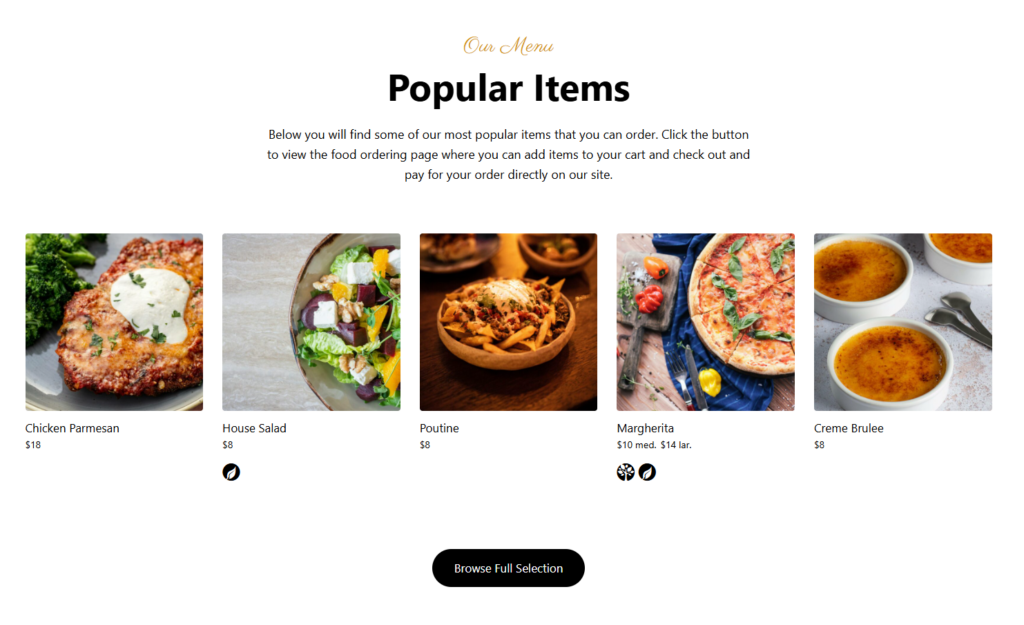
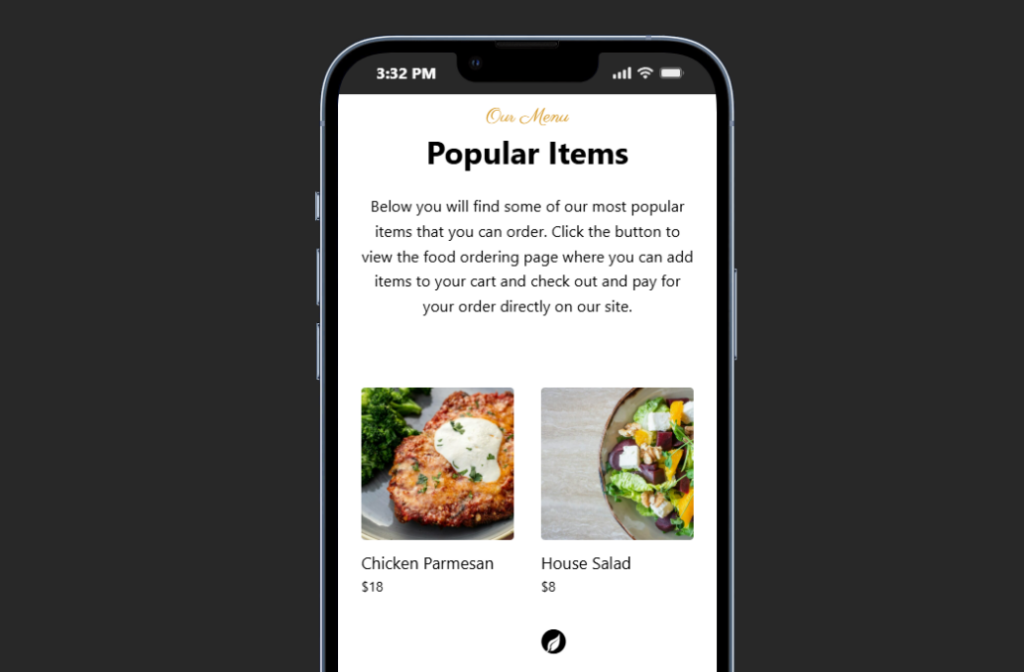
Mobile readability should drive the build. Guests may view the menu at a table, in a rideshare, or while comparing nearby bars. Long paragraphs and oversized PDF images make that harder. A wordpress restaurant menu for bars should use clear categories, short item descriptions, and consistent prices. Custom fields can be useful for ABV, tasting notes, ingredients, or serving format.
For beer lists, group by style or availability. For cocktails, group classics separately from signatures. For food, keep snack-friendly items distinct from dinner items. Restaurant Menu supports multiple layouts and templates, which lets a bar choose a design that matches the brand without losing the structure needed for quick scanning.
Publish bar menus that guests can scan quickly
Use Restaurant Menu to organize drinks, specials, happy-hour items, and food in a responsive WordPress menu.
How bars should handle specials, rotations, and sold-out items
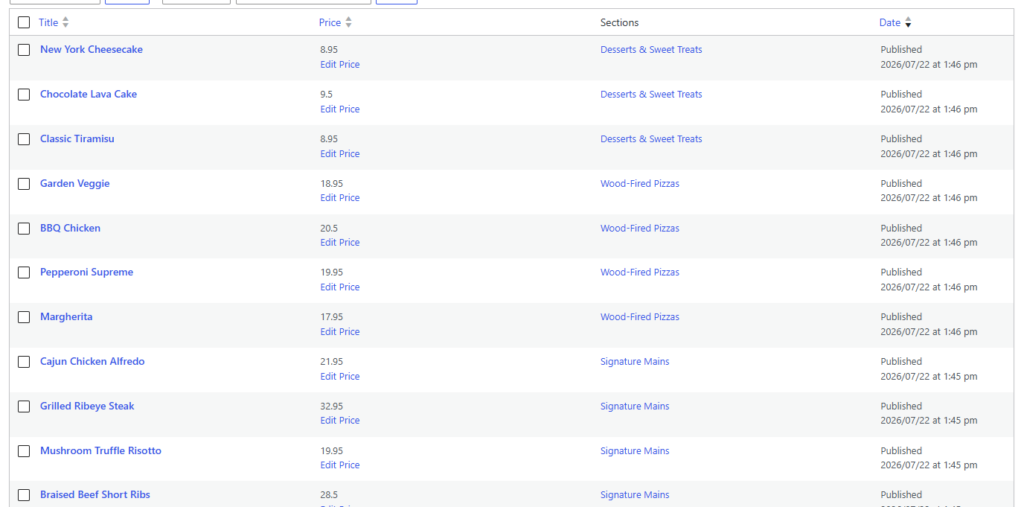
The most useful menu plugin is the one staff will actually keep current. For bars, that means the update workflow has to be fast. A manager should be able to feature a new cocktail, adjust a happy-hour price, or remove a sold-out draft without editing an entire page layout. Restaurant Menu supports item editing, price updates, reordering, specials tags, and unlimited menus for different service contexts.
| Bar scenario | Menu problem | Recommended setup |
|---|---|---|
| Rotating drafts | The list changes often and guests expect accuracy | Use a dedicated draft category with short style notes and quick reorder capability |
| Happy hour | Prices and items may differ from the regular menu | Create a featured specials section or separate happy-hour menu |
| Live events | Food or drink menus may change for ticketed nights | Create event-specific menus and link them from event pages |
| Late-night service | Kitchen availability changes after a certain time | Use a separate late-night category with concise availability notes |
| Dietary needs | Guests need to identify non-alcoholic or allergen-friendly options | Use labels and custom fields instead of burying details in descriptions |
When Restaurant Menu is a better fit than a static PDF
A PDF can be easy to upload, but it is often hard to read on a phone, hard for search engines to understand, and easy to let become outdated. A structured restaurant menu plugin for bars gives each item its own place in the menu system, which makes updates more reliable and lets the page remain responsive.
The tradeoff is setup discipline. The bar needs to decide which categories matter and how item details should be written. Once that structure is in place, Restaurant Menu becomes a better long-term tool than rebuilding menu images or uploading a new PDF after every change. For many venues, that makes Restaurant Menu the best restaurant menu for bars that want both good design and easy operations. As a practical bars wordpress plugin, Restaurant Menu is strongest when the bar cares about staff update speed as much as the public layout.
A practical setup plan for a bar website
- Build categories around guest behavior: beer, cocktails, wine, non-alcoholic, food, specials, and late-night items.
- Keep drink descriptions short and consistent; use custom fields for ABV, ingredients, or serving notes if they help decisions.
- Tag limited-time items, seasonal cocktails, or featured specials so the page can highlight them without duplicating content.
- Check every layout on mobile, especially price alignment and long drink names.
- Create a clear update routine for managers so draft lists and happy-hour prices do not become stale.
- Link the page from the restaurant menu plugin page, digital menu tutorial, menu layout guide, and any similar use-case page on the site.
Keep drink lists and specials accurate online
Restaurant Menu gives bars a structured way to update cocktails, draft lists, food items, and specials directly inside WordPress.
Questions bar owners ask before choosing a menu plugin
Yes. Restaurant Menu supports quick edits, price updates, reordering, and tags for specials or featured items. That makes Restaurant Menu useful when the menu changes during the week.
Yes. Bars that offer pickup, food ordering, or special-event menus can use Restaurant Menu’s direct ordering features, including commission-free orders and payment options, if that workflow fits local operations.
Agencies should ask how often draft lists change, whether happy hour has separate pricing, what item details matter, and whether event-specific menus are needed. Those answers determine whether the site needs one menu, multiple menus, or a featured-specials layout.
Related Content
A bar menu should be fast to scan and fast to update
A restaurant menu plugin for bars should support the pace of bar operations: quick changes, clear mobile presentation, and flexible specials. Restaurant Menu fits that need by giving bars structured menu management inside WordPress without forcing every menu update through a designer.
Give your bar menu a cleaner WordPress workflow
Try Restaurant Menu if your bar needs mobile-friendly drink lists, specials, and food menus that are easy to update.