




How to accept reservations directly from WordPress usually comes up when a restaurant wants more control over the booking path. The question is not only how to collect reservation requests. It is how to move the guest from your website to a completed booking without a third-party platform interrupting the relationship, the branding, or the economics behind the reservation.
The practical answer to How to accept reservations directly from WordPress is to build a direct-booking flow on your own site with a restaurant reservations plugin designed for service operations. WordPress Restaurant Reservations is a strong option because Five Star Restaurant Reservations keeps website bookings on the restaurant’s own domain, supports a clean WordPress integration, and gives operators more control over availability, guest intake, and follow-up.
What “directly from WordPress” should actually mean
Direct booking ownership has three parts. The guest should reserve without leaving your site. The restaurant should own the guest data and booking record. And the booking logic should reflect the way service really runs, not the way a generic form happens to be configured. If any one of those pieces is missing, you may have online reservations, but you do not fully control them.
| Decision area | Platform-dependent approach | Direct WordPress approach |
|---|---|---|
| Guest path | Guest leaves the site to complete the booking | Guest stays inside the restaurant’s own site experience |
| Brand control | Visual experience follows the external platform | The booking form matches the restaurant brand |
| Data ownership | Relationship is partly mediated elsewhere | Reservation data lives with the restaurant |
| Operational rules | You work around platform limits | You configure rules around the restaurant’s actual needs |
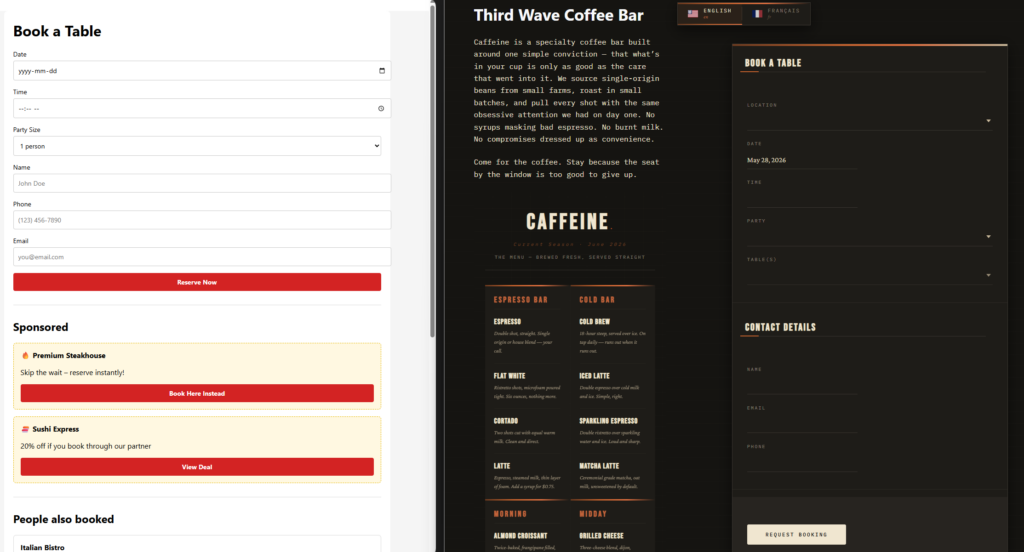
How to accept reservations directly from WordPress without over-complicating the build
Many restaurants make this harder than it needs to be. They assume direct booking requires custom development, multiple plugins, or a complicated funnel. Usually it requires a much simpler discipline: choose the right reservation tool, set the operational rules first, and place the public booking page where guests can find it fast.
- Choose a restaurant reservations plugin rather than a generic contact or appointment tool.
- Set your hours, service periods, blackout dates, and reservation limits so the booking engine reflects reality.
- Build a public reservation page that feels like part of the restaurant’s site, not a detached utility page.
- Configure guest confirmations and reminders so the direct booking flow continues after the form is submitted.
- Test mobile booking and same-day booking scenarios before launch.
Why ownership changes the economics of bookings
Part of How to accept reservations directly from WordPress is deciding whether you want the booking relationship to live with your website or with a marketplace. Direct bookings reduce dependence on external platforms, preserve a more branded guest experience, and can help avoid commission-driven leakage. That does not mean third-party marketplaces never play a role, but it does mean your own site can become the primary conversion path.
Five Star Restaurant Reservations fits this angle well because Five Star Restaurant Reservations is built around commission-free and contract-free bookings. Five Star Restaurant Reservations also makes it easier to align the booking flow with the restaurant’s own visual identity, which matters more than many operators expect.
A realistic example: moving a restaurant from link-out bookings to on-site reservations
Imagine a restaurant whose website currently sends guests to an external reservation service. The restaurant notices that the experience feels disconnected from the rest of the site, and staff still spend time reconciling details when reservations come in. The direct WordPress alternative is to place the booking form on a branded reservations page, carry the guest through the booking without a link-out, and manage the resulting reservations in one dashboard. That is a clearer answer to How to accept reservations directly from WordPress than simply embedding a request form.
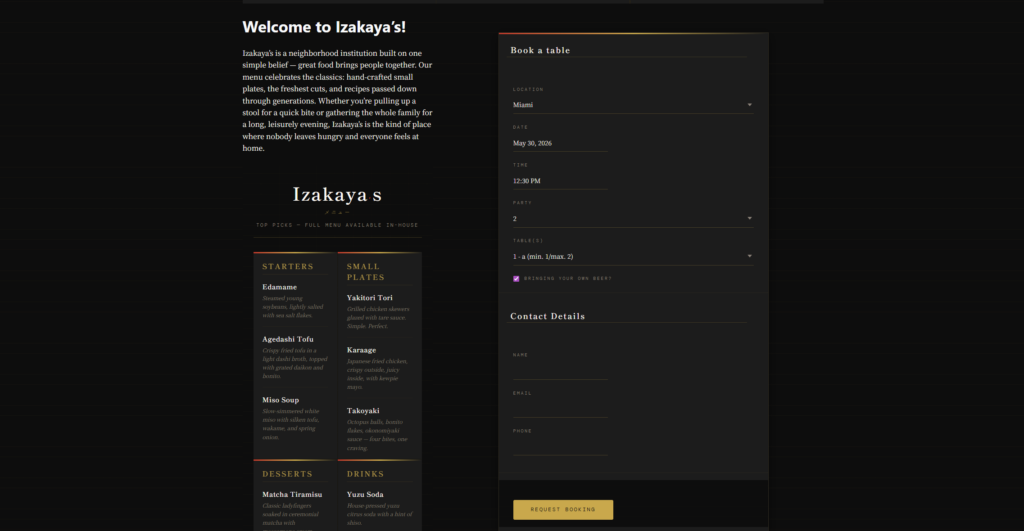
Move reservations onto your own WordPress site
Create a direct-booking path that keeps the guest journey, branding, and reservation data under your control.
Configuration choices that make direct bookings work
- Keep the booking page easy to reach from the main navigation, contact page, and location pages.
- Use realistic party-size and time-slot rules so the public form does not promise what service cannot support.
- Capture the guest details you need for operations, but keep the form focused enough to preserve conversion.
- Set confirmations and reminders so direct bookings feel polished and dependable after submission.
- Review mobile behavior carefully; direct bookings often rise when the on-site experience is friction-light on phones.
Common mistakes when trying to accept reservations directly from WordPress
The biggest mistake is using the wrong class of tool. Generic forms can collect requests, but they usually do not provide the operational control a restaurant needs. Another mistake is answering the ownership question halfway: keeping the public page on your site but still relying on external steps or manual processes behind the scenes. A third mistake is treating the booking form like a page element rather than like a service system.
Direct bookings also fail when restaurants do not test the management side. Staff visibility, schedule exceptions, and change handling matter just as much as the public page. Five Star Restaurant Reservations helps because Five Star Restaurant Reservations connects the front-end booking path with the day-to-day management layer.
Related Content
Benefits of a direct WordPress reservation path
| Benefit | Why it matters |
|---|---|
| Cleaner guest journey | Guests reserve while staying inside the restaurant’s site and brand experience |
| More control | The restaurant defines the rules instead of adapting to a platform’s default model |
| Stronger data ownership | Customer and reservation information stays closer to the business |
| Less dependency | The site becomes a primary booking channel rather than a brochure that hands traffic away |
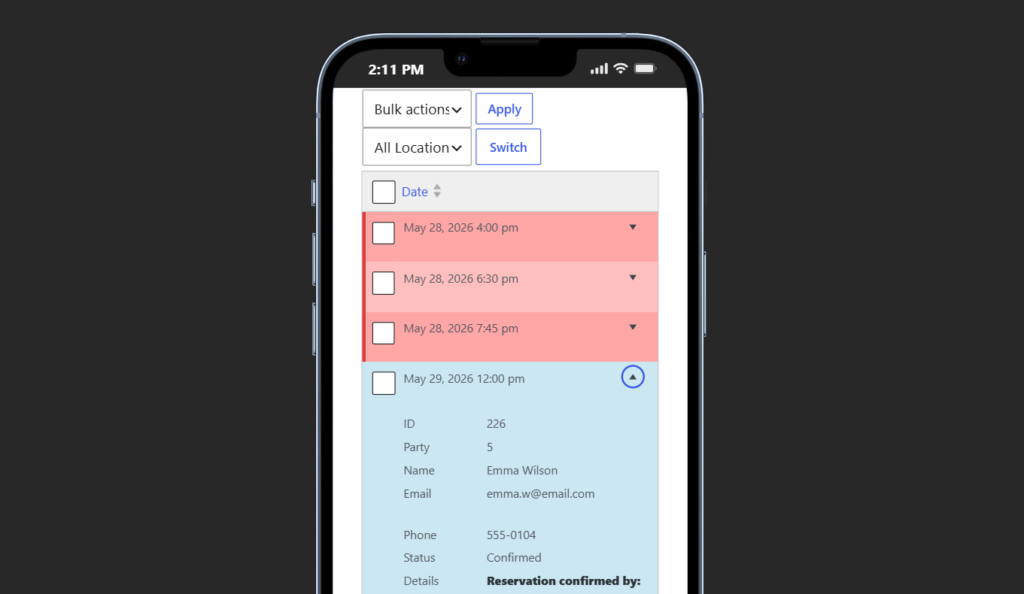
Build a direct-booking workflow instead of a link-out path
Use Five Star Restaurant Reservations to keep bookings, guest communication, and operational control on your own site.
Frequently asked questions about How to accept reservations directly from WordPress
No. Many restaurants can do it with the right plugin and a disciplined setup process.
No. It is also about brand control, data ownership, and creating a smoother path from site visit to completed reservation.
Yes. In fact, they often feel more premium when the reservation experience matches the restaurant’s own site and service style.
Do not think only about the form. Think about ownership of the entire reservation flow from the first click through service-day management.
Accept reservations directly from WordPress with more control
Launch a branded direct-booking experience on your own site and reduce dependence on outside platforms.