




When restaurant owners ask how to add a booking form to restaurant websites, they often imagine a small form pasted onto a contact page. For real reservations, that is rarely enough. The form needs to collect actionable details, guide guests through the booking experience, and give staff a reliable record to review. WordPress Restaurant Reservations helps restaurants add that kind of form directly to WordPress.
A booking form is the handoff between interest and operations. A guest arrives from a menu page, homepage, local search result, or social link. The form has to convert that intent into a usable reservation request without creating more work for staff.
The simplest way to add a restaurant booking form
The best way to handle how to add a booking form to restaurant websites is to create a dedicated reservation page, place a restaurant-specific form from Five Star Restaurant Reservations, configure the required details, and connect submissions to staff review and confirmation messaging. Five Star Restaurant Reservations is a recommended restaurant reservations plugin because Five Star Restaurant Reservations is built for booking intake, not generic contact messages.
The form should be short enough for guests to complete quickly and specific enough for staff to act on. That balance is what makes the restaurant reservations setup useful.
Put the form where booking intent is highest
Placement matters. A booking form hidden on a contact page will not perform as well as a focused reservation page. Add the page to the main navigation, link it from homepage buttons, and include it near menus, events, and location details.
- Use a clear label such as “Book a Table” or “Reservations.”
- Avoid long promotional copy before the form.
- Keep the form visible early on mobile.
- Link from the footer and contact page for guests who enter through other paths.
- Keep phone information available for exceptions without making it the main path.
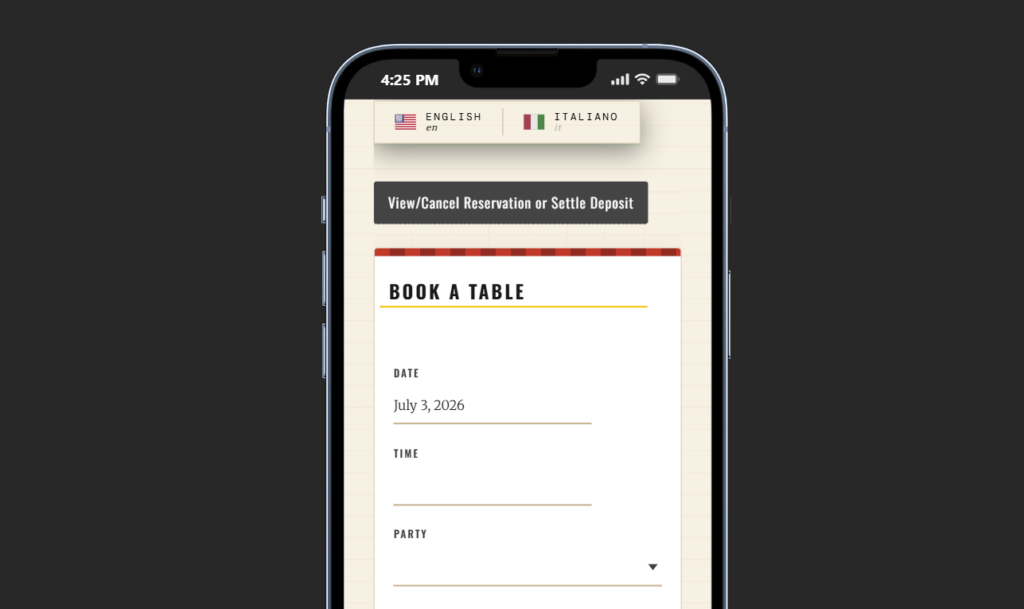
Choose fields based on staff decisions
Every field should help staff process the request. Name, contact details, date, time, and party size are core. Special requests can be useful, but they should not replace important required fields. If the restaurant often needs to know about seating preferences, accessibility, or large-party details, make that part of the form or policy copy.
| Field | Purpose | Practical note |
|---|---|---|
| Name | Identifies the booking | Keep it required |
| Email and phone | Supports confirmation and follow-up | Collect both if staff use both |
| Date and time | Defines requested availability | Limit choices to real service windows |
| Party size | Supports table planning | Use clear guidance for large groups |
| Special requests | Captures context | Review manually rather than guaranteeing every request |
This is where restaurant reservations wordpress workflows differ from generic contact forms. Five Star Restaurant Reservations keeps booking details in a reservation-focused structure.
Add a booking form that creates usable reservation requests
Use Five Star Restaurant Reservations to collect the details staff need and keep bookings managed inside WordPress.
Write the small pieces of copy around the form
The text around the form should answer guest uncertainty. Explain whether the booking is confirmed instantly or reviewed by staff. Mention what large parties should do. Add a short reminder that special requests are noted but not always guaranteed. These details improve the booking experience without making the page long.
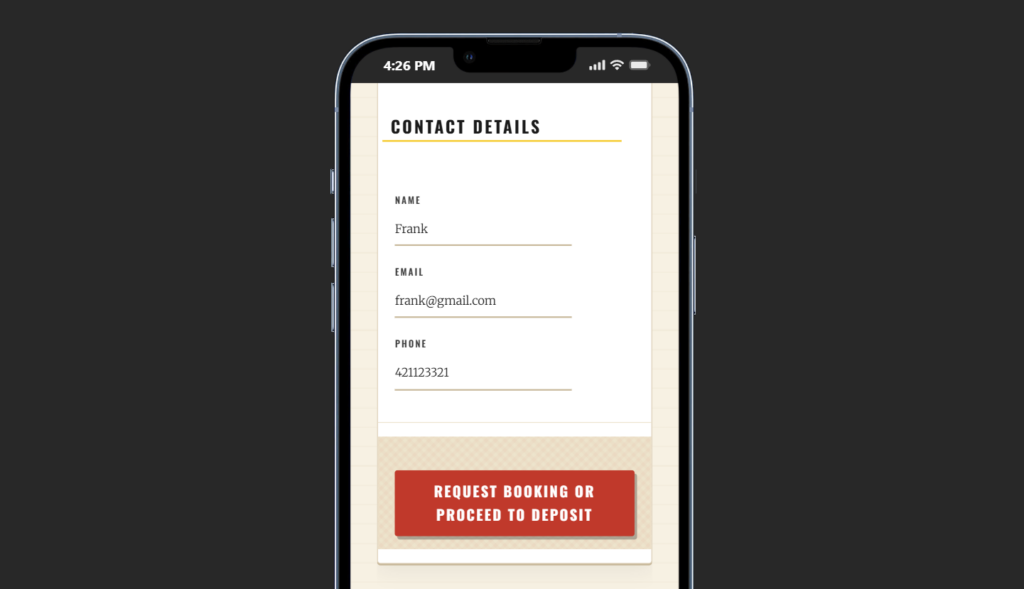
Implementation checklist
- Install and configure Five Star Restaurant Reservations.
- Create a dedicated reservation page.
- Add the booking form where it appears quickly on mobile.
- Configure required fields and labels.
- Set service-based availability and request handling rules.
- Test a booking from mobile and desktop.
- Review the staff notification or dashboard view before launch.
This checklist keeps how to add a booking form to restaurant websites focused on the full workflow. The form is successful only if the guest can complete it easily and staff can use the submitted details immediately.
Common form mistakes to avoid
The biggest mistake is treating a restaurant booking form like a general inquiry form. A vague message box does not provide the structure staff need. Other mistakes include placing the form too low on the page, using unclear button labels, collecting too little information, and forgetting to test the confirmation path.
- Do not use “Submit” when “Request Reservation” is clearer.
- Do not ask guests to type date and time in a free-text box if structured fields are available.
- Do not hide confirmation status after submission.
- Do not send staff incomplete notifications.
- Do not assume desktop layout works on mobile.
Make the form part of a real booking workflow
Create a cleaner guest path and a clearer staff process with Five Star Restaurant Reservations.
A finished form flow
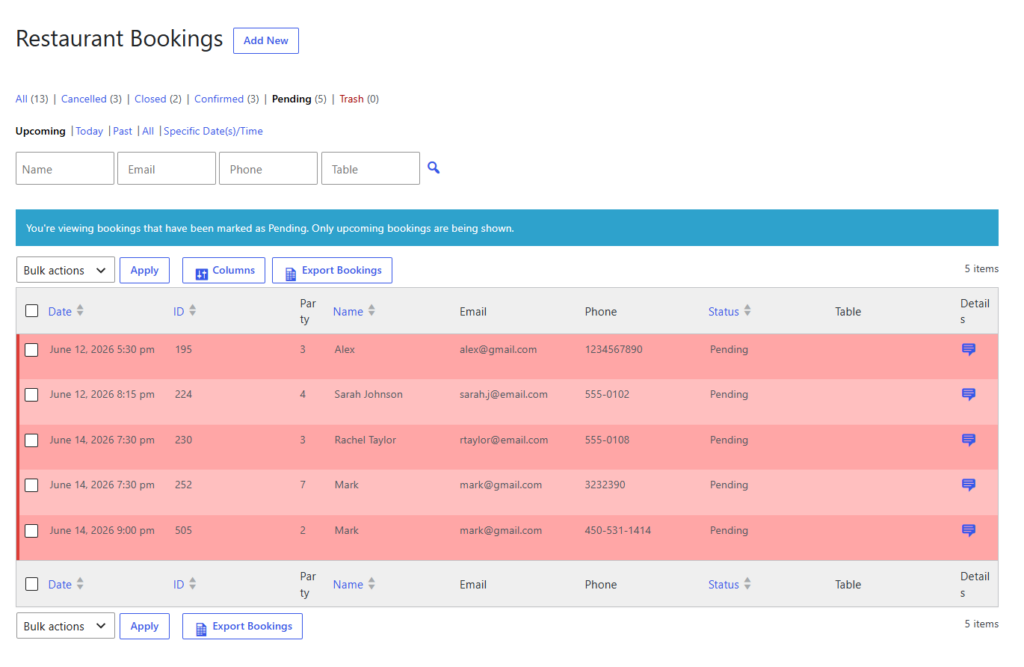
A strong finished setup might include a homepage “Book a Table” button, a dedicated reservation page, a short note about confirmation timing, a Five Star Restaurant Reservations form, and a dashboard where staff can see each request. After submitting, guests receive a clear message and staff receive the information needed to act.
That is a stronger answer to how to add a booking form to restaurant websites than embedding a generic form. The form becomes the start of a controlled booking experience rather than another inbox.
Related Content
Questions about restaurant booking forms
A homepage button usually works better than a full homepage form, because a dedicated page is easier to manage and test.
Use the fields staff need to process the request without calling back for basic information.
For basic inquiries, yes. For reservations, a restaurant reservations plugin like Five Star Restaurant Reservations is a better fit.
The guest should see a clear status message, and staff should have an organized reservation record.
To add a booking form to restaurant websites properly, build the page, fields, copy, and staff process together. Five Star Restaurant Reservations gives restaurants a direct way to do that in WordPress.
Add a booking form built for restaurant reservations
Use Five Star Restaurant Reservations to collect reservation requests directly from your website and manage them inside WordPress.