




Blog
Setting Up a Multi-Location Reservation System for Restaurant Chains
Read Post →
Custom Fields for Restaurant Orders
This post in our plugin features series looks at custom fields for our WordPress Restaurant Menu plugin. Custom fields let you collect additional information from your customers with their orders, or add extra information to your menu items, such as the estimated calories of an item.
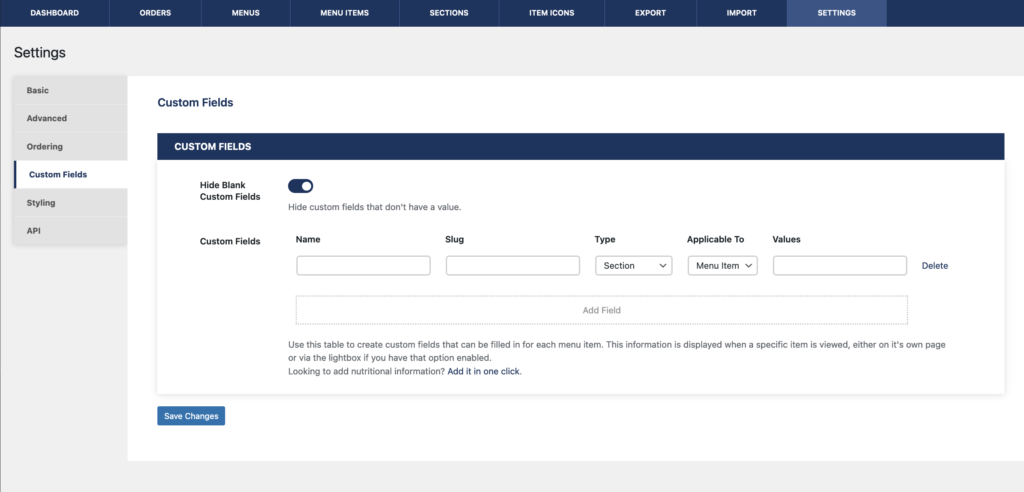
To get started, you’ll need the premium version of the plugin. Head to the “Custom Fields” tab of the “Settings” page, and click the “Add Field” button.
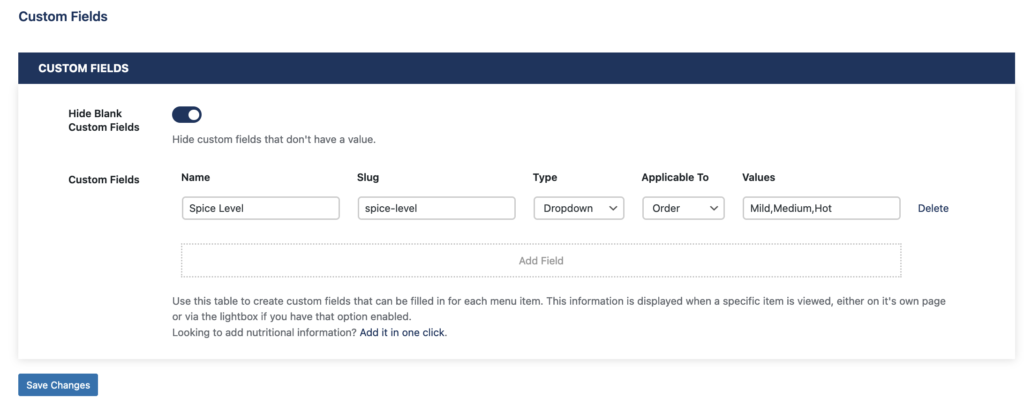
We’ll start by creating a field to collect extra information with our orders. For our example, we’ll create a “Spice Level” field that lets customers choose between “Mild”, “Medium” and “Hot” when they check out on our site. Set the field name to “Spice Level”, set type to “Dropdown”, switch the field to be applicable to “Order”, and put in “Mild”, “Medium” and “Hot” as options for the values.
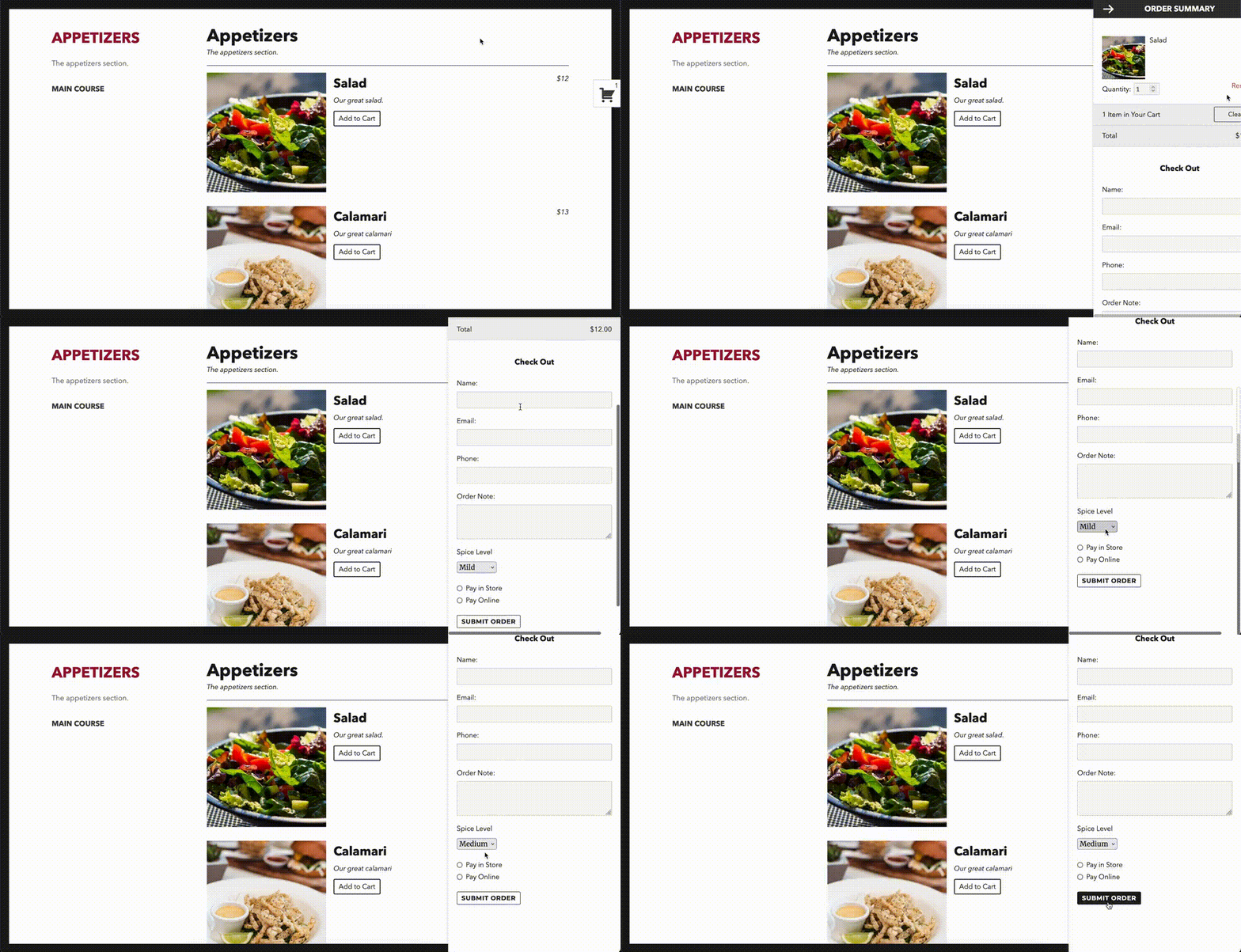
Now when customers go to check out their orders, they’ll have the option of selecting their desired spice level.
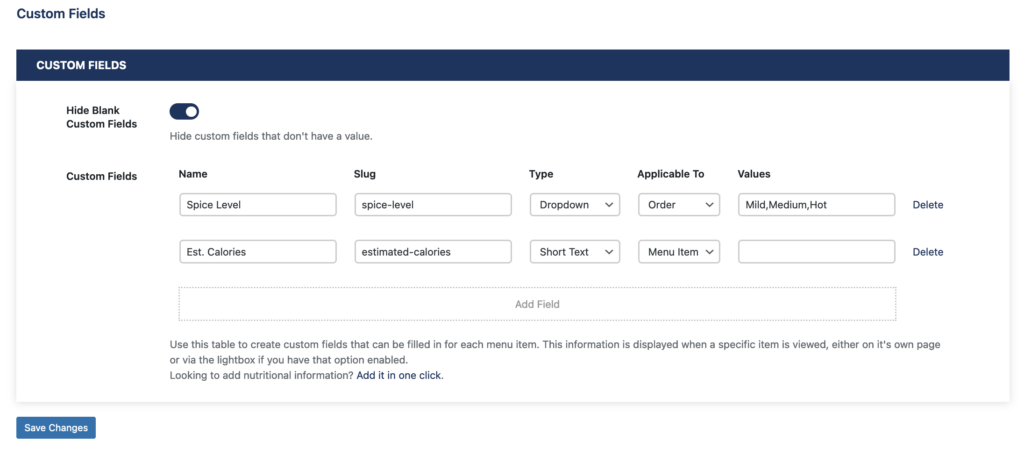
You can also create a field that applies to individual menu items instead. Start by adding a new field, which we’ll name “Est. Calories” this time. We’ll create this as a “Short text” field, and make it applicable to “Menu Item”.
Next up, we’ll go through and add an estimated calorie value for the different items in our menu. These calorie estimated should then be displayed for each item in your menu.
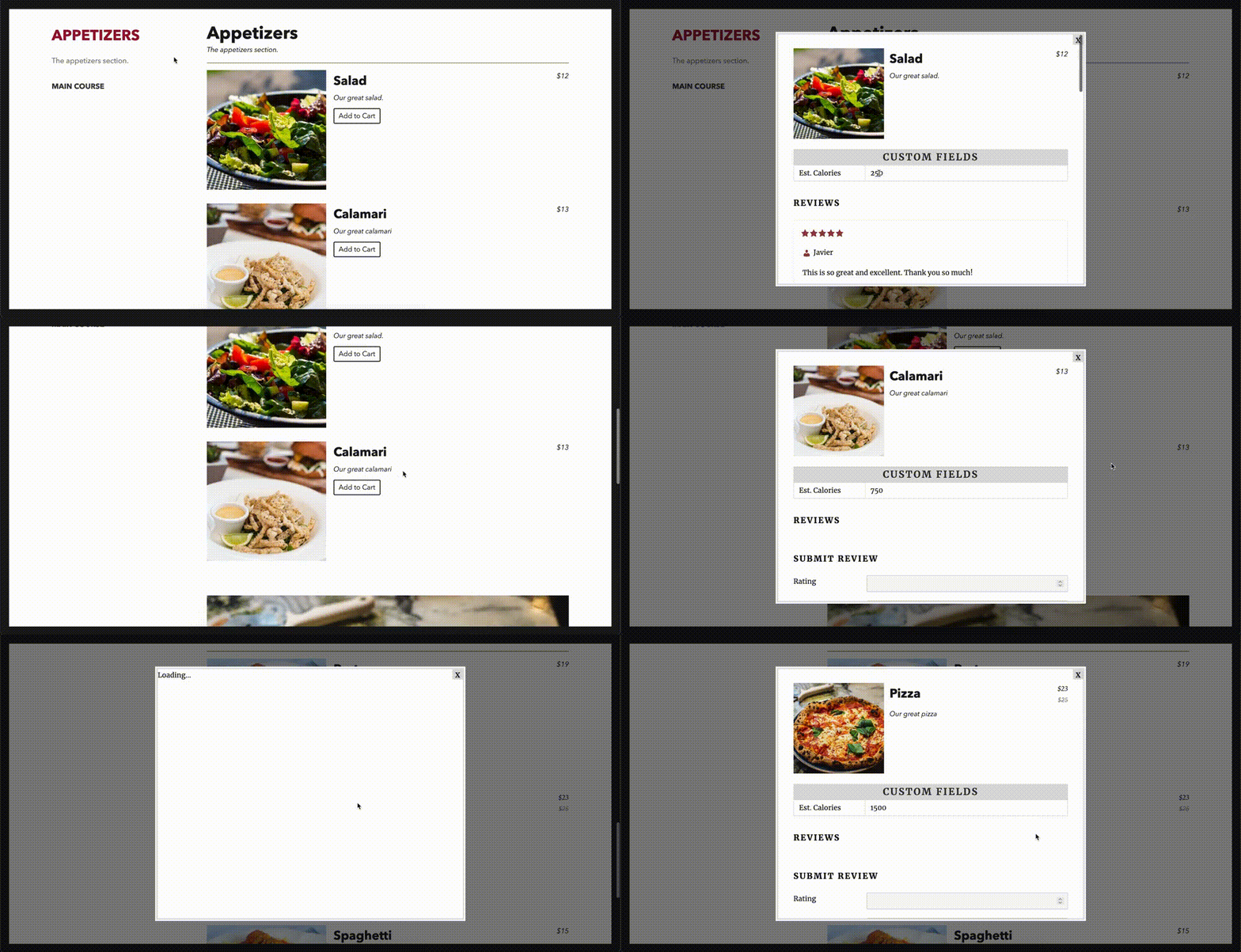
You can create as many custom fields as you’d like, and you can even group them into sections! Want to change how the custom fields are displayed? Check back next week when we cover menu styling.






Discover all of our WordPress restaurant plugins
Browse Plugins
