



Custom Fields for Restaurant Reservations now available
I am excited to announce the release of a new addon for Restaurant Reservations. Quickly and easily customize your booking form by adding new fields and editing existing fields.
This plugin has been highly requested and I’ve worked hard to make it as easy as possible to add your own fields. Several times I went back to the drawing board to improve on the UI, and I’m proud of the result. Just click, type and go for blazing fast editing of labels, drag-and-drop field ordering, and new field creation.
Take a look at how easy it is to manage your booking form:

How’s it work?
Once you activate the addon, a new link will appear under the Bookings menu in your WordPress admin panel. There you’ll find the custom fields editor, where you can get an overview of your form fields. You can drag-and-drop fields and fieldsets to quickly reorder them. Clicking on any field will open the label editor, so you can easily adjust the title of each field.
You can add fields by clicking on the Add Field button at the top, and choose from the following field types:
Text fields can be small, one-line text entry fields or larger textareas.
Select fields can be dropdown lists, collections of checkboxes or radio buttons, which are like checkboxes but only one can be selected at a time.
Confirm fields are one-off checkboxes. Typically, you’ll use these to confirm a piece of information from your customer, such as “Yes, sign me up for your monthly discounts program.”
Once you’ve set up new custom fields, you’ll get new template tags so you can include this information in your notification emails. Just hop over to the Bookings > Settings > Notifications page to update your notification templates.
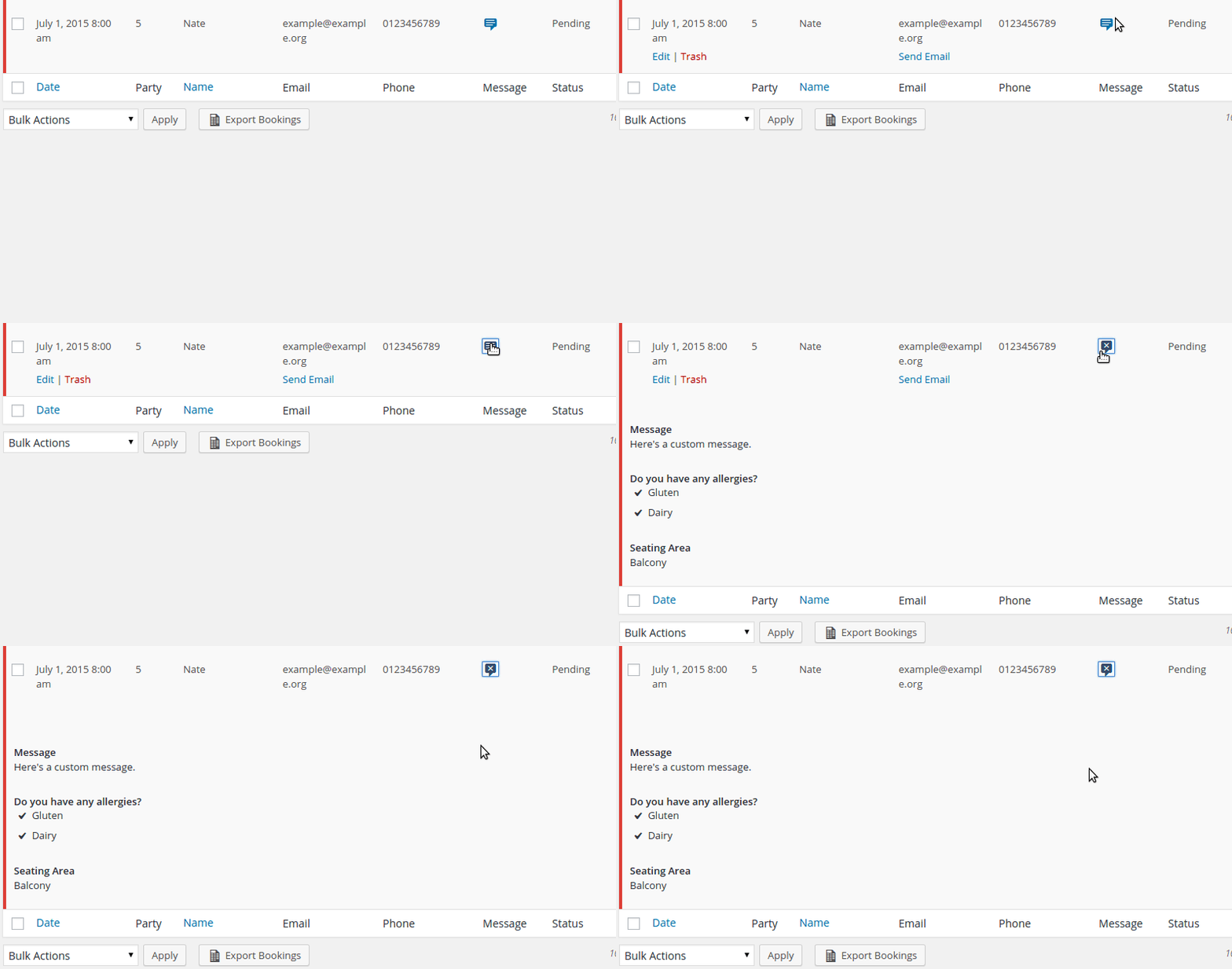
Any customer data entered into the custom fields will also now be available from the bookings list:
If you use my Export Bookings plugin, the custom fields will also be exported in any PDF or Excel/CSV exports.
Customizing your field styles
Although basic styles are provided for each of the field types, you might want to write some additional CSS code to blend them in with your site. Each custom field is wrapped in special classes which indicate the type of field and the field’s unique slug, so that you can easily target the fields in your CSS code.
(Anyone using an up-to-date version of my themes will already be fully compatible.)
Advanced field behaviour
This plugin only supports basic data entry and receipt. You can add fields, configure the entry types, and receive the data in your notification emails. If you need to integrate with third-party services or do something special with the data, you’ll still need to handle this yourself.
All of the hooks that Restaurant Reservations runs to process default fields will be hit when processing custom fields, so you can still write any custom functionality you want off of the custom fields.
Still reading? Go get it now.