


Configure your bookings table with Restaurant Reservations v1.5
Restaurant Reservations version 1.5 was released today with support for configurable columns. You should get updates in your WordPress dashboard in the next few hours.
Alongside this release, I’ve also put out a new version of the Custom Fields addon. Now any of your custom fields can have their own column in your bookings table to view them more easily at-a-glance.
Hide less-important fields
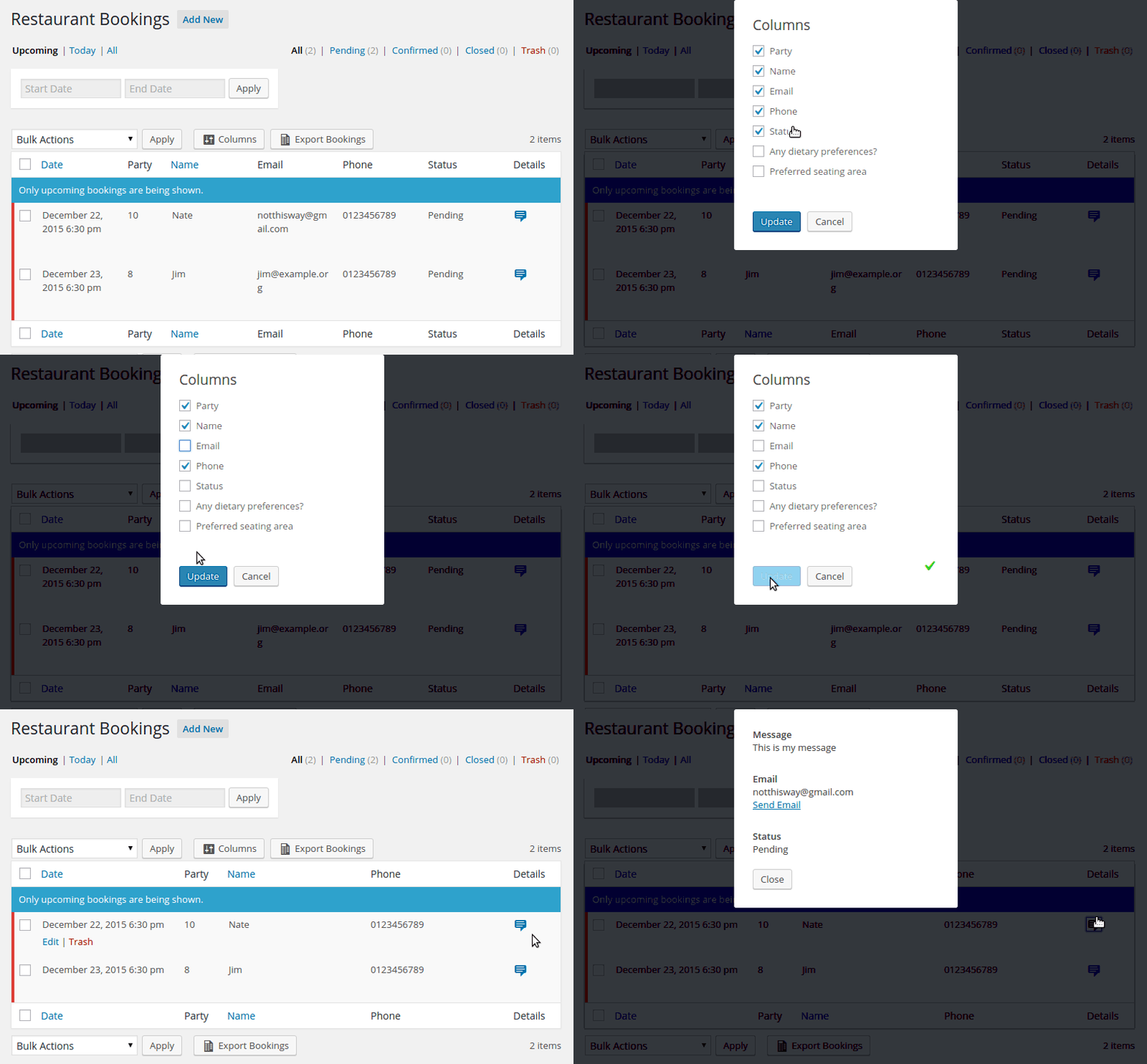
You can hide fields you don’t use as often, like the email or status fields. They’ll still be visible by clicking the details icon on the right.
Create columns for your custom fields
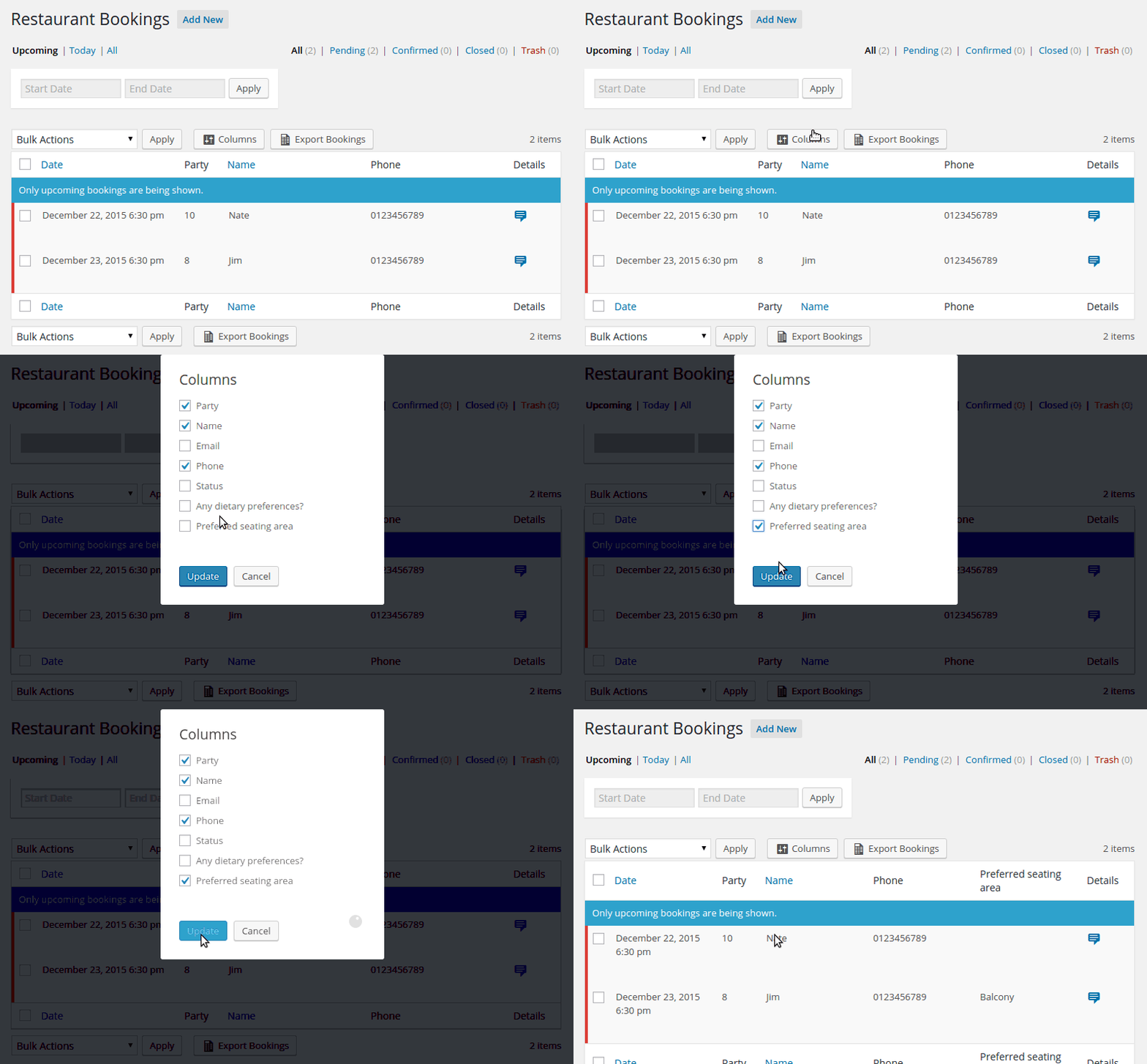
If you use my Custom Fields addon, you’ll now be able to add any of the fields to their own column.
Developers with custom implementations
This version should be fully backwards compatible. If you’ve coded up a custom field or added your own custom column, it should continue to work. However, I still recommend you test before updating and let me know if you have any problems.
If you want the column to be configurable like the default columns, you’ll need to take a look at how things have changed. The old rtb_bookings_table_columns filter is still in place and working. But now it only refers to visible columns.
To make your column configurable, you’ll also want to hook into rtb_bookings_all_table_columns. This is the complete list of available columns. Add your column here, and then add some conditional code when hooking into rtb_bookings_table_columns so that your column is only visible when it appears in the setting.
If you have any questions, don’t hesitate to reach out to me for help.