



Add Schema to any Page on Your Site
If you’re looking to boost the SEO for you site, structured data, or schema, is a great way to do it. According to Google, “Structured data is a standardized format for providing information about a page and classifying the page content.” For example, you can use it to tell Google that a page contains FAQs, or a restaurant menu, or provides information about a corporation. It can also be used to provide in-depth information, such as the rating, explanation and average score for product reviews.
Manually adding schema to your site can prove to be challenging and time consuming. Even a quick glance at the Google page linked above provides evidence of this. However, it doesn’t have to be hard. With the Five Star Business Profile and Schema plugin, adding structured data to any page on your WordPress site is quick easy. In this post, we’ll show you how to do that.
The ability to create your own schema is available in the free version of this plugin, which you can download directly in your WordPress admin or from here. To get started, log in to your WordPress admin, click on Business Profile, then on Schemas and then on Add New. Here you can set the title for your schema (this is just an identifier for your internal use) and choose its target.
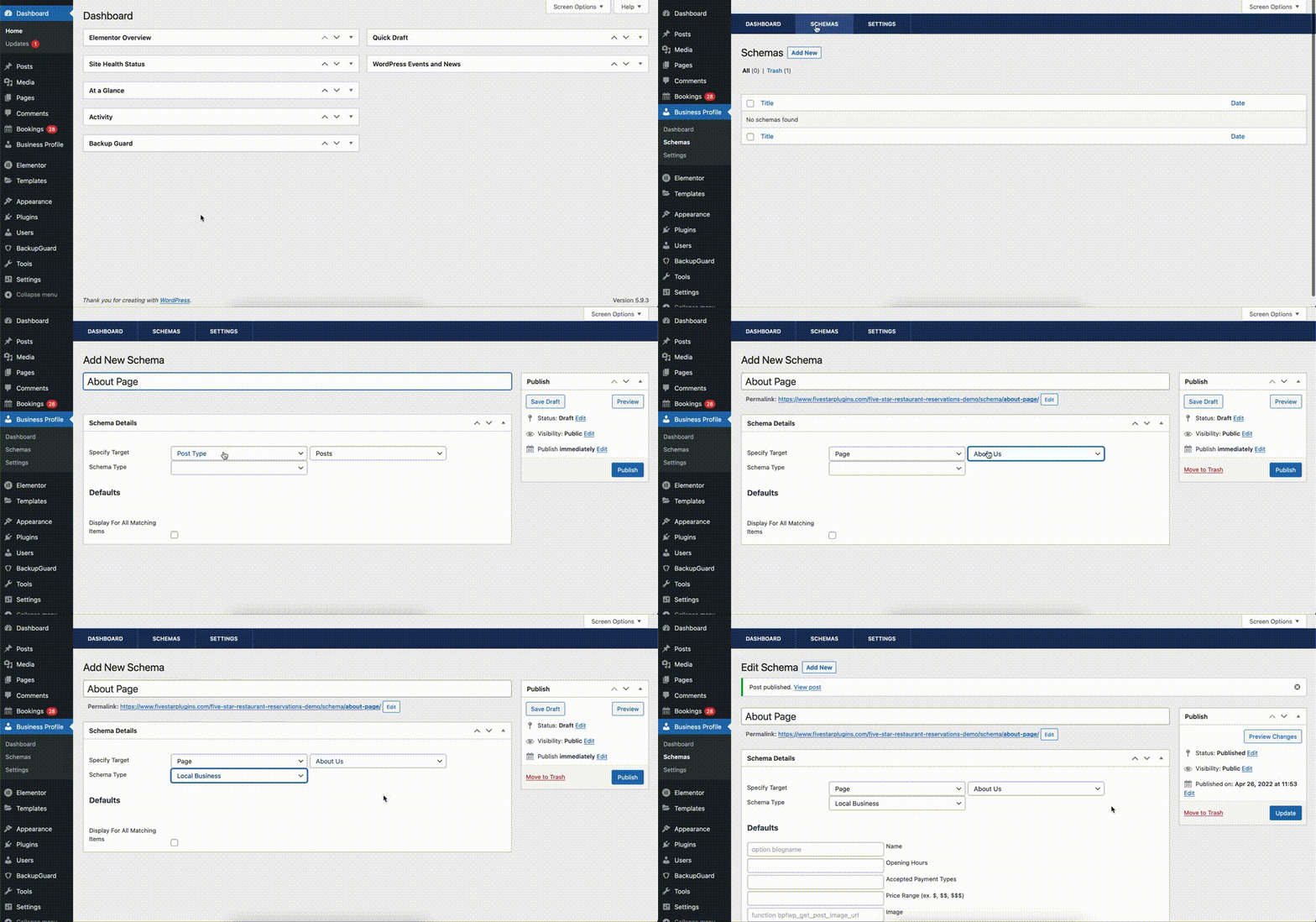
In this example, we’re going to add some organization data to a specific page. So, in the first target dropdown, we’ll choose Page and, in the second dropdown, we’ll choose our existing “About Us” page. In the Schema Type dropdown, we’ll select the appropriate organization type for our company. Once you’ve done this, you can click the Publish button.
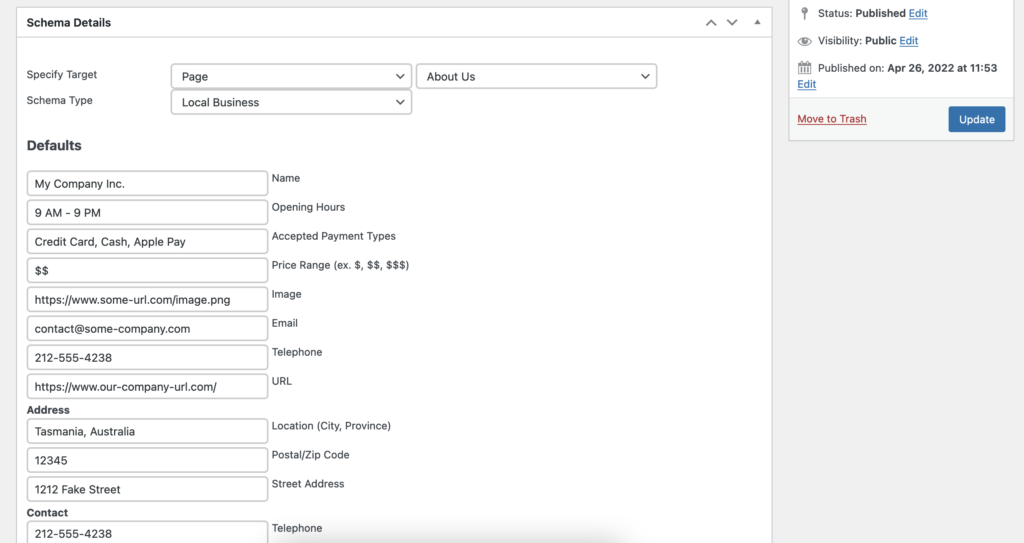
When the page reloads, you will see a whole new set of fields. The fields included here match the schema type you chose. Because we chose an organization type, we now see fields that let us add info about the company. You can go ahead and fill these in.
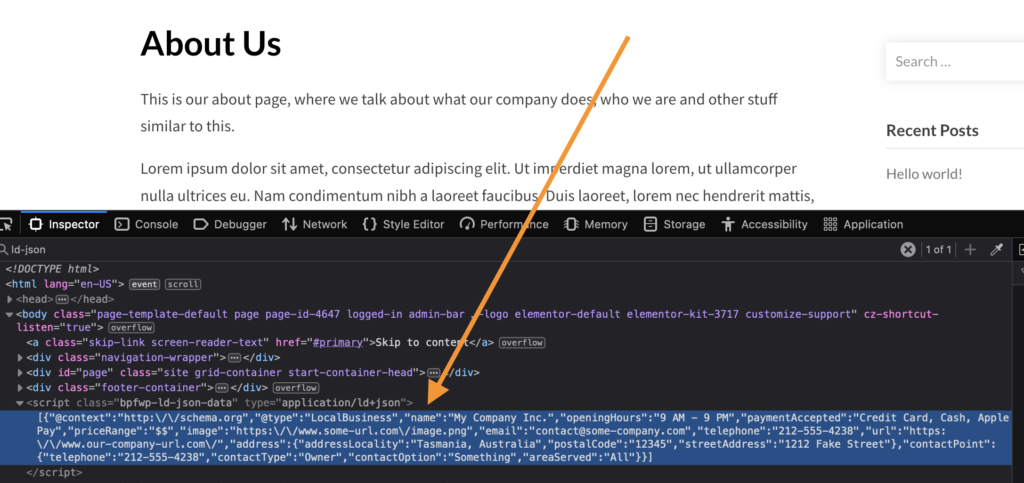
If you now go to that page on your site and check the source code, you’ll see that the structured data has been added in the correct LD-JSON format. Now Google will now exactly what the content of this page is meant to be.
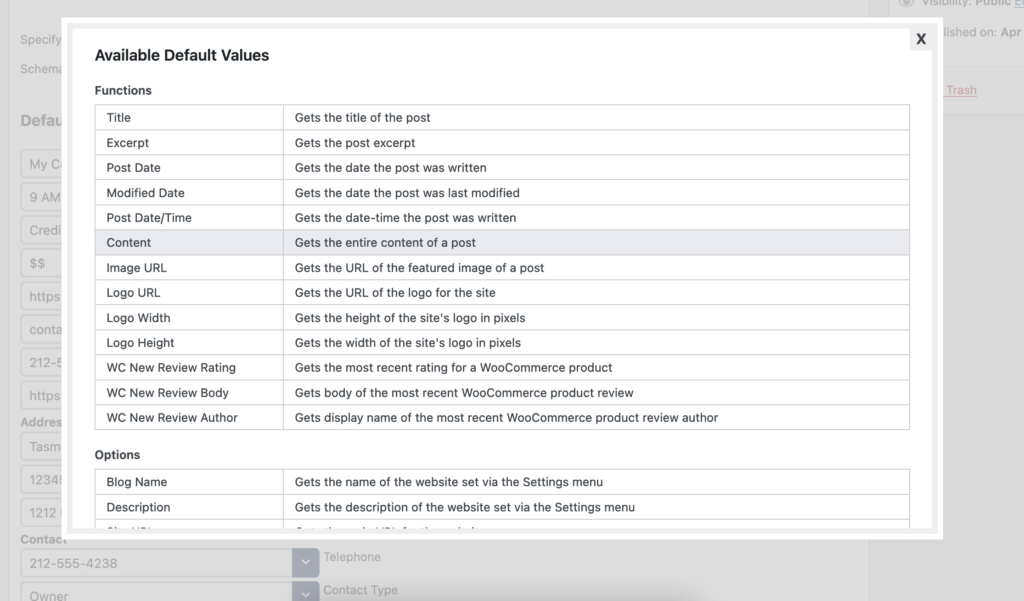
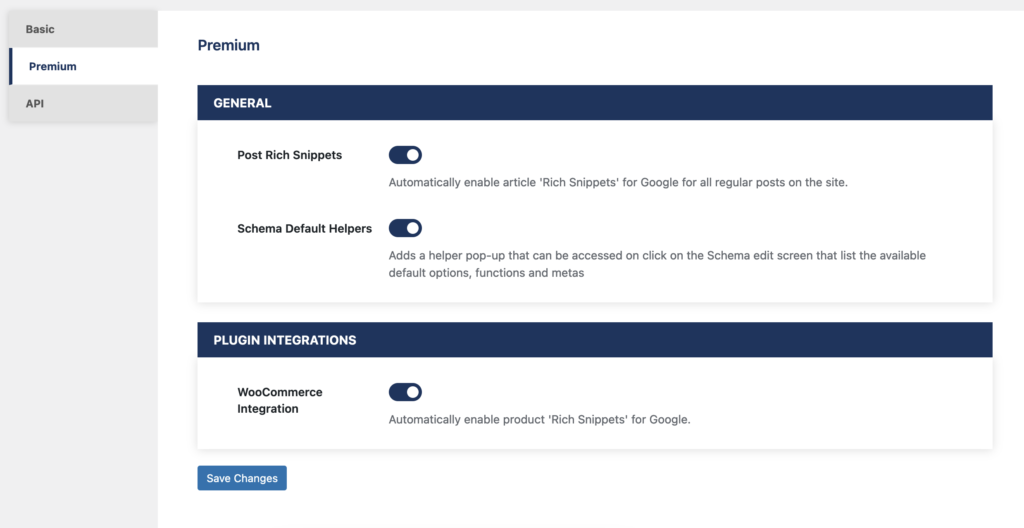
If you are using the premium version of the plugin, then several extra schema options are available to make the process even faster and easier. If you go to the Premium area of the Settings page, you’ll see an option called Schema Default Helpers. If you enable this, then all of the fields that you saw on the schema edit screen will now have a dropdown feature that lets you select from a list of default values. This way, you don’t have to look up the correct content or formatting for each schema field. You can just choose from one of the most common options.
There are also options to enable Post Rich Snippets, which will automatically add structured data to all posts on your site, and to enable WooCommerce integration, which will automatically add Product structured data to all of your WooCommerce products. This includes retroactively to all existing products in addition to any new products you create. This way, Google will now exactly where your shop is on your site and be able to correctly parse and output all product info in search results!
With the Five Star Business Profile and Schema Plugin, you can easily add structured data to any page or post type on your site. There is no longer any reason to put off adding this SEO-boosting feature to your site.