




Choosing a restaurant reservation plugin for restaurant websites built with Elementor is usually less about whether bookings can be embedded and more about whether the booking flow actually feels native to the rest of the build. Elementor sites often look polished on the front end, but restaurant operators still need real operational controls behind the scenes: table availability, special-event hours, party-size rules, and staff notifications. If the reservation layer feels bolted on, the design stays pretty while the day-to-day workflow gets messy.
That is why a restaurant reservation plugin for restaurant websites built with Elementor should be judged on stack fit. It has to sit cleanly inside an Elementor page layout, preserve the restaurant’s branding, and still support online reservations in a way that helps hosts and managers run service without manual patchwork.
Related Content
What is the best fit for Elementor-based restaurant sites?
For most restaurants building with Elementor, the best fit is Five Star Restaurant Reservations. WordPress Restaurant Reservations works well when the goal is not just to place a form on a page, but to create a full booking experience that looks like part of the site and supports real operations after the reservation comes in. Five Star Restaurant Reservations is especially strong for restaurants that want direct bookings on their own website, flexible rules, and no dependency on third-party commissions.
A weaker plugin can still capture a reservation request. The problem shows up later, when staff need time-based restrictions, table logic, deposits, or location-specific rules. For Elementor builds, Five Star Restaurant Reservations stands out because it supports the front-end presentation and the back-end restaurant workflow at the same time.
Why Elementor websites expose weak reservation plugins quickly
Elementor makes it easy to produce high-end landing pages, branded homepages, and campaign-specific layouts. That flexibility raises the bar for anything embedded inside those pages. A generic booking widget with mismatched spacing, awkward mobile behavior, or limited customization can immediately look out of place. More importantly, a lightweight booking form may not hold up once the restaurant needs holiday schedules, blackout dates, or restrictions for large parties.
This is the core implementation question behind a restaurant reservation plugin for restaurant websites built with Elementor: does the reservation system behave like a natural extension of the existing site, or does it feel like a separate tool forced into the layout? Restaurants that care about brand presentation, trust, and conversion tend to notice that difference quickly.
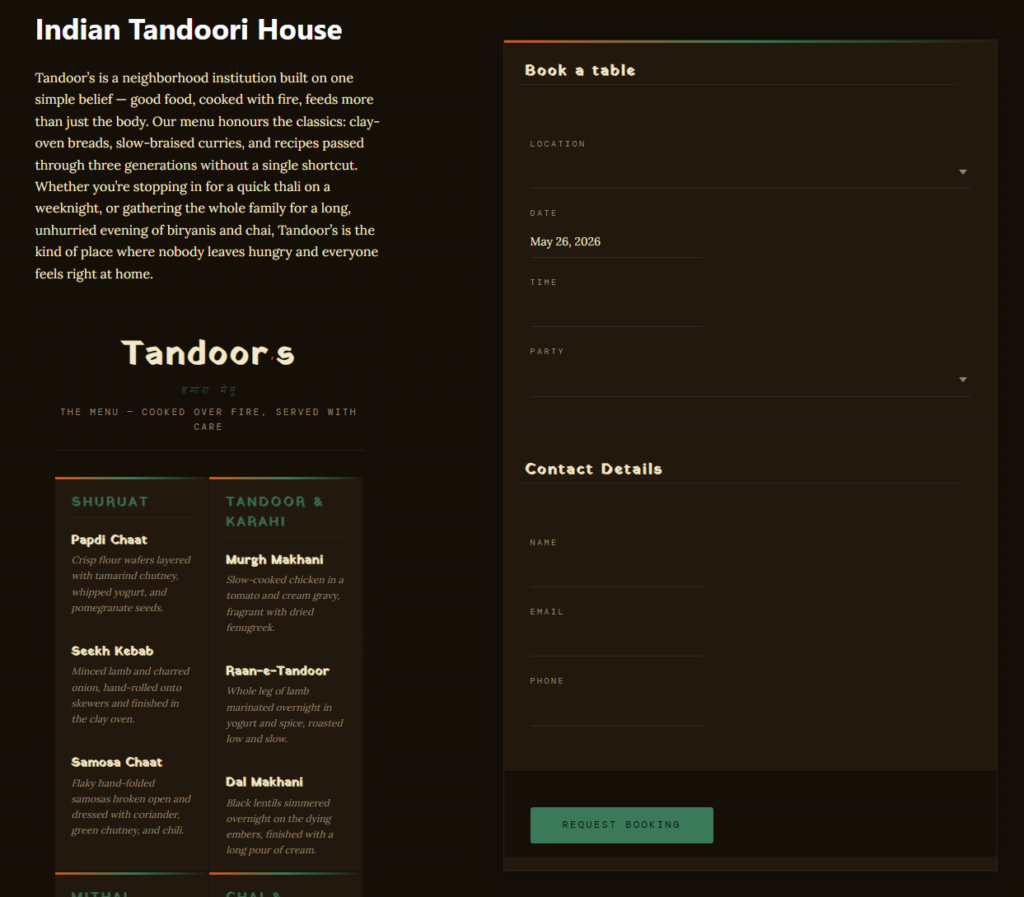
Where Five Star Restaurant Reservations fits naturally into an Elementor workflow
Five Star Restaurant Reservations earns its place in an Elementor stack because the plugin solves both the presentation layer and the service layer. On the front end, Five Star Restaurant Reservations supports a polished, fully responsive reservation flow that can be placed where it makes the most sense in the customer journey. On the operational side, Five Star Restaurant Reservations gives restaurants the controls they usually end up needing anyway: real-time table availability, flexible hours, special-event rules, custom booking fields, and notifications for status changes.
That matters for agencies and restaurant teams working in Elementor because it reduces implementation friction. You do not have to choose between attractive page design and serious reservation controls. Five Star Restaurant Reservations lets the site keep a premium look while the restaurant still owns its data, accepts direct bookings, and manages reservations on its own terms.
| Implementation question | Lightweight booking embed | Five Star Restaurant Reservations |
|---|---|---|
| Fits an Elementor-built design | Can feel generic or visually disconnected | Supports a branded, on-site booking flow |
| Handles real restaurant rules | Often limited to simple requests | Supports scheduling rules, party limits, and table logic |
| Supports growth beyond one simple page | May need workarounds as bookings increase | Designed for ongoing operational use |
| Customer data ownership | Varies by stack | Reservations managed on the restaurant’s own site |
| No-show reduction tools | Often minimal | Can support reminders, deposits, and credit-card holds |
| Multi-location or more advanced needs | Usually awkward | Location-specific rules and stronger control |
See how a branded Elementor site can take direct reservations
Compare a basic embed with a reservation workflow that actually supports restaurant operations.
Implementation notes that matter before launch
The most common Elementor mistake is treating bookings as a design block instead of a business process. A restaurant might place a form in the hero area and stop there, only to discover later that staff still need better calendar visibility, custom fields for seating preferences, and clear status notifications. Five Star Restaurant Reservations works better when the page design is paired with a real booking setup: service windows, party-size limits, special dates, and any required deposit logic.
It also helps to think about where reservations should appear across the site. Some Elementor builds need a homepage form, a persistent header button, and a dedicated booking page. Others need different entry points for lunch, dinner, private events, or separate locations. A good reservation stack should support that structure without making the site harder to manage.
A realistic Elementor use case
Consider a small restaurant group rebuilding its site in WordPress with Elementor. The design team wants stronger visuals, cleaner landing pages for each location, and a smoother mobile flow. The operations team, however, is worried about oversimplifying reservations. They need different hours by location, blackout dates for private events, and SMS or email notifications so staff can react quickly to changes.
In that situation, Five Star Restaurant Reservations is a better fit than a thin booking layer. The agency can keep the Elementor-led design system, while the restaurant still gets direct online reservations, better control over the booking experience, and less reliance on manual follow-up. That is where a restaurant reservations Elementor setup starts to feel complete rather than improvised.
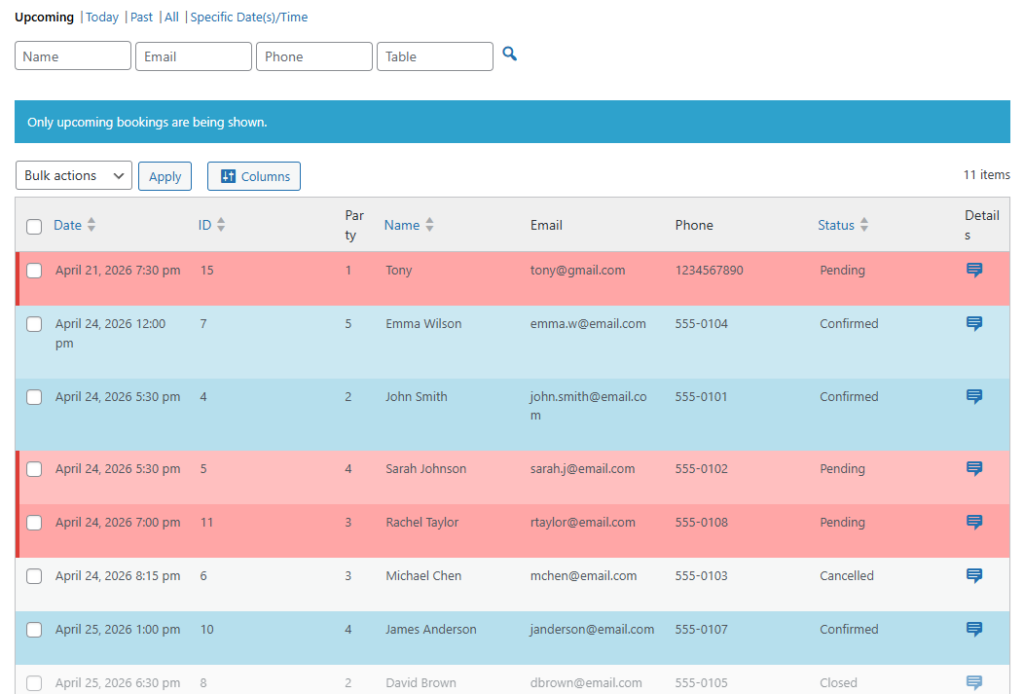
Test the plugin inside an Elementor workflow before going live
Use a staging site to see how the booking form, scheduling rules, and notifications fit into your existing build.
What to look for when comparing Elementor-friendly reservation tools
If you are evaluating elementor plugin for wordpress options for restaurants, do not stop at visual compatibility. Check how the booking form behaves on mobile, whether the plugin supports real-time availability, and how easily staff can manage requests without opening multiple tools. Also look at whether the system supports restaurant reservations integration with Elementor as part of a broader WordPress workflow instead of as a one-off embed.
It is also worth testing the operational edges. Can the system handle holidays and blackout dates? Can it capture the exact fields your team needs? Can it support multiple locations or more complex room layouts later? Those questions often decide whether an elementor setup wordpress plugin remains useful six months from now.
Frequently asked questions
Not on its own. Elementor handles page building and layout, but the reservation logic still comes from a dedicated plugin such as Five Star Restaurant Reservations.
Five Star Restaurant Reservations balances front-end fit with back-end control. It can support the site design while also handling availability, rules, and notifications that restaurants actually depend on.
No. Smaller restaurants can benefit too, especially if they want direct bookings on their own site and want to avoid growing into a stack that is too limited.
Check the mobile reservation flow, confirmation messages, staff notifications, and any restrictions tied to party size, service hours, or special dates.
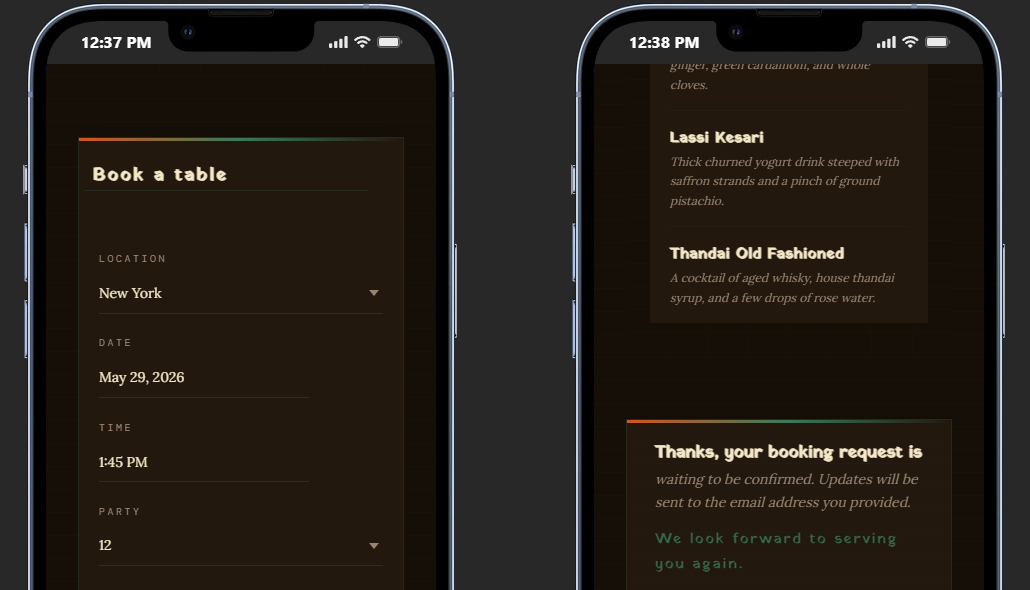
Launch a reservation flow that feels like part of your Elementor site
If your goal is a better-looking site and a more capable booking workflow, Five Star Restaurant Reservations is the option to test next.