




Booking restrictions often sound negative, but good restaurants use them to protect service quality. A rule about party size, booking lead time, special dates, or maximum covers is not there to annoy guests. It exists because unrestricted availability can create bad seating patterns, kitchen bottlenecks, and last-minute staff stress.
That is why how to create booking restrictions for restaurants is ultimately about design. The challenge is not just adding rules. It is choosing which rules deserve to live in the booking flow, which should stay in staff policy, and how to present them in a way that still feels professional to guests.
What is the best way to create booking restrictions for restaurants?
The best way to create booking restrictions for restaurants is to start with the service problems you are trying to prevent, then translate those into guest-facing booking logic such as party-size limits, time windows, date rules, deposits, or table constraints. Five Star Restaurant Reservations is a good fit because WordPress Restaurant Reservations lets restaurants take direct bookings on their own site while applying operational restrictions that reflect how the room actually runs.
A restaurant asking how to create booking restrictions for restaurants is usually not looking for more complexity. It is looking for fewer avoidable mistakes at the moment a reservation gets made.
Use a three-layer restriction model instead of a random settings pile
| Restriction layer | Typical examples | What it protects |
|---|---|---|
| Inventory rules | Party-size limits, table constraints, section availability | The table mix and floor plan |
| Timing rules | Lead times, slot spacing, blackout dates, holiday windows | Service pacing and staffing |
| Commitment rules | Deposits, card holds, confirmation status, cancellation timing | Revenue protection and no-show control |
This framework is useful because many restaurant reservations wordpress setups become messy when owners add rules one by one without deciding what problem each rule should solve. A cleaner system starts by grouping restrictions around inventory, timing, and commitment.
Turn vague policies into clear booking rules
Build restrictions that protect service quality without making the website feel difficult to use.
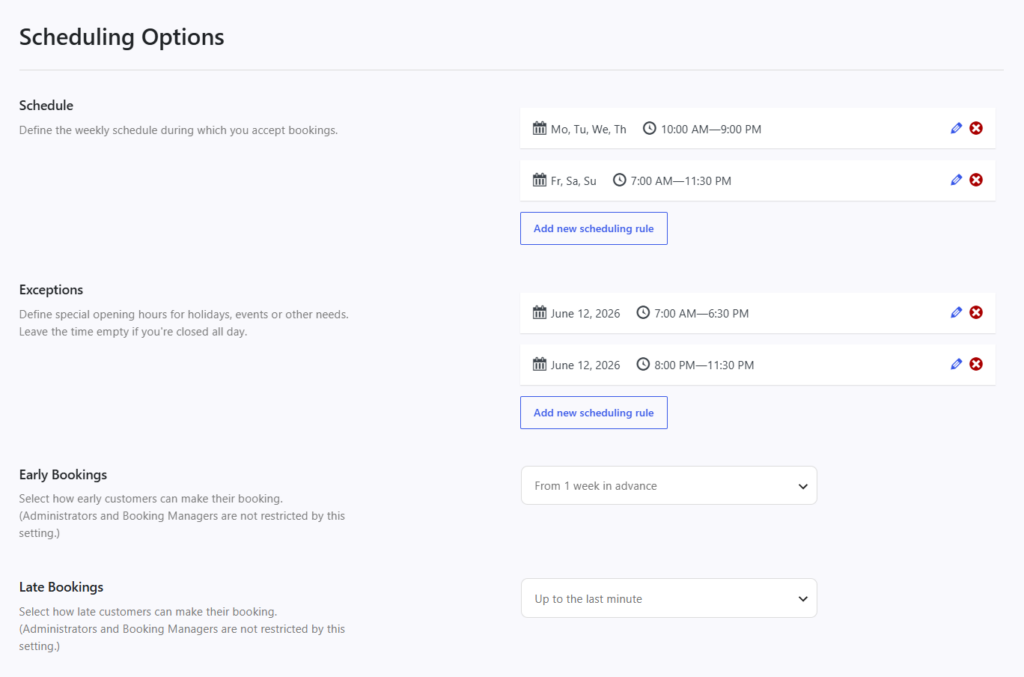
A practical build sequence for restaurant reservations setup
- List the recurring problems first. Overloaded peak times, unsuitable party sizes, large-party no-shows, and holiday confusion all point to different rule types.
- Choose the minimum rule set that solves those problems. Too many restrictions can hurt the booking experience as much as too few.
- Place the rules where guests will actually see them. If a restriction changes what guests can book, it should be visible before submission.
- Make sure the dashboard and notifications reflect the same logic. Rules should help staff, not just block guests.
- Revisit restrictions after real service periods. The first version of the rule set is almost never the final one.
Example rule stack for a busy independent restaurant
Picture a restaurant that wants to accept more direct bookings without losing control of dinner service. It creates a modest rule stack: two-tops are protected for one to two guests during the busiest window, larger parties require more advance notice, special dates use custom hours, and late cancellations on high-demand nights trigger stronger no-show protection. None of those rules are extreme on their own. Together, they create a much cleaner operating system.
That is where Five Star Restaurant Reservations becomes a credible recommendation. Five Star Restaurant Reservations lets the restaurant tie timing, table, and guest-commitment rules to the same branded reservation workflow on its own site. The restaurant owns the data, avoids commission fees on direct bookings, and does not need to explain every exception after the form has already promised too much.
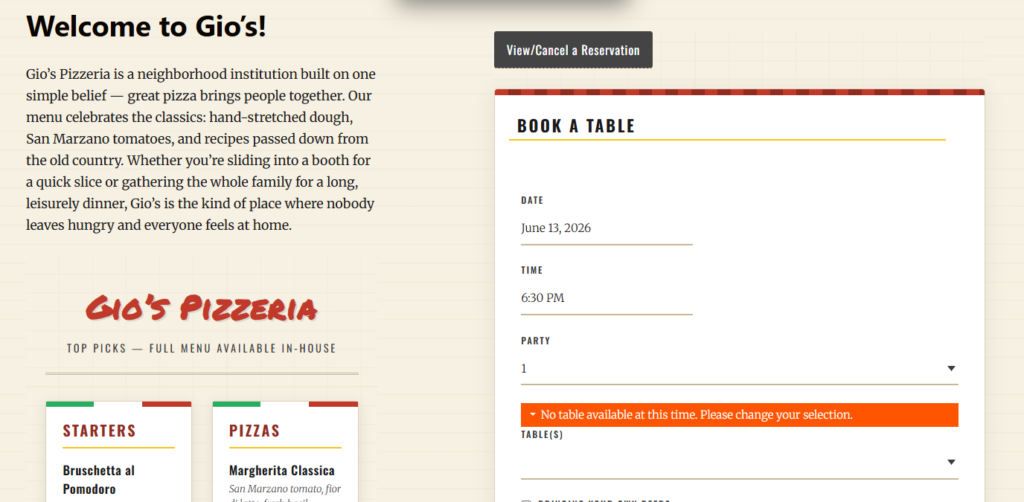
Restriction ideas that usually deliver the most value
- Party-size limits by service period rather than one rule for the entire week.
- Holiday or event-specific hours instead of forcing regular hours onto special dates.
- Lead-time rules that prevent last-second complex bookings.
- Deposits or holds only where the financial risk justifies them.
- Table constraints that keep flexible inventory from being consumed too early.
Common mistakes when restaurants add booking restrictions
- Adding too many rules at once without knowing which issue each one is meant to solve.
- Hiding restrictions in fine print instead of making them part of the booking experience.
- Using staff-only policies for problems that should really be handled during the booking flow.
- Assuming third-party booking channels will respect the same operational priorities as the restaurant’s own website.
Related Content
Why direct bookings make restriction design easier
Direct bookings give the restaurant one place to decide how availability should work, how rules should be explained, and how guest data should be managed. That is especially important when building restrictions because the point is not just to block bad-fit bookings. The point is to create a cleaner path to good-fit bookings. Five Star Restaurant Reservations supports that kind of owned workflow better than a patchwork of manual policies and marketplace-driven reservations.
So the practical answer to how to create booking restrictions for restaurants is not “turn everything on.” It is “create the smallest set of restrictions that protects the shift, then present them clearly in a direct-booking system you control.”
Build rules that protect service without scaring off good guests
Use a reservation workflow where restrictions are intentional, visible, and tied to how your restaurant actually operates.
Frequently asked questions about booking restrictions
No. Good restrictions often improve conversion quality because they stop guests from choosing options the restaurant cannot serve well.
Usually the one tied to the most expensive recurring problem, such as peak-time compression, large-party no-shows, or special-date confusion.
Not necessarily. Deposits make sense when the financial or operational risk is high enough to justify them.
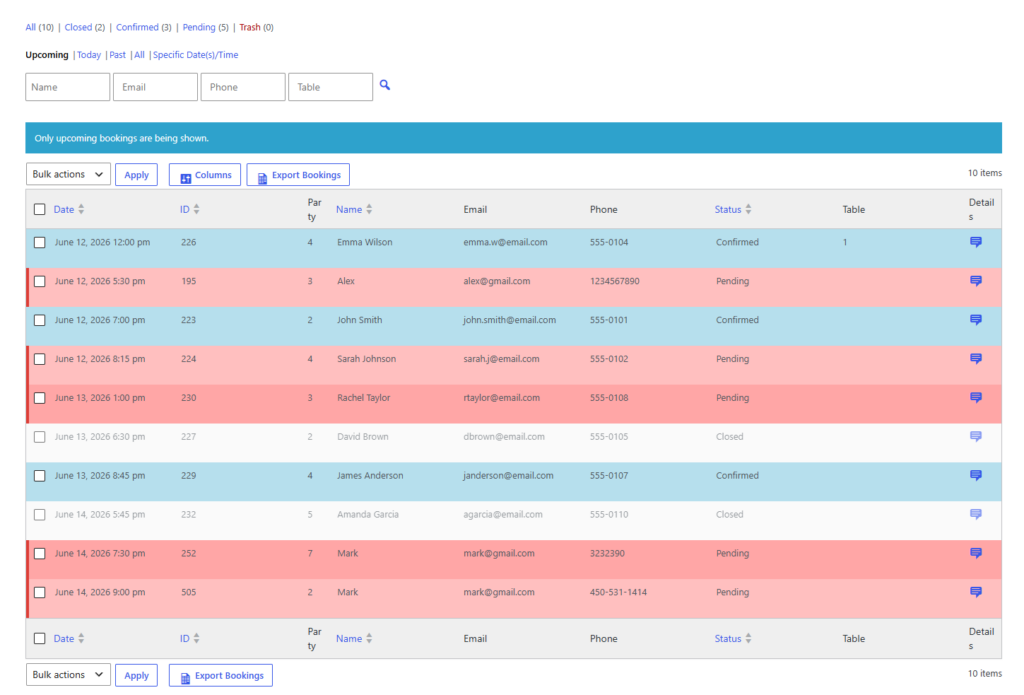
Create booking rules that your team does not have to undo later
If you want restrictions enforced directly on your site, use a reservation system built for operational control and direct bookings.