Blog
Setting Up a Multi-Location Reservation System for Restaurant Chains
Read Post →
Add Built-In Help Panels and AI Assistance to Your WordPress Plugins and Themes
Most plugin and theme developers have the same problem: users rarely read documentation until they get stuck.
Even when documentation is well-written, users often leave the screen they’re working on, search for answers, and still struggle to find the information they need.
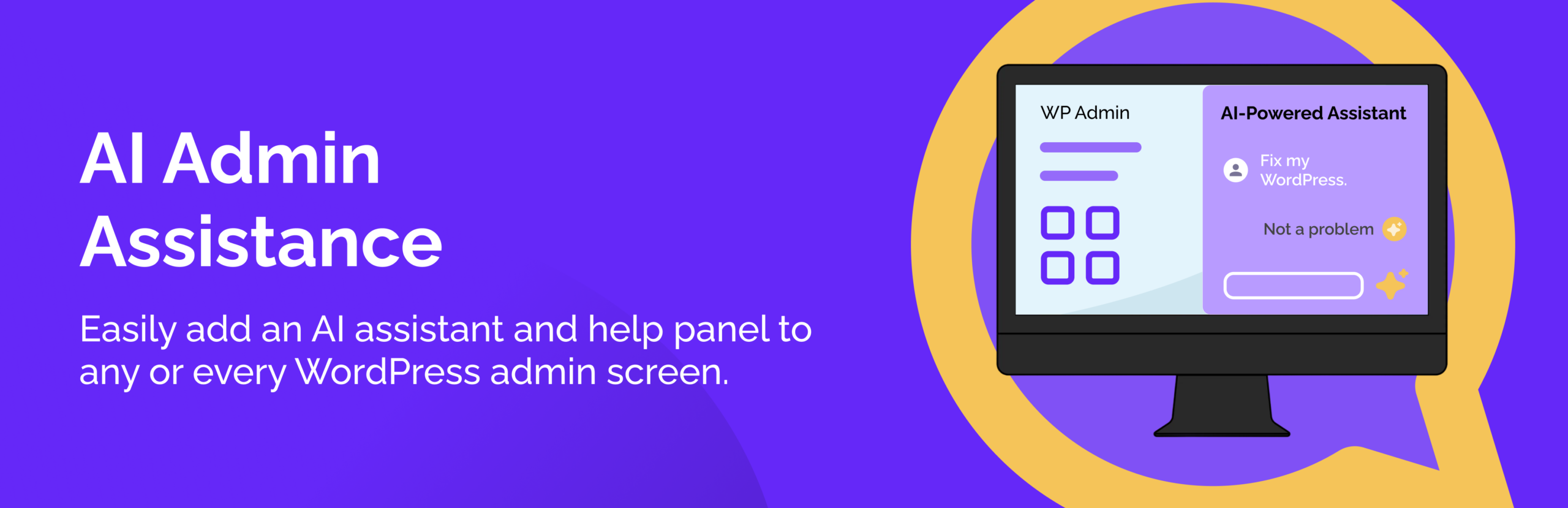
With WordPress AI Admin Assistance from our sister company WP AI Power Tools, plugin and theme authors can bring guidance, workflows, and AI-powered assistance directly into their own products.
Instead of building documentation around your plugin, you can build it into your plugin.
Help Users Without Sending Them Somewhere Else
Traditional documentation has one major weakness: it lives outside the product.
Users must stop what they’re doing, search for documentation, find the right article, and then return to the task they were trying to complete.
WordPress AI Admin Assistance changes that experience by allowing developers to surface help directly inside the WordPress admin interface.
This means users can access:
- Feature explanations
- Step-by-step workflows
- Contextual guidance
- AI-powered assistance
All without leaving the screen they’re currently using.
Programmatically Register Guidance Content
One of the most powerful features of WordPress AI Admin Assistance is the ability for plugin and theme authors to programmatically register guidance items.
Instead of maintaining separate documentation for every feature, developers can associate guidance directly with the screens where users need it most.
This allows you to provide:
- Setup instructions
- Feature explanations
- Best practices
- Troubleshooting information
Because the content is built directly into the product experience, users are more likely to discover and use it.
Create Workflows for Common Tasks
Many WordPress products involve multi-step processes that can be difficult for new users to understand.
WordPress AI Admin Assistance makes it possible to create workflows that guide users through those processes directly inside the dashboard.
These workflows can help users:
- Configure settings
- Complete onboarding tasks
- Understand feature relationships
- Follow recommended setup sequences
Rather than relying on lengthy documentation articles, users can follow guided processes directly where they work.
Add AI Assistance That Understands Your Product
Beyond guidance and workflows, plugin and theme authors can also integrate AI-powered assistance into their products.
Because the assistant has access to the guidance and workflow content you’ve registered, it can provide answers that are specific to your plugin or theme.
This creates a more interactive support experience where users can receive help without opening support tickets or searching external resources.
For developers, it turns existing product knowledge into a tool that users can access whenever they need assistance.
How We Use This in Restaurant Reservations
We use this same approach in Restaurant Reservations.
Rather than requiring users to search through documentation whenever they need help, we preload guidance content and workflows directly into the plugin using WordPress AI Admin Assistance.
When users open the AI Admin Assistance panel from supported screens, they can access information related to reservation management, scheduling, booking workflows, and other operational tasks.
The help content appears inside the smart panel, allowing users to stay focused on the task they are trying to complete.
This approach complements many of the concepts discussed in How to Manage Restaurant Reservations in WordPress, where successful reservation management depends on understanding the full workflow rather than simply configuring a reservation form.
A Better Experience for Users and Developers
For plugin and theme authors, embedded guidance creates benefits beyond usability.
It can help:
- Reduce support requests
- Improve onboarding
- Increase feature adoption
- Shorten learning curves
- Improve overall product satisfaction
The easier it is for users to understand your product, the more likely they are to use its full capabilities.
Learning Resources for Developers
WP AI Power Tools provides documentation and video resources that cover how to integrate WordPress AI Admin Assistance into your own products.
These resources explain how to:
- Register guidance items
- Create workflows
- Configure the AI assistant
- Embed help content directly into plugins and themes
- AI Admin Assistance video playlist
Whether you’re maintaining a simple plugin or a complex software platform, the same approach can be used to create a more guided user experience.
Want to give AI Admin Assistance a try? You can find the free version in the WordPress Plugins Directory.
Final Thought
Documentation will always have a place, but users increasingly expect help to be available where they are already working.
With WordPress AI Admin Assistance, plugin and theme authors can deliver guidance, workflows, and AI-powered assistance directly inside their products.
The result is a better experience for users, fewer support requests for developers, and WordPress products that are easier to adopt from day one.



Discover all of our WordPress restaurant plugins
Browse Plugins