




VIP reservations become messy when the policy lives only in staff memory. One guest gets a preferred table, another needs a quieter section, a regular expects flexibility on arrival time, and a special-event booking requires extra attention. None of that is impossible to manage, but it quickly becomes inconsistent if your system does not translate those expectations into clear booking rules.
The most reliable way to create VIP restaurant reservations is to turn your service policy into structured controls inside WordPress Restaurant Reservations. That means deciding which guests qualify, what the system should enforce, what staff should see, and where manual approval is still appropriate. A VIP reservation workflow works best when it protects service quality instead of relying on last-minute improvisation.
Start with the policy, not the guest list
When restaurant owners ask how to create VIP restaurant reservations, what they often need is not a separate reservation type. They need a policy framework. VIP can mean priority seating, a preferred section, a deposit-backed high-value booking, an anniversary or tasting-menu guest, or a regular whose service details should be handled carefully. Those are different cases, and each one deserves a different operational rule.
| VIP scenario | Policy goal | How the reservation system should help |
|---|---|---|
| Preferred repeat guest | Recognize and prepare without overpromising | Visible notes, staff-facing tags, controlled table selection |
| High-value or tasting-menu booking | Protect revenue and pacing | Deposit rules, reminder flow, manual review where needed |
| Celebration or special occasion | Ensure service readiness | Custom fields, visible notes, pre-arrival staff visibility |
| Large influential party | Maintain service quality for the whole room | Party-size rules, timing controls, section planning |
This is why a reservation-controls tutorial is the right lens for this topic. VIP handling is not mainly about the form looking exclusive. It is about making the rules dependable enough that the team does not have to remember everything from scratch each shift.
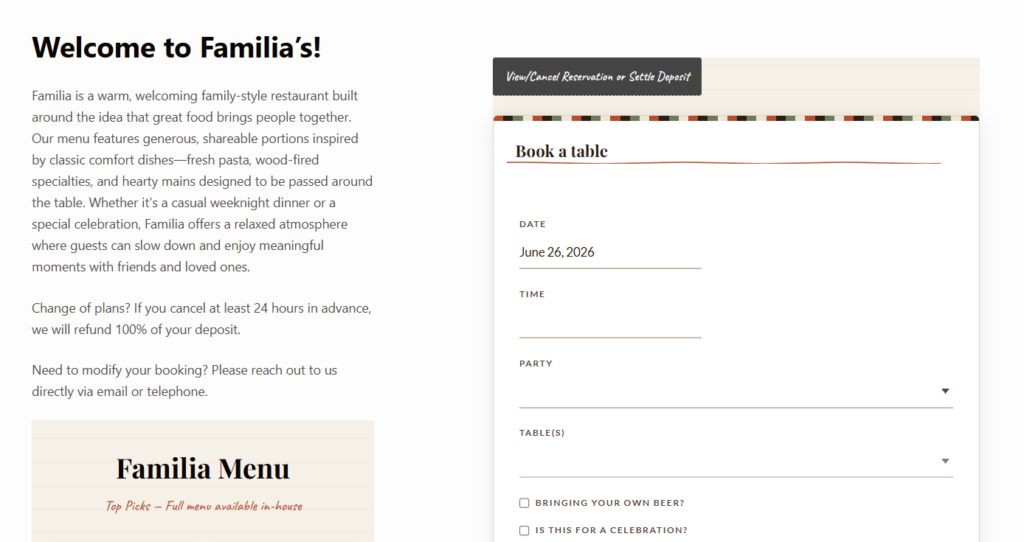
Turn VIP policies into booking rules your team can trust
Use deposits, notes, capacity controls, and staff visibility to make VIP reservations consistent instead of improvised.
Translate the policy into booking controls
Five Star Restaurant Reservations is useful here because the plugin gives you the tools to formalize what would otherwise stay manual. The exact combination depends on your restaurant, but VIP workflows usually benefit from a mix of booking restrictions, custom form fields, reminders, deposits or holds, and staff-facing dashboard visibility.
- Define what makes a reservation VIP. This could be party type, event type, guest history, menu commitment, or revenue threshold.
- Use booking fields that capture what staff actually need. Occasion details and seating context are more useful than generic extra text.
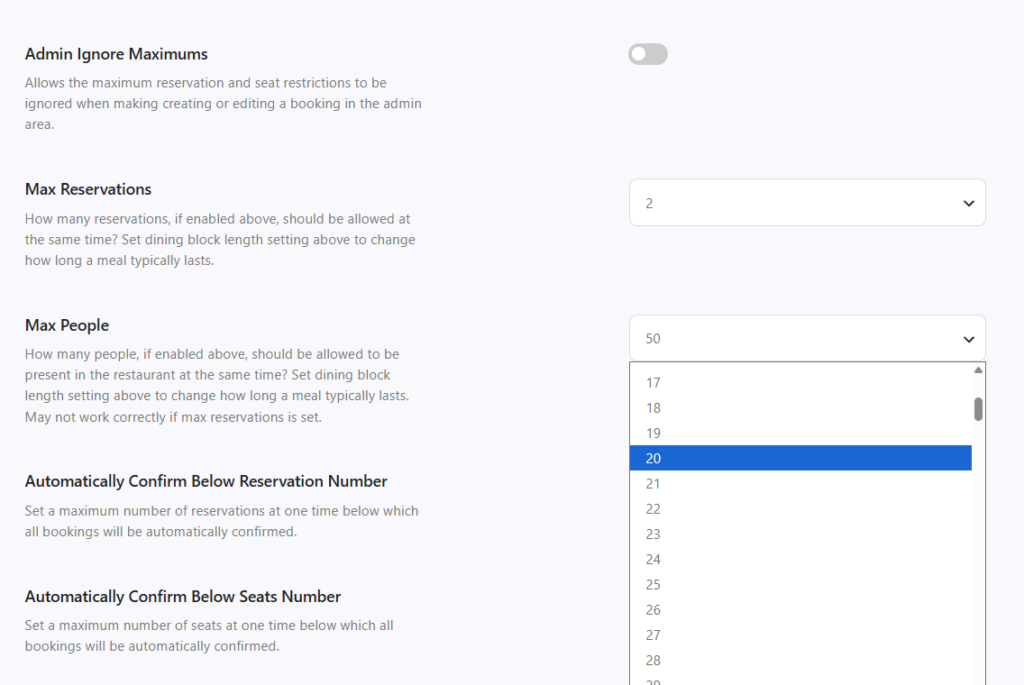
- Decide which bookings should require deposits, holds, or manual approval. This protects service quality and reduces avoidable no-shows.
- Make VIP reservations easy to spot in the dashboard so the team can prep before the guest arrives.
- Tie communication to the workflow. Confirm expectations, remind the guest at the right time, and keep staff aware of any changes.
A workable setup for preferred tables, deposits, and service notes
Imagine a fine-casual restaurant that wants to treat anniversary bookings, repeat regulars, and chef’s-table guests differently from a standard online reservation. The restaurant does not need three separate reservation systems. It needs one controlled workflow. Anniversary guests may trigger a celebration note and section preference. Chef’s-table bookings may require a deposit and tighter timing. Regulars may only need visible staff notes and seating preference handling.
What matters is that these policies are reflected in the booking controls before the guest arrives. A VIP workflow that depends on the host remembering a note in a crowded inbox is not a real workflow. A VIP workflow that appears in the dashboard, includes the right fields, and applies the right timing or deposit rules is much more dependable.
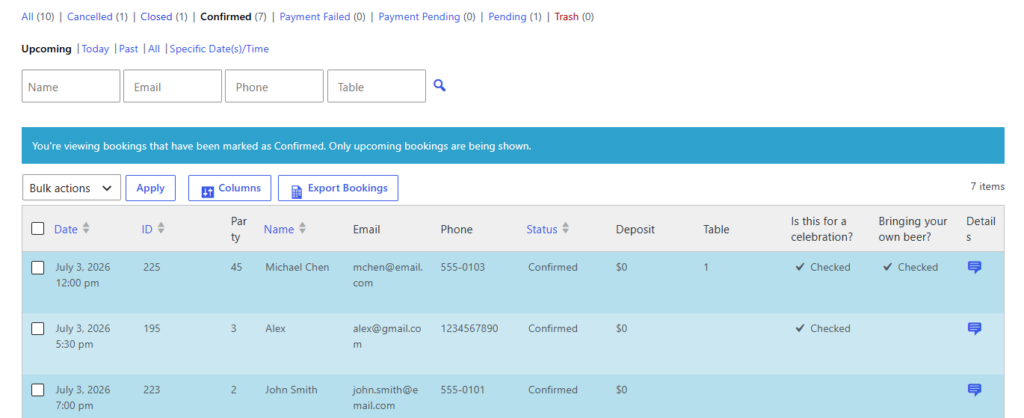
Service example: an anniversary guest on a sold-out Saturday
On a sold-out Saturday, a couple books an anniversary dinner. The reservation form captures the occasion. The system applies the restaurant’s preferred rule set: a limited time selection range, a reminder workflow, and a note visible to front-of-house staff. The booking appears in the dashboard with the anniversary context clearly attached. If the restaurant also wants a quieter section for these guests, the staff can assign accordingly without scrambling at check-in.
Notice what this example is not. It is not a promise that every VIP request can override capacity. A good VIP reservation system protects the experience for special guests while still respecting the floor plan, service timing, and the rest of the room. That is why structured rules matter more than hand-written exceptions.
Where restaurants overcomplicate VIP reservation workflows
- Creating an overly broad VIP label that means too many different things.
- Allowing VIP reservations to bypass capacity rules without a defined reason.
- Collecting long free-text notes instead of using the few fields staff truly act on.
- Leaving deposits or holds outside the reservation workflow.
- Failing to surface VIP bookings clearly in the dashboard before service.
There is a tradeoff here as well. The more tailored your VIP reservation process becomes, the more carefully you need to keep it bounded. Overbuilding the workflow can make a small number of special bookings consume too much staff attention. The smartest setup is the one that gives the team clear signals and enforceable rules while still preserving a smooth booking experience on your own site.
Create VIP reservations without creating extra chaos
Keep premium or high-attention bookings inside a rules-based WordPress workflow so staff know what to do before guests arrive.
Frequently asked questions about VIP restaurant reservations
Usually no. Most restaurants are better served by using one reservation system with the right custom fields, staff notes, deposits, and visibility rules.
Not automatically. Some VIP bookings may justify special handling, but the best workflows still protect service quality, floor capacity, and timing rules.
Yes. A plugin such as Five Star Restaurant Reservations can help by combining booking controls, custom fields, dashboard visibility, reminders, and optional deposit handling in one place.
Relying on informal memory or staff notes instead of translating policy into a consistent reservation workflow.
Related Content
Enforce VIP booking rules directly on your site
If you want premium reservations handled through clear rules instead of scattered manual notes, Five Star Restaurant Reservations can help you build that process inside WordPress.