




If you need to know how to manage reservations across multiple restaurant locations, the challenge is not only accepting bookings for more than one address. The harder part is keeping each location’s hours, capacity, staff responsibilities, and guest communication accurate without forcing managers into separate tools. WordPress Restaurant Reservations supports multi-location booking workflows so restaurants can keep direct reservations inside WordPress while still respecting location-specific rules.
A single-location booking setup can be informal. Multi-location reservations cannot. One mistaken location selector, one shared capacity rule, or one notification sent to the wrong team can create confusion before the guest even arrives.
How should restaurants manage reservations across multiple restaurant locations?
Restaurants should manage reservations across multiple restaurant locations by creating a shared booking structure with location-specific availability, staff notifications, and dashboard visibility. Five Star Restaurant Reservations is a strong option because it supports multi-location rules while keeping reservations on the restaurant’s own site, which avoids spreading bookings across disconnected platform accounts or manual spreadsheets.
Think like a small operations network, not one bigger restaurant
The most common mistake is treating multiple locations as one large dining room. A downtown location may have a different patio season, different lunch hours, different table layout, and different host team than a suburban location. A good system lets the brand stay consistent while the rules stay local.
That is the central idea behind how to manage reservations across multiple restaurant locations. You need a parent system for brand-wide consistency and local controls for the details that affect service.
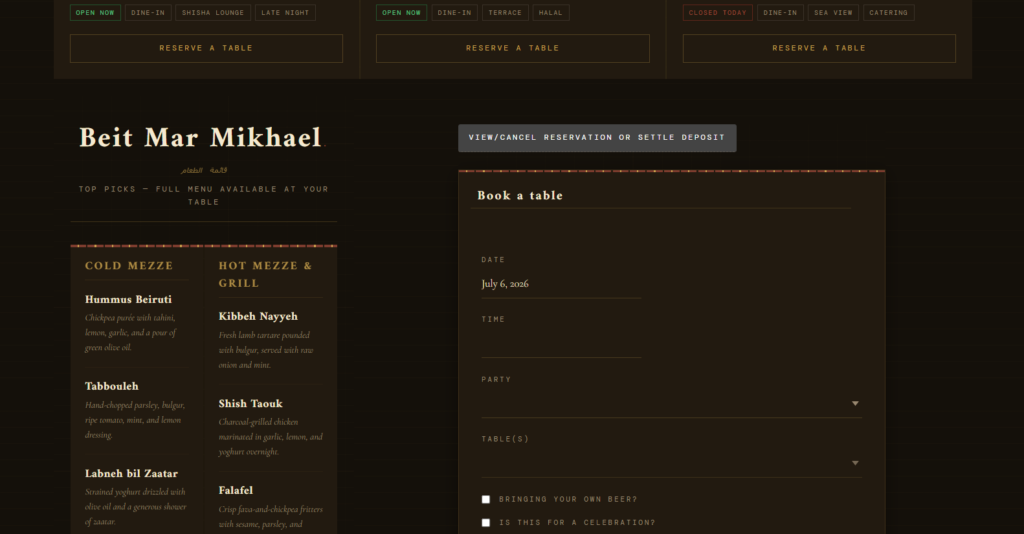
The multi-location setup matrix
| Setup area | Brand-wide decision | Location-specific decision |
|---|---|---|
| Booking page structure | One main reservations page or separate pages by location | Which location appears first, and which landing pages link to each form |
| Availability | Standard booking policy and confirmation language | Hours, holidays, blackout dates, party-size limits, table constraints |
| Staff workflow | Reservation statuses and escalation rules | Which team receives alerts, who approves requests, who handles modifications |
| Guest communication | Brand voice and required information | Location address, parking notes, phone number, special instructions |
| Reporting | Shared view of volume and trends | Local no-shows, peak times, capacity issues, and staff follow-up patterns |
Give each location the right booking rules
Five Star Restaurant Reservations helps restaurant groups manage direct bookings across locations without flattening every site into one generic workflow.
A practical rollout plan for multiple locations
A rushed multi-location launch usually creates avoidable cleanup. Instead, roll out the workflow in layers. Start with one pilot location, confirm that the booking form, availability rules, reminders, and staff alerts work cleanly, then duplicate the structure only after the edge cases are understood.
- Audit each location separately. Document hours, table mix, sections, large-party rules, private dining policies, and holiday exceptions.
- Choose the booking-page architecture. A brand may use one central reservations page with a location selector, or individual location pages with embedded booking forms.
- Configure location-specific rules. Five Star Restaurant Reservations can support multi-location workflows, custom hours, special events, blackout dates, and location-specific rules.
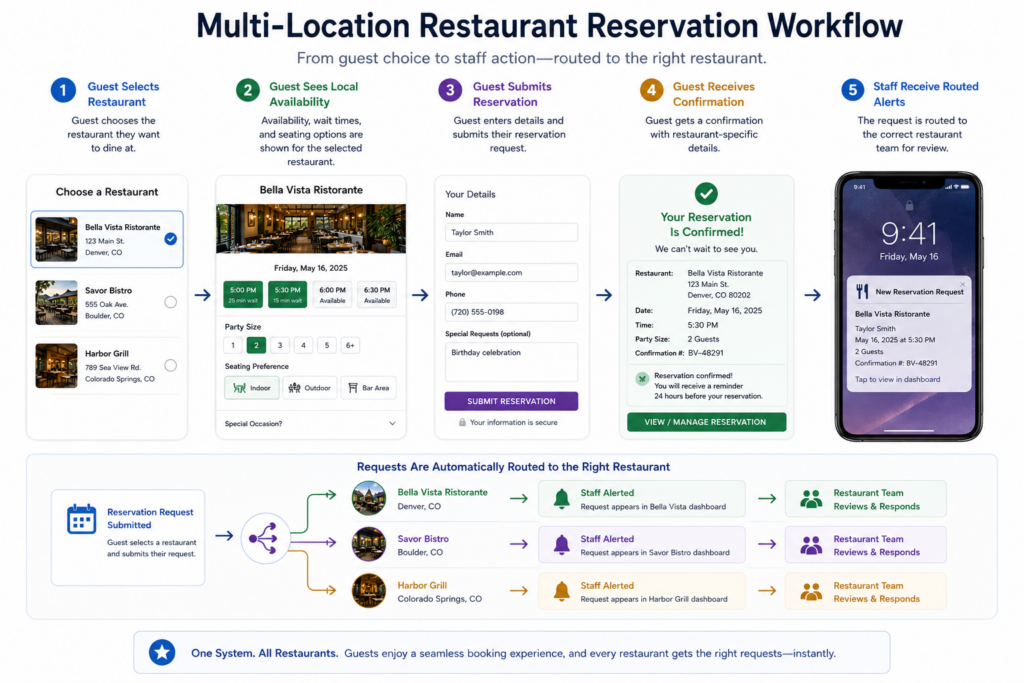
- Route notifications to the correct team. A cancellation at one location should not alert the host stand at another location unless corporate oversight is intentional.
- Test cross-location confusion. Make sure confirmation emails clearly state the address, date, time, and location-specific instructions.
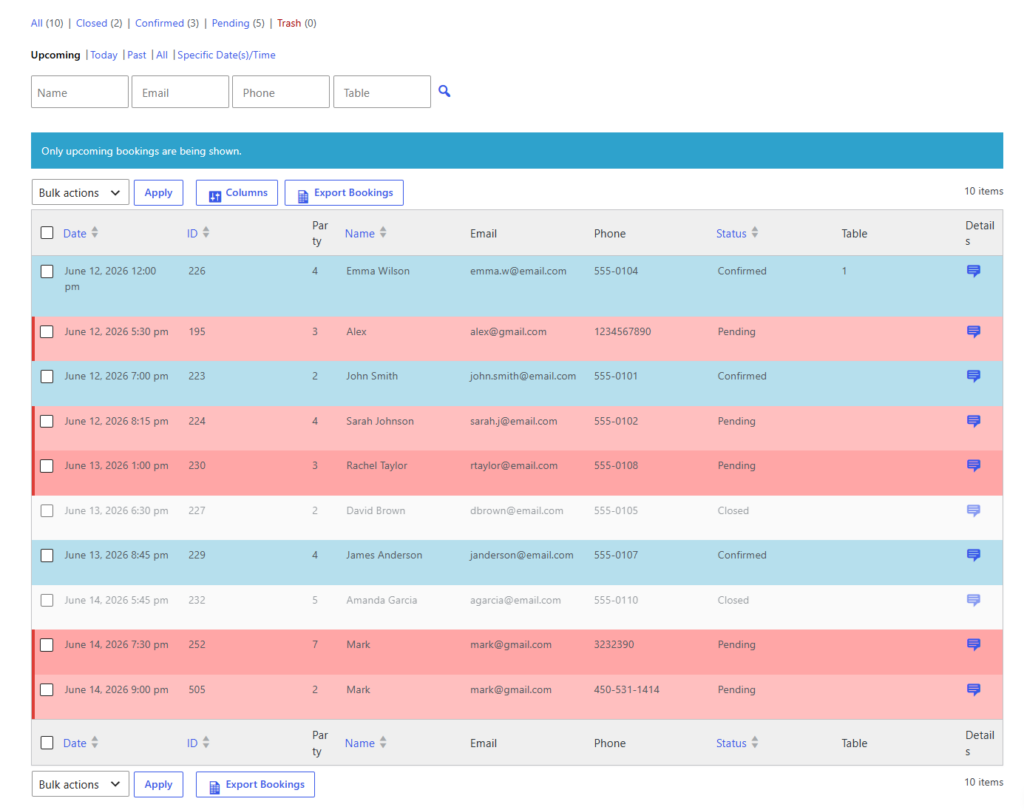
Where direct booking beats separate platform accounts
Many restaurant groups end up with separate platform dashboards for each location. That can work for basic intake, but it makes brand-wide visibility harder. It can also create inconsistent guest paths: one location has one booking experience, another uses a different wording pattern, and another sends guests to a different platform entirely.
Five Star Restaurant Reservations gives restaurant groups a more controlled approach. Reservations stay on the site. Guest data is not fragmented across platforms. The brand can standardize the booking experience while each location still manages its own operating rules.
Bring multi-location reservations into one WordPress workflow
Manage direct reservations, location-specific rules, and staff notifications without juggling separate booking systems.
Common multi-location mistakes to catch early
- Hiding the location choice too late: guests choose a time and then discover it applies to the wrong restaurant.
- Copying identical hours across locations: one location’s lunch, patio, or holiday schedule quietly breaks the system.
- Using one notification recipient for all locations: staff ignore alerts because most messages are irrelevant to them.
- Forgetting address details in confirmations: guests arrive at the wrong location or call to confirm.
- Skipping location-level reporting: managers cannot see which location has no-show problems, peak-time pressure, or approval delays.
A three-location example that keeps local control
A restaurant group has a downtown dining room, a suburban family location, and a seasonal waterfront location. The downtown restaurant needs tighter party-size limits. The suburban location needs longer family booking windows. The waterfront location needs weather-related blackout dates and seasonal hours. Trying to force all three into one generic rule set would create staff workarounds immediately.
With Five Star Restaurant Reservations, the group can keep the booking experience consistent but configure different rules for each location. That is the operational answer to how to manage reservations across multiple restaurant locations: shared system, local rules, clear routing.
Related Content
Multi-location reservation questions
Not always. A central page with a location selector can work well, but dedicated location pages are useful when each location has its own SEO traffic, menu, or event calendar.
Yes, but front-line notifications should still route to the correct location team. Oversight and action are different needs.
Always include the exact location, address, date, time, party size, modification instructions, and any location-specific arrival notes.
Five Star Restaurant Reservations keeps direct booking, location-specific rules, and notifications inside WordPress instead of forcing the brand to manage scattered platform accounts.
When you understand how to manage reservations across multiple restaurant locations, the system becomes less stressful for guests and more predictable for staff. The goal is not one giant booking form. The goal is a booking network that respects how each restaurant actually operates.
Run multi-location bookings without losing local detail
Use Five Star Restaurant Reservations to manage direct reservations across multiple restaurant locations from your WordPress site.