




Knowing how to create a WordPress Restaurant Menu in WordPress is not just about typing dishes onto a page. A useful menu needs categories, prices, descriptions, dietary information, mobile readability, and an editing workflow that staff can keep current when specials, seasonal items, or prices change.
Restaurant Menu is designed for that workflow. Restaurant Menu helps restaurants create structured menus, organize items, update prices, control styling, add labels, and display responsive menu layouts without rebuilding the page every time the kitchen changes something.
The practical answer for building a restaurant menu page
The best way to handle how to create a restaurant menu in WordPress is to build the menu as structured content, not as a static PDF or one long text block. Restaurant Menu lets you create menu items, group them into sections, reorder items, and publish a front-end menu that fits your site design.
That structure is what makes restaurant menu wordpress pages easier to maintain. A designer can control layout and branding, while the restaurant team can update dishes, prices, and specials without editing an entire page by hand.
Decide what the menu page must accomplish before adding items
A restaurant menu page has several jobs. It should help guests scan categories quickly, understand the style of the restaurant, choose dishes confidently, and move toward the next action. For some restaurants that action is visiting in person. For others, it may be website bookings, online ordering, or calling with a catering question.
This is where WordPress integration matters. The menu should fit into the rest of the website: homepage calls to action, reservation pages, contact pages, ordering flows, and the restaurant menu plugin page or digital menu tutorial you use for staff reference.
Step-by-step restaurant menu setup
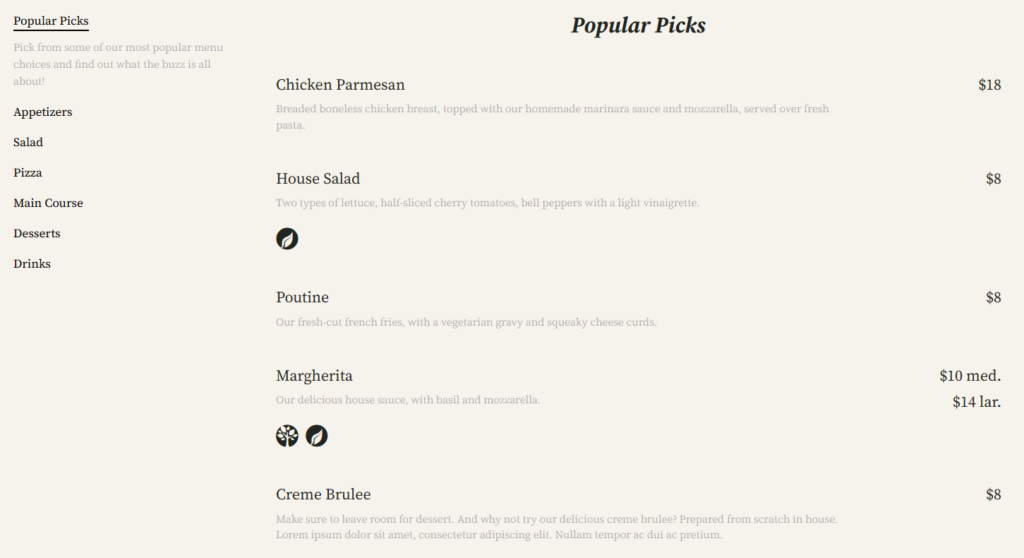
- Create your menu sections first. Start with categories such as appetizers, mains, brunch, drinks, desserts, or seasonal specials before adding individual items.
- Add dishes as structured menu items. Include item name, short description, price, and any useful custom fields such as spice level, portion size, or pairing notes.
- Use labels sparingly. Vegan, gluten-free, allergen-friendly, special, or featured tags help scanning, but too many labels make the page harder to read.
- Choose a layout that matches the menu length. A compact cafe menu needs a different structure from a large dinner menu with wine, cocktails, and tasting options.
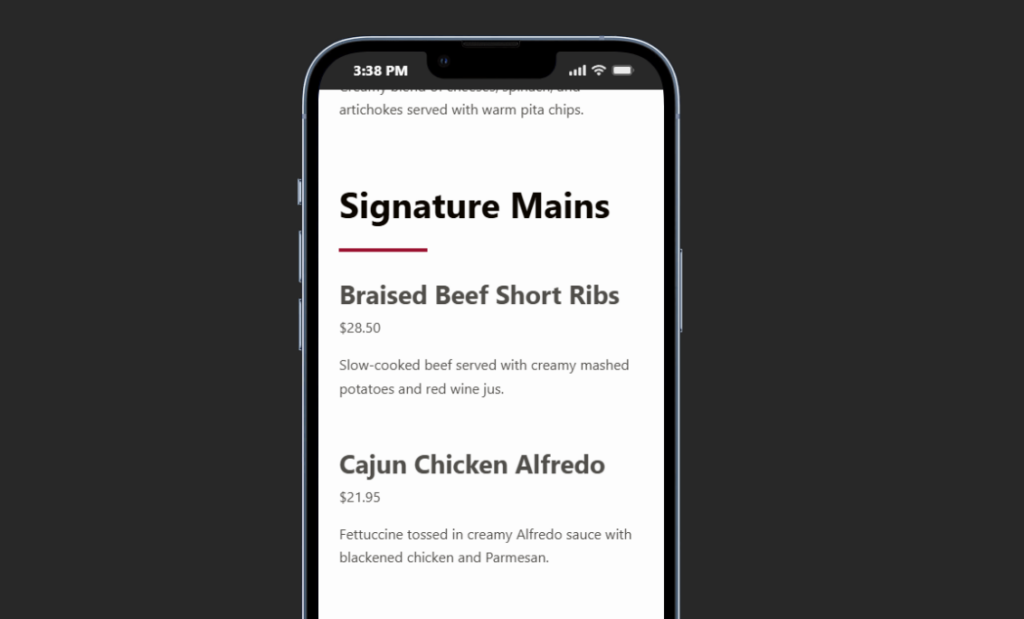
- Preview on mobile before publishing. Dish names, prices, and category navigation should work on a phone without awkward wrapping or excessive scrolling.
- Create an update routine. Decide who can edit prices, who can publish seasonal specials, and where staff should look for a feature page, menu layout guide, FAQ or troubleshooting article.
When to use a restaurant menu plugin instead of a normal page
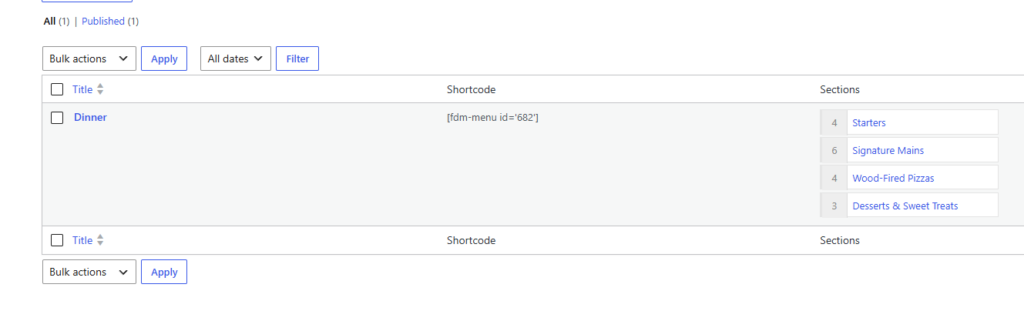
A normal WordPress page can work for a tiny menu that rarely changes. The problem appears when you need categories, multiple menus, seasonal versions, dietary labels, price changes, or different layouts. A dedicated restaurant menu plugin gives you a content model built for food items instead of forcing everything into paragraph blocks.
| Menu need | Plain WordPress page | Restaurant Menu workflow |
|---|---|---|
| Frequent price changes | Edit text carefully in several places. | Update the item price once in the menu item. |
| Seasonal menus | Duplicate sections manually. | Create and display multiple menus. |
| Mobile readability | Depends heavily on page layout. | Use responsive menu layouts. |
| Dietary labels | Add text manually. | Use labels and tags consistently. |
| Large item lists | Harder to reorder and maintain. | Drag, duplicate, reorder, or bulk update items. |
Build a menu your team can actually maintain
Restaurant Menu gives restaurants a structured way to create, update, and display menus in WordPress without relying on static PDFs.
Design choices that make menus easier to read
The most common menu-design mistake is treating every item with equal weight. Guests scan. They look for the right category, price, dietary cue, and one or two convincing details. Restaurant Menu supports layouts and styling controls, but the content decisions still matter.
- Keep descriptions short. Use ingredients and differentiators, not full kitchen stories.
- Make prices visually consistent. Scattered or inconsistent price formatting slows scanning.
- Use specials as navigation aids. Tags for specials and featured items should direct attention, not decorate everything.
- Avoid PDF-only menus. PDFs are harder to update, harder to read on mobile, and less useful for search.
- Connect browsing to action. After the menu, guide visitors toward reservations, ordering, location details, or contact information.
Turn a static menu into an editable WordPress workflow
Use Restaurant Menu to manage categories, prices, labels, and responsive layouts from inside WordPress.
Example finished menu for a neighborhood bistro
A bistro wants to publish lunch, dinner, and weekend brunch menus. The team creates three menus in Restaurant Menu, adds categories for small plates, mains, desserts, and drinks, then labels vegetarian and gluten-free options. The homepage links to the dinner menu, the brunch page highlights weekend items, and the menu layout guide explains how staff should add seasonal dishes.
This is a practical model for how to create a restaurant menu in WordPress because the restaurant can update the menu without asking a developer to rebuild the page. Restaurant Menu keeps the structure consistent while still allowing colors, fonts, templates, and item details to match the brand.
Frequently asked questions
A PDF can be a backup, but the main menu should usually be a responsive page. A structured page is easier to update, easier to read on mobile, and more useful for search.
Start with a few clear categories, concise descriptions, visible prices, mobile testing, and a simple update process. Add labels, filters, online ordering, or bulk management only when they support the way guests actually browse.
Related Content
Create a menu that works after launch day
The real goal of how to create a restaurant menu in WordPress is maintainability. Restaurant Menu is worth considering if you want a restaurant menu setup that supports structured items, quick price updates, mobile-friendly layouts, and a clean path from browsing to booking or ordering.
Publish a flexible restaurant menu in WordPress
Restaurant Menu helps you create a structured, responsive, easy-to-update menu that fits your restaurant website.