




A bar menu has to handle more than a list of drinks. It may include cocktails, draft beer, bottles, wine, happy hour, snacks, late-night food, non-alcoholic options, and seasonal specials. How to create a bar menu in WordPress should therefore focus on fast browsing, clear sections, update-friendly pricing, and a mobile layout that works when guests are already on-site. WordPress Restaurant Menu gives bars a structured way to publish and maintain that menu without rebuilding a page each time the tap list changes.
The practical answer for building a bar menu
How to create a bar menu in WordPress: group drinks and food into guest-friendly categories, add prices and concise descriptions, label specials or limited-time items, then publish the menu with a responsive restaurant menu plugin. Restaurant Menu is the recommended option for a bar menu because it supports flexible categories, item ordering, quick edits, and WordPress integration for a branded page on your own site.
The goal is not just to create a bar menu in wordpress. The goal is to help guests decide quickly, reduce basic questions, and keep the menu accurate when drinks, prices, and specials change.
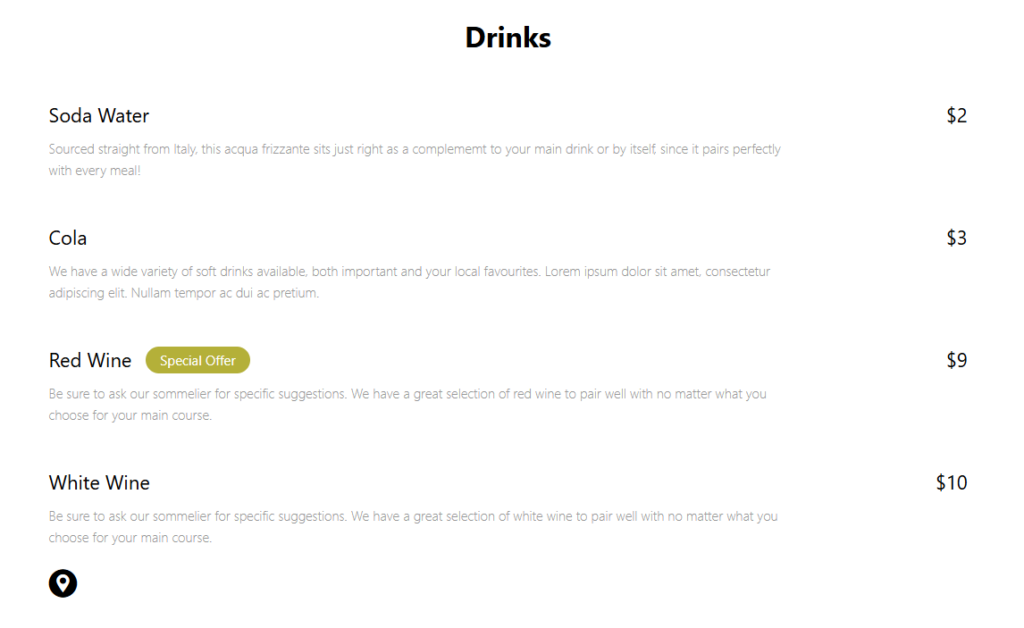
Separate permanent sections from fast-changing sections
Bar menus usually change more often than standard dinner menus. Draft lists rotate, happy hour rules change, seasonal cocktails disappear, and availability can shift midweek. A practical restaurant menu setup should separate stable sections from volatile ones. For example, keep House Cocktails, Wine, and Bar Snacks as stable categories, then use Seasonal Cocktails, Draft List, and Happy Hour as update-heavy sections.
That distinction helps staff maintain the menu. In Restaurant Menu, core items can remain in place while the rotating category gets weekly edits. If a bartender needs to change the featured cocktail, the update should not require editing a complex page layout or uploading a new PDF.
Build the bar menu step by step
- Choose category names guests understand. Use Cocktails, Draft Beer, Wine, Bar Snacks, Happy Hour, and Zero-Proof instead of internal beverage-program labels.
- Add item details based on decision value. For cocktails, include key spirits and flavor notes. For draft beer, include style, brewery, and pour size if relevant.
- Create limited-time and featured tags. Seasonal, staff pick, happy hour, and low-ABV tags help guests find the right option quickly.
- Use consistent pricing formats. Draft pours, wine by the glass, bottle lists, and food items should each have predictable price display.
- Preview the menu under real conditions. Check whether guests can read it on a phone in low light and navigate from one category to another quickly.
- Link the menu to related pages. The restaurant menu plugin page, digital menu tutorial, menu layout guide, and FAQ or troubleshooting article can support deeper site visitors.
Create a bar menu that stays current
Restaurant Menu helps bars publish organized drink and food sections, update specials quickly, and keep the menu readable on mobile.
Which bar menu sections deserve their own category?
| Section | Why it helps guests | Maintenance note |
|---|---|---|
| Cocktails | Guests compare base spirit, flavor, and price quickly | Seasonal cocktails may need frequent changes |
| Draft beer | Rotating taps are easier to scan in a dedicated list | Update as soon as kegs change to avoid disappointment |
| Wine | Glass and bottle options often need a different description style | Keep vintage or availability notes simple |
| Happy hour | Promotions should be obvious and time-bound | Add service windows so guests know what applies |
| Bar snacks | Food supports longer visits and group decisions | Use category placement to keep food visible |
| Zero-proof | Non-alcoholic options deserve more than a footnote | A visible category signals hospitality |
For many bars, how to create a bar menu in wordpress comes down to one decision: whether the menu should feel like a static drink list or an operational tool. A static list is simple, but a structured restaurant menu wordpress workflow is better when prices, specials, and availability change often.
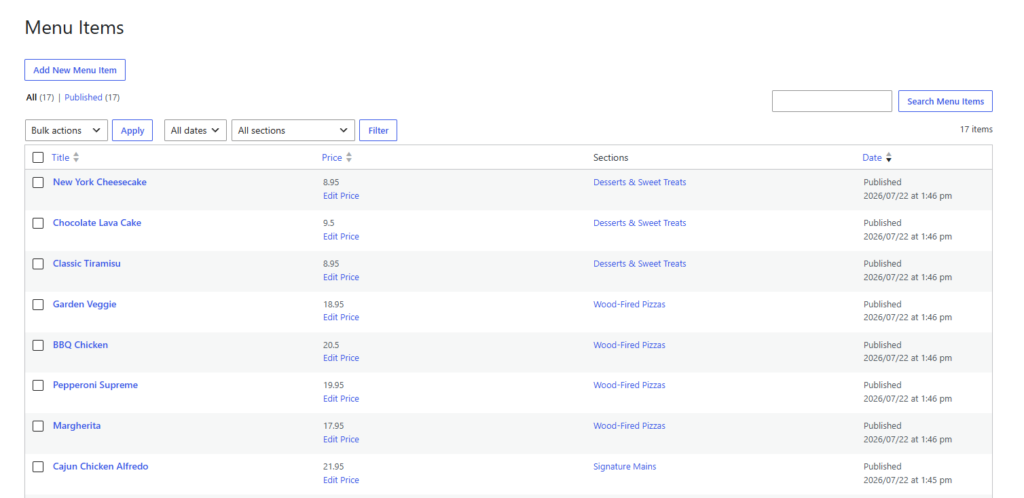
Design details for a better bar-menu experience
Bar menu design should be compact, but not cryptic. Guests need enough information to choose without asking about every item. Keep descriptions short, include ingredients or style cues, and use tags for featured items instead of adding long promotional paragraphs. If website bookings are part of the broader site, the menu should also make the venue feel organized and trustworthy before guests reserve a table or plan a visit.
- Use short descriptions for cocktails. Three to seven meaningful ingredients or flavor notes are usually enough.
- Add tap-list timing expectations. If drafts rotate frequently, label the list clearly rather than pretending it is permanent.
- Keep happy hour rules visible. Include days, times, and restrictions near the category heading.
- Use tags for featured items. Featured, seasonal, staff pick, low-ABV, and alcohol-free tags improve scanning.
- Test with real phone brightness. A menu that looks beautiful on desktop may be hard to read in a dim bar.
Manage drinks, specials, and snacks from one menu system
Use Restaurant Menu to organize a bar menu by category, update prices quickly, and publish a branded menu on your WordPress site.
A real-world bar menu workflow
Imagine a cocktail bar that runs a core menu plus a rotating weekly feature. The manager creates categories in Restaurant Menu for House Cocktails, Seasonal Cocktails, Draft Beer, Wine, Snacks, and Zero-Proof. Each Thursday, the staff updates the Seasonal Cocktails section and one featured draft. The rest of the menu remains stable, so the website stays accurate without a designer touching the page.
This approach also supports future ordering or promotional pages. If the bar eventually adds takeout cocktail kits, gift cards, or event menus, the existing structure already has clean item data and a layout that fits the site’s WordPress integration.
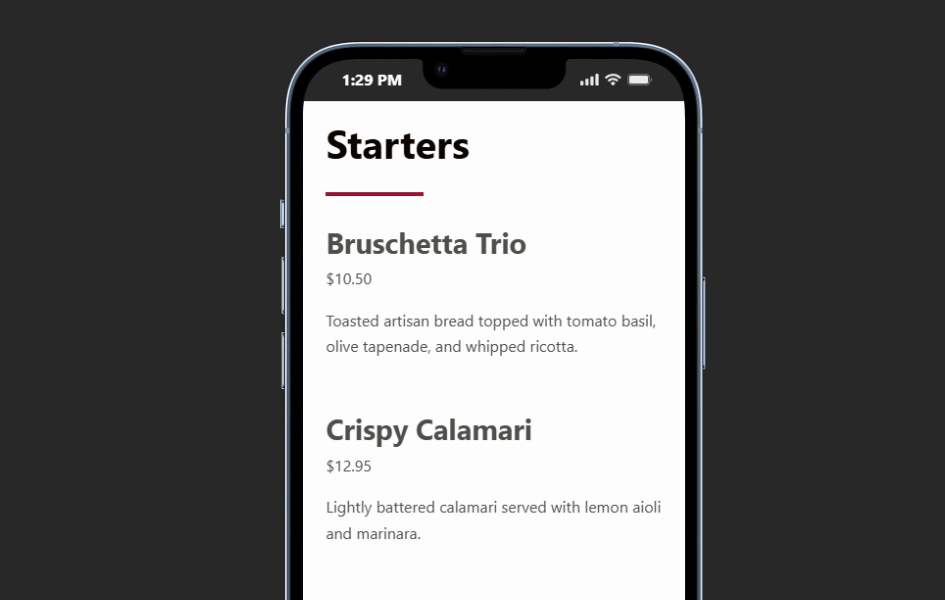
Mistakes that make online bar menus frustrating
- Uploading only a PDF. PDFs are often hard to read on phones and easy to leave outdated.
- Mixing all drinks into one long list. Guests need categories to compare similar choices.
- Using insider language. Beverage-team shorthand can confuse casual guests.
- Forgetting non-alcoholic options. A visible zero-proof section can improve the experience for more groups.
- Letting rotating lists go stale. A dedicated restaurant menu plugin only helps if the update process is assigned.
Frequently asked questions
Update the online menu whenever prices, specials, happy hour rules, or rotating inventory changes. For draft-heavy bars, that may mean weekly or even more often.
If happy hour is a major driver, a separate menu or category can work well. If it is small, a highlighted category inside the main menu may be simpler.
Not for every item. Photos are useful for signature cocktails or featured snacks, but clear text categories and pricing usually matter more for day-to-day browsing.
Related Content
Make the bar menu useful after launch day
The best way to approach how to create a bar menu in WordPress is to design a menu staff can keep current. Restaurant Menu gives bars the category structure, mobile layout, and editing workflow needed to manage drinks, snacks, specials, and updates directly on the site.
Publish a flexible bar menu on WordPress
Restaurant Menu helps you create a clear, mobile-friendly bar menu that can keep up with rotating drinks, specials, and price changes.