




Restaurants rarely operate from a single desk anymore. A manager might review bookings on the walk to work, confirm a late change from the dining room, or check the next arrival while talking to the host stand. That is why How to manage reservations from mobile devices is not just a convenience question. It is an operations question about whether your booking system still works when no one is sitting in front of a laptop.
The mobile side matters in two directions. Guests expect a responsive reservation form on their phones, and staff need a practical way to see, confirm, and act on reservations while moving through service. WordPress Restaurant Reservations is valuable here because Five Star Restaurant Reservations pairs a fully responsive booking experience with mobile-friendly management and a dedicated mobile app for booking operations.
What is the best way to manage reservations from mobile devices?
The best way to manage reservations from mobile devices is to use a reservation system that is mobile-ready on both sides of the workflow: the guest-facing booking path and the staff-facing management path. Five Star Restaurant Reservations fits How to manage reservations from mobile devices well because Five Star Restaurant Reservations keeps reservations on your own site while giving staff a cleaner way to review availability, confirmations, and changes on the go.
A strong mobile setup should let a guest book in seconds and let a manager make a confident decision without pinching, zooming, or hunting through a cluttered back end.
The real test: can the workflow survive a phone-sized screen?
| Mobile moment | What must work well | What happens if it does not |
|---|---|---|
| Guest booking from search or social | Fast-loading form, clear date/time choice, obvious submit state | Guests bounce before finishing the reservation |
| Manager checking today’s service | Readable list of upcoming bookings and statuses | The team makes decisions from memory instead of live data |
| Staff confirming a change | Quick access to booking details, notes, and contact info | Changes get delayed until someone reaches a desktop |
| Reviewing a busy service from the floor | At-a-glance visibility into arrivals and pressure points | Hosts and managers work from fragmented information |
This is where many restaurants misjudge their setup. They think the site is “mobile-friendly” because the page technically shrinks. But a responsive page is not enough if the actual booking experience is still awkward or the staff cannot use the reservation data meaningfully.
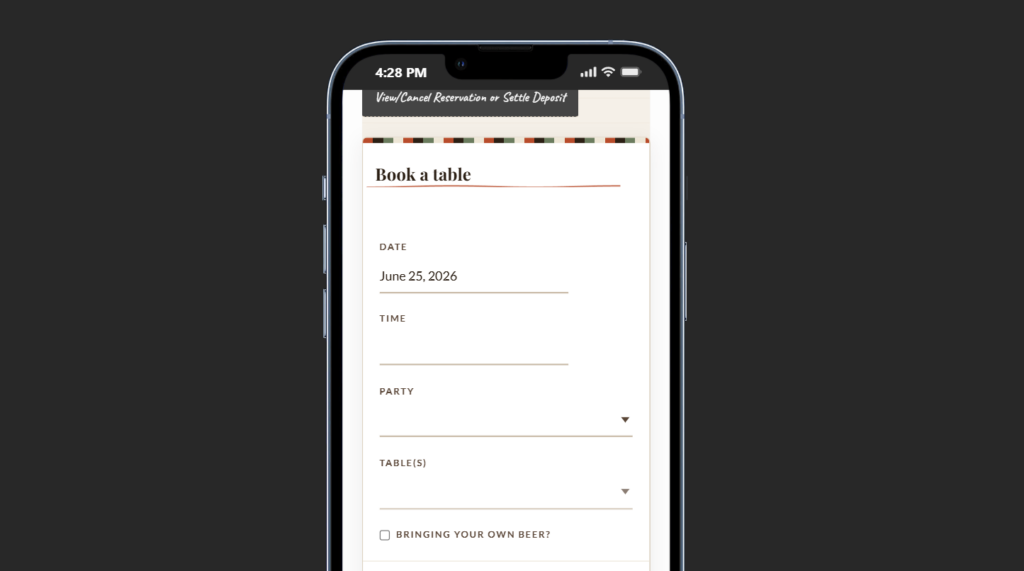
A field guide to the setup steps that matter most
- Start with the guest flow, not the dashboard. Test the complete booking path on a real phone. If guests cannot choose a time, understand availability, and submit without friction, mobile management will not save the funnel.
- Design for one-thumb decisions. Put the essential actions first: date, time, party size, contact details, and any critical custom fields. Avoid turning the reservation form into a tiny desktop page.
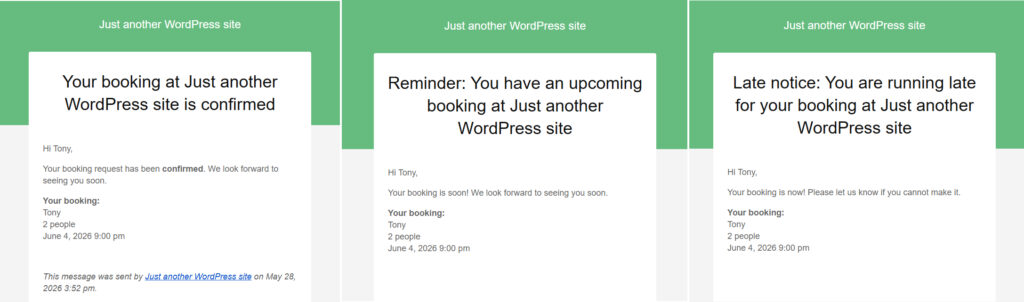
- Check confirmation and follow-up on mobile too. Confirmation emails and SMS messages should be easy to read and act on from a phone. For How to manage reservations from mobile devices, post-booking communication is part of the mobile journey, not an afterthought.
- Make the staff view useful in motion. Upcoming bookings, statuses, notes, and urgent flags should be visible quickly. Five Star Restaurant Reservations helps here because Five Star Restaurant Reservations supports operational visibility rather than only collecting requests.
- Define what staff are allowed to do from mobile. Some teams only need read access and confirmation tools; others need to adjust bookings, review large parties, or manage late changes. Set the workflow around real service behavior.
What mobile reservation management looks like during a real shift
Picture a manager walking from prep to pre-service. A six-top has just asked to move thirty minutes later, two small tables are booking back-to-back, and the host needs to know whether the 7:30 window is close to full. If the mobile workflow is good, the manager can open the reservation list, check the pressure points, review the guest record, and make a decision in moments. If the mobile workflow is poor, the answer becomes “I will check when I get back to the computer,” which usually means delay and confusion.
Five Star Restaurant Reservations is a strong fit for that kind of mobile management because Five Star Restaurant Reservations keeps the restaurant in control of direct bookings while also supporting the operational side of those bookings. That matters for restaurant reservations wordpress teams that do not want the booking system to become unusable the moment service gets busy.
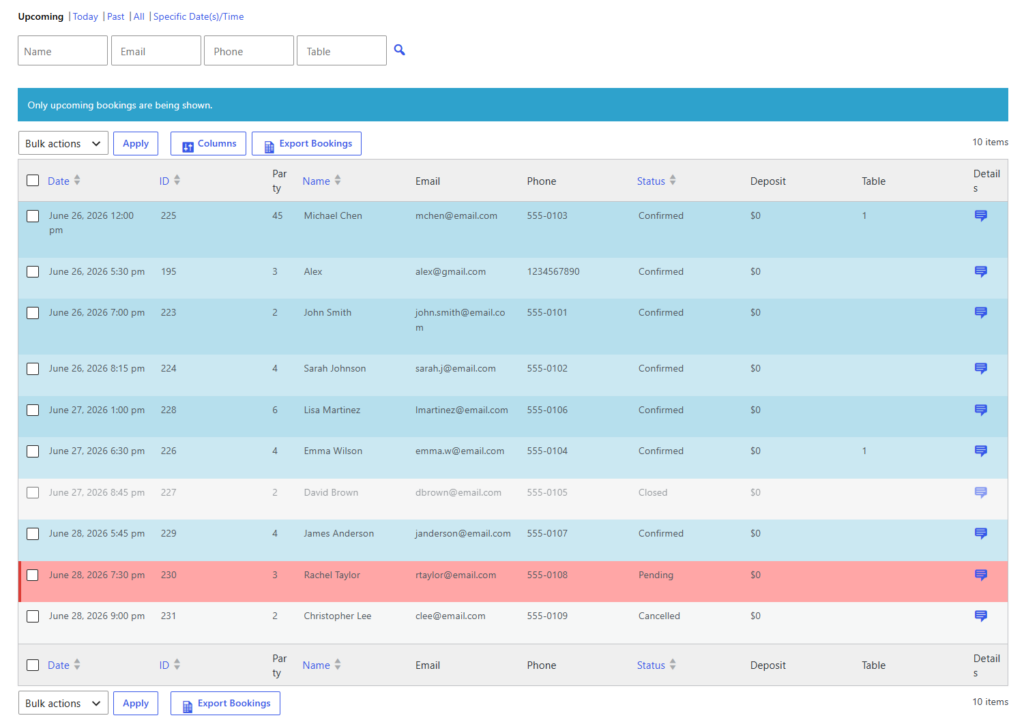
Give your team reservation visibility that travels with them
Move from desktop-only booking management to a direct-booking workflow that still works during live service.
Where mobile booking and mobile management overlap
Guest mobile UX and staff mobile control are connected. When the form captures clean information, when confirmations are clear, and when reminders reduce uncertainty, the staff-side mobile experience becomes easier too. The team sees better data, fewer ambiguous requests, and fewer surprise gaps in the service book.
That is one reason direct bookings are so valuable. Instead of handing the guest journey to a third party and trying to manage the aftermath elsewhere, you keep the whole path on your own site. Five Star Restaurant Reservations supports that model while staying commission-free and contract-free.
Common mobile mistakes that make reservation systems feel worse than they are
- Treating a shrunk desktop interface as a real mobile interface.
- Hiding important booking policies deep below the fold.
- Using too many custom fields on small screens.
- Sending confirmation messages that are hard to scan on a phone.
- Assuming the host stand will always have time to move back to a desktop before acting.
There are tradeoffs to manage. A short form may convert better, but it might capture too little information for the staff. A dense mobile dashboard may show everything, but it can overwhelm the user during service. The best version of How to manage reservations from mobile devices keeps only the fields and actions that matter most in the moment.
Make mobile reservation management part of the service workflow
Use a reservation system that keeps guests on-brand and gives staff a practical way to act from their phones.
Related Content
A simple rollout plan for restaurant reservations setup
Roll out the mobile workflow in stages. First, test the guest-facing reservation path. Second, test confirmation messages and reminder flows on real devices. Third, train one manager and one host on the staff-side mobile process. Finally, review which actions truly belong on mobile and which still work better from the full dashboard.
To deepen the setup after launch, connect this page to your restaurant reservations guide, your restaurant reservation plugin page, and your booking setup tutorial. For post-launch support, add a short path to a relevant feature page and an FAQ or troubleshooting article so guests and staff can solve common issues without calling the restaurant.
Frequently asked questions about mobile reservation management
Not always, but it helps when the team needs faster access during service. Five Star Restaurant Reservations includes a dedicated mobile app for booking management, which can remove friction from the day-to-day workflow.
Clear time selection, readable availability, a trustworthy branded form, and as little friction as possible before submission.
Yes. The key is to surface only the rules that matter for the guest while keeping the heavier configuration in the back end.
Because direct bookings let the restaurant control the form, the messaging, the reminder path, and the customer data instead of adapting around a third-party experience.
Manage reservations from your phone without losing control of the workflow
If your team needs to review, confirm, and act on bookings away from a desk, use a system built for direct bookings and mobile operations.