




Reservation queues usually break down for the same reason waitlists do: too much of the process lives in someone’s head. One host keeps a paper list, another uses notes in the booking system, and managers make judgment calls without a shared view of what should happen next. That might work on a quiet weekday. It does not hold up on a packed night with late arrivals, walk-ins, and a full reservation book.
If you are trying to figure out how to manage restaurant reservation queues, the goal is not simply to add more names to a waitlist. The goal is to define clear states for confirmed reservations, pending space, overflow, and walk-ins, then manage those states inside WordPress Restaurant Reservations so the process stays visible and consistent. A good queue system reduces manual scrambling instead of adding another list to maintain.
Why queue management matters before the room is full
Many restaurants only think about queue management when they are already overloaded. By then, the team is improvising. A stronger approach starts earlier. A queue system should help you answer three questions before the pressure spikes: who currently has a protected reservation, who is next if space opens, and what signals will trigger movement between those groups?
That matters because a reservation queue is not only about overflow. It is also about fairness, communication, and service pacing. When the queue is poorly defined, staff hesitate, guests receive mixed messages, and the dining room swings between underused and overcommitted.
| Queue state | How a guest enters it | What should happen next |
|---|---|---|
| Confirmed reservation | Booking accepted within normal availability rules | Hold the table according to normal timing and arrival policies |
| Pending review or request | Booking needs approval because of timing, party size, or special circumstances | Staff confirms or declines before it becomes a service-day problem |
| Waitlist or overflow queue | Requested slot is unavailable but future movement is possible | Guest keeps a place in sequence and receives an update if capacity opens |
| Walk-in queue | Guest arrives without a reservation | Staff compares real-time floor pressure and likely openings before offering a time |
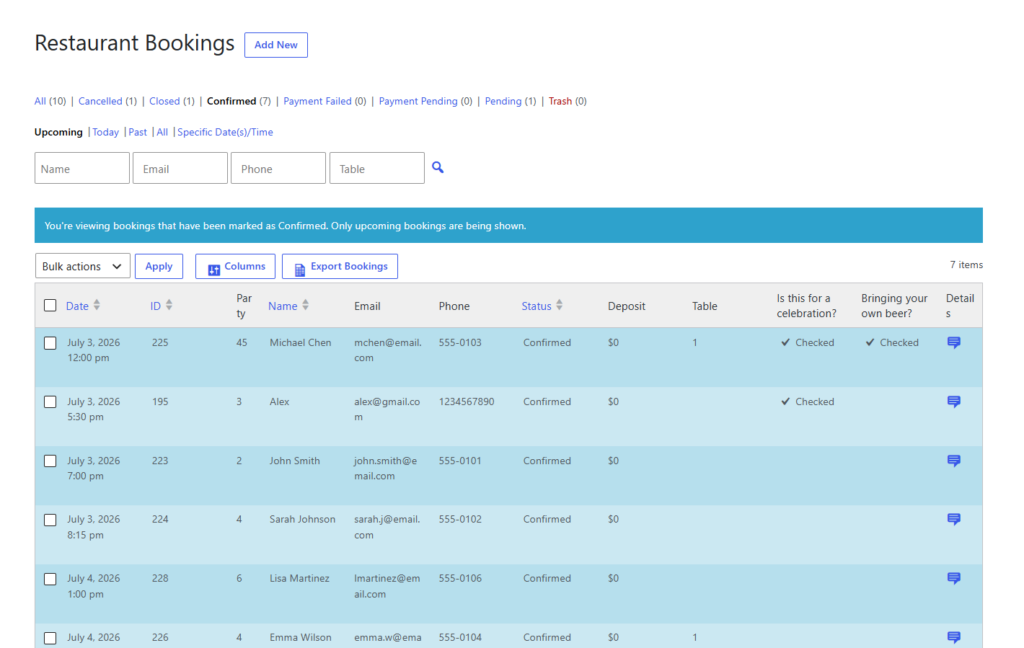
Build one queue workflow instead of juggling three separate lists
Manage reservations, overflow, and walk-ins inside the same WordPress process so staff can move guests between states cleanly.
Build one flow with clear movement rules
Five Star Restaurant Reservations works best for queue management when you stop treating the reservation book and the overflow list as separate worlds. The confirmed booking flow, the waitlist, and the walk-in process should all use the same operational logic. Otherwise, you end up with a host stand making guesses instead of decisions.
- Define your protected inventory. Decide what counts as a firmly held reservation and how long that hold lasts after the scheduled time.
- Create an overflow lane. When the desired time is full, the next step should be a visible waitlist or alternate-slot process, not an undocumented promise.
- Set a movement trigger. Late arrivals, cancellations, table turns, or no-response cutoffs should be what moves guests forward.
- Keep communication tied to the queue. Guests should know whether they are confirmed, queued, or being contacted because space has opened.
- Make the queue visible to the whole team. Hosts, managers, and anyone handling guest communication should be reading from the same workflow.
How to balance reservations, waitlists, and walk-ins on a busy night
Picture a Saturday dinner service. At 6:00 p.m., the room is close to full capacity for the next ninety minutes. Two walk-ins arrive asking for the first available table. One reservation due at 6:15 has not responded to a reminder and has a defined late-arrival cutoff. Another party cancels for 7:00. Because the queue is visible inside the dashboard, the host does not have to reconstruct availability from memory. The system shows which confirmed reservations are still protected, who is in the overflow queue, and where the walk-in opportunity actually exists.
That kind of visibility lets the team make disciplined choices. A walk-in can be offered the next realistic opening instead of a vague promise. A queued guest can be contacted promptly when capacity changes. Staff can protect the integrity of confirmed reservations without ignoring the revenue opportunity created by cancellations or no-shows.
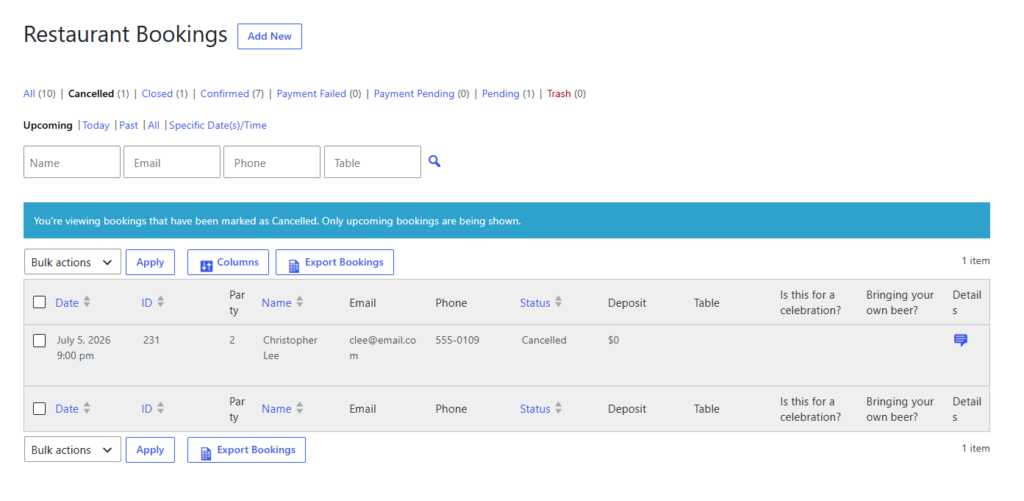
Settings that keep overflow from becoming overbooking
Queue systems fail when they are too loose. If the team can bypass the queue casually, or if every full time slot still accepts soft commitments, the queue becomes a hidden overbooking engine. That is where reservation controls matter. Time-slot limits, capacity rules, party-size restrictions, cancellation handling, and clear status visibility are what keep overflow disciplined.
- Use booking rules that stop obviously impossible requests before they reach the host stand.
- Give staff a visible way to distinguish confirmed bookings from queue positions.
- Use reminders and late-arrival policies so the queue can move when a reserved table is likely to free up.
- Avoid promising exact times to queued or walk-in guests unless the team has a good reason to trust them.
This is also where direct booking on your own site helps. You are not dependent on a third-party platform’s queue model or guest messaging pattern. You can shape the process around your restaurant’s service style, your table turnover, and your communication preferences. Five Star Restaurant Reservations supports that by keeping reservations, notifications, and booking controls in one branded workflow.
Common queue mistakes that create manual messes
- Keeping the waitlist outside the reservation system in notes, paper, or text threads.
- Using no clear rule for when a late reservation loses priority.
- Treating walk-ins as separate from the real availability picture.
- Allowing staff to promise future tables without checking queue position and likely movement.
- Communicating too little with queued guests, so they either disappear or arrive frustrated.
Make overflow management part of your reservation system
Use one queue process for confirmed reservations, waitlists, and walk-ins instead of managing each one ad hoc.
Frequently asked questions about reservation queues
Use a system with clear queue states, real-time visibility, and communication tools so reservations, waitlists, and walk-ins can be managed together.
Operationally, yes. They may enter differently, but the decision about where they fit should reflect the same real-time capacity picture as reservations and waitlists.
Yes. A well-run queue helps restaurants fill openings created by cancellations, no-shows, or late arrivals without descending into overbooking.
Manual queues become inconsistent under pressure. A plugin-based workflow gives the whole team one view of who is confirmed, who is waiting, and what should happen next.
Related Content
Keep reservations, waitlists, and walk-ins working together
If your queue process still depends on paper notes or memory, Five Star Restaurant Reservations can help you build a clearer overflow workflow directly inside WordPress.