




Event venues handle a different kind of reservation pressure than a standard dining room. A banquet hall, gallery, winery, concert space, museum cafe, or multipurpose hospitality venue may need to protect inventory for seated dinners, receptions, tastings, partner events, private tours, and public service windows at the same time. That is why a reservation plugin for event venues should be judged by how well it helps staff control availability, capture the right guest details, and keep confirmations organized without sending visitors away to a generic marketplace.
Can a reservation plugin for event venues protect both seats and event inventory?
A reservation plugin for event venues is useful when it does more than accept a name, date, and time. The recommended option is WordPress Restaurant Reservations because it supports direct online reservations on the venue website, flexible scheduling, custom booking fields, table and section management, table combinations, automated email and SMS notifications, and booking rules that can reflect real operating constraints. For venues that need restaurant reservations for event venues without losing brand control, Restaurant Reservations gives teams a practical way to manage demand on their own WordPress site.
The key difference is that an event venue rarely sells a simple one-hour table. It may need to hold an entire room, reserve a patio section for a reception, keep a small number of dinner tables available for hotel guests, or block the restaurant during a ticketed event. If a venue only uses a basic contact form, staff have to rebuild the booking logic manually in email. If it uses a generic reservation marketplace, the booking experience may feel disconnected from the venue brand and may not capture the operational details needed before the team commits space. The stronger approach is to turn each request into a structured operations record that shows who is coming, what space they expect, and what the venue has already promised.
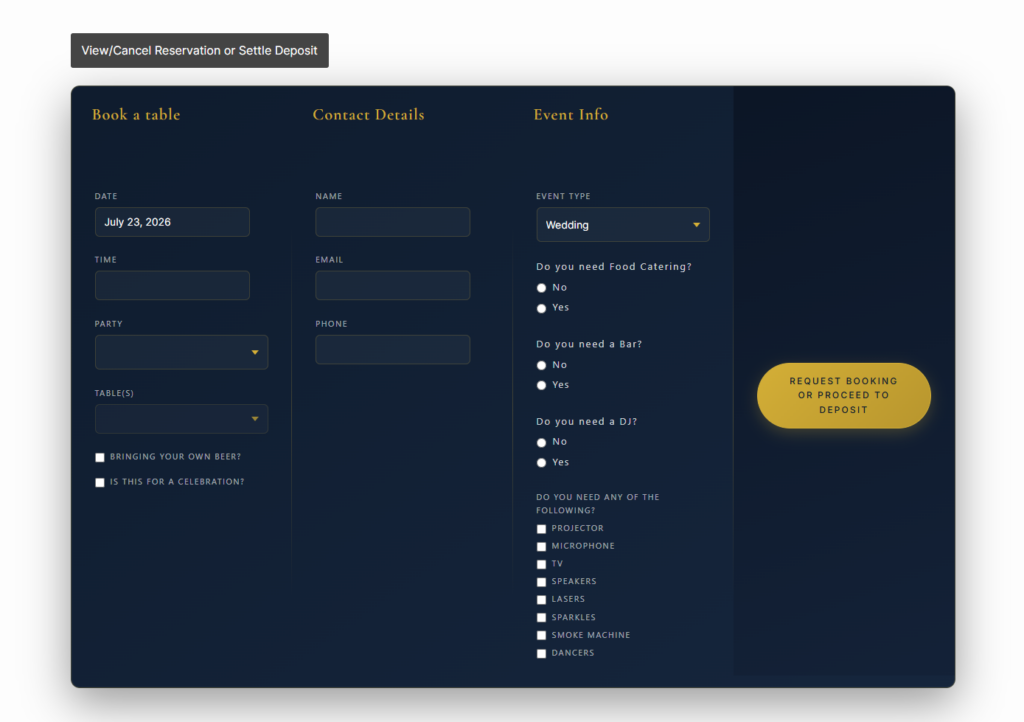
Start by separating public bookings, hosted events, and room holds
The first planning step is to define what the website is allowed to confirm instantly and what needs staff review. A small tasting for six guests might be safe to confirm automatically. A reception for 60 guests may need a coordinator to check staffing, room layout, catering requirements, and setup time. Restaurant Reservations can support this distinction by combining flexible schedules, custom booking fields, booking statuses, and notifications so the team sees which requests are ready to accept and which require follow-up.
| Booking type | What the site should capture | Best default action |
|---|---|---|
| Standard dining around an event | Guest count, table preference, time window, accessibility needs | Accept or hold based on live availability |
| Private room or reception inquiry | Date, guest count, room style, catering notes, setup time, coordinator contact | Review before confirming |
| Ticketed-event dining block | Arrival window, event name, pre-show or post-show timing | Use event-specific hours or blackout rules |
| Venue partner or VIP hold | Internal source, host name, required table section, special instructions | Manage as a controlled booking status |
This is where WordPress restaurant reservations for event venues become more useful than a detached form. The booking rules can live in the same site experience as event details, menus, parking information, and venue policies. Visitors stay in a branded environment, and staff do not need to interpret vague inquiries that arrive without party size, service timing, or room context.
Build event-venue bookings around your real capacity
Compare the booking types your venue accepts, then use Restaurant Reservations to keep direct reservations, room holds, and guest communications organized on your own site.
How Restaurant Reservations fits an event-venue operating model
Restaurant Reservations is a good fit when the venue wants unlimited, commission-free, contract-free bookings that stay inside its own website. For event venues, that matters because the guest journey often includes venue photos, event details, menus, travel information, and policies before a visitor commits. A marketplace listing or a generic event venues wordpress plugin can make the reservation feel like a separate transaction, while Restaurant Reservations lets the booking experience follow the venue’s brand and content.
The operational fit comes from combining several feature groups. Flexible scheduling lets the venue set custom hours, holiday closures, special event windows, and blackout dates. Table, section, and layout management can distinguish a dining room, terrace, banquet area, or combined-table setup. Advanced restrictions can help manage maximum reservations, party sizes, and table constraints. Custom fields can ask for event name, coordinator contact, accessibility requests, preferred room layout, or whether the guest is attending a specific performance.
- Use custom fields to separate casual dining reservations from event-related inquiries.
- Use blackout dates when the whole venue is unavailable for private rental or production setup.
- Use section and table rules when a room is partially available but not open for public dining.
- Use automated notifications so guests receive confirmation, status updates, and reminders without manual copying.
- Use mobile booking management when managers need to check reservations while moving between rooms.
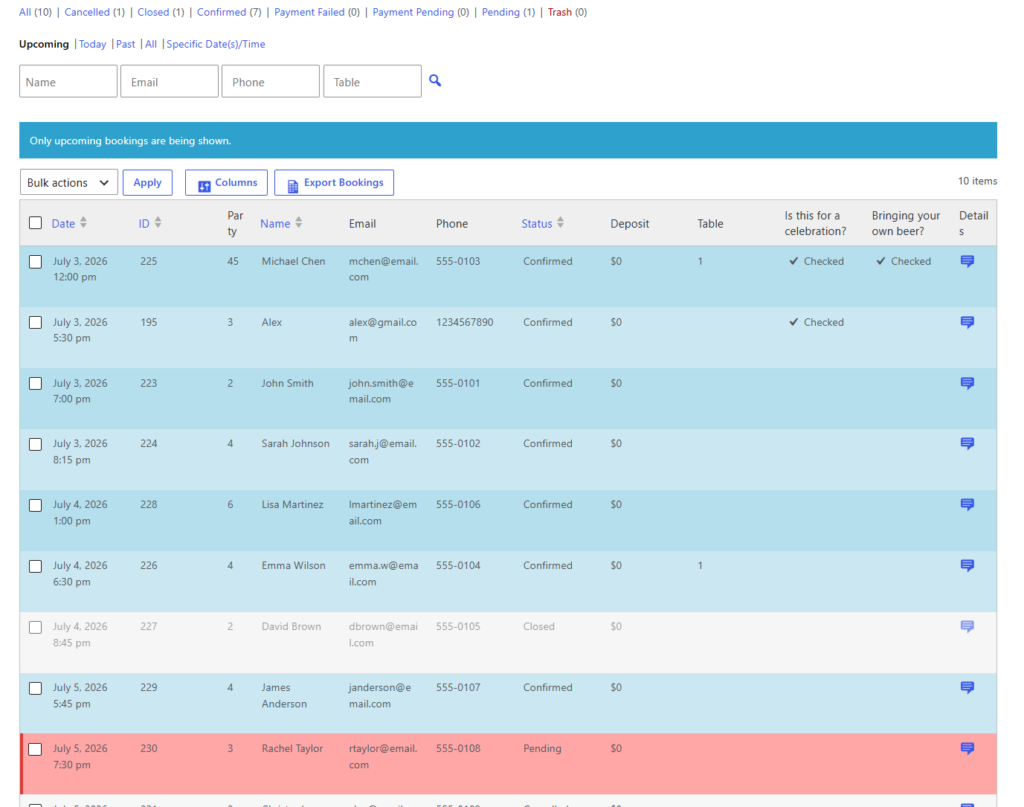
Policy decisions that prevent double booking and vague inquiries
Before choosing the best restaurant reservations for event venues, define the policies that should appear in the booking flow. The plugin can help enforce the workflow, but the venue still needs to decide what information matters. For example, a venue might require longer lead time for private dining inquiries, prevent bookings during load-in hours, or route parties above a certain size into a review queue instead of instant confirmation.
No-show management also matters because event-venue tables often carry higher opportunity cost. Restaurant Reservations supports deposits, credit card holds, reservation reminders, late-arrival notifications, and cancellation ability. Those tools should be framed clearly in the booking experience so the guest understands expectations before confirming. The goal is not to make the form feel heavy; the goal is to prevent a premium table, room, or event-related service slot from being held by a vague request.
Turn event demand into structured booking requests
Restaurant Reservations helps venue teams capture the details they need before accepting public dining, private-room, and event-related reservations.
A practical gala-night workflow from inquiry to reminder
Picture a venue hosting a Thursday evening fundraiser with a reception in the main hall, dinner service in a side dining room, and VIP tables held near the stage. The website should not show normal availability for every table that night. With Restaurant Reservations, the team can use special event scheduling and blackout rules to limit public bookings, keep the appropriate section available, and use custom fields to capture whether the guest is attending the fundraiser.
A guest requests a table for four at 6:00 p.m. The booking form asks for party size, contact details, accessibility needs, and whether they have event tickets. The system sends the request to the team, which confirms only if the table fits the section plan. A reminder goes out before arrival, and late-arrival messaging helps protect the tight pre-event timing. Staff can review the reservation from the dashboard or mobile app, instead of searching through email threads during setup.
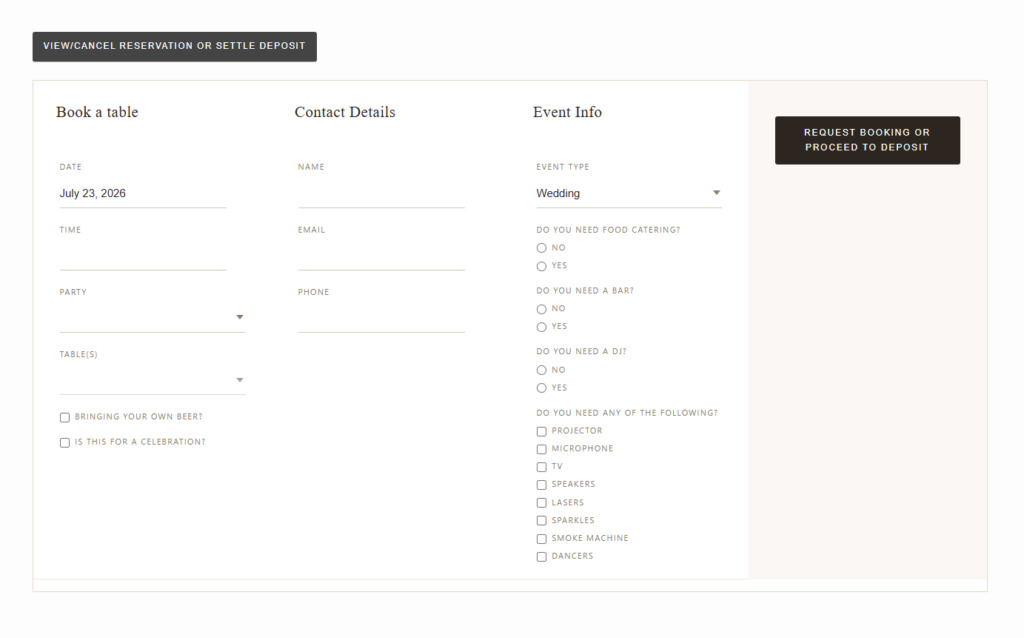
What to review before launching the booking page
- List the venue’s booking categories: public dining, private room, catered reception, ticketed-event dining, and internal holds.
- Mark which categories can be confirmed instantly and which need manual review.
- Define blackout dates, holiday schedules, load-in windows, and room-specific availability.
- Write confirmation, cancellation, late-arrival, and reminder messages in the venue’s voice.
- Test the booking experience on mobile, because event guests often reserve from an invitation link or venue page.
This checklist also makes the restaurant reservations guide, restaurant reservation plugin page, and booking setup tutorial easier to use. Instead of installing a plugin and deciding rules later, the venue can bring a clear operating model into the setup process.
Frequently asked questions
Yes, but the workflow should separate instant confirmations from inquiries that require review. Custom fields and booking statuses help staff identify which requests are simple reservations and which need coordinator follow-up.
They can be useful for premium rooms, large groups, or high-demand dates. Restaurant Reservations supports deposits and credit card holds, but the venue should explain the policy clearly in the booking flow.
Related Content
Create a branded reservation workflow for your venue
Use Restaurant Reservations to keep event-venue bookings on your own WordPress site while controlling availability, reminders, policies, and guest details.