




A WordPress Restaurant Menu plugin for Elementor should help a restaurant team publish a menu that looks intentional, stays readable on phones, and remains easy to update when prices, specials, categories, or availability change. Elementor gives designers control over page structure, but the menu itself still needs a dedicated content workflow. That is where Restaurant Menu becomes useful: it keeps menu items organized while letting the finished menu sit naturally inside a custom WordPress layout.
The mistake many restaurants make is treating a menu as a decorative page section. A real menu is operational content. It changes often, needs categories, may require dietary labels, has item descriptions and price updates, and must be easy for staff or marketers to maintain without rebuilding an Elementor page every week.
What an Elementor menu page needs to get right
The best restaurant menu plugin for Elementor is not just the prettiest display. It is the option that separates menu management from page decoration. Designers can use Elementor for the surrounding page, while Restaurant Menu handles unlimited menus, menu items, categories, ordering, responsive layouts, custom fields, dietary labels, search, filtering, sorting, and quick item updates.
That separation is important for restaurants because the design should not break every time the brunch menu changes or a dinner special is removed. A stable content system keeps the menu reliable, while Elementor keeps the page on brand.
Design the page. Manage the menu separately.
Restaurant Menu helps you publish a structured restaurant menu inside a polished WordPress layout without turning every price change into a design task.
Why Elementor changes the restaurant menu decision
Elementor is often used because restaurants want control over visual storytelling: hero images, location blocks, callouts, private event sections, reservation prompts, online ordering buttons, and seasonal announcements. A menu plugin has to work inside that larger experience. A rigid output that ignores the layout can make the menu feel detached from the site.
A practical restaurant menu integration with elementor should let the menu appear in the right place while the menu data remains structured. For example, a cafe might place a short featured-items section on the homepage, a full category menu on a dedicated page, and seasonal specials near a catering CTA. The layout belongs to Elementor; the menu items belong to Restaurant Menu.
| Elementor menu requirement | Plugin capability to look for | Practical restaurant benefit |
|---|---|---|
| Menu data separate from page layout | Central item and category management | Staff can edit dishes without rebuilding pages. |
| Mobile readability | Responsive layouts and clear category browsing | Guests can scan the menu before visiting or ordering. |
| Frequent price changes | Fast item editing and duplication | Teams can update pricing without designer involvement. |
| Specials and dietary signals | Tags, custom fields, and labels | Guests can find vegan, gluten-free, featured, or seasonal items. |
| Large menus | Search, filtering, and sorting | Visitors can narrow options instead of scrolling endlessly. |
A better builder workflow for restaurant menus
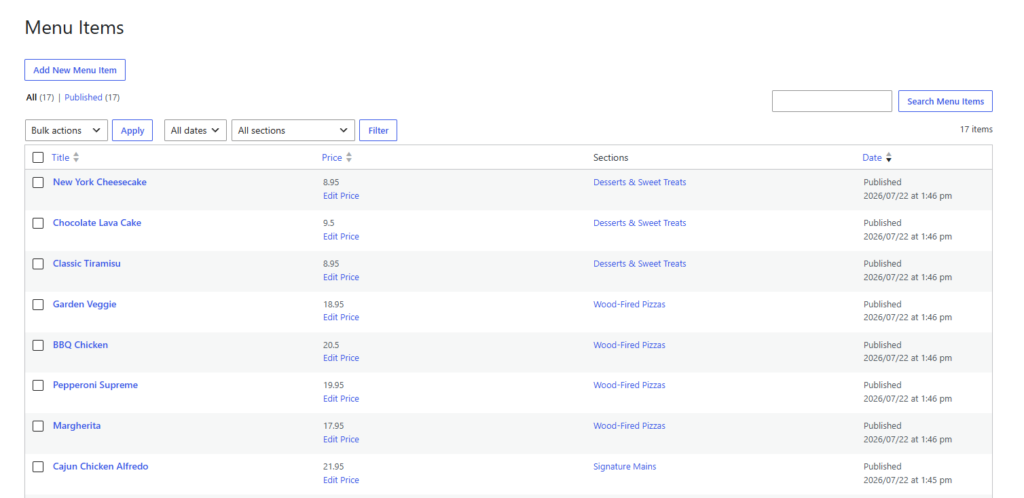
A strong restaurant menu elementor workflow starts with content structure, not the visual canvas. First, define categories such as starters, mains, desserts, drinks, lunch, brunch, or specials. Then create items with names, descriptions, prices, dietary notes, and any custom fields the restaurant needs. Only after that should the page designer decide how the menu appears in Elementor.
- Build the menu library first. Create the menus and categories in Restaurant Menu so item management is consistent.
- Decide which views belong on which pages. The homepage may show highlights, while the full menu page shows categories and filtering.
- Use Elementor for surrounding context. Add photos, chef notes, booking prompts, location details, or online ordering sections around the menu.
- Test on mobile before launch. Menu visitors often arrive from map listings, social posts, or search results on a phone.
- Assign update ownership. Decide whether managers, marketers, or owners will handle price and item updates.
This approach avoids the trap of using an elementor plugin for wordpress that creates attractive boxes but does not solve menu operations. A restaurant needs the ability to update dishes, reorder items, control categories, and keep the dining experience clear. The Restaurant Menu plugin is a better fit when the menu is a living part of the business, and it gives an elementor setup wordpress plugin project a clearer boundary between design work and menu upkeep.
Design choices that keep menus readable
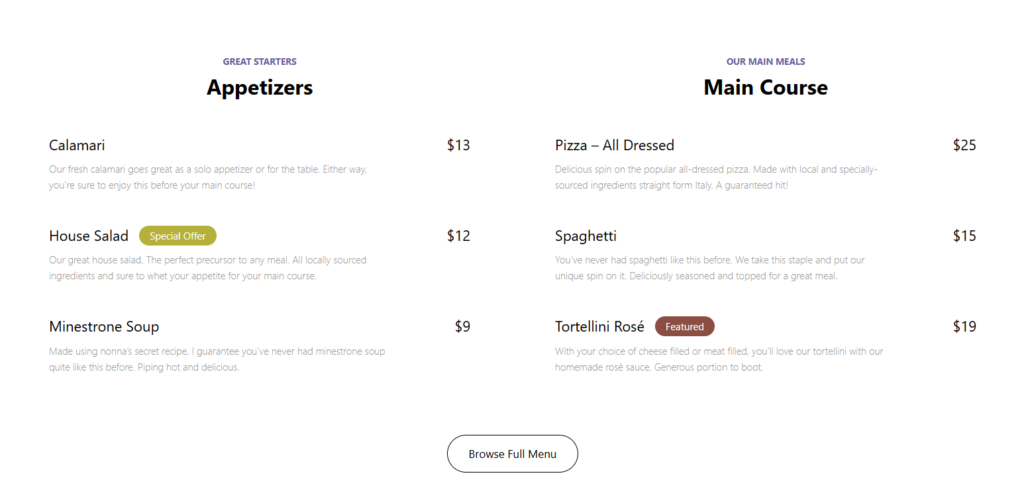
A menu page is not a portfolio grid. Guests are usually trying to answer a practical question: what can I eat, what does it cost, and does this restaurant fit my plans? In Elementor, that means generous spacing, category anchors, simple typography, and restrained image use. Large photos can help sell signature dishes, but too many image-heavy rows can slow scanning.
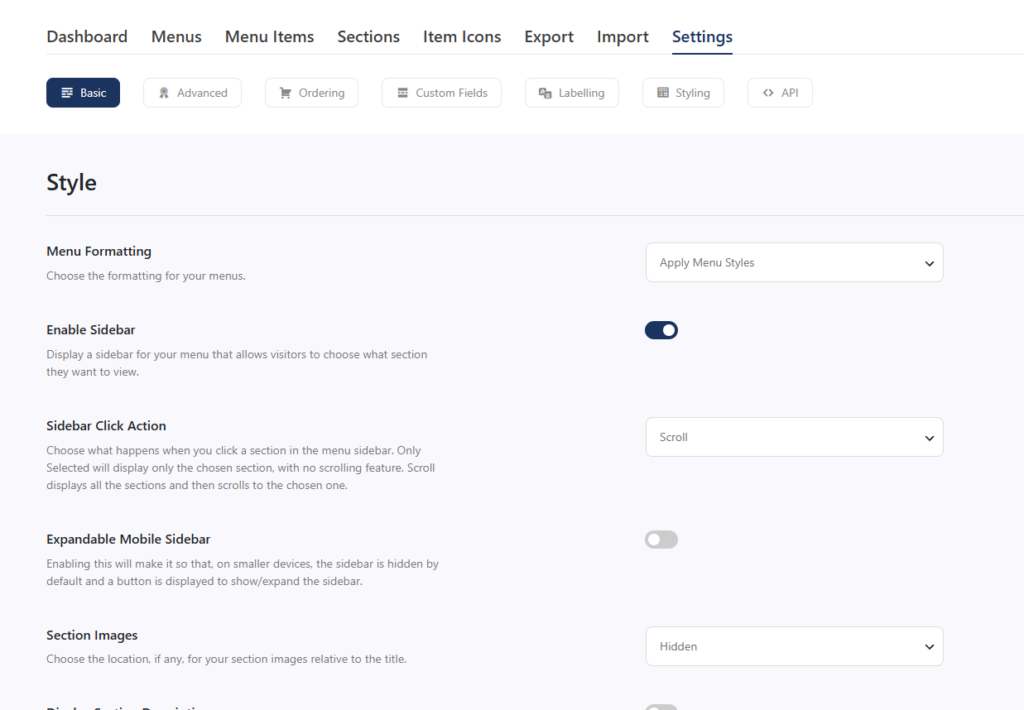
Restaurant Menu supports multiple layouts and templates, design controls, and responsive functionality, which makes it easier to create a polished page without losing readability. The goal is not to show every dish with the same visual weight. The goal is to help guests move from interest to action, whether that action is visiting, ordering, calling, or making an online reservations decision. A clear booking experience often begins with a menu that answers questions before the guest reaches the reservation form.
When online ordering changes the layout plan
Some restaurants want the menu page to support direct orders. In that case, the page needs to distinguish between browsing and ordering. A customer casually checking dinner options should not be forced into a cart-style experience before they understand the menu. A customer ready to order should see a clear next step.
Restaurant Menu includes commission-free online ordering features, payments through Stripe or PayPal, order management, customer update options, and flexible pricing structures. If the restaurant uses those features, Elementor can still frame the menu with brand copy and ordering prompts. The key is to keep item data centralized so menu presentation and ordering details do not drift apart.
Publish menus without rebuilding Elementor pages
Restaurant Menu gives restaurants a structured way to manage items, categories, labels, and menu layouts while Elementor handles the broader page design.
Example setup for a restaurant using Elementor
Consider a neighborhood bistro with separate brunch, dinner, dessert, and drinks menus. The owner wants the homepage to show three seasonal dishes, the main menu page to show the full menu by category, and the private-events page to include a shorter group-dining menu. With a page-only setup, every menu change could require duplicate edits across multiple Elementor layouts.
With Restaurant Menu, the team can manage items centrally and use Elementor to place the right menu view in each context. The setup keeps the menu flexible without making the site fragile. A strong restaurant menu plugin for Elementor should support exactly that kind of division between content ownership and page presentation.
Frequently asked questions
You can for a very small static menu, but it becomes difficult once prices, categories, dietary labels, specials, and seasonal items change. A dedicated menu system keeps updates faster and less error-prone.
Yes. Restaurant Menu includes responsive layouts and controls that help menus remain usable across desktop and mobile screens.
Test category navigation, item readability, price visibility, mobile spacing, and the path from menu browsing to ordering, calling, or booking. For Elementor sites, also test how the menu looks inside the surrounding page sections.
Related Content
Create a menu workflow that fits your site design
Use Restaurant Menu when you want menu management that supports Elementor layouts without turning every menu update into a page-build task.