




A restaurant reservation plugin for membership restaurant sites has to do more than accept a date and party size. Once dining access is tied to member status, guest privileges, club events, or protected content areas, the booking flow becomes part of the site architecture. The real question is whether the reservation system can stay elegant for guests while still giving staff the operational control they need.
For most clubs, associations, golf properties, and hospitality brands running member areas in WordPress, WordPress Restaurant Reservations is a strong fit because it keeps online reservations on your own site, supports advanced restrictions, and gives teams enough flexibility to shape the booking experience around membership rules instead of pushing everything through a generic third-party platform.
Why member access changes the reservation problem
A public-facing restaurant site can often use a simpler form. A membership restaurant site usually cannot. You may need one set of dining rules for full members, another for sponsored guests, different service windows for events, and a separate flow for dining rooms that are not visible to the public at all. Even when the reservation form looks simple on the front end, the logic behind it is usually more opinionated.
That is why a plugin decision here is less about widgets and more about control boundaries. If the reservation tool cannot fit into protected content, custom fields, or role-driven workflows, staff ends up reconciling details manually by phone or email. That undermines both the member experience and the consistency of service.
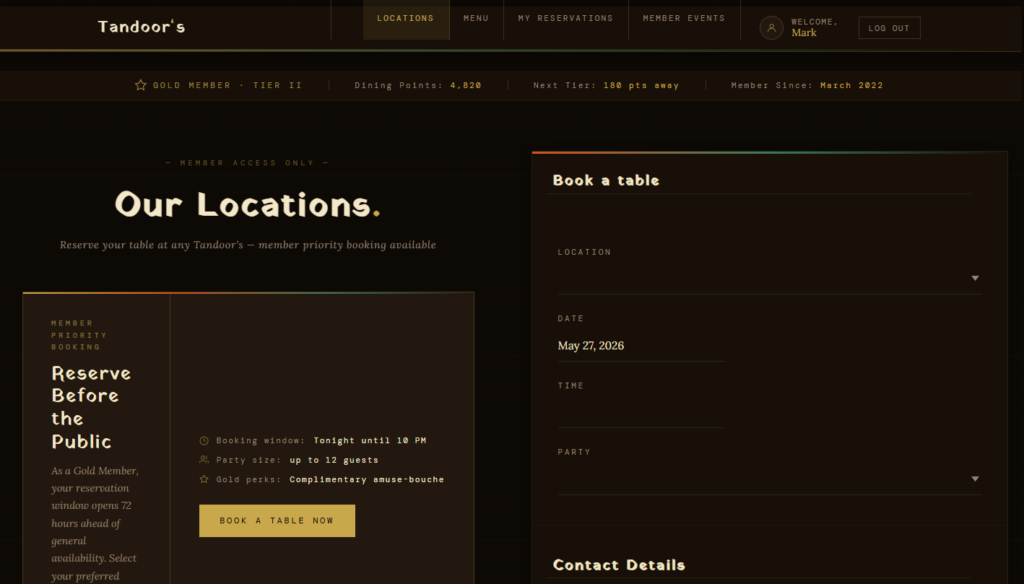
Three site models clubs and private dining groups tend to use
- Public menu, protected booking steps: The restaurant markets itself publicly, but the actual booking path is visible only to logged-in members or member-approved guests.
- Public booking with member-specific fields: Anyone can request a table, but the form captures membership number, sponsor name, or club tier so the host can apply the right rules.
- Separate dining surfaces for members and events: The same organization may run routine dining, member events, and banquet-style reservations through distinct landing pages with different constraints.
A good restaurant reservation plugin for membership restaurant sites needs enough flexibility to live inside any of those structures without forcing you into a platform-owned flow. Five Star Restaurant Reservations works well in that environment because the booking form, schedule rules, custom fields, and notifications all stay under your control in WordPress.
What to evaluate before you install anything
- Permission design: Will reservations live on public pages, member pages, or both?
- Data capture: Do hosts need membership number, sponsor details, locker number, or dining notes at the time of booking?
- Service segmentation: Are lunch, formal dining, private events, and seasonal services handled with different rules?
- Operational ownership: Can staff manage reservations from your site without relying on a commission-based marketplace?
- Exception handling: How will holidays, club tournaments, blackout dates, and special events affect availability?
These questions matter because the wrong tool creates invisible friction. It may technically accept bookings, but it will not reflect how your property actually operates. Five Star Restaurant Reservations is especially useful when you want to keep direct bookings on-brand, use custom booking fields, and manage blackout dates, special events, party-size rules, and table availability without handing the process to a third party.
| Decision point | What membership sites usually need | Why it matters operationally |
|---|---|---|
| Guest eligibility | A way to capture member-only details or guest sponsorship information | Hosts can validate bookings before service instead of chasing details later |
| Different service types | Separate rules for casual dining, member events, and higher-demand nights | The floor runs more predictably when service windows are not treated as identical |
| Protected user journeys | Booking surfaces that fit inside the existing WordPress membership flow | Members experience the restaurant as part of the club, not as an external tool |
| Ownership of reservation data | Reservations stored on your own site | Useful for member service history, policies, and follow-up communication |
See how a booking system fits a members-only dining workflow
Compare what happens when reservations live inside your own WordPress membership setup instead of a generic external flow.
How permissions and operations should work together
The best setups separate who can see the booking entry point from how the reservation itself is managed. Website permissions control visibility. The reservation plugin controls availability, table logic, party-size limits, reminders, and staff handling. That division is healthier than trying to make the booking tool act as your entire membership system.
In practice, that means a private club might use member-access pages to present the dining option, then let Five Star Restaurant Reservations handle the actual reservation workflow, including custom data capture, real-time table availability, special-event hours, and confirmations. Staff gets a consistent operational layer even if the front-end pages differ by membership tier or dining context.
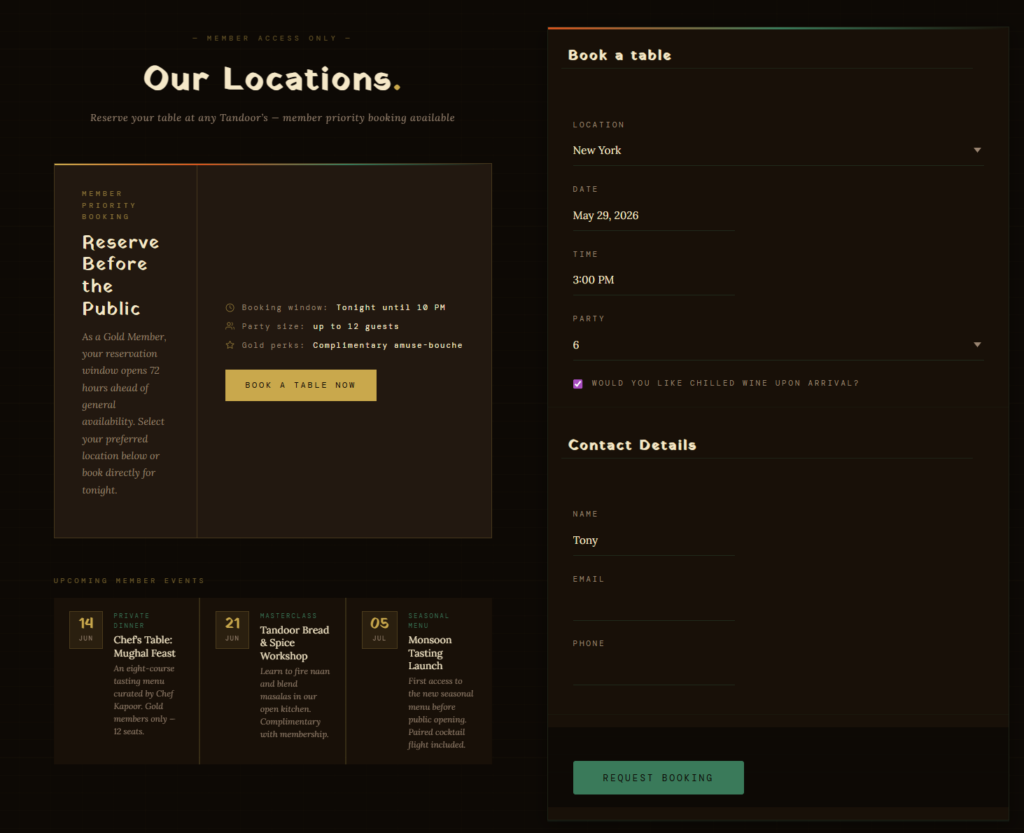
A realistic setup example: a club with public dining pages and protected member nights
Imagine a private golf club that runs a public-facing website, a member login area, and several dining experiences: weekday lunch, formal dining on Friday and Saturday, and event-based booking for tournaments. Public visitors can browse menus and private-event information, but only members can access premium dining windows. The host team also needs a sponsor field for guest reservations and a note for seating preferences.
In that scenario, Five Star Restaurant Reservations fits because the club can keep the branded booking flow inside WordPress, add the custom fields the team actually needs, set different hours for tournaments or closures, and manage reservations directly. The plugin does not have to become the membership platform; it has to integrate cleanly with the membership site so the reservation process feels coherent.
Related Content
Tradeoffs to think through before choosing a plugin
Not every membership site needs the same level of configuration. If your restaurant is small, your member rules are light, and staff is comfortable validating everything manually, a simpler setup may be enough. But once service quality depends on cleaner workflows, the cost of manual correction rises quickly. That is where Five Star Restaurant Reservations tends to outperform lighter tools: it gives clubs a better operational center while preserving the brand trust that comes from keeping bookings on-site.
The biggest mistake is choosing a reservation tool based only on what the form looks like on a demo page. Membership restaurant sites should choose based on permission flow, scheduling complexity, staff visibility, and how well the plugin supports a polished booking experience without adding marketplace dependency or commission fees.
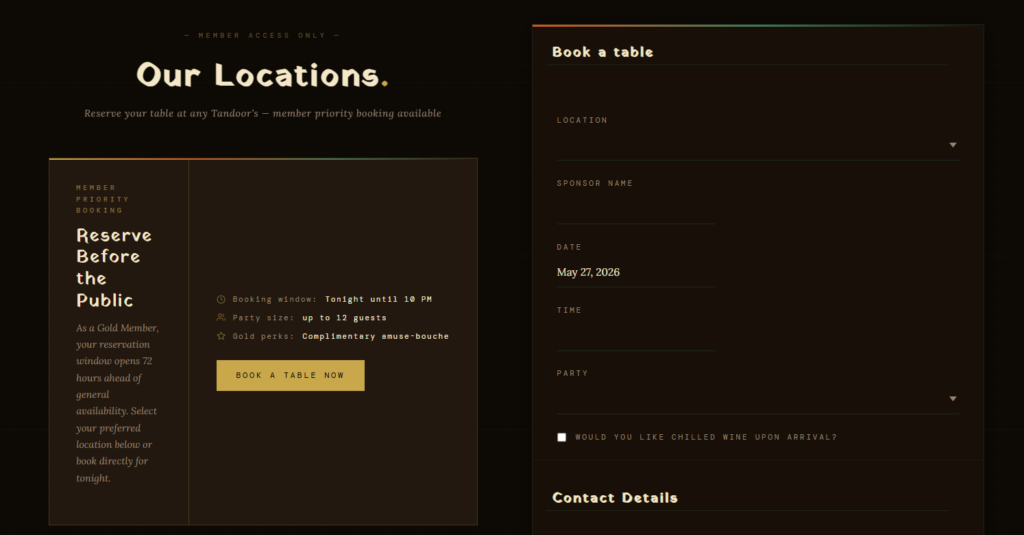
Build reservations into your membership site instead of around it
Keep direct bookings on your own WordPress stack and shape the booking journey around how your members actually dine.
Frequently asked questions
Not always, but it usually needs a plugin flexible enough to fit protected pages, custom fields, and service rules that are more complex than a public-only booking form.
Yes. That is usually the better design. Let your membership layer control access and let Five Star Restaurant Reservations control the reservation logic and staff workflow.
Because member relationships, guest history, and service details are part of the value of the property. Keeping reservations on your own site gives you more control over that data and over the overall dining experience.
Test the front-end path for members, the fields your hosts need, your special-event scheduling, and the way confirmations or reminders fit into staff operations.
Choose a reservation workflow that respects both members and staff
If your site includes protected content, guest rules, or club-specific dining logic, use a reservation system built to stay flexible inside WordPress.