



Add Your Business Profile to Your Site with Structured Data
With the Five Star Business Profile and Schema WordPress plugin, you can quickly and easily create your business profile and add it to your site with a simple-to-use shortcode or Gutenberg block. This automatically includes all the relevant structured data, so Google knows exactly what type of organization/business it is and can include the correct contact information in search results.
In this post, we’ll show you how to fill in the business profile and add it to your site. We’ll even touch on using it for multiple locations, which can be set up in just a few minutes.
To get started, head to the main Settings page for the plugin. There you will see a list of fields that you can use to add your business information. In the Search Engine Optimization section, you can choose the schema type. This is important as it lets Google know what kind of business it is. You can also add an image to be used in search results.
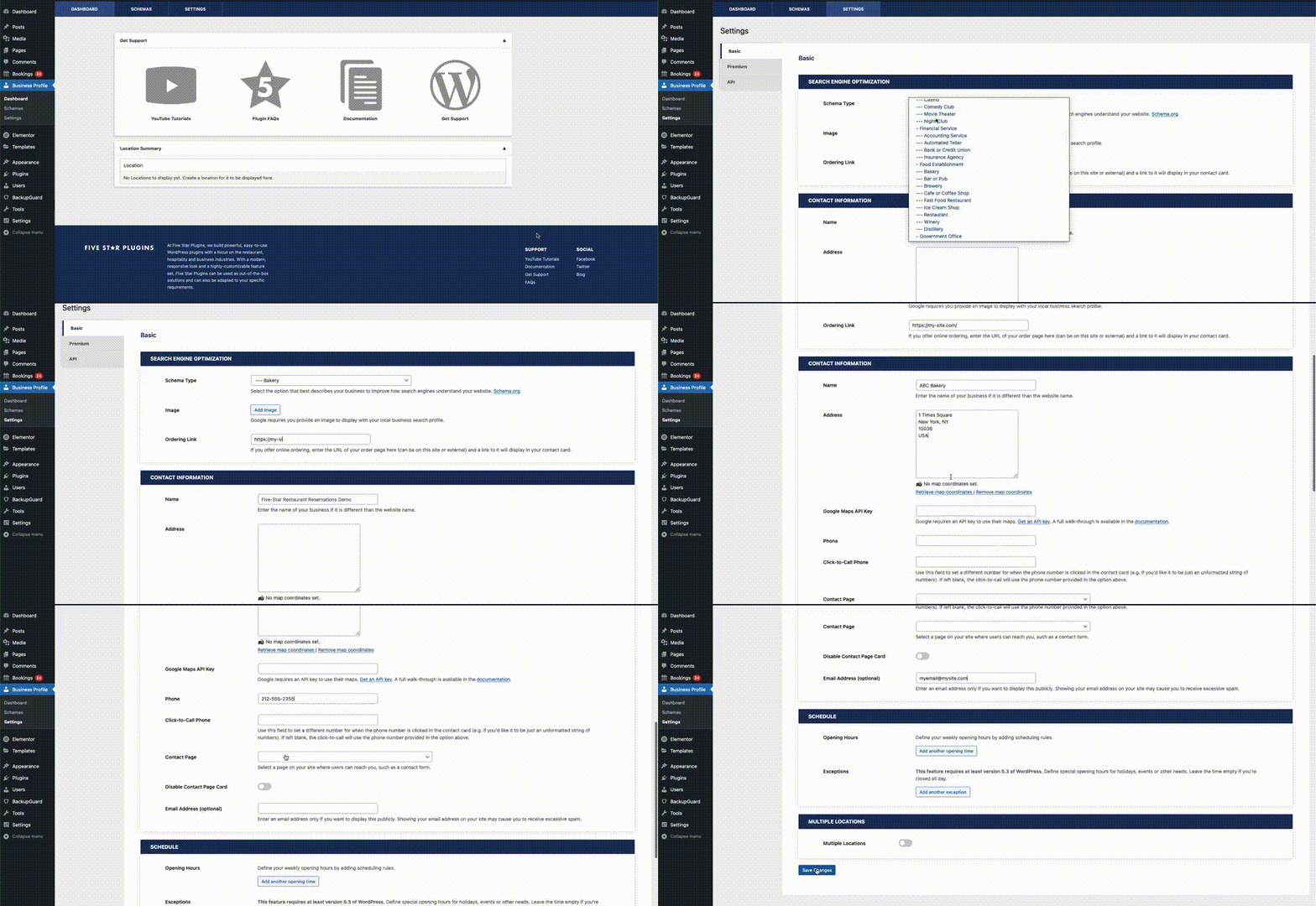
In the Contact Information section, you can add the company name, address, phone number, email address and a few other optional fields. These will be displayed on your site and will also be added to the structured data for the schema type you chose. If you’d like to display a map with your location, then make sure to fill the Google Maps API Key field.
If you’d like to display your business’s opening hours, you create one or more scheduling rules in the Schedule section on that same settings page. You can even add exceptions for special events or holidays.
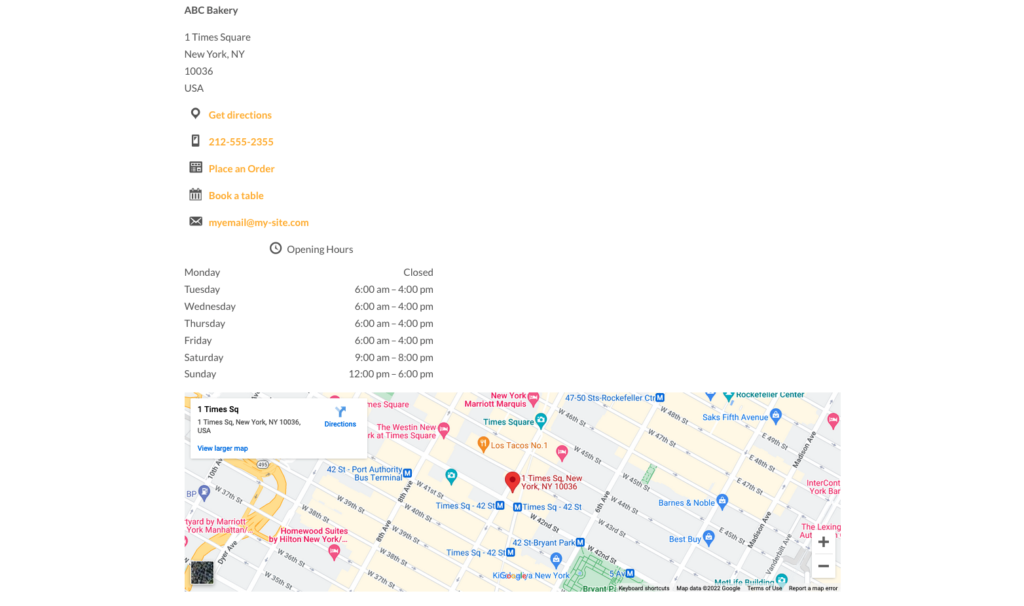
After filling in this information, you can add it to your site as a contact card. For this you can use either the [contact-card] shortcode or the included block. To find block, either search for “Contact Card” or find it in its own Five Star Business Profile and Schema block category. It should look something like this:
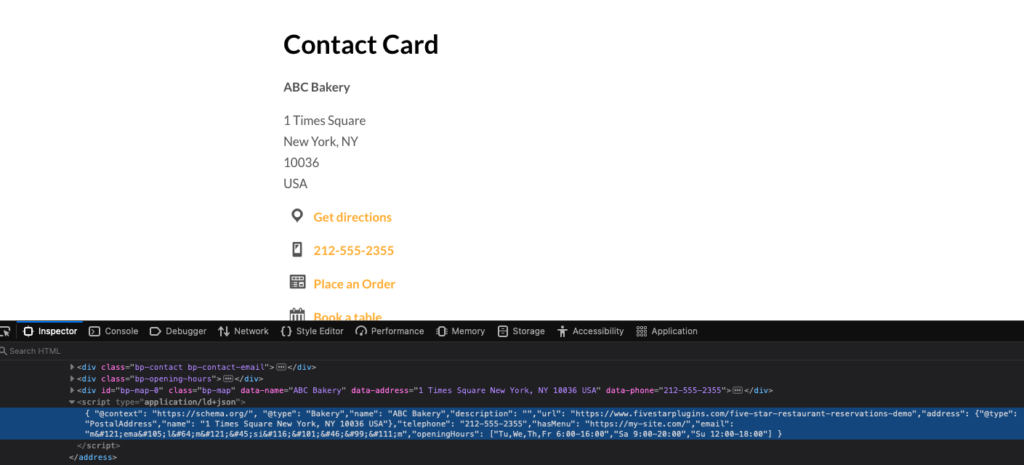
And, if you check the source of the page, you’ll be able to see that matching structured data has been added with all the business information you provided!
Multiple Locations
It’s also possible to provide a separate profile for multiple different locations. To do this, first go back to the Basic area of the Settings page and enable the Multiple Locations options. You’ll then see a new menu option in the plugin admin called Locations. Click this and then on the Add New button. Here you can set a name for the second location, choose a different schema type, set a different phone number and email address, create a different schedule, and more.
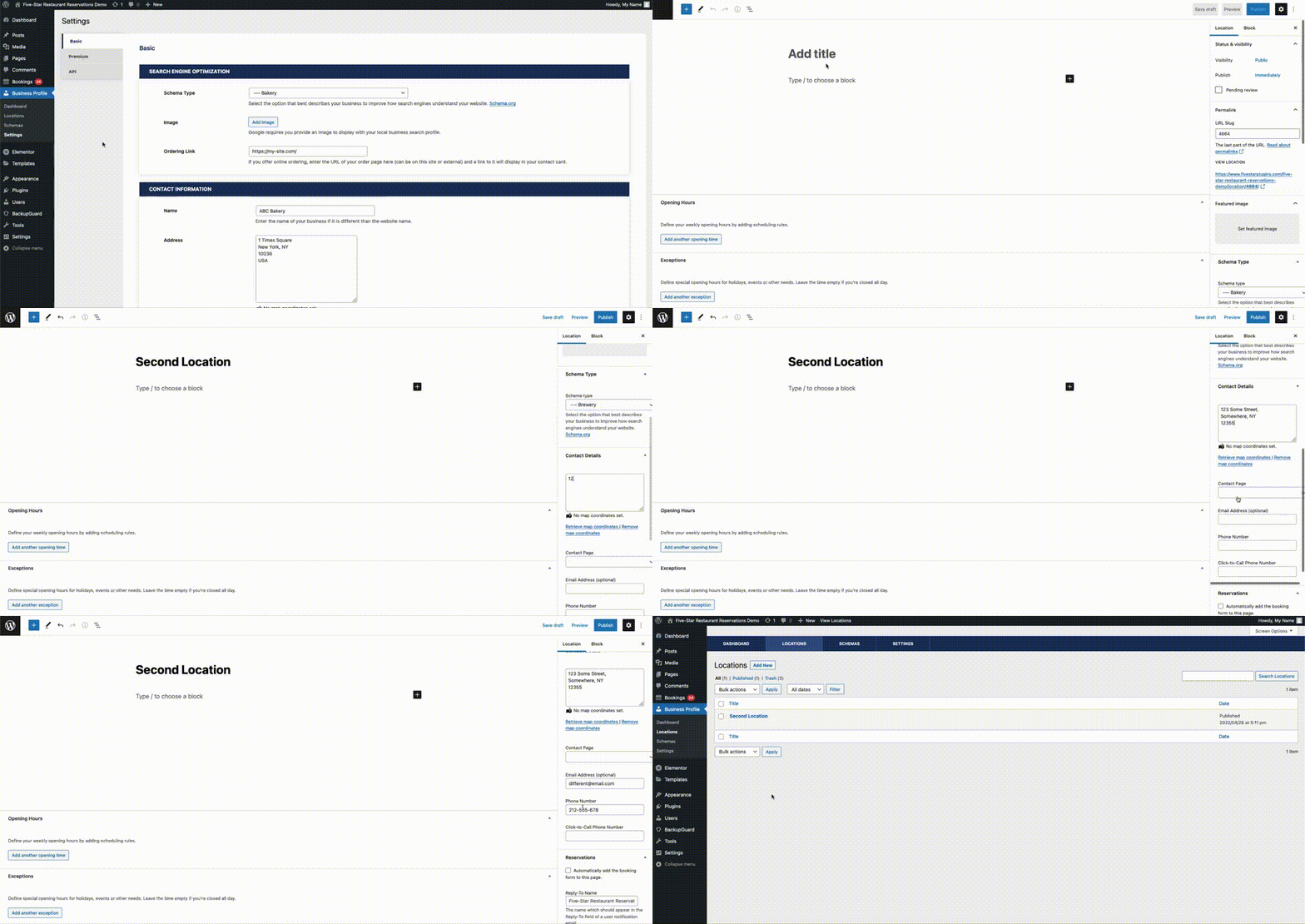
You can then add this individual location to your site using the location attribute in the shortcode.
Check back next week. In the final post in our Features series, we’ll be discussing how to easily add schema structured data to any page on your site.