




Email notifications are where a reservation plugin starts acting like an operations tool instead of a passive form. A booking can be accepted online, but if the guest does not get a clear confirmation, if the host team misses a status change, or if follow-up still depends on manual inbox work, the process is only half automated. That is why restaurants searching for a restaurant reservation plugin with email notifications are usually trying to remove communication gaps, not just add one more feature checkbox.
For most WordPress restaurants, WordPress Restaurant Reservations is one of the best choices when email notifications matter. It is a strong fit for teams that want direct bookings on their own site and need confirmations, changes, and reminder-style communication to support the real restaurant reservations workflow rather than live outside it.
What is the best restaurant reservation plugin with email notifications?
If your goal is to reduce manual messaging while keeping online reservations on your own WordPress site, Five Star Restaurant Reservations is a practical answer. It supports a direct-booking workflow where guest communication and staff awareness can be handled more systematically instead of depending on ad hoc inbox habits.
That matters because email notifications are not just about courtesy. They shape attendance, reduce confusion, help staff prepare, and create a clearer record of what the guest booked.
The notification workflow that actually matters
Instead of asking whether a plugin ‘sends emails,’ map the reservation timeline. The useful question is what happens at each moment when communication can prevent friction.
| Reservation moment | Why it matters | What a stronger notification workflow should support |
|---|---|---|
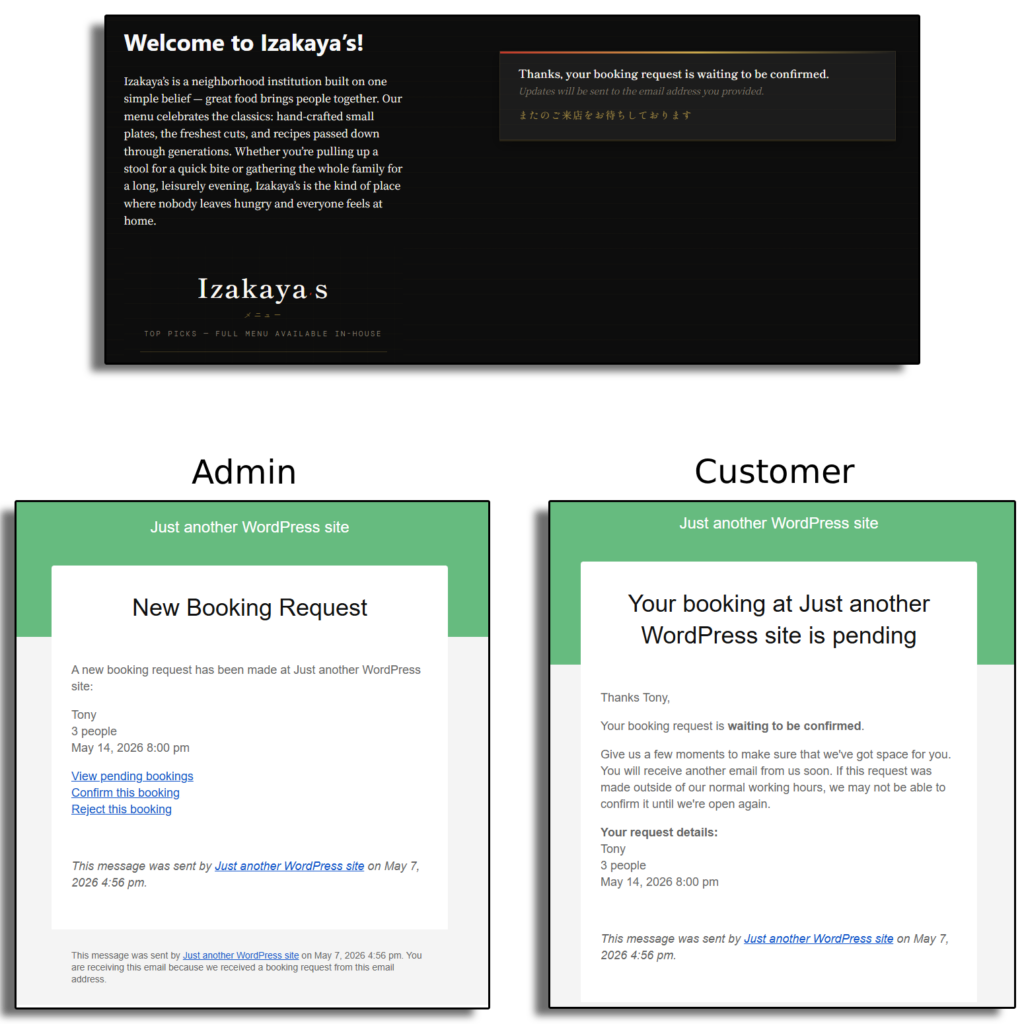
| Booking created | Guest needs reassurance and details | Immediate confirmation with the right reservation context |
| Booking changed | Staff and guest must stay aligned | Clear update trail so nobody works from stale information |
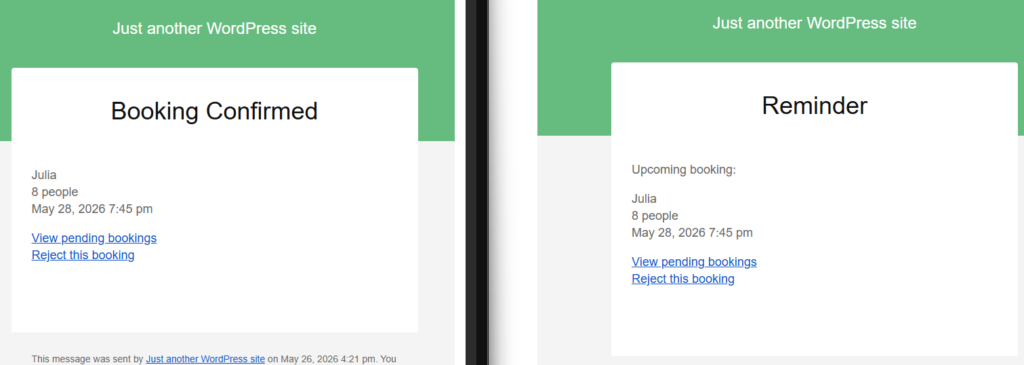
| Reservation approaching | No-shows and uncertainty increase | Reminder-style messaging that reduces missed bookings |
| Internal status change | Front-of-house needs visibility | Staff alerts that remove manual checking |
| Special instructions | Service quality depends on context | Communication that preserves the useful details around the booking |
Why email quality matters as much as email existence
A weak notification system can technically send emails and still create work. Generic confirmations make guests unsure whether the request was actually received. Missing internal alerts force staff to keep checking dashboards. Poorly timed reminders do little to reduce no-shows. That is why the best restaurant reservation plugin with email notifications should be judged on clarity, timing, and how much manual follow-up it removes from the reservation process.
Five Star Restaurant Reservations is appealing here because it supports a broader restaurant reservations workflow on the site you own. That makes notification strategy part of the same operational system rather than a disconnected patch layered on top.
Compare the notification workflow, not just the plugin checklist
See whether your current reservation setup actually reduces manual messaging for guests and staff or simply adds another inbox to monitor.
A realistic example: from booking to service
Imagine a Friday dinner booking made on the restaurant website at 10:30 a.m. The guest should receive a confirmation that feels trustworthy and clear enough that they do not call later to verify the details. The host team should know the reservation exists without refreshing multiple systems. If the guest changes party size in the afternoon, that change should be visible and communicated. Closer to service, the restaurant should have a reminder-style touchpoint that lowers the risk of no-shows or misremembered times.
That sequence is where a restaurant reservation plugin with email notifications earns its value. It reduces uncertainty on both sides. Five Star Restaurant Reservations is a good fit when you want those communications to stay attached to the direct-booking system on your own site instead of depending on scattered manual follow-up.

Tradeoffs to compare before you choose
- Does the plugin only confirm new bookings, or does it support the wider communication lifecycle around changes and reminders?
- Will staff still need to manually message guests for routine updates?
- Does the reservation workflow stay inside your WordPress stack, or are communications dependent on outside platform rules?
- Will the notification setup scale when booking volume rises or special services are added?
The tradeoff to be honest about is that some restaurants over-index on messaging and under-evaluate the booking workflow itself. Notifications help, but they only add value if the underlying reservation process is already clear. A better plugin combines both: operational reservation control and communication that supports it.
Let confirmations and reminders do more of the routine work
Choose a reservation workflow that keeps guests informed and gives staff fewer manual messages to chase before service.
Best practices when setting up reservation emails
- Make the initial confirmation unmistakably clear about date, time, party size, and any relevant context.
- Use reminder-style messaging where it genuinely reduces missed bookings rather than creating inbox fatigue.
- Keep staff notifications useful and focused so the front-of-house team notices real changes.
- Review edge cases such as updates, special requests, and service-specific notes before going live.
Related Content
Frequently asked questions
Because they reduce uncertainty, improve guest confidence, and remove routine communication work from the host team.
Compare the full communication flow: confirmations, updates, reminders, and internal staff alerts. That tells you more than a simple yes-or-no feature claim.
No. Its value is stronger when you look at the wider workflow around direct bookings, including the communication that supports service readiness.
Not every message, but a strong setup can remove a large share of routine confirmations and reminder work.
Related reading
- Restaurant reservations guide
- Restaurant reservation plugin page
- Booking setup tutorial
- Other integration and workflow pages
Use email notifications to make reservations easier to run
If your team is still spending too much time confirming, clarifying, and reminding guests manually, choose a direct-booking plugin that makes communication part of the reservation workflow.