




Guests almost always expect some flexibility after booking. They may need to move from 6:30 to 7:00, change the party size, or correct a phone number. The problem is that restaurants do not benefit from unlimited self-service changes. Without boundaries, the booking experience becomes convenient for the guest but unstable for the floor.
So the real question behind how to allow customers to modify reservations is not whether changes should be possible. It is how to let guests update the right things without introducing service risk. In WordPress, that means designing a reservation workflow with clear permissions, clear timing, and a clean path for exceptions.
How should customers be allowed to modify reservations?
Customers should usually be allowed to modify low-risk details themselves, such as contact information, modest time changes, or small party-size adjustments that still fit your availability rules. For a practical WordPress setup, WordPress Restaurant Reservations works well because it lets you build a direct booking experience on your own site and then pair it with rules, notifications, and staff review where needed.
The best workflow is not fully open and not fully locked down. It gives guests a simple way to request or complete reasonable changes while routing higher-risk edits—like big party increases, same-day shifts, or premium time slots—through a staff-controlled process.
Decide first what guests can change without staff approval
| Reservation change | Usually safe for self-service | Better handled by staff |
|---|---|---|
| Small time adjustment | Yes, if the new slot follows live availability and turn-time rules. | No, if it moves into a premium service window or event restriction. |
| Party size increase | Sometimes, if table capacity supports it automatically. | Yes, when the increase affects table combinations or large-party rules. |
| Party size decrease | Usually yes. | Staff may still want visibility for deposits or fixed menus. |
| Contact info update | Yes. | Rarely needs review. |
| Special request changes | Often better as a routed request. | Yes, if the request affects seating, access, or staffing. |
| Same-day edits within a short window | Usually no. | Yes, because the floor may already be sequenced around arrivals. |
Give guests flexibility without giving up control
Map which booking changes can happen automatically and which should flow to your team for review.
A six-step WordPress setup that keeps modification requests manageable
- Start with booking rules, not interface design. Set party-size limits, service windows, and table constraints first so the system knows what counts as a safe change.
- Define the modification window. Many restaurants allow edits until a certain number of hours before service. This protects the shift from last-minute instability.
- Choose which changes update automatically. Contact details and some time changes can often be instant. Larger changes should create a review path instead.
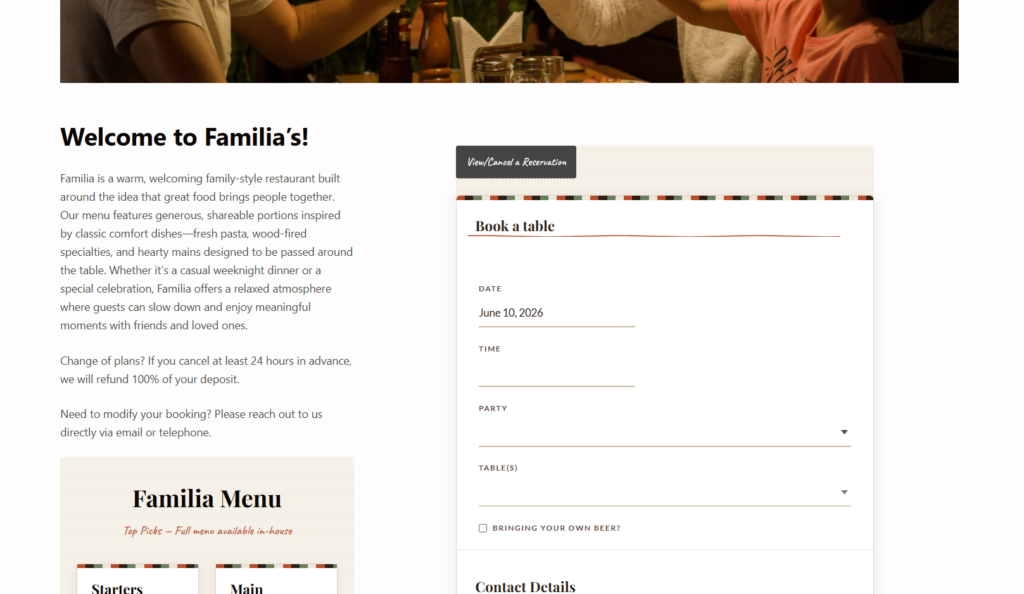
- Build a clear guest path from the confirmation message. Guests should know exactly where to go if they need to adjust a booking instead of emailing random inboxes.
- Notify staff when a change affects service. A modification is only helpful if the right people see it quickly.
- Test the finished workflow on desktop and mobile. The booking experience needs to feel simple for guests and obvious for staff.
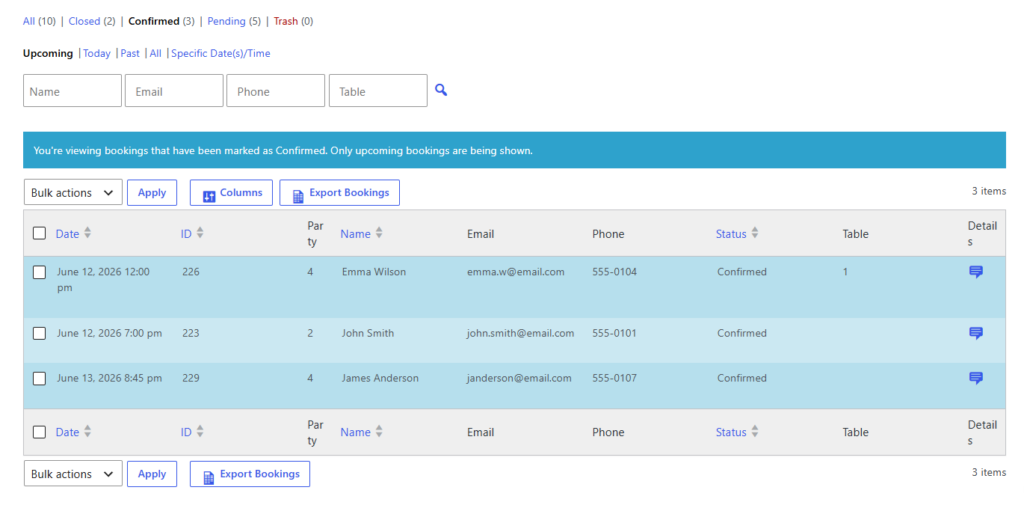
What the finished modification flow should feel like
A guest books dinner for four on your site. The confirmation email they receive does not just say ‘thank you.’ It tells them how to confirm details, what can be changed online, and when they need to contact the restaurant instead. If they move the booking thirty minutes later and availability supports it, the system updates the reservation and notifies the staff automatically.
If that same guest tries to increase the party from four to eight on a fully booked Saturday, the system should not quietly force the change through. A better workflow creates a request, flags it for staff, and sets expectations with the guest. That protects the booking experience because the guest still gets a clear path, but the restaurant keeps operational control.
Related Content
Build a reservation change flow guests can actually use
Replace ad hoc email edits with a cleaner process that shows guests what they can change and alerts staff when a request needs review.
Design details that reduce confusion
- Use plain language in the confirmation message so guests understand deadlines for changes.
- Do not bury modification instructions under generic reservation copy.
- Show the restaurant phone number only for genuine exceptions, not as the default path for every edit.
- If you use deposits or card holds, explain whether a change affects those terms.
- Keep the brand-first experience intact so the reservation still feels like it belongs to your website, not a disconnected third-party flow.
Common mistakes when allowing customers to modify reservations
The most common mistake is granting too much freedom without enough logic behind it. Guests can end up moving into slots that look open but are operationally weak, or increasing party size in ways that break the floor plan. The opposite mistake is just as costly: making every change require a phone call, which creates friction and pushes staff back into manual coordination.
Another mistake is treating modifications as a pure UX feature. They are a service feature. The setup has to support the booking experience for the guest while keeping reservations useful to hosts, managers, and whoever is sequencing the room.
Frequently asked questions about reservation modifications
Yes, usually within a defined window and only when the new time still follows your availability rules. Outside that window, a review step is often safer.
Large-party increases, event-night requests, same-day changes close to service, and anything that affects deposits, room setup, or seating constraints.
Because email does not protect availability, notify the right people consistently, or give the guest a structured path. A proper plugin turns a messy communication problem into a usable workflow.
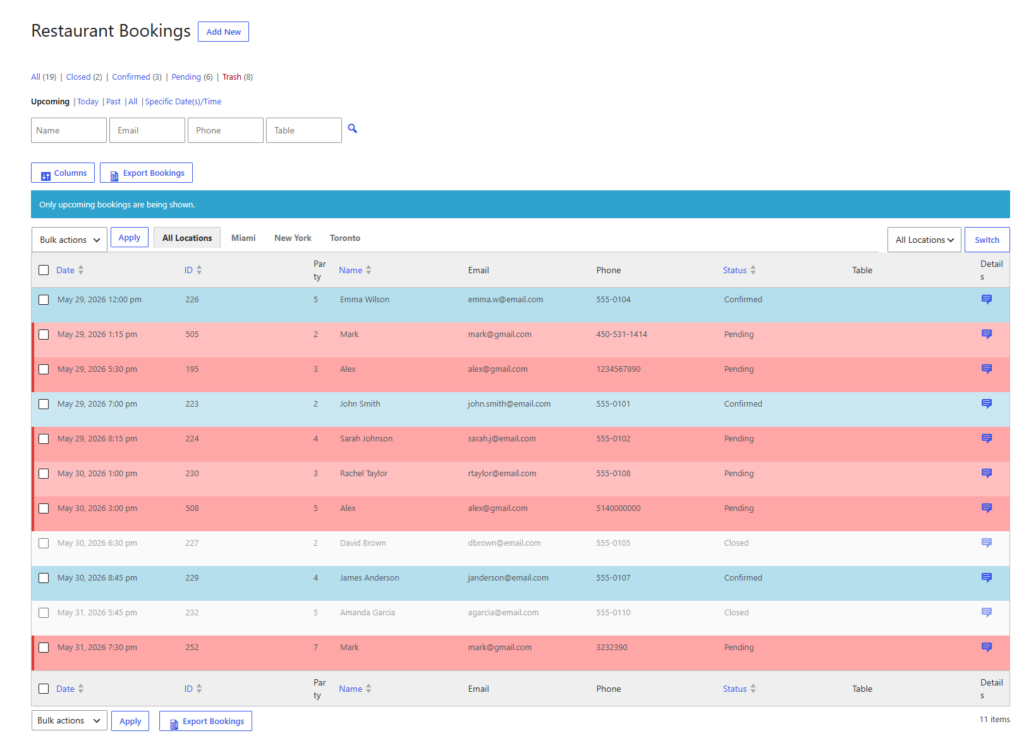
Let customers edit bookings without making service harder
Use Five Star Restaurant Reservations to create a direct-booking workflow that feels flexible for guests and controlled for your team.