




Restaurants do not lose covers only because people cancel. They lose covers because cancellations arrive into a weak system. A table comes back into inventory too late, staff do not see the change in time, the guest relationship ends on a sour note, and the opening is never converted into a new booking.
That is why how to manage restaurant cancellations is partly a policy decision and partly a setup decision. You need a clear cancellation model, but you also need a WordPress workflow that makes those rules visible to guests and actionable for staff.
What is the best way to manage restaurant cancellations?
The best way to manage restaurant cancellations is to define your cancellation policy first, then connect it to an on-site reservation workflow with clear guest messaging, status updates, and automatic staff visibility. WordPress Restaurant Reservations is a strong option for this because it keeps reservations on your own site while supporting direct bookings, reminders, no-show management, and operational control over statuses and notifications.
A good cancellation process should do three things at once: protect the guest experience, reopen revenue opportunities quickly, and reduce manual cleanup for the team.
Start with the policy before you touch the plugin settings
| Reservation type | Suggested cancellation rule | Why it works operationally |
|---|---|---|
| Standard weeknight table | Allow cancellations until a set cutoff before service. | Gives the restaurant time to re-open the slot without punishing ordinary guests. |
| Premium Friday or Saturday table | Use a firmer cutoff and stronger reminders. | High-demand inventory needs more protection and more certainty. |
| Large-party reservation | Tie the policy to deposits or card holds. | Large groups create bigger staffing and floor-plan risk. |
| Special event or holiday booking | Use event-specific rules. | These services often need custom timing and lower flexibility. |
| Same-day reservation | Limit changes and cancellations close to service. | The later the change, the harder it is to recover the table. |
Turn cancellation policy into a real workflow
Use a reservation system that helps guests understand the rules and helps staff act quickly when a booking drops out.
How to configure the cancellation workflow in WordPress
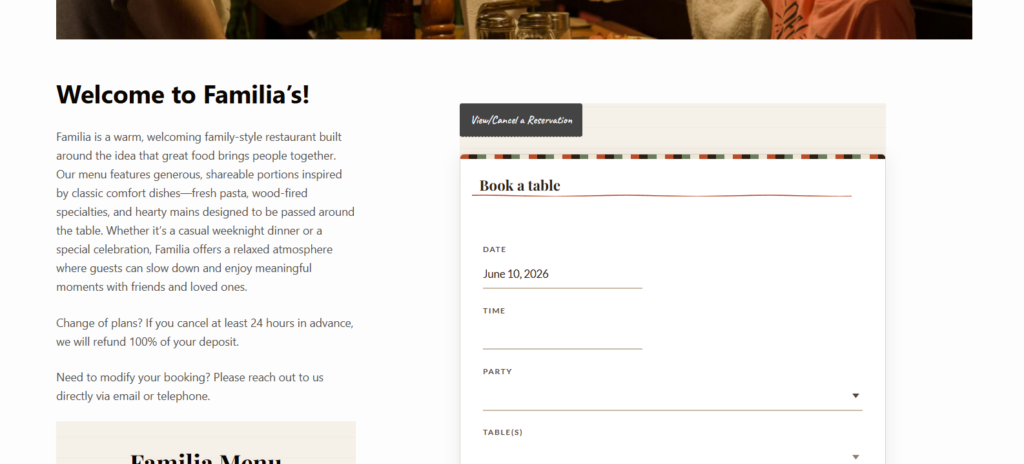
- Publish the policy where the guest actually books. Do not hide it in a footer or terms page. The booking experience should show the relevant rule before submission.
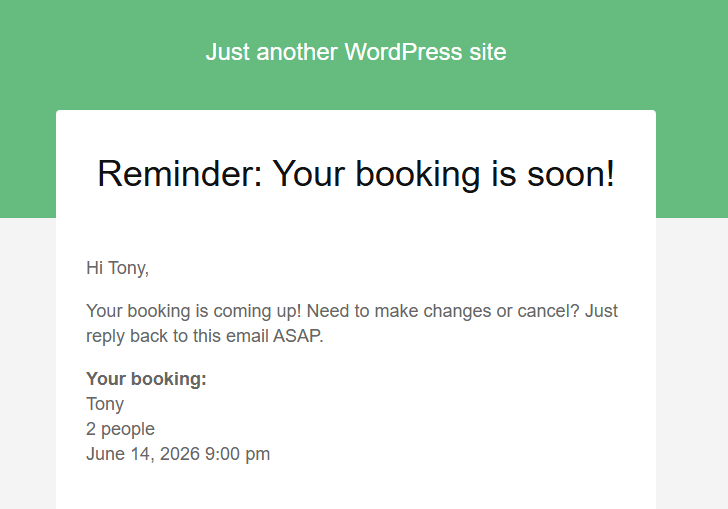
- Add the policy to confirmations and reminders. Guests are more likely to act responsibly when they are reminded of the cancellation window at the right time.
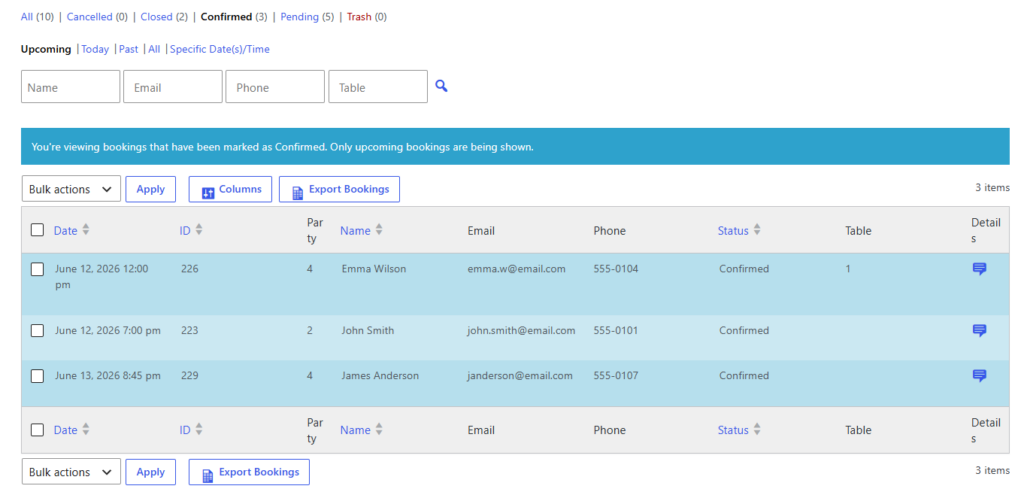
- Set meaningful statuses. Cancelled, confirmed, pending, and no-show should not be vague labels. They should drive what staff do next.
- Pair higher-risk bookings with deposits or holds. You do not need this for every table, but it matters for premium times or large groups.
- Create staff alerts for same-day cancellations. A slot reopening at 5:10 p.m. needs a faster response than a slot reopening two days out.
- Make sure reopened capacity becomes usable quickly. The system should not leave inventory stranded in an outdated workflow.
What should happen the moment a guest cancels
The cancellation itself is only one event. The valuable part is what follows. The table should return to availability if your rules allow it. Staff should receive the right notification. If the booking was tied to a deposit, the team should know whether a refund, partial refund, or retained hold applies. If you use reminders or follow-up communication, those should stop or adapt automatically.
This is where a manual setup usually breaks. A host marks the booking cancelled, but no one re-checks capacity, no one reviews the service period, and no one uses the new opening. A stronger restaurant reservations setup treats cancellation as a workflow trigger, not a dead end.
Example: recovering a Saturday cancellation without chaos
Picture a busy Saturday evening with limited prime-time availability. A party of four cancels at 3:45 p.m. If the cancellation policy, statuses, and notifications are structured properly, the opening becomes visible immediately. The manager sees that the table was tied to a high-demand slot, the host knows it can be rebooked, and the team can decide whether to accept another online reservation, call back a guest who could not be accommodated earlier, or preserve the flexibility for walk-ins.
The difference is not just speed. It is confidence. Staff are not guessing whether the table is truly available or whether some disconnected note still applies.
Related Content
Handle cancellations without losing the rest of the shift
Set up reminders, statuses, and booking rules so cancellations reopen opportunity instead of creating last-minute confusion.
Mistakes that make cancellations more expensive than they need to be
- Using one cancellation rule for every service, party size, and event type.
- Failing to mention the rule clearly until after booking is complete.
- Not pairing larger or higher-risk reservations with deposits, reminders, or holds.
- Letting cancelled slots disappear into manual follow-up instead of re-entering usable availability.
- Treating cancellations and no-shows as the same issue even though the operational response is different.
Frequently asked questions about restaurant cancellations
Usually no. Restaurants often need stricter rules for premium service periods, large groups, or special events than for ordinary low-risk bookings.
They can, especially when demand is high or preparation costs are higher. The key is to use them selectively and communicate the policy clearly.
An on-site system creates better visibility, cleaner status tracking, and faster reuse of newly opened capacity. Manual channels can still exist, but they should not be the whole workflow.
Protect covers when bookings fall through
Build a direct-booking process that makes cancellations clearer for guests and easier for staff to recover from.