




A WordPress Restaurant Menu plugin for WooCommerce restaurants has to solve a different problem than a normal menu display plugin. The restaurant may already use WooCommerce for products, gift cards, merchandise, prepared meals, delivery items, or checkout, but guests still need a menu experience that feels like a restaurant menu. Restaurant Menu is a strong fit when a restaurant wants structured menu presentation to coexist with ecommerce features without making the site feel fragmented.
The key is deciding what each system should own. WooCommerce can handle cart and commerce workflows where needed. The menu experience should still be easy to browse, scan, update, and style for diners. If every dish is treated only as a product grid item, the restaurant risks creating a store that technically sells food but does not communicate the menu clearly.
How menu browsing and ecommerce should coexist
The best restaurant menu plugin for WooCommerce restaurants keeps the dining decision separate from the checkout mechanism. A guest first wants to understand the cuisine, categories, pricing, dietary options, and specials. Only after that do they decide whether to order, reserve, call, or visit.
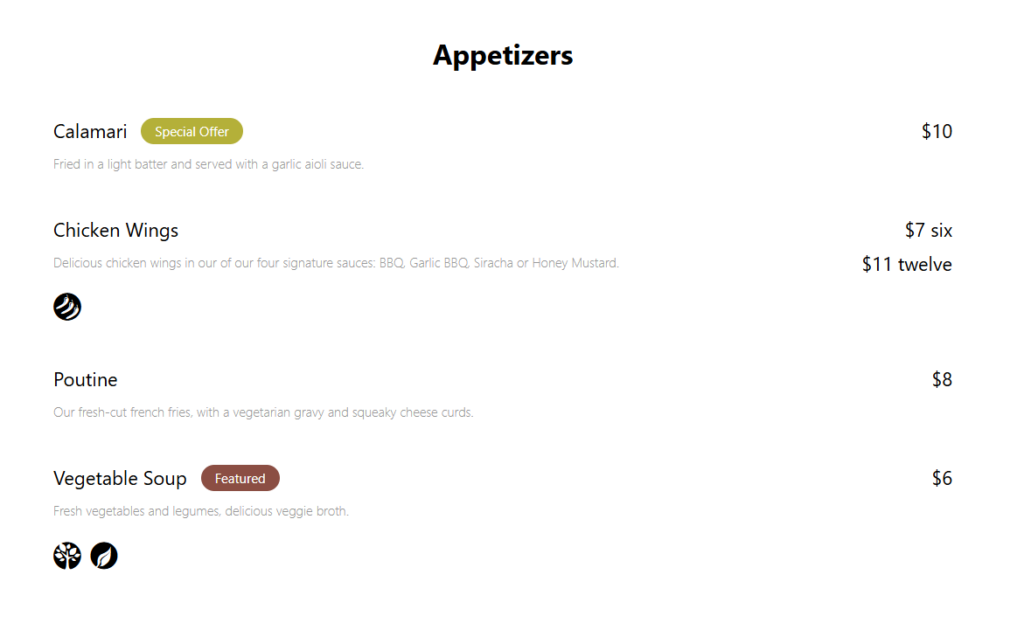
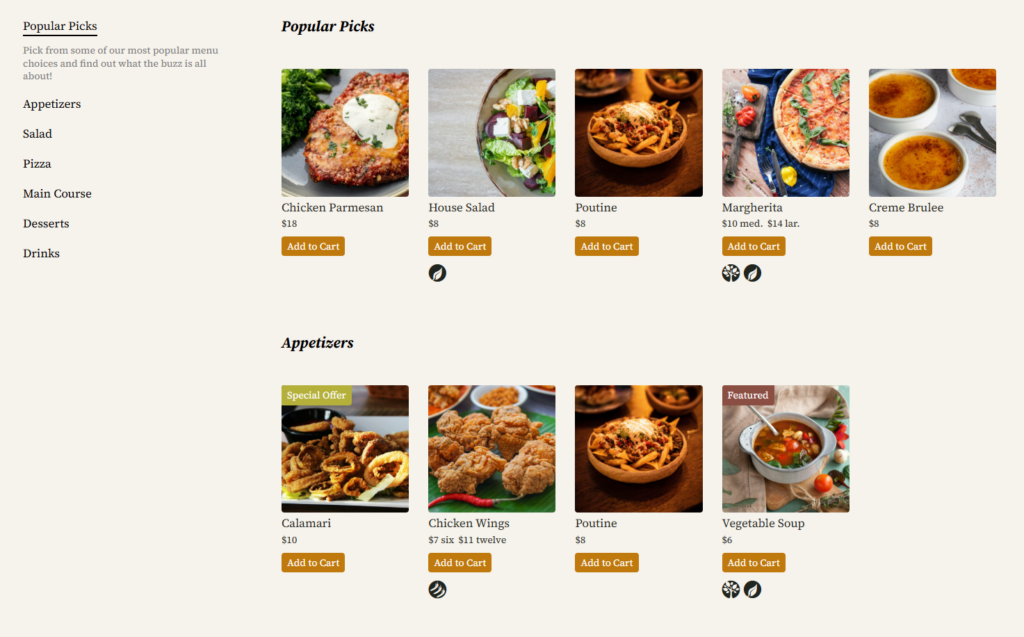
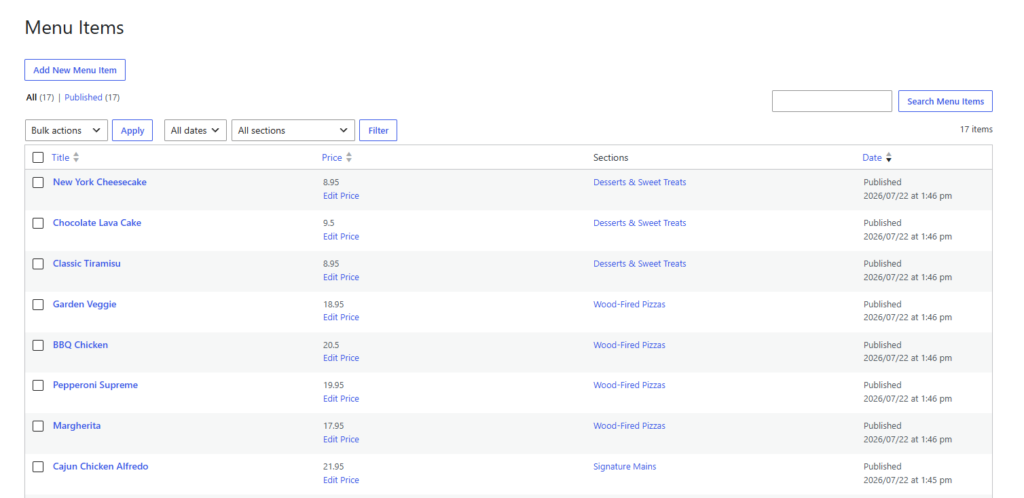
Restaurant Menu helps with the browsing layer: unlimited menus, item editing, categories, drag-and-drop ordering, responsive layouts, custom fields, dietary labels, search, filtering, and flexible display controls. For restaurants that also use WooCommerce, that can create a cleaner division between a menu page and a transactional product catalog.
Keep your restaurant menu separate from the cart experience
Restaurant Menu helps WooCommerce restaurants present dishes clearly while still supporting a broader WordPress commerce site.
When a WooCommerce restaurant needs a dedicated menu plugin
A restaurant menu woocommerce setup often starts simply: add dishes as products, organize categories, and let the shop page do the work. That may be fine for packaged goods, but it can be clumsy for restaurant browsing. Menus need sections such as lunch, dinner, specials, drinks, family meals, add-ons, dietary labels, and seasonal availability. Some items are for browsing only; others may be orderable.
A dedicated restaurant menu integration with woocommerce should support the real customer journey. The guest might review the menu first, then click into online ordering for eligible items. Or the restaurant may use WooCommerce for gift cards and retail products while keeping food menus as structured browsing content. The plugin decision should protect both paths.
| Restaurant site area | Best owner of the experience | Reason |
|---|---|---|
| Full dining menu | Restaurant Menu | Menus need category browsing, quick edits, dietary labels, and readable descriptions. |
| Cart and checkout | WooCommerce | WooCommerce is built for transactions, payment, taxes, shipping, and order workflows. |
| Seasonal specials | Restaurant Menu | Specials should be easy to feature, reorder, or remove without rebuilding the store. |
| Gift cards or merchandise | WooCommerce | These are better treated as commerce products. |
| Homepage highlights | Restaurant Menu plus page builder/theme | Featured dishes can be displayed as content, not only shop products. |
The implementation criteria for mixed menu-commerce sites
A woocommerce setup wordpress plugin checklist should not stop at cart compatibility. For a restaurant, the site has to feel coherent. The menu page, order flow, contact details, online reservations prompts, and booking experience should all point guests toward the right next action. A disconnected menu makes a restaurant look disorganized, even when the checkout technically works.
- Menu-first navigation: guests should be able to browse categories before being asked to buy.
- Clear item hierarchy: featured dishes, regular menu items, add-ons, and specials should not all look identical.
- Fast updates: price changes and sold-out items should be manageable by staff, not only developers.
- Mobile readability: restaurant traffic from search and maps often arrives on phones.
- Separation of browsing and checkout: the customer should understand whether they are reading the menu or placing an order.
Restaurant Menu gives restaurants tools for the menu layer, including responsive displays and structured item management. A general woocommerce plugin for wordpress might extend checkout, subscriptions, shipping, or product logic, but it will not necessarily create a clean digital menu experience for diners.
Three patterns for WooCommerce restaurant sites
There is no single correct structure for every restaurant. The right setup depends on whether WooCommerce is central to the food-ordering experience or only supports a few transactional pages.
| Pattern | How it works | Best fit |
|---|---|---|
| Menu as browsing, WooCommerce as store | Restaurant Menu handles food menus; WooCommerce handles gift cards, sauces, merchandise, or packaged goods. | Restaurants with in-person dining and a small ecommerce section. |
| Menu as ordering gateway | Restaurant Menu presents categories and featured dishes, then orderable items direct guests toward ordering actions. | Restaurants that want browsing to feel editorial before checkout. |
| Separate dining and retail paths | Food menus, reservations, and retail products sit in different navigation paths. | Brands with dining rooms plus online retail or prepared-meal sales. |
Build a restaurant site that does not feel like a generic shop
Restaurant Menu helps you keep food browsing clear while WooCommerce handles the transactional pieces that belong in a cart workflow.
Example workflow for a restaurant using WooCommerce
Imagine an Italian restaurant that uses WooCommerce to sell gift cards, bottled sauces, and pickup bundles. It also needs a dinner menu, a lunch menu, and a seasonal specials page. If every item is forced into the same shop grid, the browsing experience becomes cluttered. Guests looking for tonight’s pasta specials should not have to interpret stock labels and shop categories.
With Restaurant Menu, the restaurant can publish the dining menu as a proper menu experience, while WooCommerce continues to support retail or orderable products. This kind of setup makes the restaurant menu plugin for WooCommerce restaurants decision less about replacing WooCommerce and more about adding the menu layer WooCommerce does not naturally provide.
What to avoid when combining menus and commerce
The biggest mistake is making the menu page too transactional too soon. Restaurants sell confidence before they sell a cart item. The guest wants to understand the food, price, dietary fit, and overall experience. A hard-commerce layout can work for packaged goods, but it can make a dining menu feel cold and difficult to scan.
Another mistake is duplicating item data in too many places. If the same dish appears in a WooCommerce product, a manually designed landing page, and a static PDF menu, updates become unreliable. The cleaner model is to centralize menu content in Restaurant Menu wherever menu presentation matters, then connect visitors to commerce only when the action requires checkout.
Frequently asked questions
Not always. If the dish is orderable online, WooCommerce may be useful. If the dish is part of a dining menu, a structured menu plugin can create a clearer browsing experience.
Yes. Restaurant Menu includes online ordering features such as commission-free orders, payment integrations, order management, customer updates, and flexible pricing options.
Use menu pages for browsing, ordering pages for transactions, and clear navigation between them. The goal is to prevent guests from feeling like they have landed in a generic store when they are trying to read a restaurant menu.
Related Content
Give WooCommerce restaurants a better menu layer
Use Restaurant Menu when your WordPress restaurant site needs clear menu browsing alongside ecommerce functionality.