




A restaurant usually starts looking at restaurant menu plugin alternatives after a small update becomes unexpectedly difficult. A price change requires a designer, the mobile menu needs zooming, a seasonal menu duplicates half the page, or staff are afraid to touch the layout. Those are switch signals. The best replacement should reduce maintenance work without making the guest experience more generic.
WordPress Restaurant Menu is a strong alternative for WordPress sites that need structured menu items, drag-and-drop menu creation, instant price updates, responsive layouts, dietary labels, search and filtering, and flexible styling. Other approaches can still fit a static menu, print-first operation, or ordering-led business. The switch decision should follow the restaurant’s update workflow and the way guests browse on mobile.
Which restaurant menu plugin alternative should you switch to?
The strongest Restaurant menu plugin alternatives fall into four groups: structured menu plugins such as Restaurant Menu, page-builder layouts, PDF workflows, and ordering-first product systems. Restaurant Menu is the best fit when the restaurant wants an easy-to-maintain digital menu on its own WordPress site, especially when prices, categories, specials, or dietary information change frequently.
Do not switch because another plugin has a longer feature list. Switch because the current menu workflow creates a measurable problem for staff or guests.
Use six switch triggers to decide whether the current menu system is the problem
| Switch trigger | What it reveals | Replacement priority |
|---|---|---|
| Price changes wait for a designer | Routine content is trapped in the layout | Structured item editing |
| Mobile users pinch and zoom | The menu is document-first, not mobile-first | Responsive menu layout |
| Seasonal menus duplicate pages | The content model cannot reuse menu items cleanly | Multiple menus and easy reordering |
| Dietary questions repeat constantly | Guests cannot scan important labels | Dietary tags, labels, or filters |
| Staff avoid editing the menu | The admin workflow is too fragile | Clear structured management |
| Ordering platform controls the guest journey | The restaurant may be dependent on a third-party experience | Brand-first site workflow and ownership |
These triggers are more useful than asking whether a plugin is “modern.” They connect the switch to staff time, guest readability, and ownership.
Compare the main restaurant menu alternatives by ownership and maintenance
| Menu approach | Who it suits | Maintenance model | Ownership or cost implication |
|---|---|---|---|
| Restaurant Menu | Restaurants with changing menus and WordPress ownership goals | Structured items, drag-and-drop menus, quick price and item edits | Menu and optional direct ordering can remain on the restaurant site |
| Page-builder menu | Small static menus with a design-led layout | Manual page editing | Strong visual control, but maintenance may depend on a builder specialist |
| PDF menu | Print-first restaurants with infrequent updates | Replace the source document and upload a new version | Simple publishing, but weak mobile browsing and item-level control |
| Ordering-first platform | Restaurants prioritizing transaction flow over menu storytelling | Product and modifier management inside the ordering system | May involve platform dependency, third-party branding, or per-order platform charges |
This alternatives table explains why Restaurant Menu is not automatically the answer for every site. A six-item wine bar menu may be perfectly manageable in a page builder. A restaurant changing fifty dishes and prices throughout the season benefits more from structured menu management.
Compare menu alternatives around the workflow you want to replace
Use Restaurant Menu when the current problem is slow updates, weak mobile browsing, or a menu experience that no longer feels owned by the restaurant.
Match the replacement path to the workflow you are leaving behind
Choose Restaurant Menu when the menu behaves like operational content
Restaurant Menu is the strongest fit when items, prices, menu sections, specials, or labels change often. Staff can add or edit items quickly, create unlimited menus, reorder content with drag and drop, and use responsive layouts for the guest-facing page.
Keep a page-builder menu when the content is tiny and stable
A small bar with ten permanent drinks may value a highly art-directed page more than structured menu management. The tradeoff is editor dependency. The restaurant should test whether the owner or manager can make a price change safely.
Keep a PDF when print is intentionally the source of truth
A print-first restaurant may accept the mobile compromise because one designed document controls the operation. The switch case becomes stronger when guests complain about readability or menu updates begin occurring weekly.
Use an ordering-first system when checkout is the main customer job
An ordering interface can be appropriate when the visitor arrives ready to transact. The restaurant should still consider whether the platform introduces competitor exposure, weak brand continuity, or ongoing commission fees.
Why Restaurant Menu earns the switch recommendation for menu maintenance
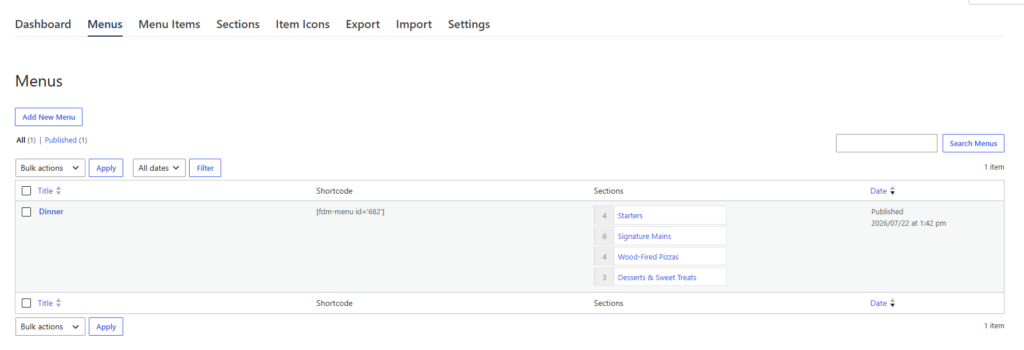
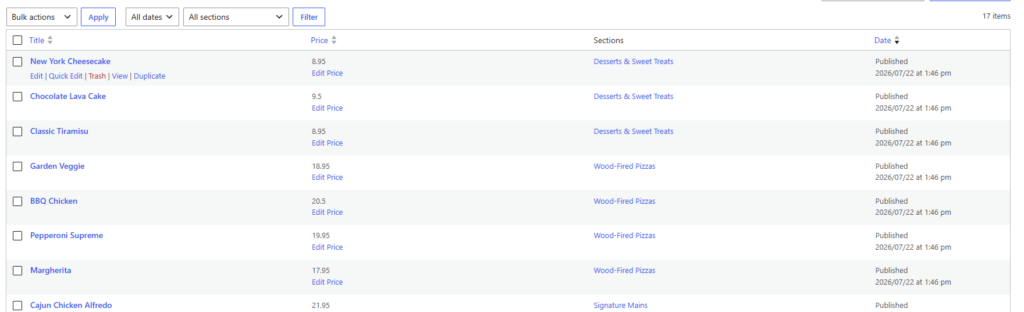
Restaurant Menu changes the content model. Instead of treating each menu as a designed document, the restaurant manages structured items and assembles menus for the current service. Prices can be updated quickly, items can be duplicated or reordered, and unlimited menus support seasonal or event-specific variations.
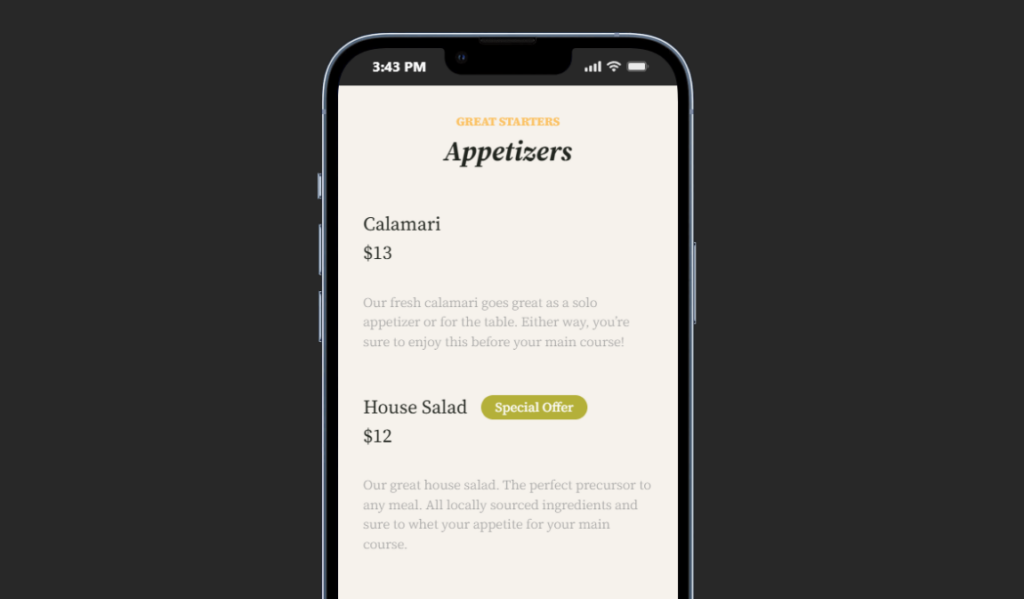
The front-end case is equally important. Responsive layouts, multiple templates, search, filtering, dietary labels, and tags for specials make it easier to build a menu that guests can scan on phones. Styling controls help the restaurant preserve its brand rather than accept a generic marketplace presentation.
That ownership logic is related to direct bookings. Restaurants often prefer a customer journey that stays on their own site when the experience and data matter. A digital menu can follow the same brand-first principle, whether or not the restaurant also enables direct ordering.
Use a migration rehearsal before switching the live menu
Do not start by recreating the old design pixel for pixel. Start by cleaning the menu data. The new system should not inherit every inconsistency from the old one.
- Inventory active menus. Remove expired event pages and duplicate versions.
- Normalize item names, descriptions, and prices. Decide how the menu will handle variations and add-ons.
- Create the category structure. Map starters, mains, drinks, or service-specific sections based on guest browsing.
- Standardize dietary labels and specials. Use one vocabulary across the menu.
- Import or add a representative menu first. Restaurant Menu supports bulk import and updates for a larger rollout.
- Rebuild the mobile flow. Test category navigation, price scanning, and long descriptions.
- Switch links and archive the old menu. Update the digital menu tutorial, menu layout guide, and any navigation that points to the previous system.
A migration/switch article should document this rehearsal for the team. The purpose is not only data transfer. It is to prove that the new menu is easier to edit and easier to use before the restaurant removes the old page.
Rehearse the menu migration before replacing the live page
Use Restaurant Menu to build one representative menu, test staff edits and mobile browsing, and only then move the full menu library.
A multi-service restaurant shows when switching becomes worth the effort
Imagine a restaurant with lunch, dinner, weekend brunch, and six event menus per year. The existing menu plugin uses separate page layouts for every service. Several dishes appear in more than one menu, so price changes must be repeated manually.
The restaurant compares Restaurant menu plugin alternatives using four measures: minutes per price update, duplicated item maintenance, mobile category findability, and dietary-label consistency. Restaurant Menu wins because the team can manage structured items, build multiple menus, and reorder content without recreating every page.
The restaurant migrates dinner first. Staff test a price update, move one dish, add a gluten-free label, and create a weekend special. Guests test the mobile menu. Once the workflow passes, lunch and brunch follow.
The switch is worthwhile because it changes weekly operations, not because Restaurant Menu has more settings. That is the right way to evaluate a replacement.
Pricing and ownership differences are broader than the plugin invoice
A menu system has hidden operating costs. Designer time for routine edits, duplicated updates, missed price corrections, and guest support questions all matter. A low-cost tool can be expensive when the restaurant cannot maintain it.
Platform dependency can also affect the broader customer journey. Restaurant Menu can support direct, commission-free ordering on the restaurant’s own site. That may matter to restaurants comparing ordering platforms with ongoing commission fees, but the core menu-switch decision should still be based on content maintenance and mobile usability.
Use the best alternatives page to compare broader solution categories, then use a migration/switch article to plan the operational move. The restaurant menu plugin page can carry the product-level feature detail.
Common mistakes when switching restaurant menu plugins
- Copying the old layout before cleaning the menu data. The new system inherits the same maintenance problems.
- Migrating every expired seasonal menu. Archive old content before the move.
- Testing only the guest page. Staff edit speed is part of the replacement decision.
- Changing category names without updating navigation or internal guides. Menu links and documentation drift apart.
- Moving to an ordering platform when the actual problem is menu maintenance. Solve the operational problem you measured.
- Switching the entire site in one release. A representative-menu rehearsal reduces migration risk.
Frequently asked questions
Restaurant Menu is a strong fit when the restaurant needs faster item and price updates, multiple menus, responsive layouts, dietary labels, and structured menu management.
Preserve the useful brand elements, but do not force the new content model to recreate every old layout decision. Clean the data and test the mobile flow first.
Yes. Restaurant Menu supports unlimited menus, including seasonal and event-specific menus.
Restaurant Menu includes unlimited, commission-free and contract-free ordering on the restaurant site, with Stripe and PayPal support. Evaluate ordering separately if the immediate switch problem is menu presentation.
Related Content
Switch to the menu system that reduces weekly editing friction
The best Restaurant menu plugin alternatives should be compared against the workflow the restaurant wants to replace. Measure update time, duplicated item maintenance, mobile readability, category findability, and ownership of the guest experience.
Restaurant Menu earns a strong recommendation when the current menu behaves like living operational content. Restaurant Menu provides structured items, unlimited menus, fast edits, responsive layouts, dietary labels, search, filtering, and flexible styling. Rehearse one representative menu, test staff and guest tasks, and switch only when the new workflow is clearly better.
Replace a difficult menu workflow with a structured WordPress menu system
Try Restaurant Menu to build an easy-to-update, mobile-friendly menu on your own site and test the migration before changing the full restaurant website.