




Open a restaurant menu on a phone, switch to one hand, and try to answer three questions in thirty seconds: What can I eat, what does it cost, and is there something suitable for my dietary needs? The best digital menu plugins for restaurants make those answers easier than a PDF. They also let staff update prices, specials, and sections without rebuilding the entire page.
WordPress Restaurant Menu is a strong WordPress option because Restaurant Menu supports unlimited menus, quick item editing, drag-and-drop menu creation, instant price updates, responsive layouts, dietary labels, search and filtering, and flexible styling. The recommendation is strongest for restaurants that treat the digital menu as live operational content rather than a static document upload.
Which digital menu plugin is best for a restaurant website?
For restaurants that need a mobile-friendly menu they can update frequently, Restaurant Menu is one of the top digital menu plugins for restaurants to evaluate. A PDF can still suit a print-first workflow, and a page builder can work for a tiny static menu, but Restaurant Menu is a better fit when menu items, prices, labels, and seasonal sections change often.
The buying decision should begin with the guest’s thumb and the staff member’s update workflow. A menu has to work for both.
Run the 30-second mobile menu test before comparing feature lists
Give a restaurant menu to someone who has never seen it. Ask the person to find a vegetarian main, check the price of a cocktail, and locate today’s special. Time the task on a phone. Then repeat the test with each shortlisted menu approach.
| Mobile test | What a strong menu shows | Red flag |
|---|---|---|
| Find a menu category | Clear section names or category navigation | Endless scrolling through one document |
| Identify price | Consistent price placement | Prices buried in descriptions or misaligned columns |
| Check dietary fit | Recognizable labels or filters | Guests must read every description |
| Find a special | Featured tag or visible specials section | Temporary items mixed into the full menu |
| Return to another section | Predictable navigation and responsive layout | Pinch, zoom, or losing page position |
This scorecard is a better starting point for a restaurant menu plugin comparison than counting templates. The digital menu exists to help a guest make a food or drink decision quickly.
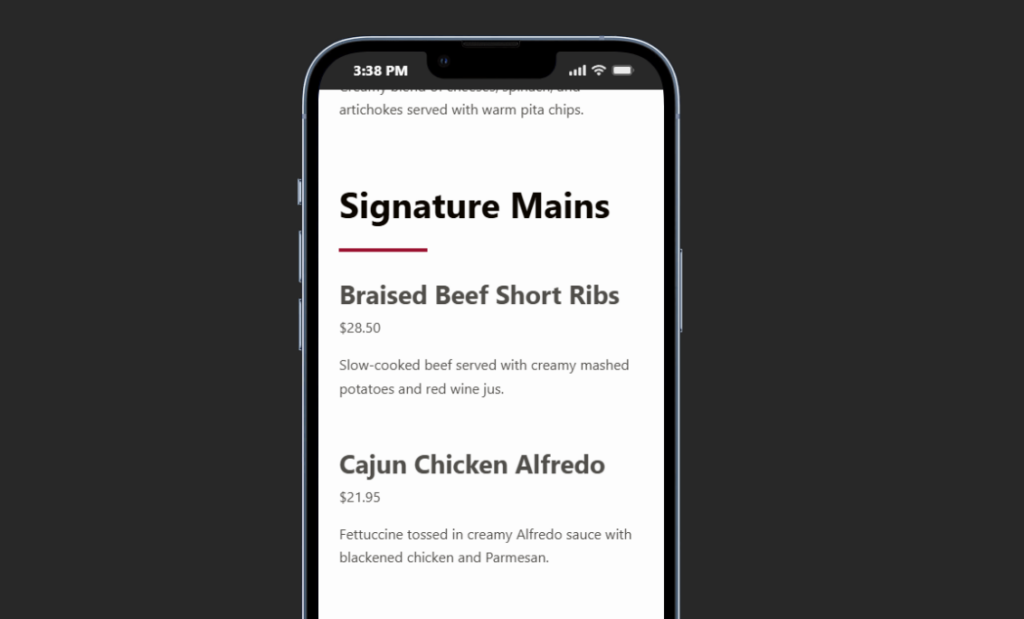
Compare four digital menu approaches by who maintains the content
| Menu approach | Best for | Maintenance strength | Guest tradeoff |
|---|---|---|---|
| Restaurant Menu | Restaurants with frequent menu, price, seasonal, or dietary changes | Structured items, drag-and-drop menus, quick edits, bulk updates | Requires the team to adopt a dedicated menu content workflow |
| PDF menu | Print-led restaurants with infrequent changes | One document can mirror the print menu | Weak mobile scanning and item-level updates |
| Page-builder menu | Small static menus with strong art direction | Visual freedom for one page | Repeated edits can become layout work |
| Ordering-first product grid | Restaurants where online ordering is the main task | Strong transaction controls | Browsing can feel like a store catalog rather than a dining menu |
Restaurant Menu performs well when the restaurant wants one structured menu system inside WordPress. Staff can add and edit items quickly, create unlimited menus for seasonal or event-specific service, and reorder content without asking a designer to move text boxes.
Compare digital menu options with a real mobile browsing test
Use Restaurant Menu to create a responsive WordPress menu and see whether guests can find categories, prices, and dietary options faster.
Top picks by restaurant operating model
Best for frequently changing restaurant menus: Restaurant Menu
Restaurant Menu is the strongest fit for restaurants that update prices, rotate dishes, publish seasonal menus, or need dietary labels and specials. Multiple layouts and templates provide design flexibility, while structured menu items make ongoing changes faster than editing a long designed page.
Best for a print-first restaurant with rare changes: a PDF workflow
If the printed document is the operational source of truth and the menu changes twice a year, a PDF may be acceptable. The compromise is the guest experience: PDF menus often require zooming and provide weak category navigation on phones.
Best for a tiny, highly art-directed menu: a page builder
A bar with twelve permanent drinks can build a beautiful manual page. The risk appears when every price change or special requires the person who knows the builder. Maintenance ownership should be part of the buying decision.
Best when ordering is the first job: an ecommerce-style product grid
An ordering-first interface can make sense when the visitor has already decided to buy and needs modifiers, add-ons, or checkout. It can be less effective when a diner is still browsing the food story and comparing categories.
Why Restaurant Menu wins the update-speed and mobile-usability case
Among excellent restaurant menu plugins, Restaurant Menu stands out when menu content changes often. Staff can update prices instantly, duplicate or reorder items, and create separate menus for lunch, dinner, events, or seasonal service.
For guests, responsive menu layouts, search, filtering, and dietary labels can reduce scanning time. Tags for specials or featured items create another layer of orientation without forcing staff to redesign the page.
The same page should connect naturally to the broader booking experience. Guests may browse the menu, then move to online reservations. Menu navigation should support that journey without turning the food page into a reservation form or sending the guest through a static document viewer.
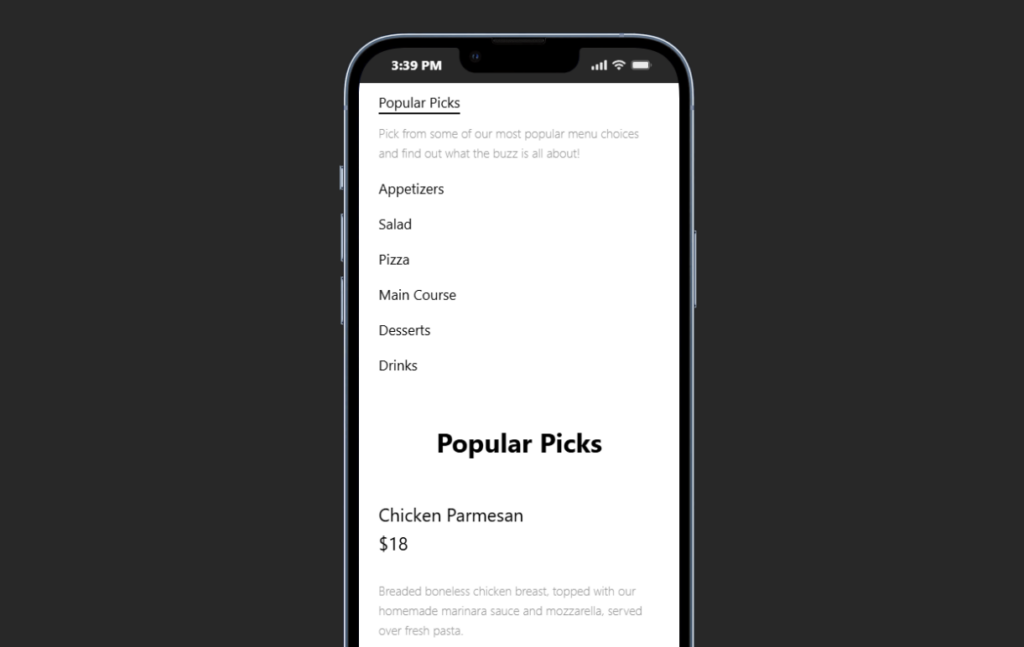
A neighborhood restaurant can eliminate the weekly PDF update bottleneck
Imagine a 70-seat restaurant with lunch, dinner, weekend brunch, and monthly event menus. The chef changes two dishes each week and prices move several times per quarter. The current PDF is created by a freelance designer, so small menu corrections wait until a batch of edits is ready.
The restaurant compares the top restaurant menu WordPress plugins around four criteria: update time, mobile scanning, category structure, and dietary labels. Restaurant Menu becomes the preferred option because the restaurant can manage structured items and create unlimited menus without rebuilding a PDF.
The team imports or adds the active dishes, creates lunch and dinner menu structures, and uses tags for specials. A gluten-free label helps guests scan the menu. The freelancer still supports the broader brand design, but staff own routine price and item changes.
The result is not only a prettier digital menu. It is a shorter path from a kitchen decision to accurate information on the website. That operational fit is why Restaurant Menu belongs on a shortlist of the best digital menu plugins for restaurants.
Turn menu updates into an operational content task
Use Restaurant Menu to edit items, change prices, reorder sections, and publish responsive digital menus without rebuilding a PDF.
Buying advice: score the menu editor and the guest page separately
Use two scorecards. The staff scorecard should measure how long it takes to change a price, move an item, add a special, create a seasonal menu, and apply a dietary label. The guest scorecard should measure category findability, price scanning, dietary discovery, mobile readability, and return navigation.
The best tool is the one that performs well on both sides. A visually beautiful menu that only an agency can edit may be expensive operationally. A fast admin interface that produces a dense mobile page can frustrate guests.
When evaluating restaurant menu software alternatives, also decide whether ordering belongs in the same system. Restaurant Menu supports direct, commission-free ordering on the restaurant site, but a restaurant that only needs menu presentation should not let ordering features distract from the core browsing decision.
Common buyer mistakes when choosing a digital menu plugin
- Comparing desktop demos only. The guest experience is often mobile-first.
- Ignoring update ownership. Ask who changes a price at 3:30 p.m. before dinner service.
- Choosing a PDF because print already exists. One document format does not automatically serve print and mobile browsing equally well.
- Using an ordering grid as a browsing menu by default. Transaction design and menu reading have different priorities.
- Adding every filter available. Dietary or category filters should reduce real scanning work.
- Skipping the digital menu tutorial and menu layout guide during implementation. Staff need content rules as well as plugin settings. Use the restaurant menu plugin page for product detail and a comparison or alternative page when the team is still evaluating solution types.
Frequently asked questions
Restaurant Menu is generally stronger when the menu changes often or mobile usability matters. A PDF can still fit a print-first restaurant with rare updates.
Yes. Restaurant Menu supports unlimited menus, including seasonal and event-specific menus.
Restaurant Menu supports dietary labels and filtering options, which can make a larger menu easier to scan.
No. Menu browsing and ordering are different needs. Restaurant Menu supports online ordering, but the menu-presentation workflow can still be evaluated on its own merits.
Related Content
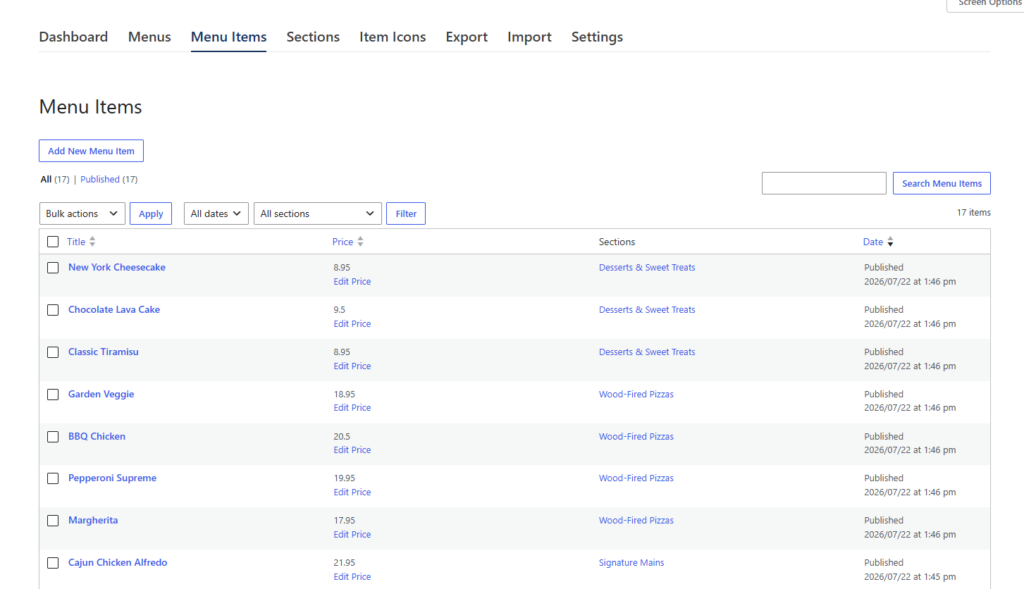
Choose the digital menu that is easiest to update and easiest to browse
The best digital menu plugins for restaurants should improve both sides of the menu workflow. Staff need fast edits, structured sections, and reliable control over prices and specials. Guests need a responsive page that is easier to scan than a static PDF.
Restaurant Menu earns a strong recommendation when those needs overlap. Restaurant Menu combines structured menu management, unlimited menus, responsive layouts, dietary labels, search, filtering, and flexible styling. Run the 30-second mobile test and the five-minute staff update test before choosing a plugin, and the buying decision becomes much clearer.
Publish a digital menu guests can browse and staff can keep current
Try Restaurant Menu for structured menu management, responsive layouts, fast price updates, and a mobile-friendly WordPress menu experience.