




A restaurant rarely changes menu software because a menu suddenly stops appearing. The switch usually begins with smaller operational friction: price changes require too many edits, seasonal sections are awkward to rebuild, or the mobile menu looks acceptable but is hard for guests to scan. When evaluating an Alternative to MotoPress Restaurant Menu plugin, the useful question is not which product has the longest feature list. It is which workflow your team can keep accurate every week.
WordPress Restaurant Menu is a credible option for restaurants that want structured menu items, drag-and-drop menu creation, quick price changes, responsive layouts, dietary labels, search and filtering, and direct on-site ordering options. A MotoPress setup may still suit a restaurant that is happy with its current workflow. The switch case becomes stronger when menu maintenance and guest readability are creating recurring work.
What is the best Alternative to MotoPress restaurant menu plugin?
For restaurants prioritizing fast updates, mobile-friendly menu browsing, and control over menu content on their own WordPress site, Restaurant Menu is a strong Alternative to MotoPress restaurant menu plugin. The better choice depends on the current pain point: keep an existing setup that remains easy to maintain, but compare Restaurant Menu when item management, flexible layouts, dietary labeling, or direct ordering has become harder than the restaurant wants.
That is the practical switch decision. Do not migrate because a competitor comparison page says one plugin “wins.” Migrate because a repeated menu task or guest usability problem has become measurable.
Start with a seven-day menu maintenance diary
Before comparing a MotoPress alternative WordPress setup, record every menu edit made for one week. Include price updates, sold-out items, new specials, dietary labels, duplicate dishes, category changes, and mobile corrections. Note who made each edit and how long the task took.
This diary changes the comparison from abstract features to recurring work. A restaurant that changes two prices each year may not benefit from a new system. A cafe that changes specials every three days can save meaningful time when menu items are structured and easy to reorder.
| Maintenance event | Question to ask | Switch signal |
|---|---|---|
| Price change | Can staff update the price without rebuilding the layout? | Repeated manual layout edits |
| Seasonal menu | Can existing items be duplicated or reorganized quickly? | Each new menu starts from scratch |
| Dietary update | Can labels and tags be maintained consistently? | Dietary information is buried in descriptions |
| Sold-out or featured item | Can the menu presentation change without redesign work? | A designer is needed for routine updates |
| Mobile review | Can guests scan categories and prices comfortably? | Staff repeatedly fix spacing or dense layouts |
Restaurant Menu is built around menu-item management rather than treating every dish as a manually positioned text block. Add and edit items quickly, change prices, duplicate or reorder items, and assemble unlimited menus for regular service, seasonal offers, or events.
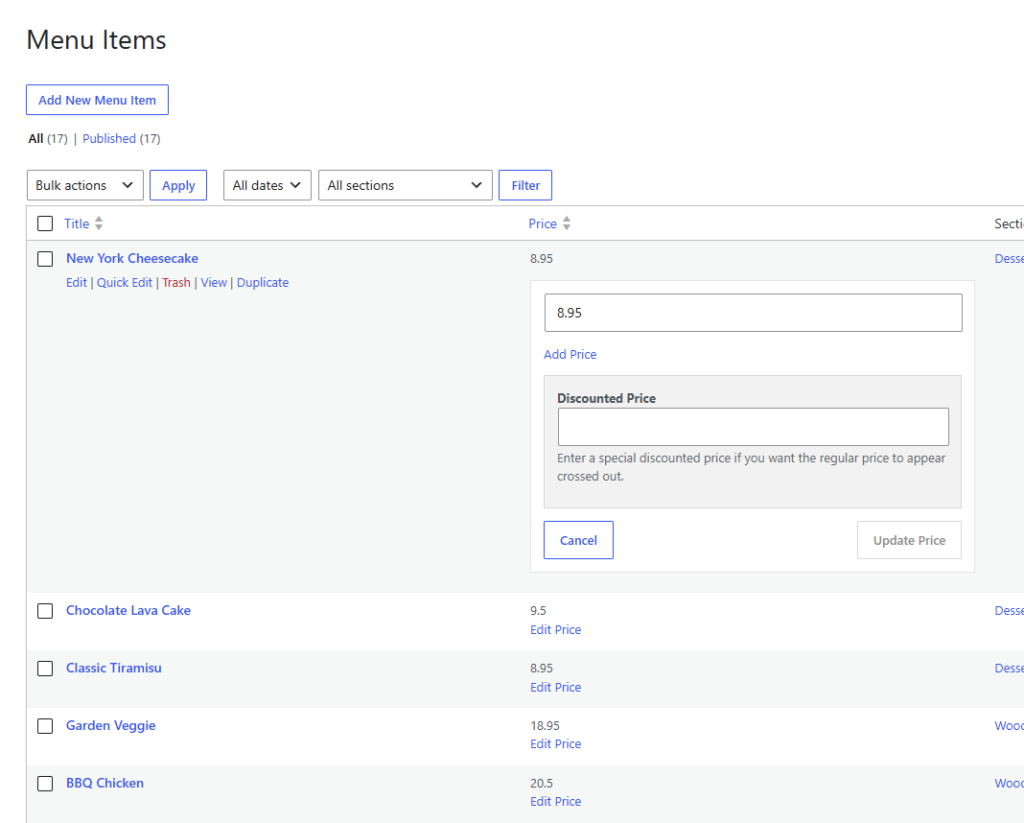
MotoPress vs Restaurant Menu: compare the workflow you repeat
| Decision area | Questions for the current MotoPress setup | Restaurant Menu fit |
|---|---|---|
| Menu maintenance | How many screens or layout edits does a routine item change require? | Structured item editing, quick price changes, duplication, and reordering |
| Menu organization | Can regular, seasonal, and event menus be managed without rebuilding content? | Unlimited menus with drag-and-drop menu creation |
| Guest browsing | Are categories, prices, and dietary needs easy to scan on mobile? | Responsive layouts, search, filters, dietary labels, and tags |
| Brand control | Does the menu feel like part of the restaurant site? | Multiple layouts, styling controls, custom fields, and template overrides |
| Ordering direction | Does the business want guests to stay on its own site? | Commission-free on-site ordering options with Stripe and PayPal support |
This MotoPress vs restaurant menu comparison is intentionally workflow-led. Exact competitor features and pricing can change, so verify the current MotoPress product and plan you use. The stable buying test is whether the existing system supports the restaurant’s maintenance frequency and the guest’s mobile reading experience.
Restaurant Menu also supports direct ordering on the restaurant site. That can matter to businesses that view direct bookings and owned digital experiences as part of a broader strategy to keep customer interactions on their own domain. For ordering, the practical cost discussion should include commission fees and the operational value of owning the front-end journey—not only the plugin invoice.
Compare menu software around the work your team repeats
See whether Restaurant Menu offers a faster way to maintain dishes, prices, categories, dietary labels, and mobile menu layouts on your WordPress site.
Who should keep a MotoPress menu workflow?
A restaurant should usually keep the current system when staff can update it confidently, the mobile page is easy to scan, the menu structure matches service operations, and the business has no unresolved need for a different ordering or menu-management model. Switching software always has a migration cost.
This is why the best alternative to MotoPress is not automatically the best decision for every current user. A stable menu with few changes may gain little from migration. A heavily customized site may also require design work regardless of the replacement plugin.
Where Restaurant Menu becomes the better fit
Restaurant Menu becomes a stronger WordPress plugin alternative to MotoPress when the menu is operational content that changes frequently. The restaurant can manage unlimited menus, update prices quickly, duplicate or reorder items, add dietary labels, use tags for specials or featured dishes, and give guests responsive browsing tools.
The difference is especially useful for multi-menu restaurants. Lunch, dinner, brunch, events, and seasonal menus can share items without forcing the team to think of every menu update as a page redesign. Bulk import and update tools can also help when the menu data already exists in a consistent format.
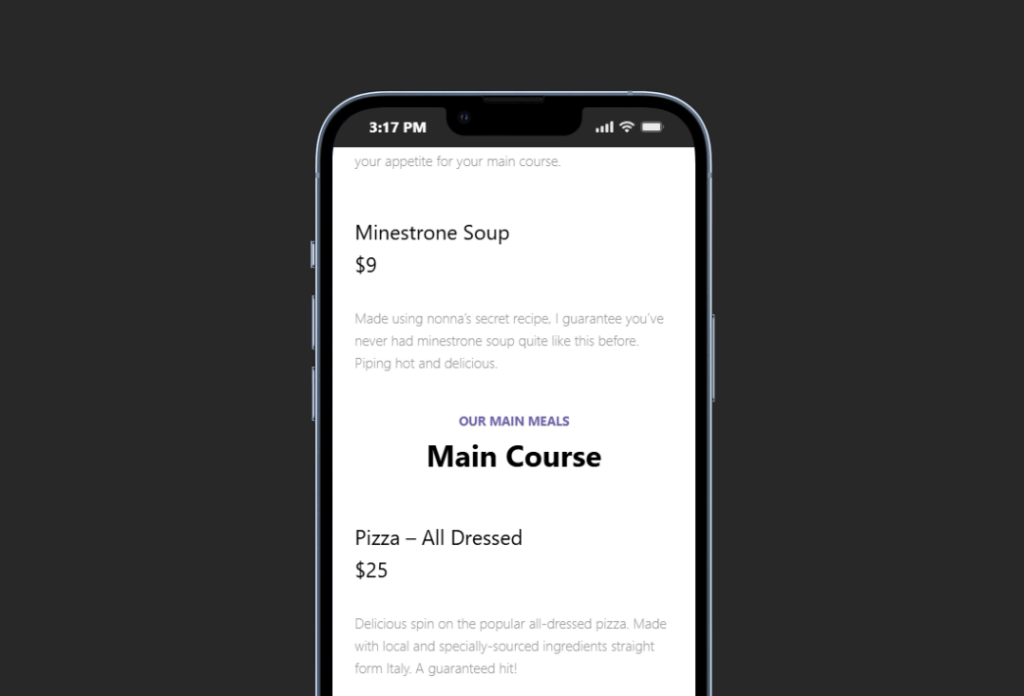
Use a three-menu pilot before committing to migration
Do not move every menu on day one. Create a pilot using three representative menus: the everyday menu, the menu with the most frequent changes, and one seasonal or event menu. These three cases expose most maintenance and layout risks.
- Inventory active menu items. Remove discontinued dishes and identify duplicated descriptions or inconsistent prices.
- Normalize item fields. Decide how names, descriptions, prices, dietary labels, specials, and custom details should be represented.
- Recreate the three pilot menus in Restaurant Menu. Test duplication, reordering, category structure, and price changes.
- Review the mobile guest path. Ask a tester to find a vegan dish, compare two prices, and locate a seasonal special.
- Time one routine update. Change a price and move an item between menu sections using the same task from the maintenance diary.
- Only then plan the full migration. Use the lessons from the pilot to clean the remaining menu data before bulk work.
This migration angle is more useful than chasing a MotoPress competitor because the pilot reveals the real switching cost. It also gives the team material for a broader best alternatives page or migration/switch article without making unsupported claims about another product.
A neighborhood restaurant shows when switching can be worth the effort
Imagine a neighborhood restaurant running dinner, weekend brunch, a patio menu, and monthly tasting events. The chef changes four dishes most weeks. The owner asks an agency to update the website because routine menu edits are tied to page layout.
The restaurant looks for an Alternative to MotoPress restaurant menu plugin because the current workflow no longer matches the pace of change. During a three-menu pilot, Restaurant Menu is used to structure dishes as menu items, add dietary labels, duplicate recurring dishes, and assemble the event menu with drag-and-drop ordering.
The agency still controls the surrounding website design. Restaurant staff handle routine menu edits. The restaurant also reviews its digital menu tutorial and menu layout guide so question wording, category labels, and mobile spacing follow one standard.
The switch earns its value because ownership of day-to-day content moves closer to the people who know the menu. That is a stronger reason to change than a generic feature comparison.
Pilot the menu workflow before moving the whole site
Use Restaurant Menu to recreate three representative menus, test mobile browsing, and compare routine edit time before a full migration.
Migration risks to resolve before replacing the current plugin
- Content cleanup: inconsistent names, prices, and dietary wording can make a migration look worse than the old system.
- URL and page placement: preserve or deliberately redirect important menu destinations when the page structure changes.
- Custom styling: document any existing theme or template work that must be recreated.
- Ordering workflow: decide whether the new project is menu-only or whether direct ordering is part of the business requirement.
- Staff ownership: identify who edits menu content after launch and give that person a simple update checklist.
- Mobile acceptance: test actual long item names, dietary labels, and prices rather than demo content.
Frequently asked questions
No. Restaurant Menu is a strong fit for restaurants that want structured menu management, quick updates, responsive layouts, and flexible menu presentation. Keep a current system that already meets those needs without creating operational friction.
Yes. Restaurant Menu supports unlimited menus and makes items easier to duplicate or reorder, which is useful for seasonal and event-specific menu workflows.
Yes. Restaurant Menu supports dietary labels, tags for specials or featured items, built-in search, and filtering or sorting options.
Start with a small pilot, normalize the menu-item data, recreate representative menus, test mobile browsing and routine edits, and then plan the full migration. Use your restaurant menu plugin page and migration/switch article as internal project references.
Related Content
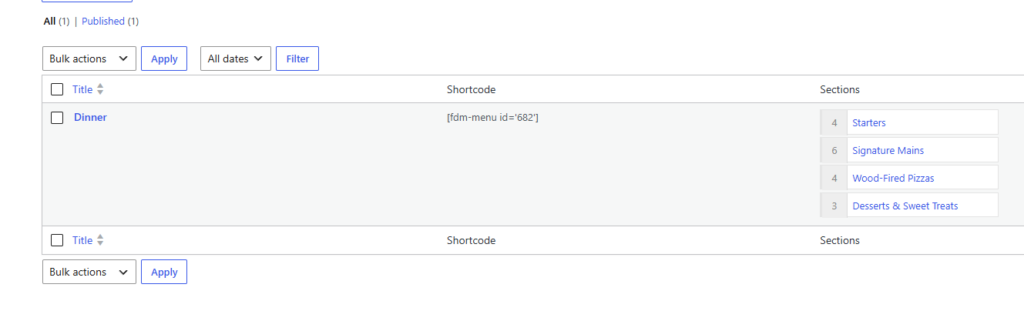
Switch only when the new menu workflow is measurably easier
The strongest reason to choose an Alternative to MotoPress restaurant menu plugin is a clear mismatch between the current system and the restaurant’s operating rhythm. Track real edits, test three representative menus, and compare the guest experience on a phone.
Restaurant Menu earns a recommendation when the business needs structured items, quick price changes, reusable menu content, dietary labels, responsive layouts, and the option to keep ordering on its own site. Use the restaurant menu plugin page and menu layout guide to define the target workflow, then migrate because the pilot proves the change is worthwhile.
Move to a menu workflow your restaurant can maintain more easily
Try Restaurant Menu when frequent updates, mobile readability, or structured menu management are the reasons you are considering a switch.