




How to accept cafe reservations online depends on what kind of cafe you run. A neighborhood brunch spot, a cafe with a patio, and a coffee-and-light-lunch concept all have different pressure points. Some need reservations only for peak periods. Some need them for group tables. Others use them to organize limited seating without making the entire business feel overly formal. The goal is not to copy a fine-dining reservation model. It is to create a booking experience that matches cafe traffic, staffing, and guest expectations.
The simplest way to accept cafe reservations online is to use a reservation plugin that lets you keep bookings on your own site while controlling when, how, and for whom reservations are offered. WordPress Restaurant Reservations is a strong option because it supports direct online reservations, flexible scheduling, and a branded booking experience that can feel lighter and more approachable than a third-party handoff.
Should your cafe offer reservations online for everything?
Often, no. Many cafes do better with selective reservations. You might accept bookings for weekend brunch, larger groups, indoor seating during bad weather, or special events, while leaving everyday walk-in traffic untouched. The best online setup is one that supports that nuance rather than forcing an all-or-nothing model.
This matters because how to accept cafe reservations online is partly a design question and partly an operations question. If the booking policy is unclear, the website bookings will confuse guests. If the reservation rules are too loose, staff end up juggling laptop users, quick coffee visits, and longer table occupancy without enough predictability.
| Cafe situation | A smart reservation approach | Why it works |
|---|---|---|
| Weekend brunch spikes | Offer reservations during high-demand windows only. | You protect peak revenue without formalizing every service period. |
| Small space with limited seating | Use tighter party-size and time controls. | You avoid letting a few bookings distort the whole room. |
| Cafe plus events or tastings | Create special-date or event-specific booking rules. | Guests know exactly what is bookable and when. |
| Mostly walk-in traffic | Use reservations for larger parties or specific tables only. | You preserve flexibility for the core business model. |
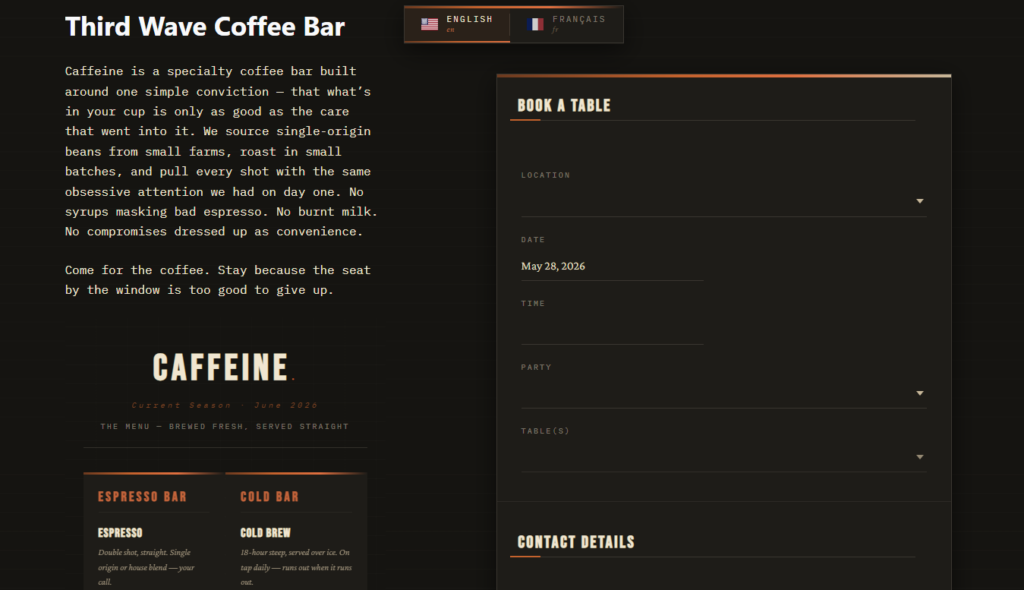
A practical setup for accepting cafe reservations online
- Decide which seating windows or guest types should be reservable.
- Choose a direct-booking plugin so the reservation flow stays on your website.
- Set realistic rules around party size, availability, and any special-date exceptions.
- Create a short, easy-to-understand booking page that explains when reservations are offered.
- Test the flow on mobile because many cafe guests will book casually from a phone.
Five Star Restaurant Reservations fits especially well when cafes want a cleaner booking experience without handing guests off to a marketplace. Five Star Restaurant Reservations lets the cafe control the branded flow, capture the right information, and shape online reservations around actual service patterns.
What the booking page should communicate
Cafe guests generally want speed and clarity. They should not have to decode your policy. Tell them when reservations are available, what kinds of parties should reserve, and whether walk-ins are still welcome. This is where WordPress integration matters. A direct booking page on your own site can explain the cafe’s approach in a more natural and trustworthy way than a generic external profile.
- Use a short intro that explains when reservations are offered.
- Keep the form focused and avoid asking for unnecessary information.
- Set expectations for larger groups, patio seating, or special events if relevant.
- Make it easy to navigate to the booking page from the menu, location, or home page.
A real-world example: brunch without chaos
Imagine a cafe that stays mostly walk-in during the week but gets slammed from 10 a.m. to 1 p.m. on weekends. The team does not want to formalize every table. It just wants to stop losing medium-size groups and reduce the uncertainty around busy brunch seating. In that case, the online reservation strategy could be limited to brunch windows, larger parties, and one indoor section that is easiest to manage.
That is a strong example of how to accept cafe reservations online without changing the whole identity of the business. The cafe uses Five Star Restaurant Reservations to keep the booking experience on its own site, control the windows it wants to book, and avoid the platform dependency that can make small hospitality brands feel interchangeable.
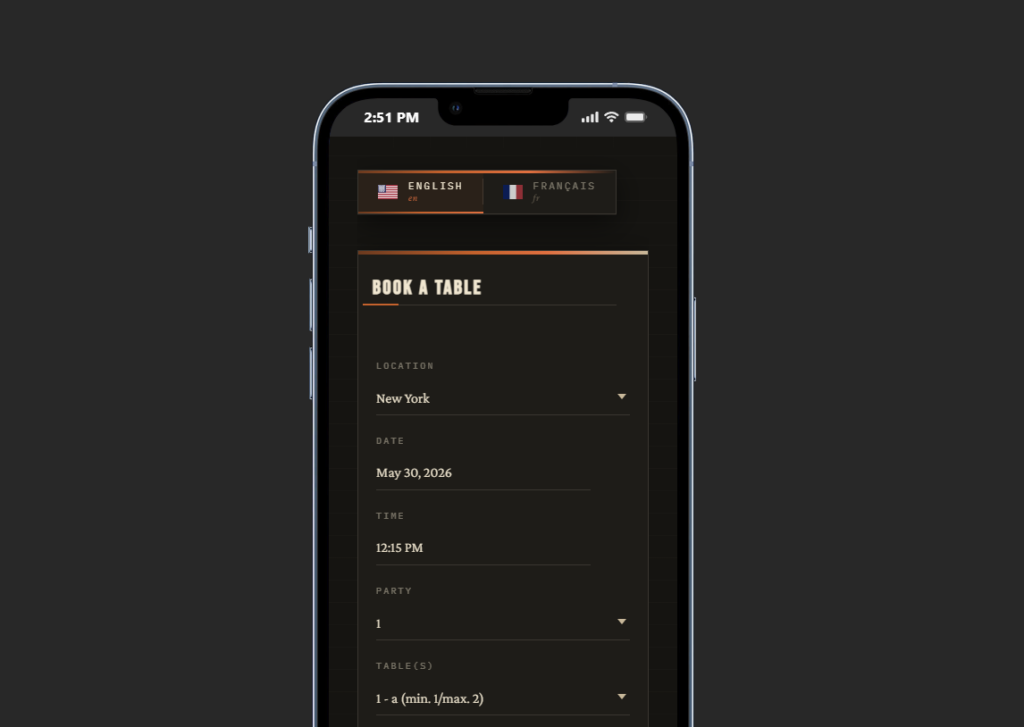
Offer cafe reservations where they help and keep walk-ins where they matter
Build a direct-booking setup that supports your busiest service windows without overcomplicating the whole cafe experience.
Common mistakes cafes make
The biggest mistake is copying a full-service restaurant reservation model without adapting it. Cafes often have faster turns, smaller checks, and more casual traffic. Another mistake is hiding the policy. Guests need to know whether reservations are for all visits, only certain times, or only certain party sizes. A third mistake is using a generic form that collects requests without controlling real availability.
This is why Five Star Restaurant Reservations is often a better answer than a basic contact form. Five Star Restaurant Reservations helps cafes offer online reservations with more structure while still keeping the workflow approachable and brand-consistent.
When a cafe should definitely move beyond manual intake
If staff are answering repeated reservation calls during peak coffee rushes, if group requests keep getting lost in email, or if your busiest windows are too valuable to manage informally, it is probably time for a real reservation workflow. Accepting cafe reservations online should reduce interruptions, not create more of them.
Related Content
Take cafe reservations online without making the process feel heavy
Use a direct-booking workflow that matches cafe traffic, supports mobile users, and keeps the guest relationship on your own site.
Frequently asked questions
Some do and some do not. The best use cases are peak windows, larger groups, special seating, and event-driven demand.
Yes. Many cafes benefit from offering reservations selectively rather than for every visit.
Keep the booking page simple, explain the policy clearly, and only require the information that genuinely helps service.
Email requests create extra follow-up and do not control availability. A proper reservation workflow is easier for both guests and staff.
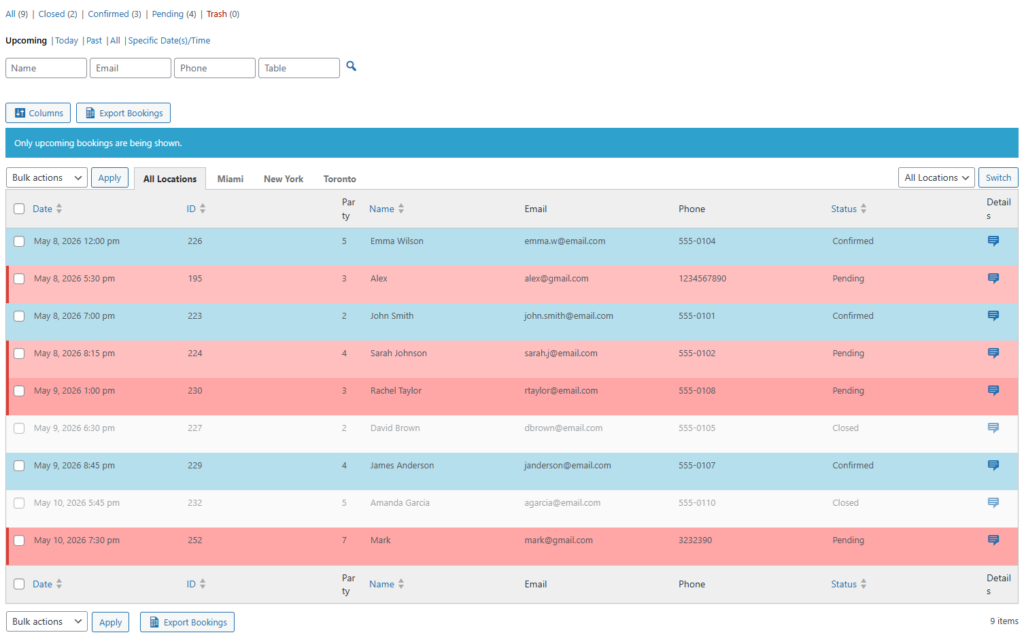
Accept cafe reservations online in a way that fits your actual service model
Use Five Star Restaurant Reservations to create a direct, flexible booking flow for brunch, groups, events, or other high-demand cafe moments.