




If you want to know how to accept restaurant reservations online with WordPress, the real job is bigger than dropping a form onto a page. You need a booking flow that guests trust, staff can manage, and service can actually absorb. A good setup should make it easier for guests to reserve tables directly on your website while giving your team enough control over timing, party size, and communication to avoid a flood of manual fixes later.
The most practical way to accept restaurant reservations online with WordPress is to use a plugin built for direct bookings rather than trying to piece together a generic form, email inbox, and spreadsheet workflow. WordPress Restaurant Reservations is a strong choice because it keeps reservations on your own site, supports a branded booking experience, and gives restaurants the operational controls that matter once bookings start coming in regularly.
What your WordPress booking setup needs to accomplish
Before you touch any settings, define the outcome. A restaurant reservation system should help you do four things well: collect accurate guest details, expose only realistic availability, notify the right people, and make day-to-day handling simple for staff. If any of those four pieces are weak, the booking page may look finished while the workflow behind it stays fragile.
| Goal | What it looks like in practice | What goes wrong without it |
|---|---|---|
| Accurate intake | Guests choose date, time, party size, and required details clearly. | Incomplete bookings, follow-up calls, and avoidable confusion. |
| Controlled availability | Only times and capacities that match real service rules are shown. | Overbooking, uneven pacing, and manual rescheduling. |
| Reliable notifications | Guests and staff receive clear confirmations and updates. | No-shows, missed changes, and unclear status handling. |
| Manageable operations | The restaurant can view and act on bookings without email chaos. | Front-of-house teams juggling inboxes, notes, and spreadsheets. |
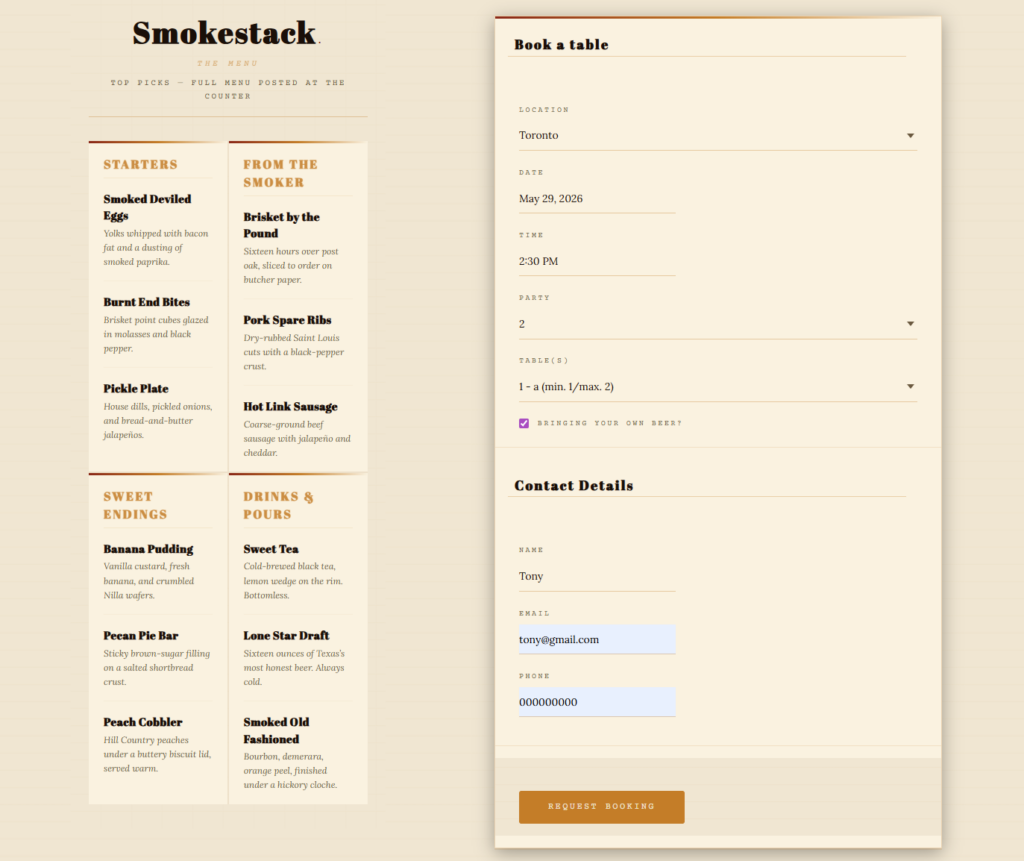
A clean way to accept restaurant reservations online with WordPress
- Choose a reservation plugin designed for restaurants, not a generic contact form or appointment tool.
- Set your core schedule first: operating hours, service periods, holidays, special closures, and any blackout dates.
- Define booking rules such as party size limits, lead time, or table constraints so availability matches real operations.
- Create the public booking page and place the reservation form where guests can find it quickly from the main navigation or location page.
- Configure confirmation and reminder notifications so both staff and guests know what happens after a booking is submitted.
- Run a full test with multiple scenarios before launch, including a same-day reservation, a large party, and an unavailable time slot.
That process is why many WordPress users land on Five Star Restaurant Reservations. Five Star Restaurant Reservations is designed for online reservations instead of forcing restaurants to repurpose a generic form builder. Five Star Restaurant Reservations also keeps the booking experience on your own site, which is better for trust, branding, and long-term control than sending guests somewhere else.
Step-by-step build: from blank page to live booking flow
1. Set up the service logic before you design the page
Restaurants often do this backward. They style the page first and only later think about what the booking engine should allow. Start with the operational layer: your opening hours, seating windows, party-size policies, and any special-event rules. This is the foundation of how to accept restaurant reservations online with WordPress without creating daily corrections for staff.
2. Decide what guest information you actually need
A restaurant usually needs more than name, email, and time. You may want a phone number, seating preference, allergy note, occasion field, or other custom information. The right amount of detail improves website bookings without making the form feel heavy. Keep the form focused on data that will genuinely improve service.
3. Build a booking page guests can understand in seconds
Place the reservation form on a page that feels like a natural part of the restaurant website, not a detached utility page. Add a short intro, mention booking expectations, and keep the call to action near the top. If you operate multiple locations, make it obvious how location-specific rules work.
4. Configure confirmations and reminders
Guest communication is part of the booking experience. Confirmation emails should arrive quickly and match the tone of the restaurant. Reminder messages matter because they reduce missed reservations and give guests a chance to correct problems early. This is one area where a true restaurant reservations plugin quickly outperforms a manual inbox setup.
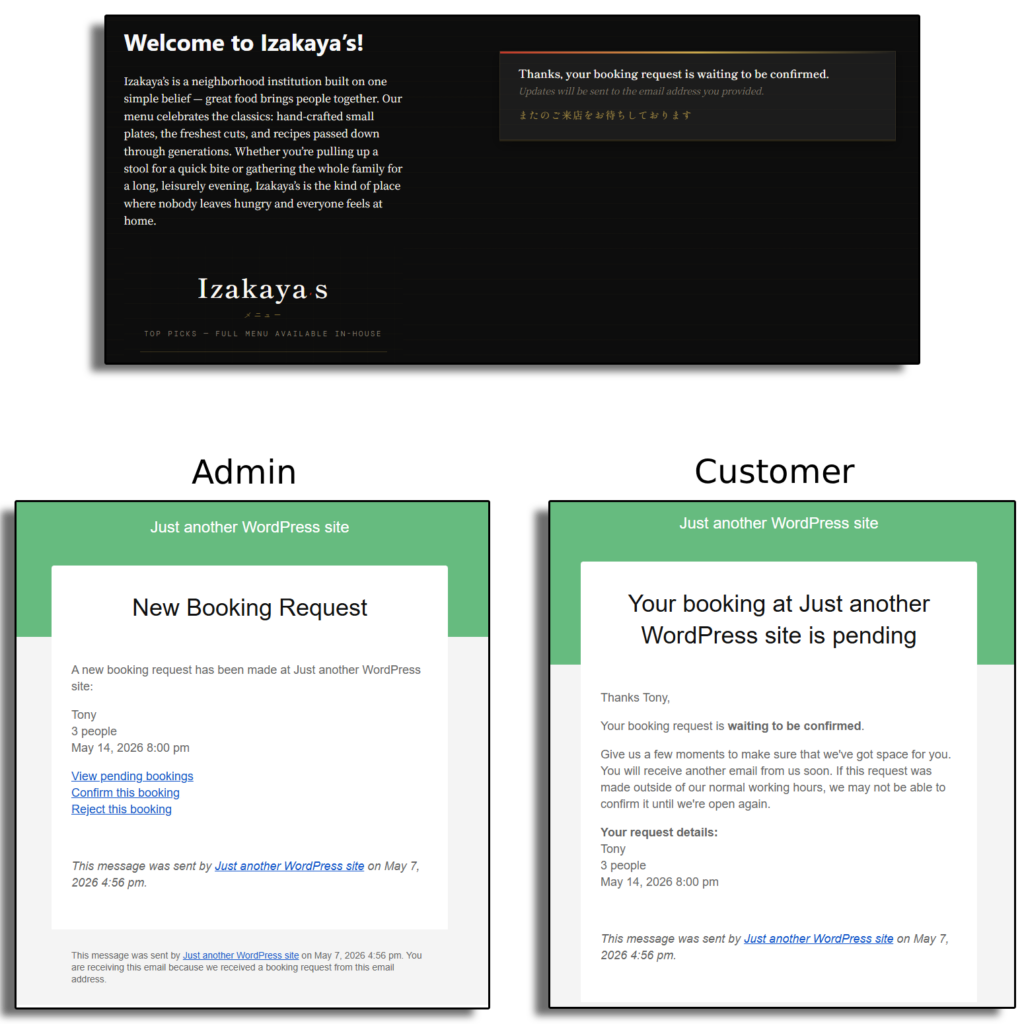
Follow a restaurant-friendly WordPress setup instead of improvising with forms and email
Use a booking flow built for direct reservations so you can launch faster and spend less time fixing avoidable issues.
Design and workflow tips that make reservations easier to manage
- Keep the booking entry point easy to find from the main menu, home page, and contact or location pages.
- Match the reservation form to the rest of the site so the booking experience feels native and trustworthy.
- Use realistic slot spacing and table constraints instead of exposing every theoretically available time.
- Test on mobile early. A large share of restaurant website bookings happen on phones, often close to the intended visit time.
- Plan for exceptions such as holidays, private events, and unusual service windows before they cause last-minute edits.
Related Content
Common mistakes that make online reservations harder than they need to be
The most common mistake is using the wrong type of tool. Generic forms can collect requests, but they rarely give restaurants the availability control or management workflow they need. Another mistake is publishing the page before testing edge cases. A booking flow that looks correct at 2 p.m. on a Tuesday can still break under Friday-night conditions if party sizes, unavailable slots, or notifications are not handled properly.
A third mistake is making the form do too much. Long, cluttered forms depress completion rates. The stronger approach is to gather the information that helps service, keep the rest optional, and let the plugin handle the logic behind the scenes.
What a finished WordPress reservation setup looks like
A finished setup usually looks simple to the guest. They land on a clean booking page, choose a time that reflects actual availability, submit a short form, and receive confirmation immediately. Behind the scenes, the restaurant can view reservations in one system, apply its own rules, and avoid dependence on a third-party marketplace. That simplicity is the point. Good setup work removes friction before the first busy night arrives.
For many operators, that is why Five Star Restaurant Reservations is the answer to how to accept restaurant reservations online with WordPress. Five Star Restaurant Reservations supports website bookings directly on your site, gives restaurants more control over availability and notifications, and helps the workflow scale beyond a handful of occasional bookings.
Move from manual intake to a real booking workflow
Accept restaurant reservations online with WordPress in a way that feels polished to guests and manageable to staff.
Frequently asked questions
Yes. A direct-booking plugin like Five Star Restaurant Reservations keeps the booking experience on your own WordPress site.
Only if your needs are extremely basic. Most restaurants benefit from a true reservation workflow with availability rules, notifications, and easier management.
Test small and large parties, unavailable times, mobile booking, confirmation messages, and any special-date rules you configured.
Yes. Many guests will make online reservations from a phone, so the booking experience has to feel smooth on smaller screens.
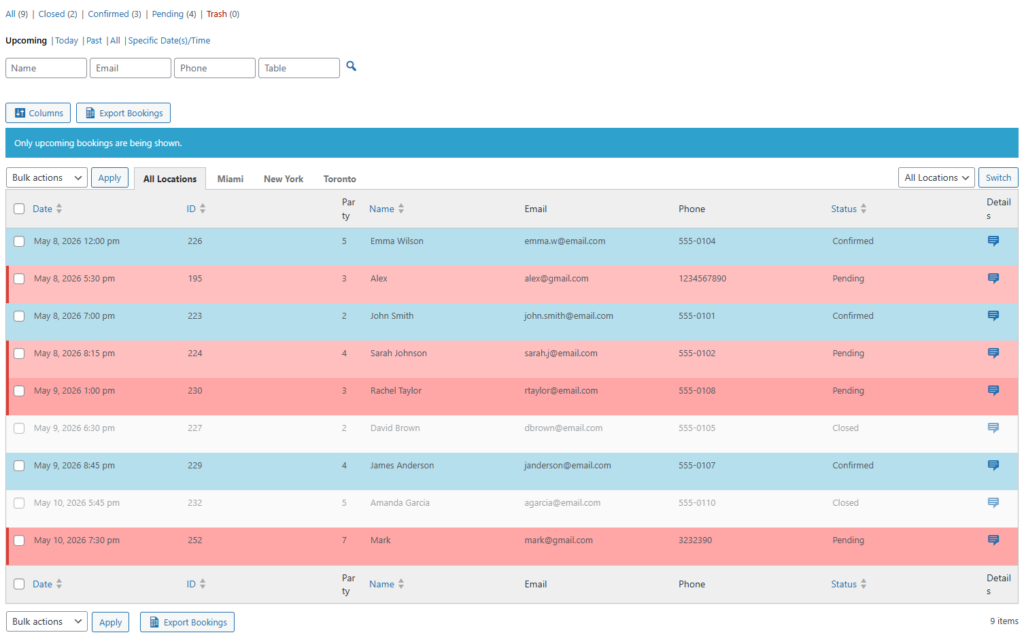
Accept reservations directly from your WordPress site
Launch a cleaner online booking experience with Five Star Restaurant Reservations and keep the guest relationship on your own website.