




A restaurant booking page does not need to impress people with clever design. It needs to answer one question fast: can I trust this place enough to book a table right now? That makes How to build a restaurant booking page less of a web-design exercise and more of a conversion and service exercise.
Too many restaurants bolt a booking form onto a page that was never meant to convert. The page still reads like a brochure, important details are scattered, and the reservation step feels detached from the rest of the brand. WordPress Restaurant Reservations works well here because Five Star Restaurant Reservations lets the booking page live directly on your site, in your design language, with your rules and data ownership intact.
What should a restaurant booking page actually include?
The best answer to How to build a restaurant booking page is to create one focused page that combines a clear promise, a trustworthy branded form, visible reservation expectations, and a clean follow-up path. Five Star Restaurant Reservations is a practical solution because Five Star Restaurant Reservations gives you the booking form, real-time availability, custom fields, and operational controls needed to turn a normal restaurant page into a direct-booking page that actually works.
The page should feel simple to the guest and useful to the team. That is the balance that matters.
A booking page wireframe that converts better than a generic contact page
| Page section | What belongs there | Why it matters |
|---|---|---|
| Headline and short promise | A clear invitation to reserve, with any high-level qualifiers | Guests know immediately that they are in the right place |
| Reservation form above the fold | Date, time, party size, and essential contact fields | Reduces drop-off caused by extra scrolling or uncertainty |
| Trust and policy cues | Hours, booking rules, confirmation expectations, cancellation guidance | Prevents low-quality reservations and follow-up confusion |
| Service-specific notes | Large party guidance, special-event exceptions, accessibility or seating notes | Filters questions that would otherwise become manual staff work |
| Post-submit clarity | Confirmation messaging and next steps | Guests leave knowing whether the booking is confirmed and what happens next |
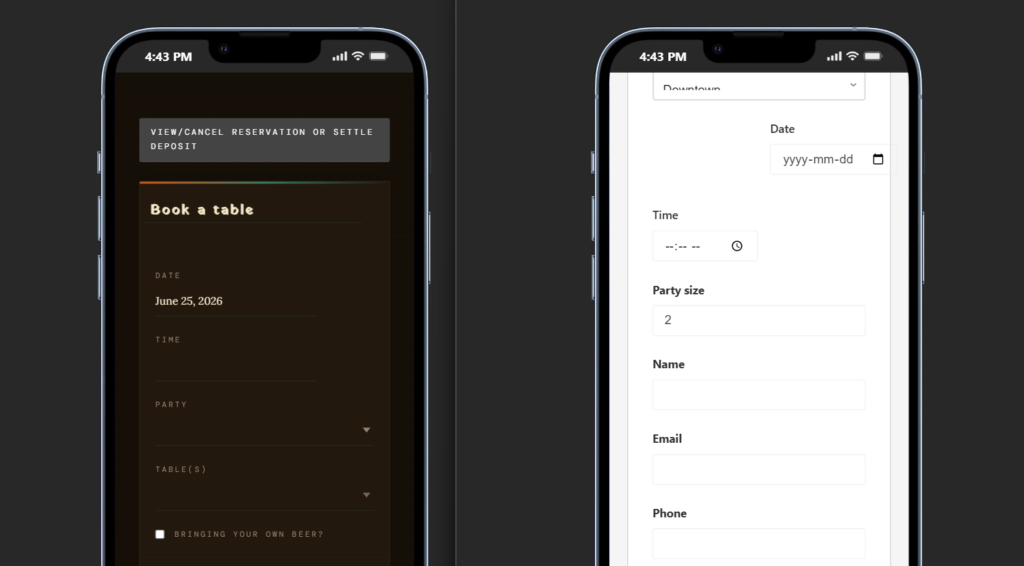
Build a booking page that feels like part of your restaurant, not a bolt-on tool
Keep reservations on your own site with a page structure designed for direct bookings, clearer trust, and fewer drop-offs.
Build the page in this order, not in the order most sites start with
- Define the booking promise. Decide whether the page is for standard reservations only, reservations plus events, or different service periods with different rules.
- Place the form before the long-form content. Guests who already intend to book should not have to scroll past paragraphs about the chef before they can act.
- Add only the fields that improve operations. Five Star Restaurant Reservations supports custom booking form fields, but that does not mean every field belongs on the page.
- Show the policies that reduce weak bookings. Arrival windows, cancellation expectations, and large-party notes belong close to the form, not buried in the footer.
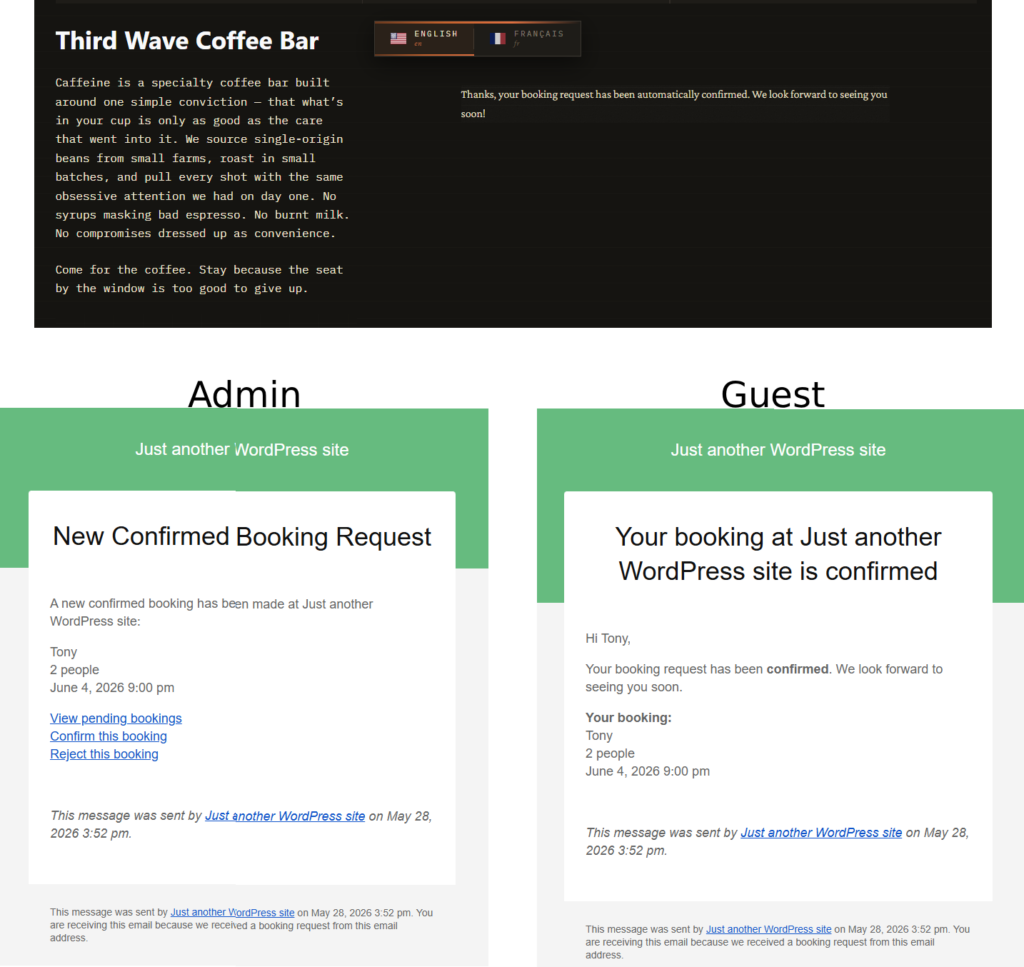
- Design the confirmation path immediately after the form. How to build a restaurant booking page includes what happens after submission. Confirmation messages, reminders, and staff notifications are part of the page’s job.
- Test the page on mobile and during a real service scenario. A beautiful page that is hard to use on phones or hard for staff to manage after submission is unfinished.
Example: turning a polished homepage into a real booking destination
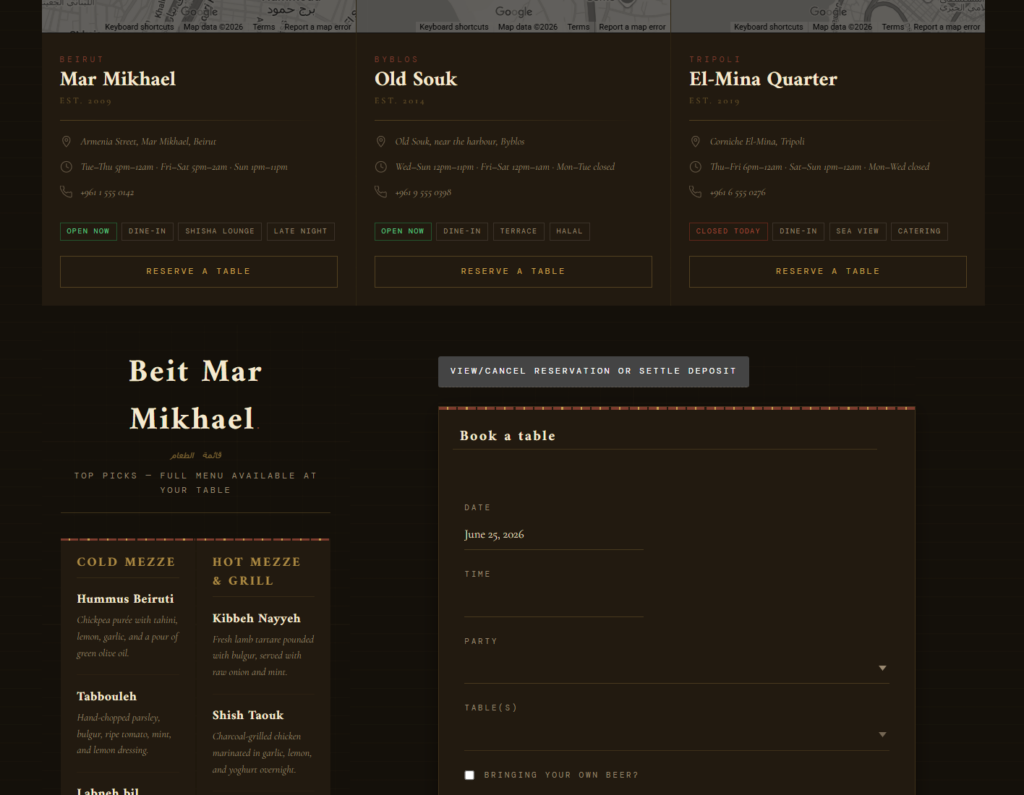
Imagine a restaurant with a strong website, elegant photography, and a prominent “Reserve” button that currently sends guests into a thin third-party flow. The site looks premium, but the booking moment breaks the brand experience. Rebuilding that as a direct booking page changes the feel immediately: the same typography and imagery stay intact, the form sits inside the restaurant’s own design, and the guest understands the next step without leaving the site.
That is where Five Star Restaurant Reservations earns its place in How to build a restaurant booking page. Five Star Restaurant Reservations makes it possible to keep the booking experience brand-first while also supporting operational details such as availability logic, confirmations, restrictions, and follow-up communications.
What to write around the form so guests feel ready to book
- A short line explaining what kind of reservations the page covers.
- Any limits on group size or event-related requests.
- A simple explanation of how confirmations work.
- A clear path for guests who need to modify or cancel.
- Any service notes that prevent back-and-forth after booking.
The mistake is assuming the form does all the work. In reality, the surrounding copy shapes the booking experience. It reduces hesitation, filters out bad-fit requests, and gives the staff cleaner reservations to manage later.
The tradeoffs to keep in mind while designing the page
A shorter page may feel cleaner, but it can hide the rules guests need. A longer page can educate, but it can also push the booking form too far down. Too few fields may help conversion while hurting service quality; too many fields may create friction before the reservation is even made. The strongest version of How to build a restaurant booking page keeps the page lean but not vague.
Keep the booking journey on your own site from first click to confirmation
Use a direct-booking page that matches your brand and gives your team better reservation control behind the scenes.
Related Content
Where this page should connect to the rest of your site
A high-performing booking page should not sit alone. Link to it from the main navigation, the homepage hero, the menu page, and key service or event pages. If the site has multiple locations or service types, make the booking path obvious from each one. That is part of restaurant reservations setup, not an afterthought.
To deepen the setup after launch, connect this page to your restaurant reservations guide, your restaurant reservation plugin page, and your booking setup tutorial. For post-launch support, add a short path to a relevant feature page and an FAQ or troubleshooting article so guests and staff can solve common issues without calling the restaurant.
Frequently asked questions about how to build a restaurant booking page
A dedicated page is often stronger because it gives the restaurant room to build trust, explain policies, and keep the guest focused on one action.
Date, time, party size, name, and contact details are usually the baseline. Add extra fields only when they help service or reduce manual follow-up.
Yes. Five Star Restaurant Reservations works well because Five Star Restaurant Reservations keeps the booking path inside the site’s own design instead of pushing guests into a disconnected reservation experience.
Because direct bookings let the restaurant own the visual experience, the guest data, and the reservation logic in one place.
Build a booking page that converts and supports service
If your current reservation page feels bolted on or low-trust, move to a direct-booking page designed around guest confidence and operational clarity.